# How to Turn Anything You Know Into a Claude Skill
**作者**: Oliver Prompts
**日期**: 2026-08-21T03:12:21.000Z
**来源**: [https://x.com/oliviscusAI/status/2090638108102631849](https://x.com/oliviscusAI/status/2090638108102631849)
---

## Five free, open-source ways to turn a book, video, or doc into a Claude skill.
You already own knowledge that lives in the wrong place. A textbook you bought and read once. A video you've rewatched three times looking for the same five minutes. A docs site you keep re-Googling the same three settings on. The fix isn't reading it again. It's converting it once.
That's what a skill actually is underneath the terminology. A one-time conversion cost that turns into free recall forever after. You pay the setup once, then you just ask.
Subscribe to [simplifyingai.co](//simplifyingai.co) for more daily AI insights like this.
There's no ceiling on what can become a skill, genuinely no limit. This covers five solid, free, open-source starting points, the shapes that "something you already have" tends to take most often. Not the whole territory. Enough to get you moving today, walked through with real situations, not just described in passing.
## 1. The pattern behind all of this
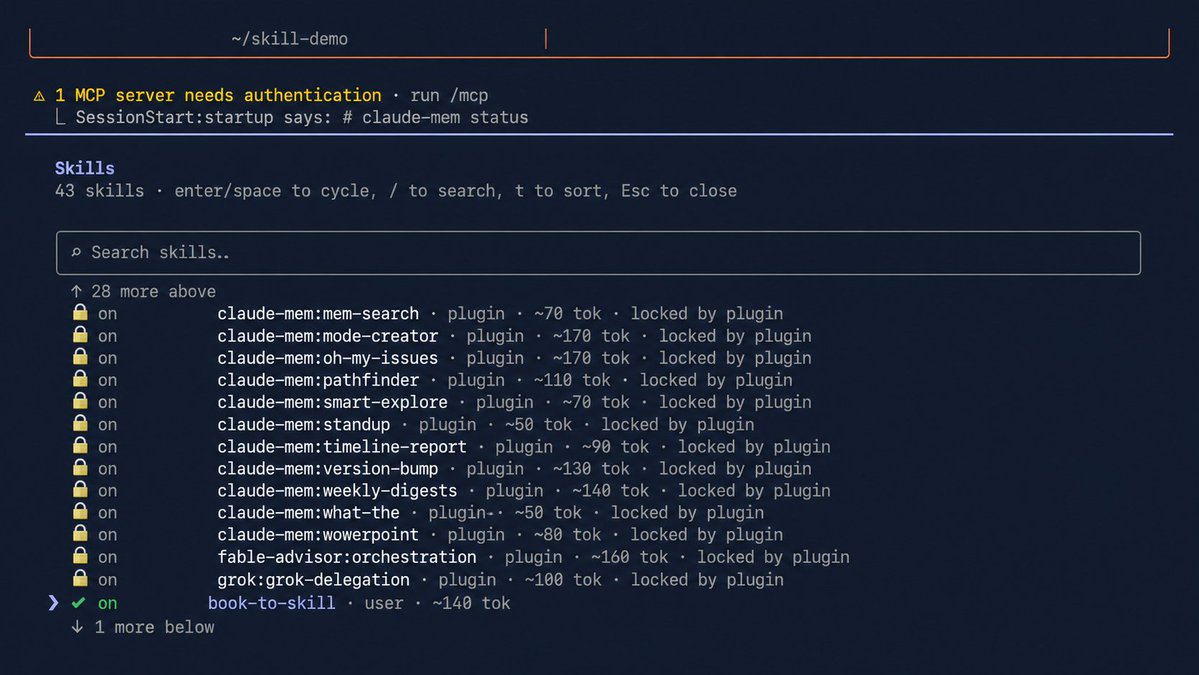
Every method below does the same three things, just against different source material. Point a tool at something. It reads through the whole thing once and pulls out the structure, the frameworks, the actual useful parts, not just a summary. Claude loads that structure on demand instead of re-reading the source every time you ask a question.
That's the whole idea. The rest of this guide is five different answers to "what am I pointing it at," each one walked through against a real situation, not just named and moved past.
## 2. Turn a book or document into a skill
Tool: book-to-skill (22.4k stars, MIT, virgiliojr94)
```
git clone https://github.com/virgiliojr94/book-to-skill.git ~/.claude/skills/book-to-skill
```
Then in Claude Code, point it at a PDF:
```
/book-to-skill /path/to/your-book.pdf
```
It builds an index plus one file per chapter, loaded only when a question actually touches that chapter.
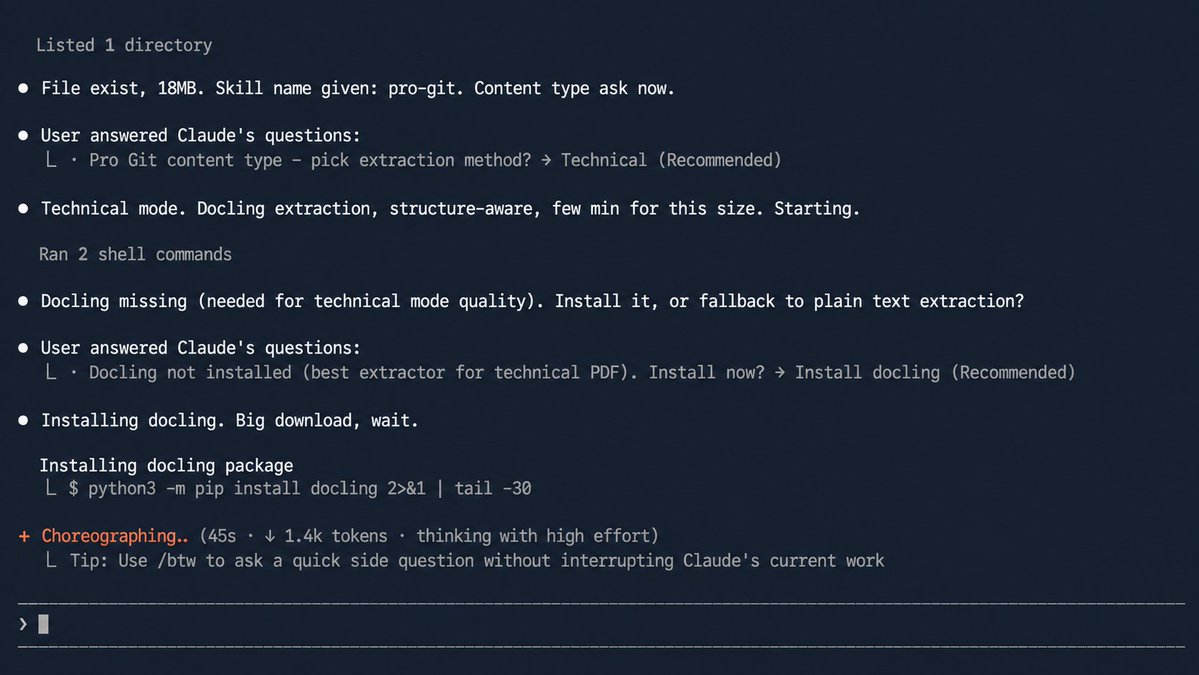
Walkthrough, the student scenario.
Say the book is a required data structures textbook for a class. Convert it once, at the start of the semester, before you've even opened chapter one:
```
/book-to-skill ~/textbooks/data-structures.pdf ds-textbook
```
The night before an exam, instead of flipping back through 400 pages hunting for the one diagram you remember but can't place, you ask directly:
> What's the time complexity difference between a red-black tree and a regular BST, and which chapter covers the rebalancing logic?
The skill answers from the actual chapter, cites which one, and if you follow up asking for the worked example, it pulls that specific section instead of a generic explanation reconstructed from memory.
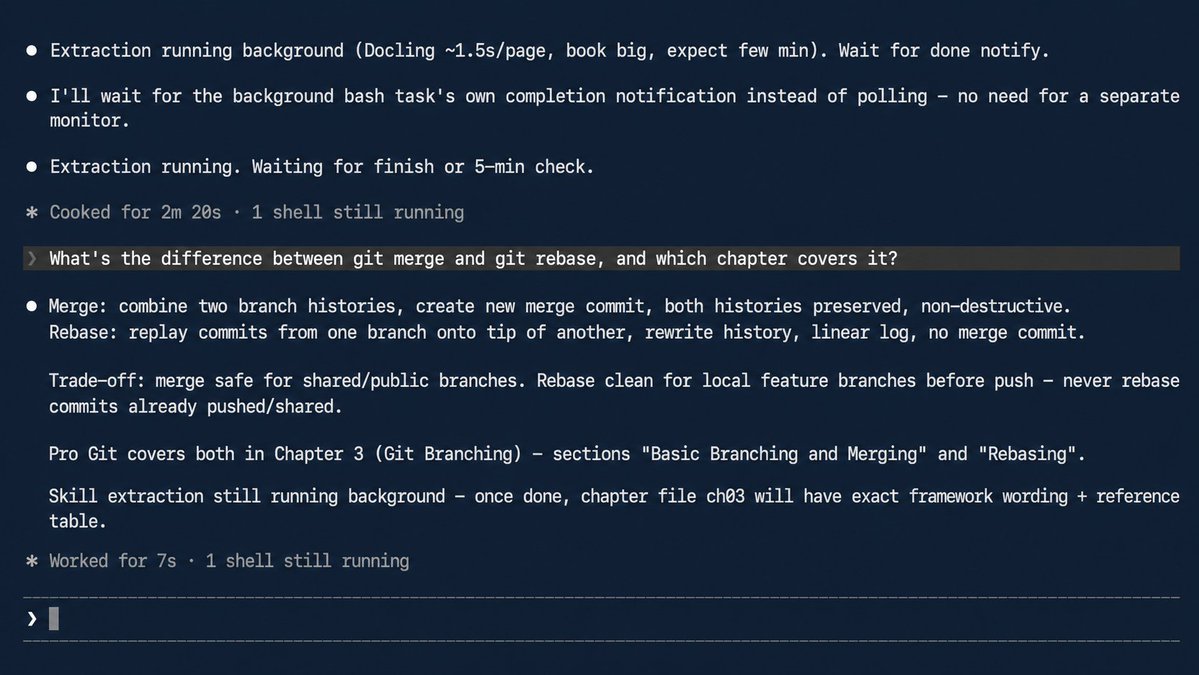
Walkthrough, the certification-prep scenario.
Same tool, different pressure. A PMP or bar-exam prep manual, one dense 400-page book you'll re-open dozens of times over a study period, not once like the class textbook above. That repetition is exactly where converting pays for itself hardest. Convert it once, at the start of your study window:
```
/book-to-skill ~/study/pmp-prep-manual.pdf pmp-prep
```
Then treat every study session as a conversation instead of a re-read:
> Quiz me on earned value management formulas, five questions, don't tell me the answer until I guess
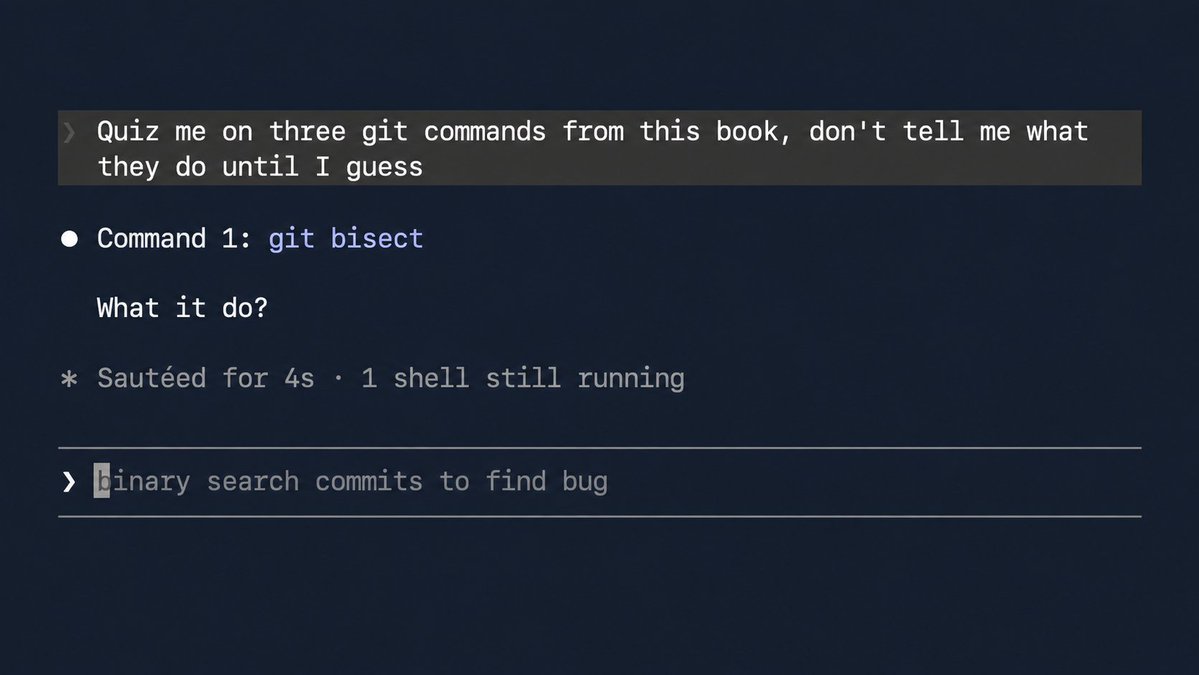
Because the skill holds the actual formulas and worked examples from the manual, not a generic PMP summary pulled from training data, the quiz questions stay grounded in what your specific prep book actually covers, including whatever edition-specific terminology or formula variants that book uses.
That distinction matters more than it sounds like it should, certification bodies update formulas and definitions between editions, and a generic answer that's technically correct in principle can still cost you points if it doesn't match what your specific exam actually tests.
## 3. Turn a docs site, GitHub repo, or PDF into a skill
Tool: Skill_Seekers (13.8k stars, MIT, yusufkaraaslan)
```
pip install skill-seekers
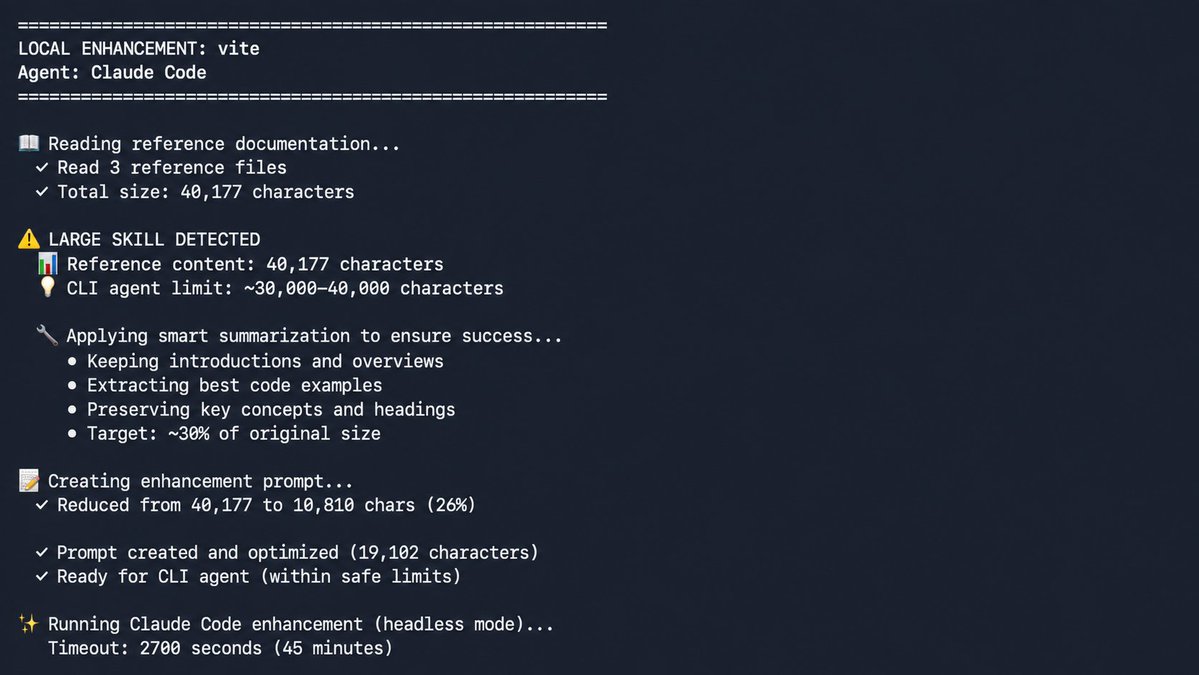
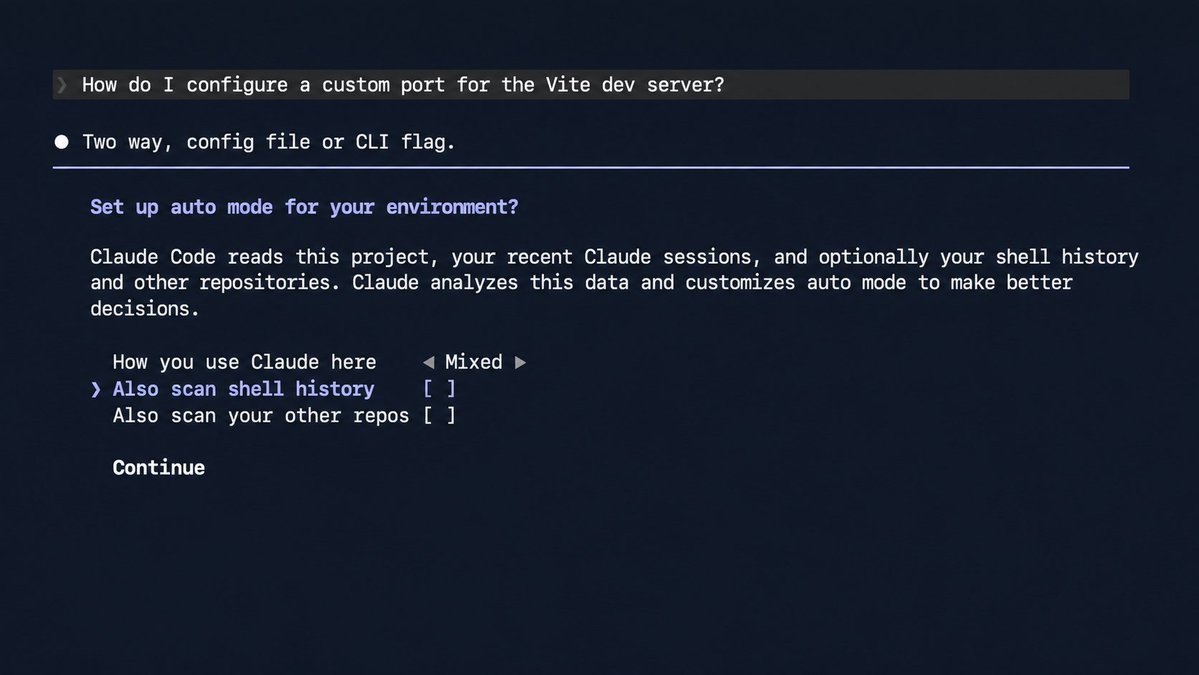
skill-seekers create https://docs.example.com/ --agent claude
```
The --agent claude flag routes the conversion through your existing Claude Code session instead of a separate paid API key.
Walkthrough, the small business scenario.
Say you run a small shop and use a POS system whose settings you re-Google every few months, refund policies, tax settings, inventory sync, whatever it is this quarter. Convert the docs site once:
```
skill-seekers create https://docs.your-pos-system.com/ --agent claude
```
Next time a customer wants a partial refund on a multi-item order and you can't remember the exact click path:
> How do I process a partial refund on an order with three items when only one is being returned?
Instead of a support search that surfaces five tangential articles, you get the exact steps, sourced from the docs you already converted.
Walkthrough, the freelancer scenario.
A new client hands you access to their internal wiki or an unfamiliar tool on day one, and the first working session is usually where a client decides whether they trust you with the harder work later. Convert it before that first real session, not during it:
```
skill-seekers create ./exported-wiki-folder --agent claude
```
Then instead of interrupting the client with setup questions that make the first call feel like onboarding instead of work:
> What's their branch naming convention and which environment does a PR to staging deploy to?
You walk into the first call already knowing the answer, pulled from their own wiki instead of guessed at or asked out loud. The difference isn't just saved time, it's the difference between looking like you've worked with their stack before and looking like you're still finding your footing, on the one call where that impression actually sets the tone for the engagement.
## 4. Turn a video into a skill
Tool: /watch (mathiaschu/watch, a fork of bradautomates/claude-video, local transcription, no API key)
```
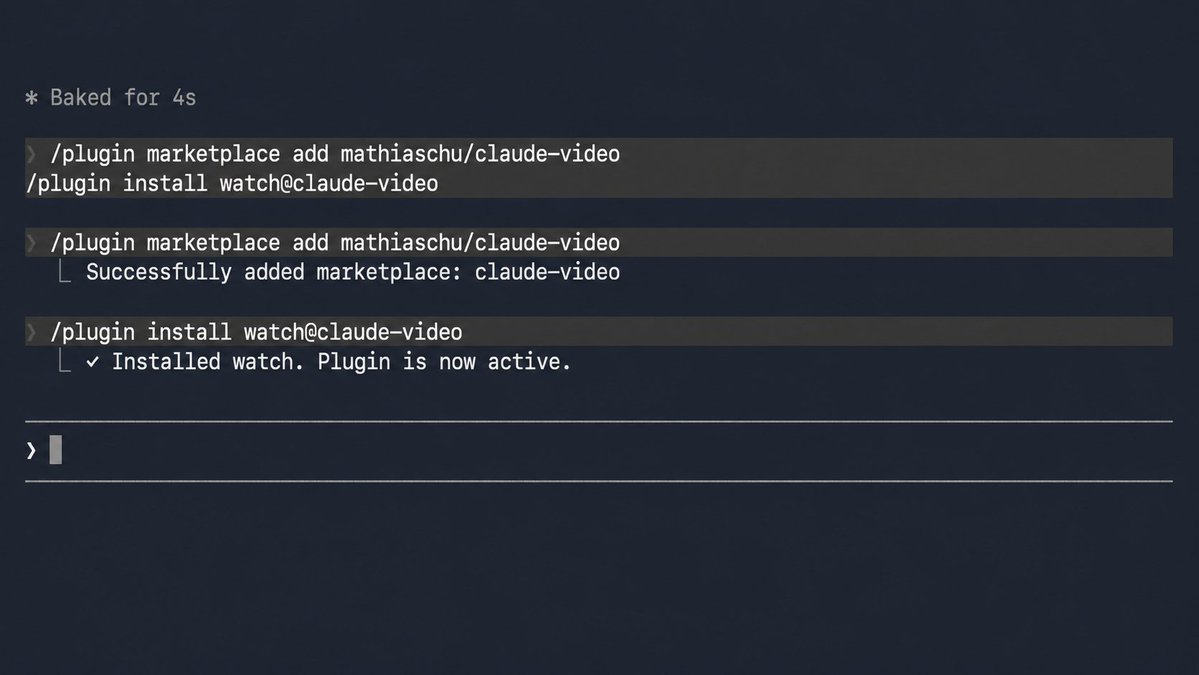
/plugin marketplace add mathiaschu/claude-video
/plugin install watch@claude-video
```
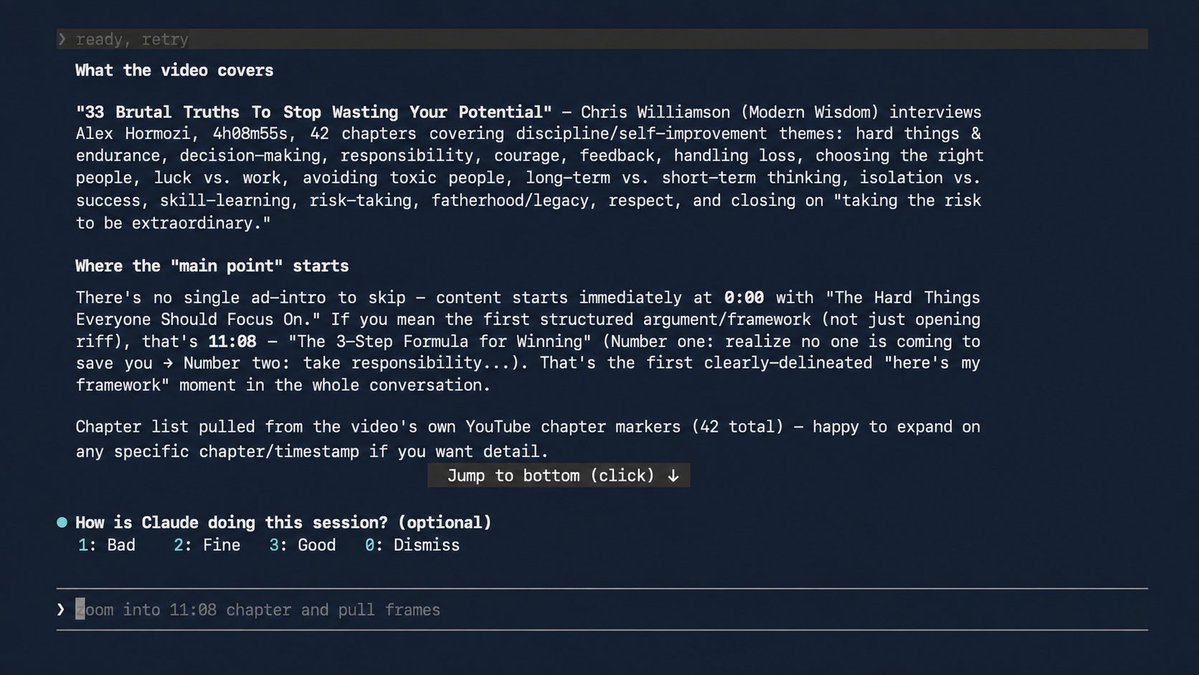
> /watch [https://youtube.com/watch?v=](https://youtube.com/watch?v=)... what does this actually cover?
Walkthrough, the learner scenario.
An hour-long knife skills tutorial you've rewatched three times, always scrubbing for the same two-minute grip demonstration buried somewhere in the middle:
> /watch [https://youtube.com/watch?v=](https://youtube.com/watch?v=)... what grip does he use for the julienne cut, and at what timestamp?
Because /watch pulls actual frames alongside the transcript, it answers from what's genuinely shown on screen, the grip, the angle, the specific motion, not just what was said in the audio.
Walkthrough, the parent or teacher scenario.
A 45-minute recorded school meeting or webinar you'll never rewatch start to finish, but you know you'll need to reference one specific decision from it weeks later, and scrubbing a timeline hoping to land near the right minute wastes exactly the time this is supposed to save:
> /watch ./recorded-meeting.mp4 what were the action items, and who was assigned each one?
Since transcription runs locally through the on-device Whisper model instead of a cloud API, nothing about the recording leaves your machine, which matters more here than with a public YouTube video, a school meeting often includes names, schedules, and details about specific kids that have no business going anywhere near a third-party server.
## 5. Turn the open web into a skill
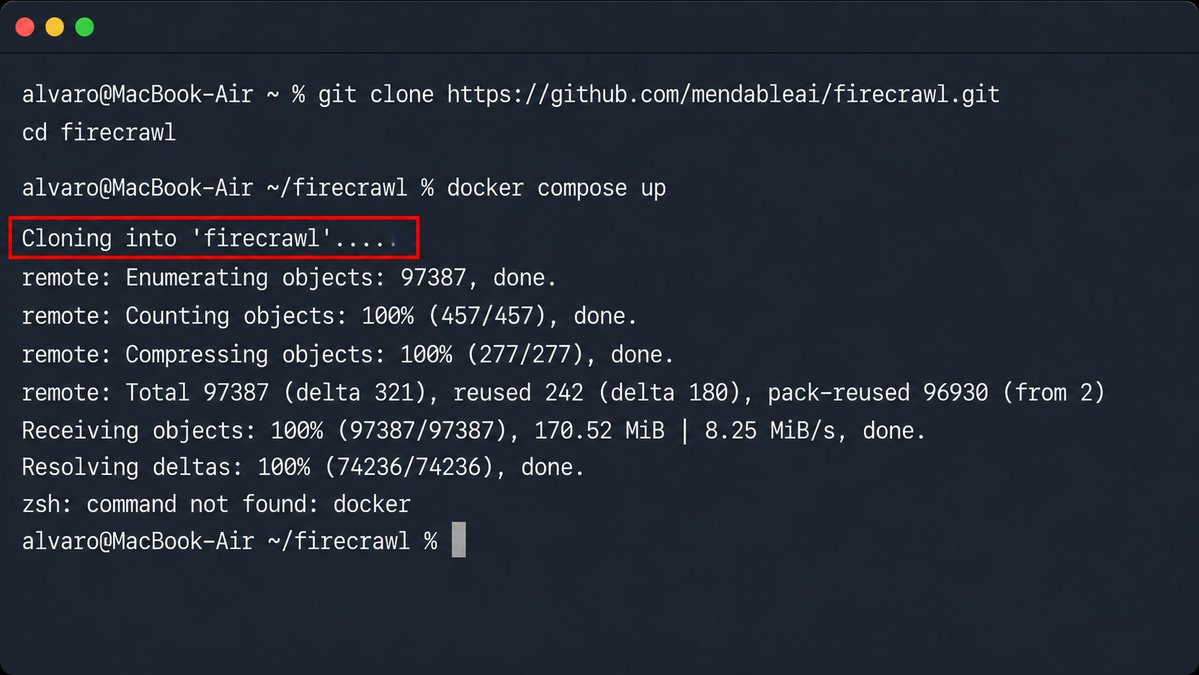
Tool: Firecrawl, self-hosted (168k stars, AGPL)
```
git clone https://github.com/mendableai/firecrawl.git
cd firecrawl
docker compose up
```
> Point the official firecrawl-mcp-server at your local instance instead of the hosted API, no account, no key, no tier limit.
Walkthrough, the sports fan scenario.
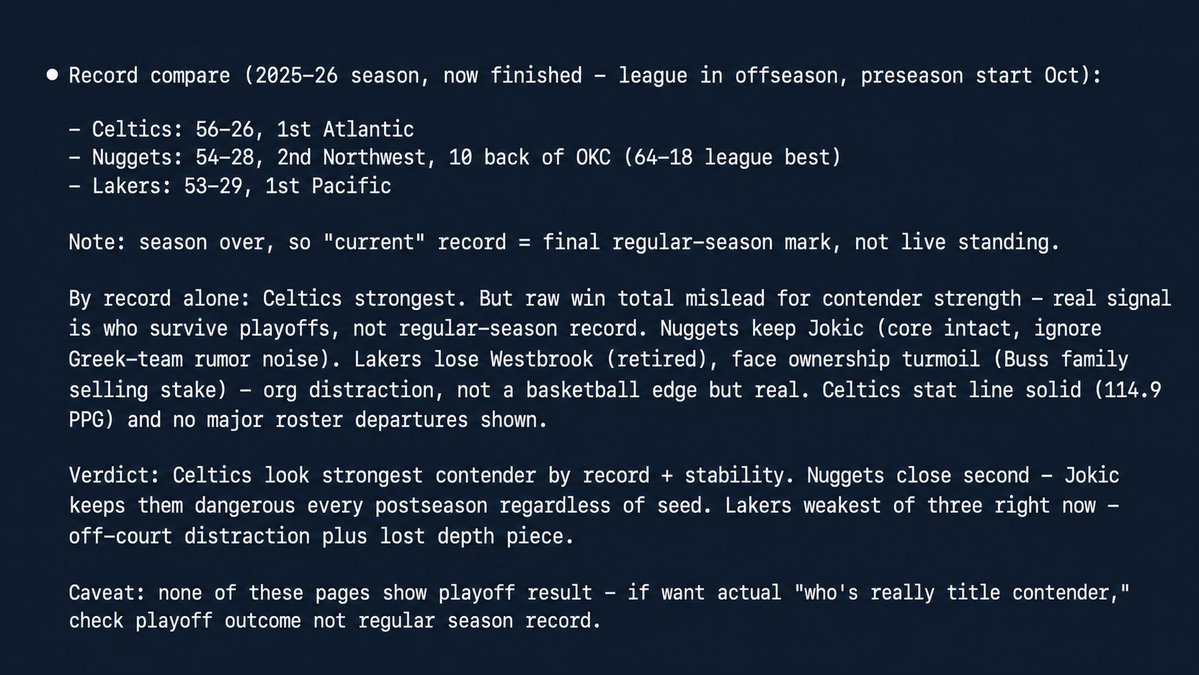
Say you follow the NBA closely enough to have an actual opinion on who's really a title contender right now
> Scrape [https://www.espn.com/nba/team/_/name/lal/los-angeles-lakers](https://www.espn.com/nba/team/_/name/lal/los-angeles-lakers), [https://www.espn.com/nba/team/_/name/bos/boston-celtics](https://www.espn.com/nba/team/_/name/bos/boston-celtics), and [https://www.espn.com/nba/team/_/name/den/denver-nuggets](https://www.espn.com/nba/team/_/name/den/denver-nuggets), then compare their current records and tell me which one actually looks like the strongest title contender right now
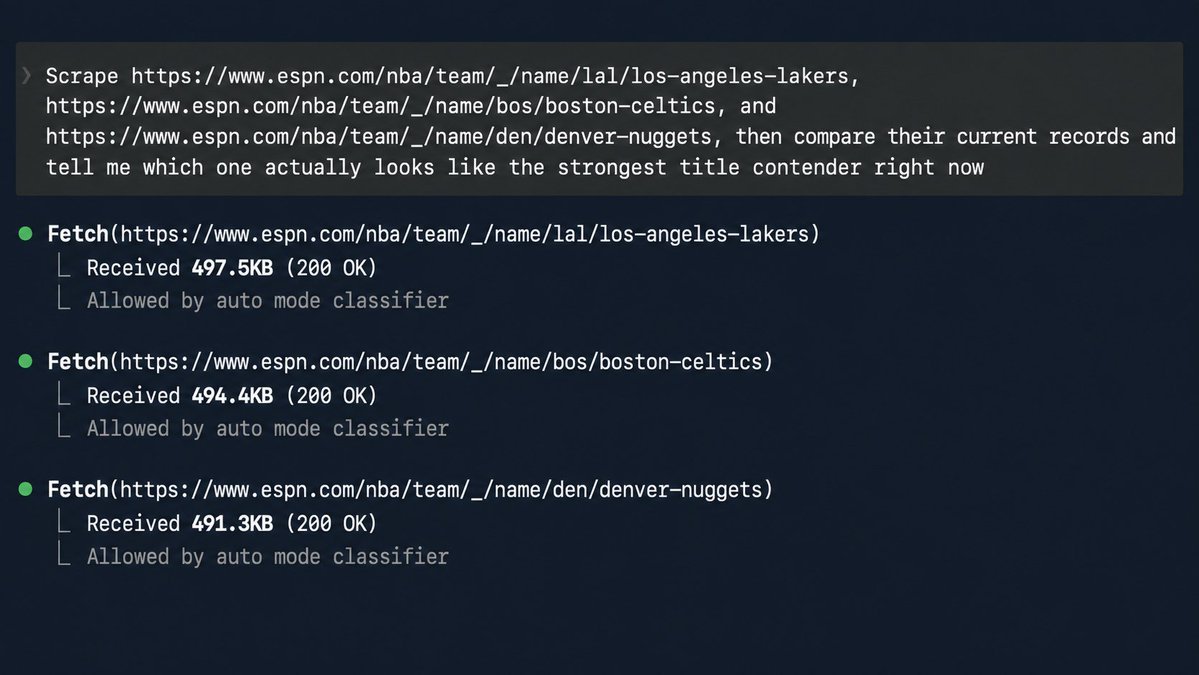
Firecrawl pulls all three pages into clean text, and Claude answers from what's actually on those pages, not a vague recollection of car reviews it half-remembers.
Walkthrough, the job search scenario.
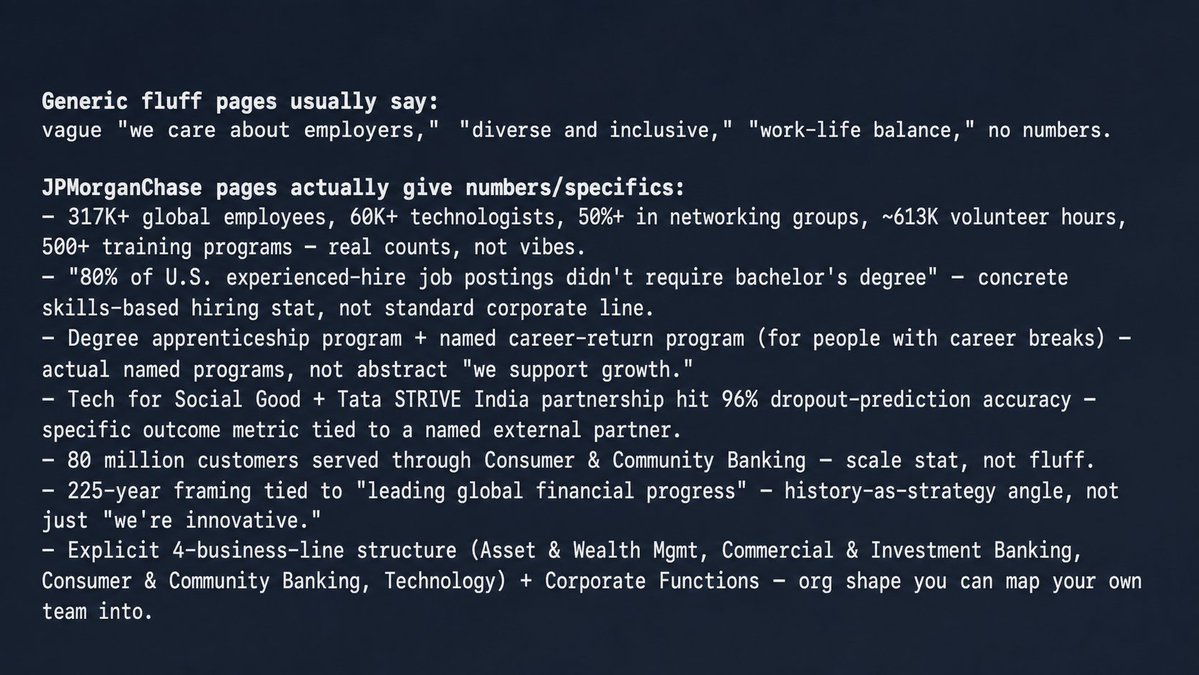
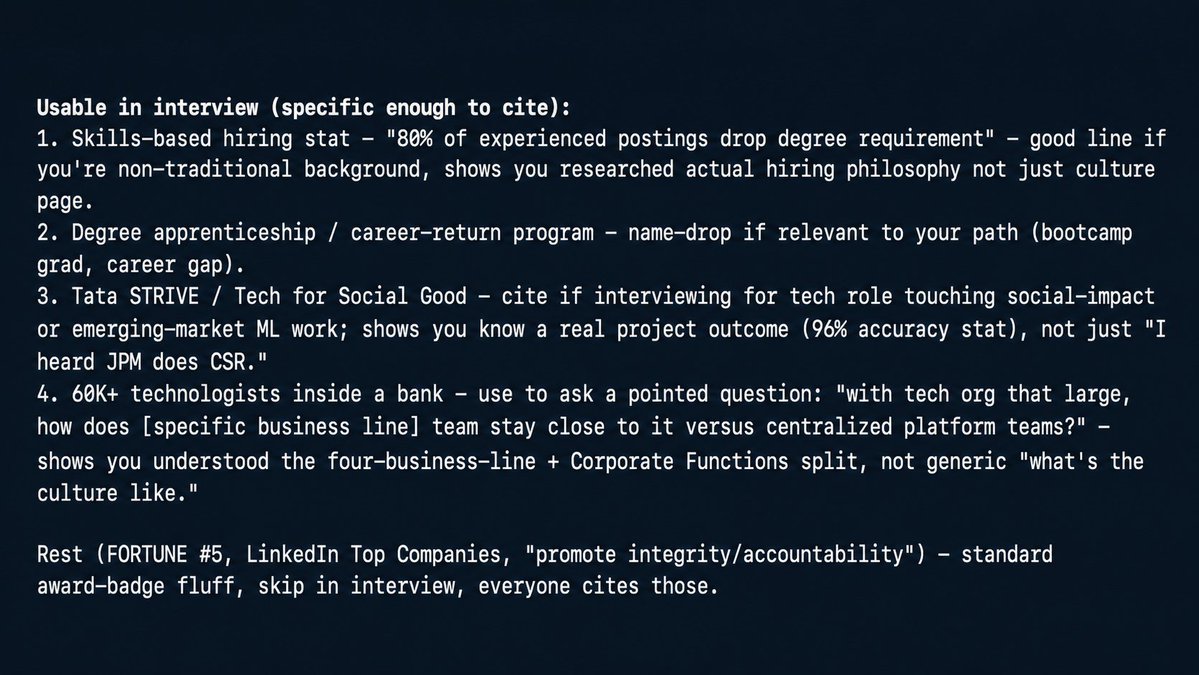
Researching a company before an interview, comp data, culture page, recent news, normally spread across five tabs you're frantically re-checking in the elevator:
> Scrape [https://careers.jpmorgan.com/us/en/home](https://careers.jpmorgan.com/us/en/home) and [https://www.jpmorganchase.com/about](https://www.jpmorganchase.com/about), then tell me what they actually emphasize as priorities versus what a typical "we value our people" corporate page says, and note anything specific enough that you could actually bring it up in an interview
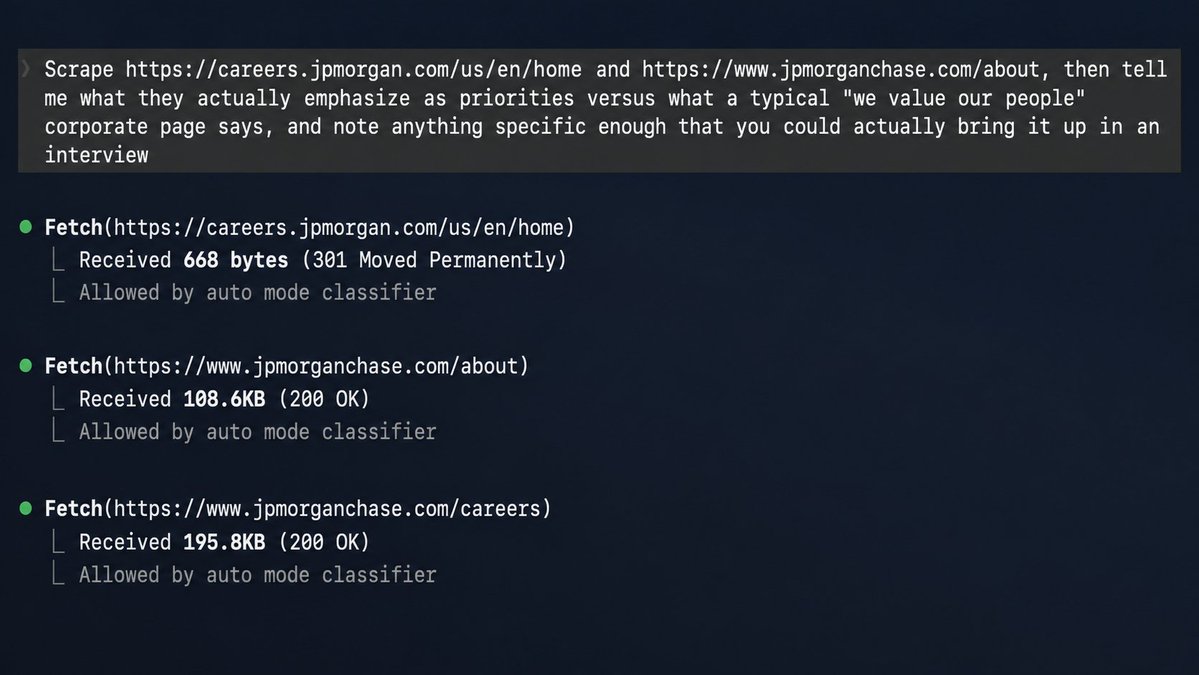
Because it's pulling the real pages rather than a generic impression, the answer reflects what that specific company actually published, not a generic "what do companies value" answer.
## 6. Turn your own notes into a skill
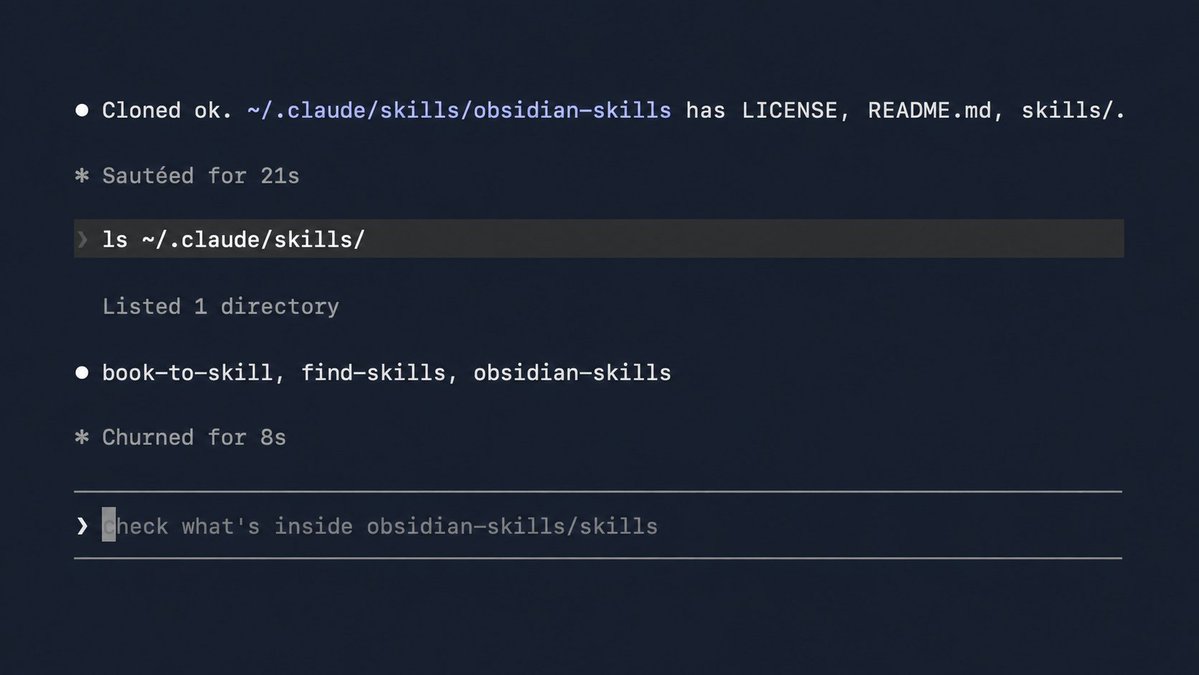
Tool: obsidian-skills (46.4k stars, official, published by Steph Ango, Obsidian's CEO)
```
git clone https://github.com/kepano/obsidian-skills.git ~/.claude/skills/obsidian-skills
```
Walkthrough, the lifelong-notes scenario.
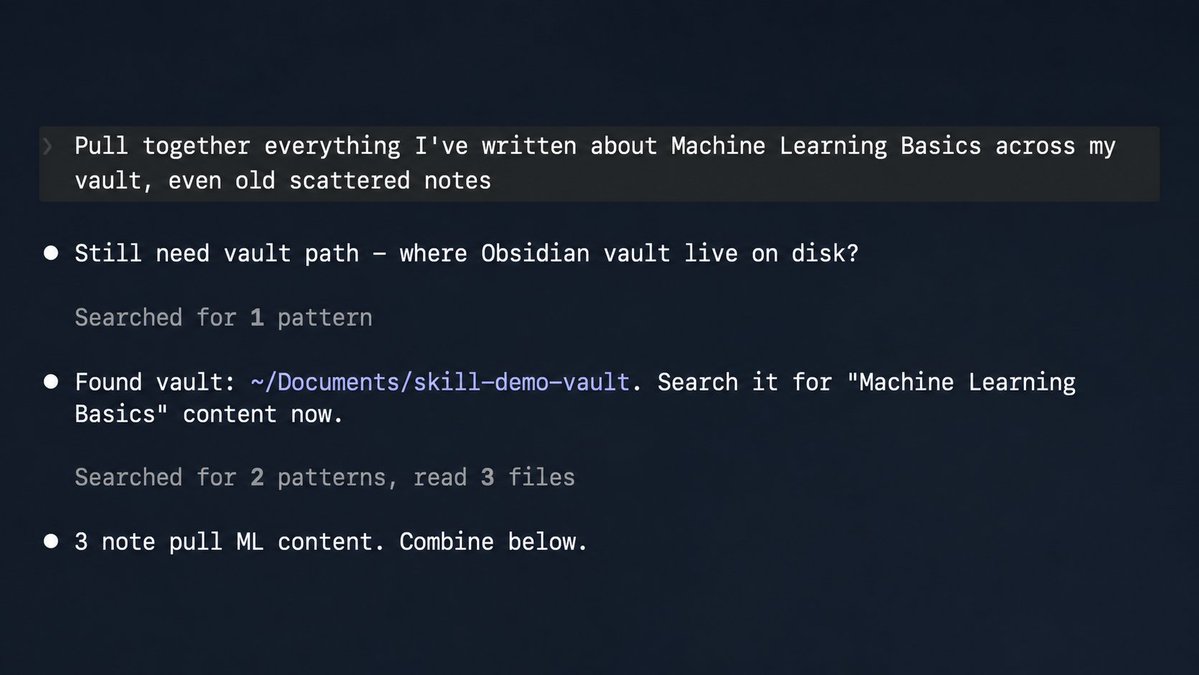
Years of class notes, half-finished journal entries, and saved ideas sitting in a vault nobody revisits. Once the skill is installed:
> Pull together everything I've ever written about machine learning across my vault, even old scattered notes, and organize it into one summary
Because the skill teaches Claude to actually navigate wikilinks and frontmatter correctly instead of guessing at the format, it finds genuinely connected notes across years of scattered entries, not just files with "machine learning" literally in the filename.
Walkthrough, the small business owner scenario.
Years of client notes, project decisions, and meeting summaries accumulated in a vault. Before a call with a client you haven't spoken to in six months:
> Summarize everything I've noted about this client over the past year, and flag anything I said I'd follow up on
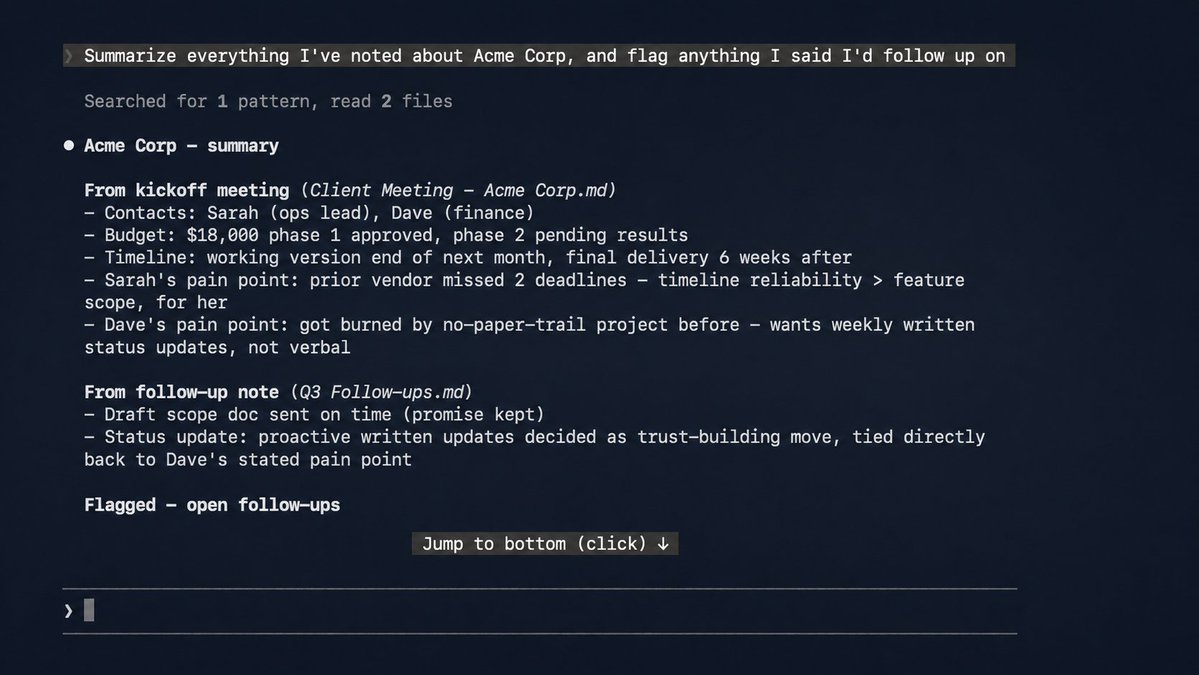
Instead of scrolling through a folder trying to remember what was actually agreed to, you walk into the call already briefed.
## 7. How to know when not to create a skill
Two honest checks before you spend real time converting something.
First, it might already exist.
[skills.sh](//skills.sh) (29.1k stars, Vercel Labs) is a free, searchable registry of skills other people have already built and shared.
```
npx skills find "topic or book title"
```
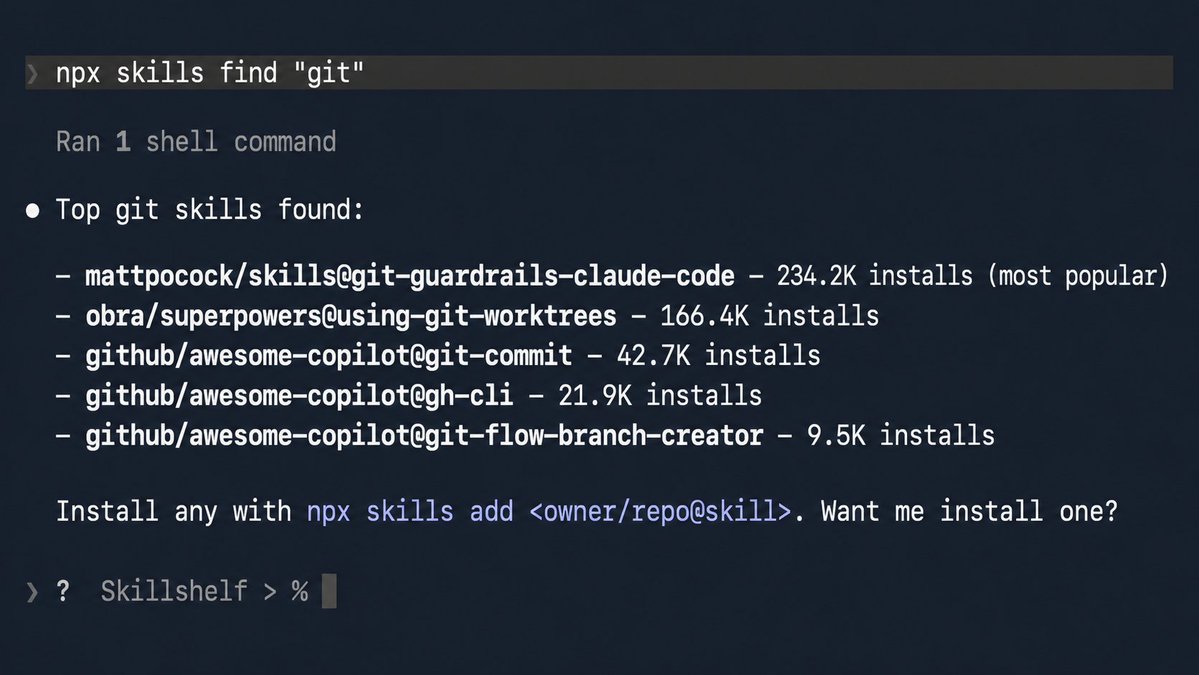
Before spending twenty minutes running book-to-skill on a well-known textbook, worth the thirty-second check, there's a real chance someone already did it.
Second, if you'll only ever ask about something once, don't convert it.
Just attach the file and ask directly. The entire value of a skill comes from repeated use. Spending the conversion time on something you'll touch a single time is wasted effort in the other direction.
## 8. Taking it further, a standing workflow for creators
If you're working with reference material constantly, this stops being five separate tricks and becomes one habit. Every book, video, or doc that comes in during research gets converted on intake, right when you first touch it, into one growing skills folder.
Nothing gets read once and forgotten. Everything gets queried later instead of re-found from scratch.
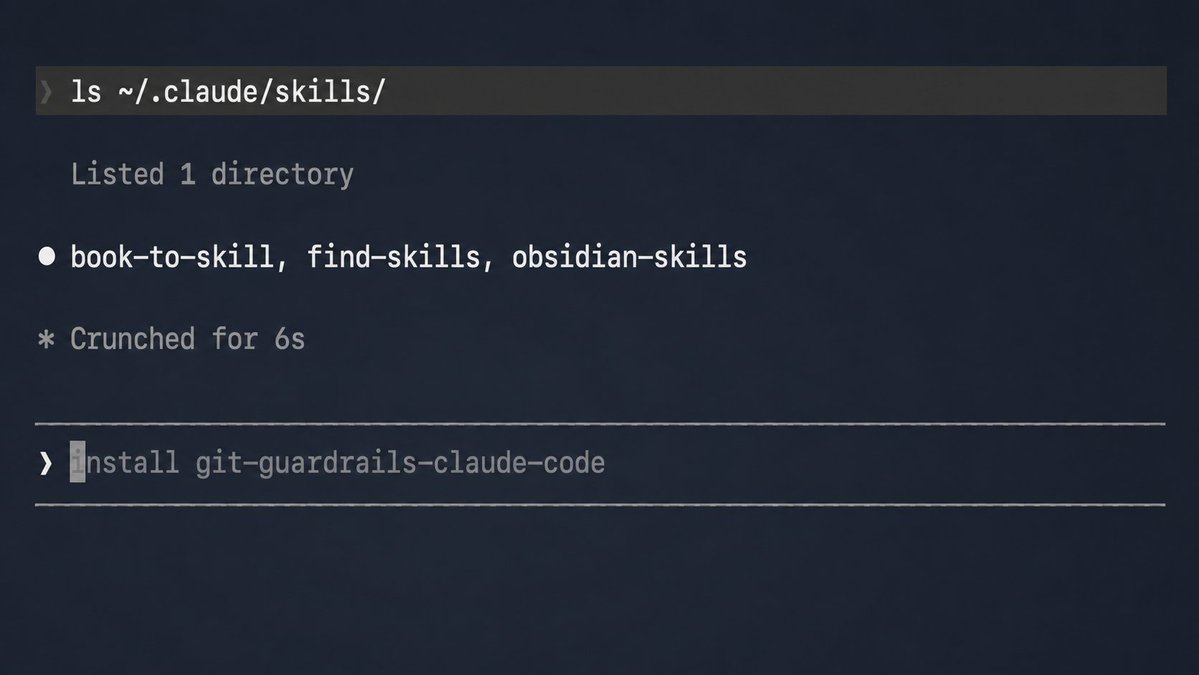
That's the actual shift. Not five tools reached for occasionally, one folder that gets a little smarter every time you feed it something.
## Closing
Five ways in, not the whole territory, but between a book, a docs site, a video, the open web, and your own notes, there's a real chance something you already have sitting around fits one of these right now.
That's all I'm asking.
See you in the next one :)
## 相关链接
- [Oliver Prompts](https://x.com/oliviscusAI)
- [@oliviscusAI](https://x.com/oliviscusAI)
- [7.4K](https://x.com/oliviscusAI/status/2090638108102631849/analytics)
- [simplifyingai.co](https://simplifyingai.co/)
- [https://youtube.com/watch?v=](https://youtube.com/watch?v=)
- [https://youtube.com/watch?v=](https://youtube.com/watch?v=)
- [https://www.espn.com/nba/team/_/name/lal/los-angeles-lakers](https://www.espn.com/nba/team/_/name/lal/los-angeles-lakers)
- [https://www.espn.com/nba/team/_/name/bos/boston-celtics](https://www.espn.com/nba/team/_/name/bos/boston-celtics)
- [https://www.espn.com/nba/team/_/name/den/denver-nuggets](https://www.espn.com/nba/team/_/name/den/denver-nuggets)
- [https://careers.jpmorgan.com/us/en/home](https://careers.jpmorgan.com/us/en/home)
- [https://www.jpmorganchase.com/about](https://www.jpmorganchase.com/about)
- [skills.sh](https://skills.sh/)
- [Upgrade to Premium](https://x.com/i/premium_sign_up)
- [11:12 AM · Aug 21, 2026](https://x.com/oliviscusAI/status/2090638108102631849)
- [7,469 Views](https://x.com/oliviscusAI/status/2090638108102631849/analytics)
---
*导出时间: 2026/8/22 10:33:21*
---
## 中文翻译
# 如何将你懂的任何东西变成 Claude 技能
**作者**: Oliver Prompts
**日期**: 2026-08-21T03:12:21.000Z
**来源**: [https://x.com/oliviscusAI/status/2090638108102631849](https://x.com/oliviscusAI/status/2090638108102631849)
---

## 五种免费、开源的方法,把一本书、一个视频或一份文档变成 Claude 技能。
你已经拥有一些“放错了地方”的知识。一本买来只读过一次的教科书。一个你重看了三遍、只为找同样那五分钟的视频。一个你反复用 Google 搜索同样三个设置的文档站点。解决办法不是再读一遍,而是一次性把它转换好。
这就是“技能”在术语背后的本质。一次性转换成本,换来此后永久的免费检索。设置费只需付一次,之后你只需要提问。
订阅 [simplifyingai.co](//simplifyingai.co),获取更多类似的每日 AI 洞察。
能变成技能的东西没有上限,真的毫无限制。本文介绍五个可靠、免费、开源的起点,也就是“你已有的东西”最常见的几种形态。这不是全部版图,但足够让你今天就开始行动,而且会结合真实场景来讲解,而不是一笔带过。

## 1. 一切背后的模式
下面每种方法都在做同样的三件事,只是针对不同的源材料。把一个工具指向某个东西。它通读一遍全部内容,提取出结构、框架和真正有用的部分,而不只是摘要。Claude 按需加载该结构,而不是每次你提问时重新阅读源材料。
这就是全部核心思想。本指南其余部分是“我该把它指向什么”的五个不同答案,每一个都会结合真实场景来讲解,而不是点名了事。
## 2. 把一本书或文档变成技能
工具:book-to-skill(22.4k 星,MIT 协议,作者 virgiliojr94)
```
git clone https://github.com/virgiliojr94/book-to-skill.git ~/.claude/skills/book-to-skill
```
然后在 Claude Code 中,将其指向一个 PDF:
```
/book-to-skill /path/to/your-book.pdf
```
它会构建一个索引加上每章一个文件,只有当问题真正涉及某章时才会加载该文件。

实操演示,学生场景。
假设这本书是某门课的指定数据结构教材。在学期开始、你甚至还没翻开第一章之前,就一次性转换好:
```
/book-to-skill ~/textbooks/data-structures.pdf ds-textbook
```
考试前夜,你不用翻回 400 页去寻找那张你记得却想不起在哪里的图,而是直接提问:
> 红黑树和普通二叉搜索树的时间复杂度有什么区别?再平衡逻辑在哪一章?
技能会从实际章节中回答,并注明是哪一章。如果你接着要一个例题,它会提取出那个具体小节,而不是根据记忆泛泛重构一段解释。

实操演示,认证备考场景。
同一个工具,不同的压力场景。一本 PMP 或律师资格考试备考手册,一本 400 页的密集大部头,你会在整个学习期间反复打开几十次,而不是像上面的教材那样只读一次。这种重复正是转换最划算的地方。在开始学习时一次性转换好:
```
/book-to-skill ~/study/pmp-prep-manual.pdf pmp-prep
```
然后把每次学习当成对话,而不是重读:
> 用挣值管理公式考我,出五道题,我猜完之前不要告诉我答案

因为技能保存的是手册中实际的公式和例题,而不是从训练数据中提取的通用 PMP 摘要,所以测验题目始终基于你这本备考书实际涵盖的内容,包括该书特有的版本术语或公式变体。
这个区别比听起来更重要。认证机构会在不同版本之间更新公式和定义,一个原则上“技术上正确”的通用回答,如果不匹配你实际要考的考试内容,仍然可能让你丢分。
## 3. 把文档站点、GitHub 仓库或 PDF 变成技能
工具:Skill_Seekers(13.8k 星,MIT 协议,作者 yusufkaraaslan)
```
pip install skill-seekers
skill-seekers create https://docs.example.com/ --agent claude
```
--agent claude 标志会让转换通过你现有的 Claude Code 会话完成,而不需要单独的付费 API 密钥。

实操演示,小店主场景。
假设你经营一家小店,使用一个每隔几个月就要重新 Google 设置的 POS 系统——退款政策、税务设置、库存同步,这个季度又是什么来着。一次性转换好文档站点:
```
skill-seekers create https://docs.your-pos-system.com/ --agent claude
```
下次有顾客想对多商品订单部分退款,而你不记得确切的点击路径时:
> 一个订单里有三件商品,只退其中一件,我该怎么处理部分退款?
你得到的不再是搜出五篇不相关文章的客服搜索,而是确切的步骤,来源就是你已转换好的文档。

实操演示,自由职业者场景。
新客户第一天就交给你他们的内部 wiki 或一个你不熟悉的工具的访问权限,而第一次工作会议通常是客户判断以后能否把更难的工作托付给你的时刻。要在第一次正式会议之前转换好,而不是会议期间:
```
skill-seekers create ./exported-wiki-folder --agent claude
```
然后,你就不用在会议中打断客户问一些让第一次通话感觉像入职培训而不是实际工作的设置问题:
> 他们的分支命名规范是什么?PR 合并到 staging 后会部署到哪个环境?
你走进第一次通话时就已经知道答案,这些答案来自他们自己的 wiki,而不是靠猜或当场提问。这不仅仅是节省时间,而是“看起来用过他们的技术栈”和“看起来还在摸索”之间的区别——而这恰恰是定调整个合作基调的那次通话。
## 4. 把一个视频变成技能
工具:/watch(mathiaschu/watch,bradautomates/claude-video 的分支,本地转录,无需 API 密钥)
```
/plugin marketplace add mathiaschu/claude-video
/plugin install watch@claude-video
```

> /watch [https://youtube.com/watch?v=](https://youtube.com/watch?v=)... 这个视频到底讲了什么?
实操演示,学习者场景。
一个一小时长的刀工教程,你已经重看了三遍,每次都要拖进度条找埋在中间某处的那个两分钟握刀演示:
> /watch [https://youtube.com/watch?v=](https://youtube.com/watch?v=)... 他切细丝(julienne)时用的什么握法?在哪个时间点?
由于 /watch 会同时提取实际画面和文字稿,它的回答基于屏幕上真正展示的内容——握法、角度、具体动作,而不只是音频里说了什么。

实操演示,家长或教师场景。
一个 45 分钟的录制的学校会议或网络研讨会,你永远不会从头到尾重看,但你知道几周后你需要引用其中某个具体的决定,而在时间轴上拖来拖去指望刚好落到正确的那一分钟,恰恰浪费了这个工具本该节省的时间:
> /watch ./recorded-meeting.mp4 行动项有哪些?每一项分配给了谁?
由于转录是通过设备本地的 Whisper 模型运行的,而不是云端 API,录制内容不会离开你的机器。这一点在这里比公共 YouTube 视频更重要——学校会议往往包含姓名、日程以及关于特定孩子的细节,这些东西根本不应该被发送到任何第三方服务器。
## 5. 把开放网络变成技能
工具:Firecrawl,自托管(168k 星,AGPL 协议)
```
git clone https://github.com/mendableai/firecrawl.git
cd firecrawl
docker compose up
```
> 将官方 firecrawl-mcp-server 指向你的本地实例而不是托管 API,无需账号、无需密钥、无套餐限制。

实操演示,体育迷场景。
假设你密切关注 NBA,关注到对谁现在是真正的冠军争夺者有自己明确的看法:
> 抓取 [https://www.espn.com/nba/team/_/name/lal/los-angeles-lakers](https://www.espn.com/nba/team/_/name/lal/los-angeles-lakers)、[https://www.espn.com/nba/team/_/name/bos/boston-celtics](https://www.espn.com/nba/team/_/name/bos/boston-celtics) 和 [https://www.espn.com/nba/team/_/name/den/denver-nuggets](https://www.espn.com/nba/team/_/name/den/denver-nuggets),然后比较他们目前的战绩,告诉我哪支球队现在看起来才是最强的冠军争夺者

Firecrawl 将三个页面全部提取为干净的文本,Claude 基于这些页面上实际的内容作答,而不是含糊地回忆它半记得的车评。

实操演示,求职场景。
面试前研究一家公司——薪酬数据、文化页面、近期新闻,通常分散在五个浏览器标签页里,你只能在电梯里慌忙地反复刷新:
> 抓取 [https://careers.jpmorgan.com/us/en/home](https://careers.jpmorgan.com/us/en/home) 和 [https://www.jpmorganchase.com/about](https://www.jpmorganchase.com/about),然后告诉我他们真正强调的优先事项是什么,与典型的“我们重视员工”式的企业页面有何不同,并指出任何具体到你在面试中真的能拿出来聊的内容

由于它抓取的是真实页面而不是笼统印象,回答反映的是这家公司实际发布的内容,而不是“公司一般重视什么”这类通用答案。


## 6. 把你自己的笔记变成技能
工具:obsidian-skills(46.4k 星,官方出品,由 Steph Ango——Obsidian 的 CEO——发布)
```
git clone https://github.com/kepano/obsidian-skills.git ~/.claude/skills/obsidian-skills
```

实操演示,多年笔记场景。
多年积累的课堂笔记、写了一半的日记和保存的想法,静静躺在一个没人再翻看的库里。安装好技能后:
> 汇总我的库里所有关于机器学习的内容,包括零散的旧笔记,整理成一份摘要
因为该技能教会 Claude 正确地遍历 wikilink 和 frontmatter,而不是靠猜格式,它能从多年零散的条目中找出真正有关联的笔记,而不仅仅是文件名里字面包含“机器学习”的文件。

实操演示,小店主场景。
多年积累在一个库里的客户笔记、项目决策和会议摘要。在与一位六个月没联系的客户通话之前:
> 总结一下我过去一年关于这个客户记录的所有内容,并标记出任何我说过要跟进的事项

你不用再滚动文件夹努力回忆当初到底达成了什么,走进通话时就已经有了简报。
## 7. 如何判断什么时候不该创建技能
在花真时间转换之前,先做两个诚实的检查。
第一,它可能已经存在了。
[skills.sh](//skills.sh)(29.1k 星,Vercel Labs)是一个免费的、可搜索的技能注册库,收录了别人已经构建并分享的技能。
```
npx skills find "topic or book title"
```

在花二十分钟用 book-to-skill 转换一本知名教科书之前,值得花三十秒查一下——真的有可能已经有人做过了。
第二,如果你只会问某个东西一次,就不要转换。
直接附上文件提问就好。技能的全部价值来自反复使用。把转换时间花在你只会碰一次的东西上,是反方向的浪费。
## 8. 更进一步,创作者的常态化工作流
如果你经常与参考资料打交道,这就不再是五个孤立的技巧,而是一个习惯。研究过程中进来的每本书、每个视频或每份文档,都在入手时——也就是你第一次接触它时——就转换好,放进一个不断增长的技能文件夹。
没有任何东西被读过一次就遗忘。所有内容日后都可以被查询,而不必从头重新寻找。

这才是真正的转变。不是偶尔想起才用的五个工具,而是一个你每喂给它一点东西就变得更聪明一点的文件夹。
## 结语
五种方法进来,虽然不是全部版图,但在书、文档站点、视频、开放网络和你自己的笔记之间,你手边已有的某样东西很可能现在就符合其中之一。
这就是我想要的全部。
下篇再见 :)
## 相关链接
- [Oliver Prompts](https://x.com/oliviscusAI)
- [@oliviscusAI](https://x.com/oliviscusAI)
- [7.4K](https://x.com/oliviscusAI/status/2090638108102631849/analytics)
- [simplifyingai.co](https://simplifyingai.co/)
- [https://youtube.com/watch?v=](https://youtube.com/watch?v=)
- [https://youtube.com/watch?v=](https://youtube.com/watch?v=)
- [https://www.espn.com/nba/team/_/name/lal/los-angeles-lakers](https://www.espn.com/nba/team/_/name/lal/los-angeles-lakers)
- [https://www.espn.com/nba/team/_/name/bos/boston-celtics](https://www.espn.com/nba/team/_/name/bos/boston-celtics)
- [https://www.espn.com/nba/team/_/name/den/denver-nuggets](https://www.espn.com/nba/team/_/name/den/denver-nuggets)
- [https://careers.jpmorgan.com/us/en/home](https://careers.jpmorgan.com/us/en/home)
- [https://www.jpmorganchase.com/about](https://www.jpmorganchase.com/about)
- [skills.sh](https://skills.sh/)
- [Upgrade to Premium](https://x.com/i/premium_sign_up)
- [11:12 AM · Aug 21, 2026](https://x.com/oliviscusAI/status/2090638108102631849)
- [7,469 Views](https://x.com/oliviscusAI/status/2090638108102631849/analytics)
---
*导出时间: 2026/8/22 10:33:21*