# How to Build an AI Second Brain With Claude and Obsidian (Full Course)
**作者**: Khairallah AL-Awady
**日期**: 2026-05-30T09:20:54.000Z
**来源**: [https://x.com/eng_khairallah1/status/2060652660773314833](https://x.com/eng_khairallah1/status/2060652660773314833)
---
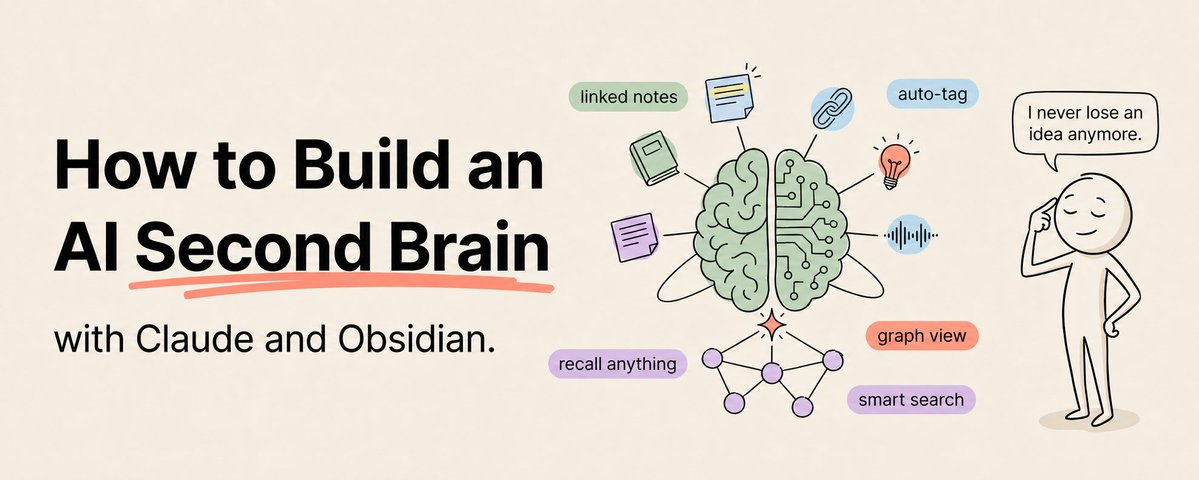
Most people take notes. Almost nobody uses them.
Save this :)
You highlight articles. You save bookmarks. You write meeting notes. You jot down ideas. And then those notes sit in folders you never open again, slowly becoming a digital graveyard of forgotten thoughts.
Obsidian just crossed 1.5 million users. And the reason is not the note-taking.
It is the AI integration.
When you connect Claude to an Obsidian vault, something different happens. Your notes stop being passive text on a screen. They become a knowledge base that Claude can read, search, reason over, and build on.
You ask Claude a question and it answers using your own notes. Not generic internet knowledge. Your notes. Your research. Your ideas. Your context.
That is a second brain. Not a folder full of files you forgot about. A system that actually thinks with you.
Here is exactly how to build one from scratch, even if you have never used Obsidian or Claude before.
Why Obsidian and Not Notion, Apple Notes, or Google Docs
This is the first question most people ask and the answer is simple.
Obsidian stores your notes as plain markdown files on your device. That is it. No proprietary format. No cloud lock-in. No subscription required for core features. Just folders of .md files sitting on your computer.
Why does that matter?
Because any AI tool can read a markdown file. You can point Claude Code at your vault and it reads every note without exporting, converting, or uploading anything. You can run local AI models and keep everything entirely on your machine. You can switch AI providers anytime without migrating your notes. You can version control your vault with Git.
Notion locks your notes in a proprietary database. Apple Notes locks them in iCloud. Google Docs locks them in Google's format. Every one of those creates friction when you try to connect AI.
Obsidian has zero friction. Your notes are files. AI reads files. Done.
The other critical advantage: Obsidian uses bidirectional links. When you write [[project name]] in one note, it automatically connects to every other note that mentions that project. Over time, these links create a web of connected knowledge — not a flat list of isolated documents.
Claude can follow those links. It can trace connections between your notes that you did not make yourself. It finds patterns across hundreds of notes that you would never find manually.
That is the superpower. Not just AI plus notes. AI plus connected notes.
## Step 1: Set Up Your Vault
Download Obsidian from obsidian.md. It is free. Install it. Create a new vault — this is just a folder on your computer where all your notes will live.
Create this folder structure inside your vault:
Inbox/ — where new notes land before they are organized. Every idea, capture, and quick note goes here first.
Projects/ — active projects with dedicated notes. One folder per project.
Areas/ — ongoing areas of responsibility. Things like "Marketing," "Finance," "Health," "Career" — whatever categories matter to your life or work.
Resources/ — reference material. Research, articles you have read, book notes, course notes, templates.
Archive/ — completed projects and outdated material. Still searchable but out of your active view.
This structure comes from Tiago Forte's PARA method and it works extremely well with AI because it gives Claude clear categories to reason about.
Do not overthink this. The structure can evolve. The worst thing you can do is spend three days designing the perfect folder system instead of actually putting notes in it.
## Step 2: Start Taking Notes the Right Way
Here is where most Obsidian guides go wrong. They teach you the tool before teaching you the habit.
The habit is simple: capture everything that might be useful later.
When you read an article and find a useful insight, open Obsidian and write a quick note about it. Not a copy-paste of the article. A few sentences in your own words about why it matters.
When you have an idea in the shower, open Obsidian on your phone and type it into the Inbox folder.
When you finish a meeting, spend two minutes writing the key decisions and action items.
When you learn something new about your field, write it down with a link to where you learned it.
The formatting does not matter at first. The consistency does.
Here is what makes a note AI-friendly:
Use a clear title. "Meeting Notes 2026-05-30 — Product Roadmap Review" not "notes."
Use frontmatter. At the top of every note, add tags and metadata:
---
tags: [meeting-notes, product, q2-2026]
date: 2026-05-30
project: "[[Product Roadmap]]"
---
Use wikilinks. When you mention a person, project, or concept that has its own note, link to it: [[Sarah Chen]], [[Q2 Launch Plan]], [[Customer Retention Strategy]]. These links are what build the connected web that makes your vault powerful.
Write for your future self (and for Claude). Assume you will forget the context in three months. Include enough detail that the note makes sense on its own.
## Step 3: Connect Claude to Your Vault
This is where the magic starts. There are multiple ways to connect Claude to your Obsidian vault, depending on your technical comfort level.
Option A: Claude.ai Projects (Easiest - No Technical Setup)
Create a Project in Claude.ai. Upload your most important notes as project knowledge files. Every conversation within that project now has access to those notes.
Limitations: you need to manually upload files, there is a knowledge file size limit, and it does not automatically sync when you update your notes.
Best for: beginners who want to test the concept before committing to a deeper setup.
Option B: Claude Code + Direct Vault Access (Most Powerful)
If you use Claude Code, point it directly at your Obsidian vault folder. Claude can read, search, and even write to your vault files.
In your CLAUDE.md file, add:
"My Obsidian vault is located at ~/Documents/MyVault. Use it as a persistent knowledge base. When I ask questions, search relevant notes first. When I generate research or summaries, save them as new notes in the appropriate folder following the existing naming and formatting conventions."
This is the setup that developers and power users are running right now and it is dramatically more powerful than any other approach.
Option C: MCP Servers (Best Balance of Power and Ease)
There are several MCP servers designed specifically for Obsidian:
mcpvault: zero dependencies, no Obsidian plugin required, works without Obsidian running. Reads raw .md files directly with BM25 search and relevance ranking. 14 MCP methods. This is the cleanest option for most users.
mcp-obsidian: the most established option with 3,000+ stars. Requires the Local REST API community plugin in Obsidian, which means Obsidian must be running. More features but more setup.
Obsidian-Skills by Steph Ango: the CEO of Obsidian published official Claude Skills for Obsidian. 12,900+ GitHub stars. Five skills covering every Obsidian file format. These follow the open Agent Skills spec so they work with Claude Code, Codex, and other agents.
Pick one. Install it. You now have an AI that can reason over your entire knowledge base.
## Step 4: Build Your First AI Workflows
Once Claude can access your vault, start with these five workflows that deliver immediate value:
Workflow 1: The Weekly Digest
"Read all my notes tagged with #meeting-notes from the past week. Create a weekly summary that includes: key decisions made, action items assigned, open questions, and any patterns or themes you notice across multiple meetings. Save it as a new note in Weekly Reviews/."
Claude reads your meeting notes, synthesizes the patterns, and delivers a summary you would never have time to create yourself.
Workflow 2: The Research Synthesizer
"I just saved three new research notes about [topic] in my Resources folder. Read them alongside any existing notes I have on this topic. Create a synthesis note that: identifies the most important insights across all sources, flags any contradictions between sources, highlights gaps in my knowledge, and suggests what I should research next."
This is where the connected nature of Obsidian shines. Claude does not just summarize each note — it finds the connections and contradictions between them.
Workflow 3: The Idea Connector
"Search my entire vault for notes that are related to [[Current Project]] but are not currently linked to it. Look for relevant insights, past research, and ideas that I might have forgotten. List the top 10 connections with a one-sentence explanation of why each is relevant."
This workflow surfaces buried knowledge. That idea you had six months ago that is suddenly relevant to your current project? Claude finds it.
Workflow 4: The Knowledge Gap Finder
"Analyze my notes about [topic]. What subtopics have I not written about? What questions have I explored but not answered? What areas does my vault cover shallowly? Create a list of knowledge gaps ranked by importance."
Instead of figuring out what you do not know by yourself, let Claude audit your knowledge base and tell you.
Workflow 5: The Daily Briefing
"Read my daily notes from the past three days and my current project notes. Create a morning briefing that includes: what I was working on, what I planned to do next, any deadlines approaching in the next week, and suggestions for what to focus on today based on urgency and importance."
You wake up. You read a briefing your AI wrote overnight based on your own notes. You know exactly where you left off and what matters most.
Step 5: The AI-First Note Design Philosophy
There is a concept gaining traction in the Obsidian community called "AI-first note design." The idea: structure your notes so that AI can understand them as easily as you can.
Here is what that looks like in practice:
Every note gets machine-readable frontmatter. Tags, dates, project links, status. This lets Claude filter and search your vault efficiently.
Every note starts with a one-sentence preamble. "This note contains the key findings from our Q2 customer retention analysis." Claude reads this first and decides whether the note is relevant before reading the full content.
Every note uses consistent formatting. Headers for sections. Bold for key terms. Links for relationships. When every note follows the same structure, Claude can parse them reliably.
Sources are captured verbatim. When you save research, include the URL, author, date, and a direct quote. This lets Claude trace claims back to original sources when synthesizing your vault.
This takes slightly more effort when creating notes. But it makes every future AI interaction dramatically more effective.
## Step 6: Let Claude Maintain Your Vault
The reason most knowledge management systems fail is maintenance. People are great at adding notes. They are terrible at organizing, linking, and updating them.
Claude can handle all of that.
"Scan my Inbox folder for any notes that have been there for more than 3 days. For each one, suggest which folder it belongs in, add appropriate tags, and identify any existing notes it should be linked to."
"Check all notes in Projects/ for any that reference completed projects. Move them to Archive/ and update any links that point to them."
"Find notes in my vault that have zero incoming links — no other notes link to them. These are orphan notes. For each one, identify 2-3 existing notes that should link to it and explain why."
You built the vault. Claude maintains it. The system stays organized without you spending hours on housekeeping.
## Step 7: The Compounding Effect
A second brain that you use for one week is a note-taking app.
A second brain that you use for one month is a useful reference system.
A second brain that you use for six months is a knowledge engine that contains insights, connections, and accumulated wisdom that no amount of Googling can replicate.
And when Claude can access all of it, the value of every new note you add increases because it does not just sit in isolation — it connects to everything you have already written.
The person who builds this system now and maintains it for six months will have something that gives them a genuine, unreplicable advantage. Their AI assistant will know their work, their research, their projects, and their thinking in a way that no one else's AI can.
That is the real second brain. Not a note-taking app. A persistent, evolving knowledge system that thinks alongside you every single day.
Start today. Download Obsidian. Create five notes about what you are working on right now. Connect Claude. Ask it a question about your own notes. That first moment, when Claude answers using your own knowledge, changes everything.
Follow me @eng_khairallah1 for more AI courses, tools, and workflows. New content every week.
hope this was useful for you, Khairallah ❤️
## 相关链接
- [Khairallah AL-Awady](https://x.com/eng_khairallah1)
- [@eng_khairallah1](https://x.com/eng_khairallah1)
- [298K](https://x.com/eng_khairallah1/status/2060652660773314833/analytics)
- [obsidian.md](http://obsidian.md/)
- [Claude.ai](http://claude.ai/)
- [Claude.ai](http://claude.ai/)
- [CLAUDE.md](http://claude.md/)
- [#meeting](https://x.com/search?q=%23meeting&src=hashtag_click)
- [@eng_khairallah1](https://x.com/@eng_khairallah1)
- [Upgrade to Premium](https://x.com/i/premium_sign_up)
- [5:20 PM · May 30, 2026](https://x.com/eng_khairallah1/status/2060652660773314833)
- [298.4K Views](https://x.com/eng_khairallah1/status/2060652660773314833/analytics)
- [View quotes](https://x.com/eng_khairallah1/status/2060652660773314833/quotes)
---
*导出时间: 2026/5/31 12:29:59*
---
## 中文翻译
# 如何使用 Claude 和 Obsidian 构建 AI 第二大脑(完整教程)
**作者**: Khairallah AL-Awady
**日期**: 2026-05-30T09:20:54.000Z
**来源**: [https://x.com/eng_khairallah1/status/2060652660773314833](https://x.com/eng_khairallah1/status/2060652660773314833)
---

大多数人都会做笔记,但几乎没人真正去用它们。
收藏这篇吧 :)
你会高亮文章。你会保存书签。你会写会议纪要。你会记下灵感。然后,这些笔记就静静地躺在文件夹里,你再也没打开过,慢慢变成了遗忘思想的数字坟场。
Obsidian 刚刚跨越了 150 万用户大关。原因并不在于记笔记这个功能。
而在于 AI 集成。
当你把 Claude 连接到一个 Obsidian 库(Vault)时,情况就不同了。你的笔记不再是屏幕上被动的文字。它们变成了一个知识库,Claude 可以阅读、搜索、推理并在其基础上构建。
你问 Claude 一个问题,它利用你自己的笔记来回答。不是通用的互联网知识。是你的笔记。你的研究。你的想法。你的上下文。
这就是第二大脑。不是一个装满你遗忘文件的文件夹。而是一个真正与你共同思考的系统。
以下正是如何从零开始构建这样一个系统的方法,即使你以前从未使用过 Obsidian 或 Claude。
## 为什么选择 Obsidian,而不是 Notion、Apple Notes 或 Google Docs
这是大多数人问的第一个问题,答案很简单。
Obsidian 将你的笔记以纯 Markdown 文件的形式存储在你的设备上。就是这样。没有专有格式。没有云端锁定。核心功能无需订阅。只是坐在你电脑上的一堆 .md 文件。
为什么这很重要?
因为任何 AI 工具都可以读取 Markdown 文件。你可以让 Claude Code 指向你的库,它无需导出、转换或上传任何内容即可阅读每一条笔记。你可以运行本地 AI 模型并将所有内容完全保留在你的机器上。你可以随时切换 AI 提供商而无需迁移笔记。你可以使用 Git 对你的库进行版本控制。
Notion 将你的笔记锁定在专有数据库中。Apple Notes 将它们锁定在 iCloud 中。Google Docs 将它们锁定在 Google 的格式中。每当你尝试连接 AI 时,这些都会产生摩擦。
Obsidian 零摩擦。你的笔记就是文件。AI 读取文件。搞定。
另一个关键优势:Obsidian 使用双向链接。当你在一条笔记中写入 `[[项目名称]]` 时,它会自动连接到提到该项目的所有其他笔记。随着时间的推移,这些链接会创建一个互联的知识网络——而不是孤立文档的平面列表。
Claude 可以跟随这些链接。它可以追踪你自己未曾建立的笔记之间的联系。它可以在数百条笔记中找到你永远无法手动发现的模式。
这就是超能力。不仅仅是 AI 加笔记。而是 AI 加上互联的笔记。
## 第 1 步:设置你的库
从 obsidian.md 下载 Obsidian。它是免费的。安装它。创建一个新的库——这只是你电脑上的一个文件夹,你所有的笔记都将存放在这里。
在你的库中创建此文件夹结构:
Inbox/(收件箱)——新笔记在整理之前着陆的地方。每一个想法、捕捉和速记都首先进入这里。
Projects/(项目)——具有专用笔记的活跃项目。每个项目一个文件夹。
Areas/(领域)——持续的责任领域。诸如“市场营销”、“财务”、“健康”、“职业”之类的东西——任何对你生活或工作重要的类别。
Resources/(资源)——参考资料。研究、你读过的文章、读书笔记、课程笔记、模板。
Archive/(归档)——已完成的项目和过时的材料。仍然可以搜索,但不在你的视野内。
这种结构来自 Tiago Forte 的 PARA 方法,它与 AI 配合得非常好,因为它为 Claude 提供了清晰的推理类别。
不要过度思考这一点。结构可以进化。你能做的最糟糕的事情,就是花三天时间设计完美的文件夹系统,而不是真正地把笔记放进去。
## 第 2 步:开始以正确的方式记笔记
这是大多数 Obsidian 指南出错的地方。他们在教你养成习惯之前先教你使用工具。
这个习惯很简单:捕捉所有可能以后有用的东西。
当你阅读一篇文章并发现有用的见解时,打开 Obsidian 并写下一条关于它的简短笔记。不是文章的复制粘贴。用你自己的话写几句话,说明为什么它很重要。
当你在淋浴时有一个想法时,在手机上打开 Obsidian 并将其输入到 Inbox 文件夹中。
当你结束一个会议时,花两分钟写下关键决定和行动项。
当你了解了关于你所在领域的新知识时,把它写下来并附上你学习来源的链接。
起初,格式并不重要。一致性才重要。
以下是让笔记对 AI 友好的关键:
使用清晰的标题。“会议纪要 2026-05-30 — 产品路线图审查”,而不是“笔记”。
使用 Frontmatter(前置元数据)。在每条笔记的顶部,添加标签和元数据:
---
tags: [meeting-notes, product, q2-2026]
date: 2026-05-30
project: "[[Product Roadmap]]"
---
使用维基链接。当你提到一个有自己专属笔记的人、项目或概念时,链接到它:`[[Sarah Chen]]`、`[[Q2 Launch Plan]]`、`[[Customer Retention Strategy]]`。这些链接正是建立互联网络的东西,让你的库变得强大。
为你未来的自己(以及 Claude)写作。假设你三个月后会忘记上下文。包含足够的细节,使笔记本身就有意义。
## 第 3 步:将 Claude 连接到你的库
这是神奇之处开始的地方。有多种方法可以将 Claude 连接到你的 Obsidian 库,取决于你的技术舒适度。
**选项 A:Claude.ai 项目(最简单 - 无需技术设置)**
在 Claude.ai 中创建一个项目。将你最重要的笔记作为项目知识文件上传。该项目内的每次对话现在都可以访问这些笔记。
局限性:你需要手动上传文件,有知识文件大小限制,并且当你更新笔记时它不会自动同步。
最适合:想要在承诺深入设置之前测试该概念的初学者。
**选项 B:Claude Code + 直接库访问(最强大)**
如果你使用 Claude Code,直接将其指向你的 Obsidian 库文件夹。Claude 可以读取、搜索,甚至写入你的库文件。
在你的 `CLAUDE.md` 文件中,添加:
“我的 Obsidian 库位于 ~/Documents/MyVault。将其作为持久知识库使用。当我问问题时,首先搜索相关笔记。当我生成研究或摘要时,将其作为新笔记保存在适当的文件夹中,并遵循现有的命名和格式约定。”
这是开发人员和高级用户目前正在运行的设置,它比任何其他方法都强大得多。
**选项 C:MCP 服务器(功能与易用性的最佳平衡)**
有几个专为 Obsidian 设计的 MCP 服务器:
* **mcpvault**:零依赖,不需要 Obsidian 插件,无需 Obsidian 运行即可工作。直接读取原始 .md 文件,具有 BM25 搜索和相关性排序。14 种 MCP 方法。对于大多数用户来说,这是最干净的选择。
* **mcp-obsidian**:最成熟的选择,拥有 3,000+ 星标。需要在 Obsidian 中安装 Local REST API 社区插件,这意味着 Obsidian 必须正在运行。功能更多,但设置也更多。
* **Steph Ango 的 Obsidian-Skills**:Obsidian CEO 发布了官方的 Claude Skills for Obsidian。12,900+ GitHub 星标。五个技能涵盖每种 Obsidian 文件格式。这些遵循开放的 Agent Skills 规范,因此它们可以与 Claude Code、Codex 和其他代理一起工作。
选择一个。安装它。你现在拥有一个可以对你的整个知识库进行推理的 AI。
## 第 4 步:构建你的第一个 AI 工作流
一旦 Claude 可以访问你的库,就从这五个能提供即时价值的工作流开始:
**工作流 1:每周摘要**
“阅读我过去一周所有带有 #meeting-notes 标签的笔记。创建一个每周摘要,包括:做出的关键决定、分配的行动项、未解决的问题,以及你在多个会议中注意到的任何模式或主题。将其作为新笔记保存在 Weekly Reviews/ 中。”
Claude 阅读你的会议笔记,综合分析模式,并提交一份你自己永远没有时间创建的摘要。
**工作流 2:研究综合者**
“我刚刚在我的 Resources 文件夹中保存了三篇关于 [主题] 的新研究笔记。阅读它们以及我关于该主题的任何现有笔记。创建一条综合笔记,识别所有来源中最重要的见解,标记来源之间的任何矛盾,突出我知识中的空白,并建议我接下来应该研究什么。”
这就是 Obsidian 互联特性的闪光之处。Claude 不仅仅是总结每一条笔记——它还能找到笔记之间的联系和矛盾。
**工作流 3:想法连接器**
“在我的整个库中搜索与 [[当前项目]] 相关但目前未链接到它的笔记。寻找相关的见解、过去的研究和我可能已经忘记的想法。列出前 10 个连接,并用一句话解释为什么每个连接是相关的。”
这个工作流能挖掘出被埋藏的知识。你六个月前的那个想法突然与当前项目相关?Claude 会找到它。
**工作流 4:知识缺口查找器**
“分析我关于 [主题] 的笔记。哪些子主题我没有写过?我探索了但没有回答哪些问题?我的库涵盖哪些领域比较浅显?创建一个按重要性排序的知识缺口列表。”
不要自己弄清楚你不知道什么,让 Claude 审计你的知识库并告诉你。
**工作流 5:每日简报**
“阅读我过去三天的日常笔记和我当前的项目笔记。创建一份晨间简报,包括:我一直在做什么,我计划接下来做什么,未来一周内即将到来的任何截止日期,以及根据紧急性和重要性建议我今天应该关注什么。”
你醒来。你阅读一份 AI 过夜根据你自己的笔记写的简报。你确切地知道你停在哪里以及什么最重要。
## 第 5 步:AI 优先的笔记设计理念
Obsidian 社区中正流行一个概念,叫做“AI 优先的笔记设计”。其思想是:构建你的笔记结构,让 AI 能像你一样轻松理解它们。
以下是实践中的样子:
每条笔记都有机器可读的 frontmatter。标签、日期、项目链接、状态。这让 Claude 可以高效地过滤和搜索你的库。
每条笔记都以一句话的序言开头。“本笔记包含我们 Q2 客户留存分析的关键发现。”Claude 首先阅读此内容,并在阅读全文之前决定该笔记是否相关。
每条笔记都使用一致的格式。章节使用标题。关键术语使用加粗。关系使用链接。当每条笔记遵循相同的结构时,Claude 可以可靠地解析它们。
来源逐字记录。当你保存研究时,包括 URL、作者、日期和直接引用。这让 Claude 在综合你的库时可以将主张追溯原始来源。
这在创建笔记时需要稍微多一点的努力。但它使每一次未来的 AI 交互都大大更有效。
## 第 6 步:让 Claude 维护你的库
大多数知识管理系统失败的原因在于维护。人们很擅长添加笔记。他们不擅长整理、链接和更新它们。
Claude 可以处理所有这些。
“扫描我的 Inbox 文件夹中任何停留超过 3 天的笔记。对于每一条,建议它属于哪个文件夹,添加适当的标签,并识别它应该链接到的任何现有笔记。”
“检查 Projects/ 中的所有笔记,查找引用已完成项目的笔记。将它们移动到 Archive/ 并更新指向它们的任何链接。”
“在我的库中找到没有传入链接的笔记——没有其他笔记链接到它们。这些是孤立笔记。对于每一条,识别 2-3 个应该链接到它的现有笔记并解释原因。”
你构建了库。Claude 维护它。系统保持整洁,而你无需花时间进行整理。
## 第 7 步:复利效应
使用一周的第二大脑是一个笔记应用。
使用一个月的第二大脑是一个有用的参考系统。
使用六个月的第二大脑是一个知识引擎,包含着任何 Google 搜索都无法复制的见解、联系和积累的智慧。
当 Claude 可以访问所有这些时,你添加的每一条新笔记的价值都会增加,因为它不仅仅是孤立存在——它连接到你已经写下的所有内容。
现在构建这个系统并维护六个月的人,将拥有某种给他们真正的、不可复制优势的东西。他们的 AI 助理会以其他人的 AI 无法做到的方式了解他们的工作、研究、项目和思维。
这才是真正的第二大脑。不是一个笔记应用。一个每天都在你身边思考的持久、不断发展的知识系统。
今天就开始。下载 Obsidian。创建五条关于你目前正在做的事情的笔记。连接 Claude。问它一个关于你自己的笔记的问题。那第一个时刻,当 Claude 使用你自己的知识回答时,改变了一切。
关注我 @eng_khairallah1 以获取更多 AI 课程、工具和工作流。每周都有新内容。
希望这对你有用,Khairallah ❤️
## 相关链接
- [Khairallah AL-Awady](https://x.com/eng_khairallah1)
- [@eng_khairallah1](https://x.com/eng_khairallah1)
- [298K](https://x.com/eng_khairallah1/status/2060652660773314833/analytics)
- [obsidian.md](http://obsidian.md/)
- [Claude.ai](http://claude.ai/)
- [Claude.ai](http://claude.ai/)
- [CLAUDE.md](http://claude.md/)
- [#meeting](https://x.com/search?q=%23meeting&src=hashtag_click)
- [@eng_khairallah1](https://x.com/@eng_khairallah1)
- [升级到 Premium](https://x.com/i/premium_sign_up)
- [5:20 PM · May 30, 2026](https://x.com/eng_khairallah1/status/2060652660773314833)
- [298.4K 次观看](https://x.com/eng_khairallah1/status/2060652660773314833/analytics)
- [查看引用](https://x.com/eng_khairallah1/status/2060652660773314833/quotes)
---
*导出时间: 2026/5/31 12:29:59*