# You Could've Invented Claude Code
**作者**: nader dabit
**日期**: 2026-01-09T16:47:38.000Z
**来源**: [https://x.com/dabit3/status/2009668398691582315](https://x.com/dabit3/status/2009668398691582315)
---
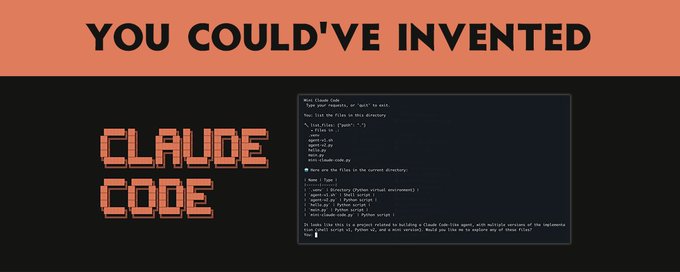
What makes Claude Code powerful is surprisingly simple: it's a loop that lets an AI read files, run commands, and iterate until a task is done.
The complexity comes from handling edge cases, building a good UX, and integrating with real development workflows.
In this post, I'll start from scratch and build up to Claude Code's architecture step by step, showing how you could have invented it yourself from first principles, using nothing but a terminal, an LLM API, and the desire to make AI actually useful.
## End goal: learn how powerful agents work, so you can build your own
First, let's establish the problem we're trying to solve.
When you use ChatGPT or Claude in a browser, you're doing a lot of manual labor:
- Copy-paste code from the chat into files
- Run commands yourself, then copy errors back
- Provide context by uploading files or pasting content
- Manually iterate through the fix-test-debug cycle
You're essentially acting as the AI's hands. The AI thinks; you execute.
What if the AI could execute too?
Imagine telling an AI: "Fix the bug in auth.py" and walking away. When you come back, the bug is fixed. The AI read the file, understood it, tried a fix, ran the tests, saw them fail, tried another approach, and eventually succeeded.
This is what an agent does. It's an AI that can:
Take actions in the real world (read files, run commands)
Observe the results
Decide what to do next
Repeat until the task is complete
Let's build one from scratch.
## The Simplest Possible Agent
Let's start with the absolute minimum: an AI that can run a single bash command.
Usage
This is... not very useful. The AI can suggest one command, then you're back to doing everything manually.
But here's the key insight: what if we put this in a loop?
## Goal: Creating the agent loop
The fundamental insight behind all AI agents is the agent loop:
Let's implement exactly this. The AI needs to tell us:
- What action to take
- Whether it's done
We'll use a simple JSON format:
Now we have something that can actually iterate:
The AI ran two commands and then told us it was done. We've created an agent loop!
But wait! We're executing arbitrary commands with no safety checks. The AI could rm -rf / and we'd blindly execute it.
## Goal: Adding permission controls
Let's add a human-in-the-loop for dangerous operations. First, we define a function that wraps command execution with a safety check:
Then, inside the agent loop, we replace the direct eval call with our new function:
That's it! The function sits between the AI's request and actual execution, giving you a chance to block dangerous commands. When denied, you can feed that back to the AI so it can try a different approach.
Try it out:
Type y to allow the deletion, or n to block it.
This is the beginning of a permission system. Claude Code takes this much further with:
- Tool-specific permissions (file edits vs. bash commands)
- Pattern-based allowlists (Bash(npm test:*) allows any npm test command)
- Session-level "accept all" modes for when you trust the AI
The key insight: the human should be able to control what the AI can do, but with enough granularity that it's not annoying.
## Goal: Beyond bash - Adding tools
Running bash commands is powerful, but it's also:
- Dangerous: unlimited access to the system
- Inefficient: reading a file shouldn't spawn a subprocess
- Imprecise: output parsing is fragile
What if we gave the AI structured tools instead?
We'll switch to Python here since it handles JSON and API calls more cleanly:
Now we're using Anthropic's native tool use API. This is much better because:
Type safety: the AI knows exactly what parameters each tool accepts
Explicit actions: reading a file is a read_file call, not cat
Controlled surface area: we decide what tools exist
Try it out:
## Goal: Making edits precise
Our write_file tool has a problem: it replaces the entire file. If the AI makes a small change to a 1000-line file, it has to output all 1000 lines. This is:
- Expensive: more output tokens = more cost
- Error-prone: the AI might accidentally drop lines
- Slow: generating that much text takes time
What if we had a tool for surgical edits?
Implementation:
This is exactly how Claude Code's str_replace tool works. The requirement for uniqueness might seem annoying, but it's actually a feature:
- Forces the AI to include enough context to be unambiguous
- Creates a natural diff that's easy for humans to review
- Prevents accidental mass replacements
## Goal: Searching the Codebase
So far our agent can read files it knows about. But what about a task like "find where the authentication bug is"?
The AI needs to search the codebase. Let's add tools for that.
Now the AI can:
glob("**/*.py") → Find all Python files
grep("def authenticate", "src/") → Find authentication code
read_file("src/auth.py") → Read the relevant file
edit_file(...) → Fix the bug
This is the pattern: give the AI tools to explore, and it can navigate codebases it's never seen before.
## Goal: Context management
Here's a problem you'll hit quickly: context windows are finite.
If you're working on a large codebase, the conversation might look like:
- User: "Fix the bug in authentication"
- AI: reads 10 files, runs 20 commands, tries 3 approaches
- ...conversation is now 100,000 tokens
- AI: runs out of context and starts forgetting earlier information
How do we handle this?
Option 1: summarization (compaction)
When context gets too long, summarize what happened:
Option 2: sub-agents (delegation)
For complex tasks, spawn a sub-agent with its own context:
This is why Claude Code has the concept of subagents: specialized agents that handle focused tasks in their own context, returning just the results.
## Goal: the system prompt
We've been glossing over something important: how does the AI know how to behave?
The system prompt is where you encode:
- The AI's identity and capabilities
- Guidelines for tool usage
- Project-specific context
- Behavioral rules
Here's a simplified version of what makes Claude Code effective:
But here's the problem: what if the project has specific conventions? What if the team uses a particular testing framework, or has a non-standard directory structure?
## Goal: Project-Specific Context (CLAUDE.md)
Claude Code solves this with CLAUDE.md - a file at the project root that gets automatically included in context:
Now the AI knows:
- How to run tests for this project
- Where to find things
- What conventions to follow
- Known gotchas to watch out for
This is one of Claude Code's most powerful features: project knowledge that travels with the code.
## Putting it all together
Let's see what we've built. The core of an AI coding agent is this loop:
1. Setup (runs once)
- Load the system prompt with tool descriptions, behavioral guidelines, and project context (CLAUDE.md)
- Initialize an empty conversation history
2. Agent Loop (repeats until done)
- Send conversation history to the LLM
- LLM decides: use a tool or respond to user
- If tool use:
- If final answer:
That's it. Every AI coding agent, from our 50-line bash script to Claude Code, follows this pattern.
Now let's build a complete, working mini-Claude Code that you can actually use. It combines everything we've learned: the agent loop, structured tools, permission checks, and an interactive REPL:
Save this as mini-claude-code.py and run it:
Here's what a session looks like:
That's a working mini Claude Code clone in ~150 lines. It has:
- Interactive REPL: keeps conversation context between prompts
- Multiple tools: read, write, list files, run commands
- Permission checks: asks before writing files or running dangerous commands
- Conversation memory: each follow-up builds on previous context
This is essentially what Claude Code does, plus:
- A polished terminal UI
- Sophisticated permission system
- Context compaction when conversations get long
- Subagent delegation for complex tasks
- Hooks for custom automation
- Integration with git and other dev tools
## The Claude Agent SDK
If you want to build on this foundation without reinventing the wheel, Anthropic offers the Claude Agent SDK. It's the same engine that powers Claude Code, exposed as a library.
Here's what our simple agent looks like using the SDK:
The SDK handles:
- The agent loop (so you don't have to)
- All the built-in tools (Read, Write, Edit, Bash, Glob, Grep, etc.)
- Permission management
- Context tracking
- Sub-agent coordination
## What We've Learned
Starting from a simple bash script, we discovered:
The agent loop: AI decides → execute → observe → repeat
Structured tools: better than raw bash for safety and precision
Surgical edits: str_replace beats full file rewrites
Search tools: let the AI explore codebases
Context management: compaction and delegation handle long tasks
Project knowledge: CLAUDE.md gives project-specific context
Each of these emerged from a practical problem:
- "How do I make the AI do more than one thing?" → agent loop
- "How do I prevent it from destroying my system?" → permission system
- "How do I make edits efficient?" → str_replace tool
- "How does it find code it doesn't know about?" → search tools
- "What happens when context runs out?" → compaction
- "How does it know my project's conventions?" → CLAUDE.md
This is how you could have invented Claude Code. The core ideas are simple.
Again - the complexity comes from handling edge cases, building a good UX, and integrating with real development workflows.
## Next Steps
If you want to build your own agents:
Start simple: a basic agent loop with 2-3 tools
Add tools incrementally: each new capability should solve a real problem
Handle errors gracefully: tools fail; your agent should recover
Test on real tasks: the edge cases will teach you what's missing
Consider using the Claude Agent SDK: why reinvent the wheel?
The future of software development is agents that can actually do things. Now we know how they work!
Resources:
- Claude Agent SDK Documentation
- Claude Code Documentation
- Anthropic API Reference
> If you're interested in building verifiable agents, check out the work we're doing at @eigencloud here.
## 相关链接
- [nader dabit](https://x.com/dabit3)
- [@dabit3](https://x.com/dabit3)
- [309K](https://x.com/dabit3/status/2009668398691582315/analytics)
- [auth.py](https://auth.py/)
- [str_replace](https://platform.claude.com/docs/en/agents-and-tools/tool-use/text-editor-tool#str-replace)
- [CLAUDE.md](https://claude.md/)
- [CLAUDE.md](https://claude.md/)
- [CLAUDE.md](https://claude.md/)
- [mini-claude-code.py](https://mini-claude-code.py/)
- [Claude Agent SDK](https://platform.claude.com/docs/en/agent-sdk/overview)
- [CLAUDE.md](https://claude.md/)
- [CLAUDE.md](https://claude.md/)
- [Claude Agent SDK Documentation](https://platform.claude.com/docs/en/agent-sdk/overview)
- [Claude Code Documentation](https://code.claude.com/docs)
- [Anthropic API Reference](https://docs.anthropic.com/)
- [@eigencloud](https://x.com/@eigencloud)
- [here](https://developers.eigencloud.xyz/?utm_source=x&utm_medium=social&utm_campaign=claude_from_scratch)
- [Upgrade to Premium](https://x.com/i/premium_sign_up)
- [12:47 AM · Jan 10, 2026](https://x.com/dabit3/status/2009668398691582315)
---
*导出时间: 2026/1/13 10:38:50*
---
## 中文翻译
# 你本可以发明 Claude Code
**作者**: nader dabit
**日期**: 2026-01-09T16:47:38.000Z
**来源**: [https://x.com/dabit3/status/2009668398691582315](https://x.com/dabit3/status/2009668398691582315)
---

Claude Code 强大的原因出奇地简单:它是一个循环,让 AI 可以读取文件、运行命令,并不断迭代直到完成任务。
复杂性则来自于处理边界情况、构建良好的用户体验,以及与真实的开发工作流集成。
在这篇文章中,我将从零开始,逐步构建出 Claude Code 的架构,展示你如何仅凭一个终端、一个 LLM API,以及让 AI 真正有用的愿望,从第一性原理出发,自己发明出它来。
## 最终目标:了解强大的智能体(Agent)是如何工作的,这样你就能构建自己的智能体
首先,让我们明确我们要解决的问题。
当你在浏览器中使用 ChatGPT 或 Claude 时,你需要做大量的体力劳动:
- 将代码从聊天窗口复制粘贴到文件中
- 自己运行命令,然后把错误信息复制回去
- 通过上传文件或粘贴内容来提供上下文
- 手动重复“修复—测试—调试”的循环
你本质上是在充当 AI 的双手。AI 负责思考;你负责执行。
如果 AI 也能自己执行呢?
想象一下,你对 AI 说:“修复 auth.py 中的 bug”,然后离开。等你回来时,bug 已经修复了。AI 读取了文件,理解了它,尝试了一种修复方法,运行了测试,看到测试失败,又尝试了另一种方法,最终成功了。
这就是智能体(agent)所做的事情。它是一个能够:
在现实世界中采取行动(读取文件、运行命令)
观察结果
决定下一步做什么
重复以上步骤直到任务完成
的 AI。让我们从零开始构建一个。
## 最简单的智能体
让我们从最精简的版本开始:一个能运行单条 bash 命令的 AI。
用法
这……并不怎么有用。AI 只能建议一条命令,然后你又得回到手动操作的状态。
但这里有一个关键洞察:如果我们把它放进一个循环里呢?
## 目标:创建智能体循环
所有 AI 智能体背后的根本洞察就是智能体循环:
让我们精确地实现它。AI 需要告诉我们:
- 要采取什么行动
- 是否已经完成
我们将使用一个简单的 JSON 格式:
现在我们有了一个能够真正迭代的东西:
AI 运行了两次命令,然后告诉我们它完成了。我们创建了一个智能体循环!
但是等等!我们在没有任何安全检查的情况下执行任意命令。AI 可能会执行 rm -rf /,而我们会盲目地执行它。
## 目标:添加权限控制
让我们为危险操作添加一个人机确认环节(human-in-the-loop)。首先,我们定义一个函数,将命令执行包裹在安全检查中:
然后,在智能体循环内部,我们将直接的 eval 调用替换为我们的新函数:
就是这样!这个函数位于 AI 的请求与实际执行之间,让你有机会阻止危险的命令。当被拒绝时,你可以把结果反馈给 AI,让它尝试另一种方法。
试一下:
输入 y 允许删除,或输入 n 阻止它。
这是一个权限系统的雏形。Claude Code 在此基础上走得更远:
- 针对特定工具的权限(文件编辑与 bash 命令的区别)
- 基于模式的白名单(Bash(npm test:*) 允许任何 npm test 命令)
- 会话级别的“全部接受”模式,适用于你信任 AI 的情况
关键洞察:人类应该能够控制 AI 能做什么,但要有足够的粒度,不至于让人烦躁。
## 目标:超越 bash —— 添加工具
运行 bash 命令很强大,但它也存在以下问题:
- 危险:对系统拥有无限访问权限
- 低效:读取一个文件不应该启动一个子进程
- 不精确:输出解析很脆弱
如果我们给 AI 提供结构化的工具会怎样?
在这里我们将切换到 Python,因为它能更干净地处理 JSON 和 API 调用:
现在我们使用的是 Anthropic 的原生工具使用 API。这要好得多,因为:
类型安全:AI 清楚地知道每个工具接受哪些参数
显式的操作:读取文件是一次 read_file 调用,而不是 cat
可控的暴露面:由我们决定存在哪些工具
试一下:
## 目标:让编辑更精确
我们的 write_file 工具有一个问题:它会替换整个文件。如果 AI 要对一个 1000 行的文件做一个小改动,它必须输出全部 1000 行。这会导致:
- 昂贵:更多的输出 token = 更高的成本
- 容易出错:AI 可能会不小心漏掉一些行
- 缓慢:生成这么多文本需要时间
如果我们有一个用于精准编辑的工具呢?
实现:
这正是 Claude Code 的 str_replace 工具的工作方式。唯一性的要求看起来可能很麻烦,但实际上它是一个特性:
- 迫使 AI 提供足够多的上下文以消除歧义
- 产生一个自然的 diff,便于人类审查
- 防止意外的大规模替换
## 目标:搜索代码库
到目前为止,我们的智能体只能读取它已知的文件。但如果遇到像“找出认证 bug 在哪里”这样的任务呢?
AI 需要搜索代码库。让我们为此添加一些工具。
现在 AI 可以:
glob("**/*.py") → 找到所有 Python 文件
grep("def authenticate", "src/") → 找到认证相关的代码
read_file("src/auth.py") → 读取相关文件
edit_file(...) → 修复 bug
这就是模式:给 AI 探索的工具,它就能浏览它从未见过的代码库。
## 目标:上下文管理
你很快就会遇到一个问题:上下文窗口是有限的。
如果你在一个大型代码库上工作,对话可能是这样的:
- 用户:“修复认证中的 bug”
- AI:读取了 10 个文件,运行了 20 条命令,尝试了 3 种方法
- ……对话现在已经有 100,000 个 token 了
- AI:上下文用尽,开始遗忘较早的信息
我们该如何处理?
方案 1:摘要(压缩 compaction)
当上下文变得过长时,对发生的事情进行总结:
方案 2:子智能体(委托)
对于复杂的任务,生成一个拥有自己上下文的子智能体:
这就是为什么 Claude Code 有了子代理(subagents)的概念:专门处理特定任务的代理在各自的上下文中运行,只返回结果。
## 目标:系统提示词
我们一直忽略了一个重要问题:AI 是如何知道该如何表现的?
系统提示词是你编码以下内容的地方:
- AI 的身份和能力
- 工具使用指南
- 项目特定的上下文
- 行为规则
这是一个简化版本,展示了是什么让 Claude Code 如此有效:
但问题来了:如果项目有特定的约定怎么办?如果团队使用特定的测试框架,或者采用非标准的目录结构怎么办?
## 目标:项目特定上下文(CLAUDE.md)
Claude Code 通过 CLAUDE.md 解决了这个问题——这是一个位于项目根目录的文件,会被自动包含到上下文中:
现在 AI 知道了:
- 如何为这个项目运行测试
- 去哪里找东西
- 需要遵循哪些约定
- 需要注意的已知陷阱
这是 Claude Code 最强大的功能之一:随代码一起传递的项目知识。
## 整合所有内容
让我们看看我们构建了什么。AI 编码代理的核心就是这个循环:
1. 初始化(运行一次)
- 加载包含工具描述、行为指南和项目上下文(CLAUDE.md)的系统提示词
- 初始化空的对话历史
2. 代理循环(重复直到完成)
- 将对话历史发送给 LLM
- LLM 决定:使用工具还是回应用户
- 如果使用工具:
- 如果是最终回答:
就是这样。从我们 50 行的 bash 脚本到 Claude Code,每个 AI 编码代理都遵循这个模式。
现在让我们构建一个完整可用的迷你 Claude Code,你可以实际使用它。它结合了我们学到的一切:代理循环、结构化工具、权限检查和交互式 REPL:
将其保存为 mini-claude-code.py 并运行:
一次会话看起来是这样的:
这是一个约 150 行、可正常工作的迷你 Claude Code 克隆。它具有:
- 交互式 REPL:在提示之间保持对话上下文
- 多种工具:读取、写入、列出文件、运行命令
- 权限检查:在写入文件或运行危险命令前进行询问
- 对话记忆:每次后续交互都基于之前的上下文
这本质上就是 Claude Code 所做的,再加上:
- 精美的终端 UI
- 复杂的权限系统
- 对话过长时的上下文压缩
- 用于复杂任务的子代理委派
- 用于自定义自动化的钩子
- 与 git 和其他开发工具的集成
## Claude Agent SDK
如果你不想重复造轮子,想在此基础上进行构建,Anthropic 提供了 Claude Agent SDK。这是驱动 Claude Code 的同一引擎,以库的形式开放。
使用 SDK 后,我们的简单代理看起来是这样的:
SDK 处理:
- 代理循环(你无需自己实现)
- 所有内置工具(Read、Write、Edit、Bash、Glob、Grep 等)
- 权限管理
- 上下文跟踪
- 子代理协调
## 我们学到了什么
从一个简单的 bash 脚本开始,我们发现了:
代理循环:AI 决策 → 执行 → 观察 → 重复
结构化工具:比原始 bash 更安全、更精确
精准编辑:str_replace 优于整文件重写
搜索工具:让 AI 探索代码库
上下文管理:压缩和委派处理长任务
项目知识:CLAUDE.md 提供项目特定上下文
每一项都源于一个实际问题:
- "如何让 AI 做不止一件事?" → 代理循环
- "如何防止它破坏我的系统?" → 权限系统
- "如何让编辑更高效?" → str_replace 工具
- "它如何找到自己不知道的代码?" → 搜索工具
- "上下文用完了怎么办?" → 压缩
- "它如何知道我项目的约定?" → CLAUDE.md
这就是你本可以发明 Claude Code 的方式。核心思想很简单。
再说一次——复杂性来自于处理边缘情况、打造良好的用户体验,以及与真实开发工作流的集成。
## 下一步
如果你想构建自己的代理:
从简单开始:一个带 2-3 个工具的基础代理循环
逐步添加工具:每项新能力都应解决一个真实问题
优雅地处理错误:工具会失败;你的代理应该能恢复
在真实任务上测试:边缘情况会告诉你缺了什么
考虑使用 Claude Agent SDK:为什么要重复造轮子呢?
软件开发的未来是能够真正做事的代理。现在我们知道它们是如何工作的了!
资源:
- Claude Agent SDK 文档
- Claude Code 文档
- Anthropic API 参考
> 如果你有兴趣构建可验证的代理,请看看我们在 @eigencloud 所做的工作,点击这里。
## 相关链接
- [nader dabit](https://x.com/dabit3)
- [@dabit3](https://x.com/dabit3)
- [309K](https://x.com/dabit3/status/2009668398691582315/analytics)
- [auth.py](https://auth.py/)
- [str_replace](https://platform.claude.com/docs/en/agents-and-tools/tool-use/text-editor-tool#str-replace)
- [CLAUDE.md](https://claude.md/)
- [CLAUDE.md](https://claude.md/)
- [CLAUDE.md](https://claude.md/)
- [mini-claude-code.py](https://mini-claude-code.py/)
- [Claude Agent SDK](https://platform.claude.com/docs/en/agent-sdk/overview)
- [CLAUDE.md](https://claude.md/)
- [CLAUDE.md](https://claude.md/)
- [Claude Agent SDK 文档](https://platform.claude.com/docs/en/agent-sdk/overview)
- [Claude Code 文档](https://code.claude.com/docs)
- [Anthropic API 参考](https://docs.anthropic.com/)
- [@eigencloud](https://x.com/@eigencloud)
- [这里](https://developers.eigencloud.xyz/?utm_source=x&utm_medium=social&utm_campaign=claude_from_scratch)
- [升级到 Premium](https://x.com/i/premium_sign_up)
- [2026年1月10日 上午12:47](https://x.com/dabit3/status/2009668398691582315)
---
*导出时间: 2026/1/13 10:38:50*