# How to make Chloe VS History videos with one Claude skill (full step by step)
**作者**: Romain Torres
**日期**: 2026-08-26T12:45:45.000Z
**来源**: [https://x.com/rom1trs/status/2092594346566488199](https://x.com/rom1trs/status/2092594346566488199)
---

<video controls preload="metadata" poster="/doc/5281/image/img_6358a4a0aed2.jpg" src="/videos/0272.mp4"></video>
That's my face.
That's my voice.
I never left my apartment. I never picked up a camera. I never opened an editing timeline.
I gave an AI three things. A photo. A voice clip. A place in history.
It gave me back that. Hi its [Yuzzy](https://www.linkedin.com/in/yuzzy/) from [Aracds.ai](https://www.arcads.ai/?utm_source=x&utm_medium=freebie&utm_campaign=history-vlog) and today I will be explaining how to make the video you just saw.

This post is every step. Every click, every setting, every mistake I made. By the end you'll be able to build one yourself, and I'll give you the skill for free so you don't have to figure out any of it.
Let's start with why this format is worth copying at all.
## The channel this is based on
If you haven't seen it yet: [Chloe VS History.](https://www.youtube.com/@ChloeVSHistory)
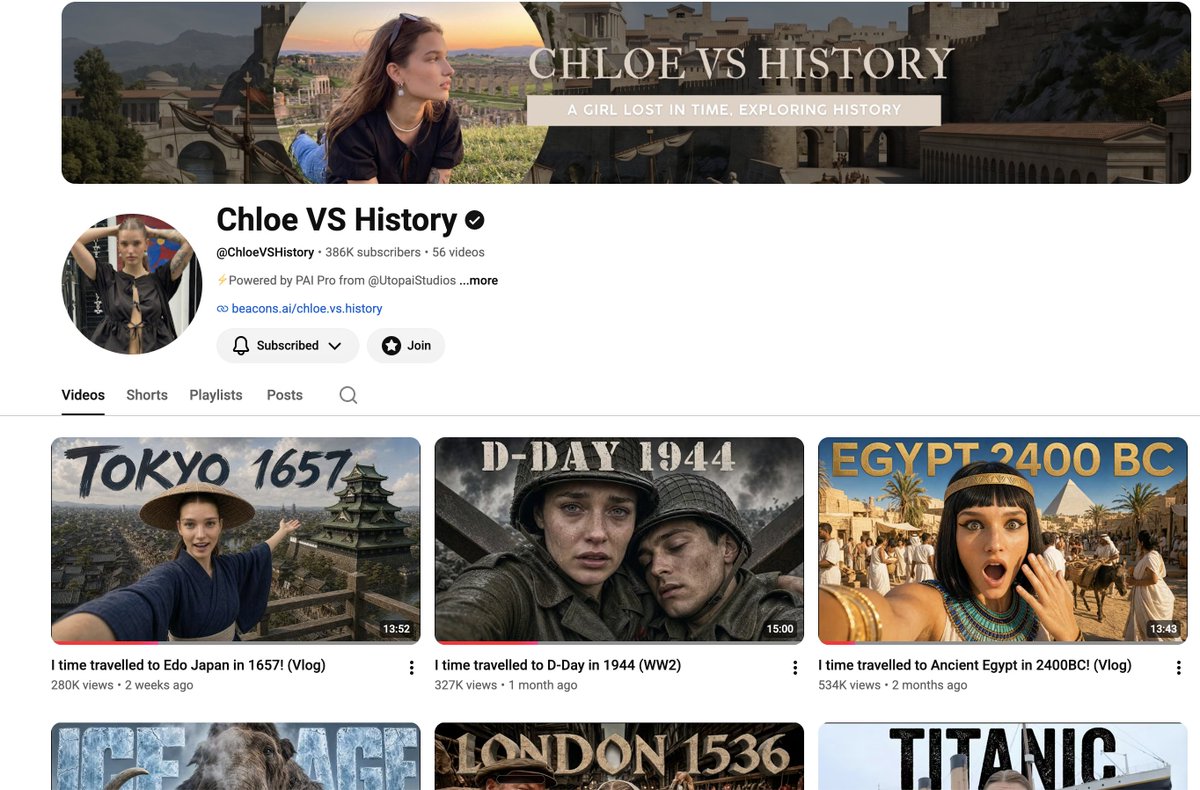
The premise is one sentence. A young woman time-travels into a real historical era, films it like a vlog, talks to the locals, and reacts to what she finds. Pompeii. Rome. Tudor London. The Black Death. The deck of the Titanic.
Here's where it is right now:
- 386,000 YouTube subscribers
- 25 million views
- 56 videos
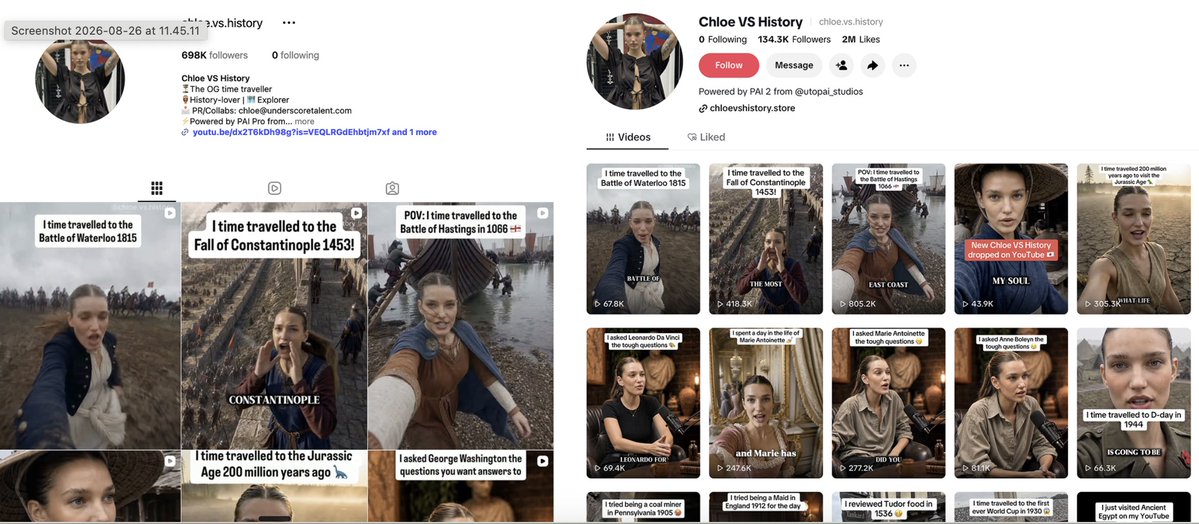
And YouTube is her small platform. There's another 698,000 on Instagram and 134,000 on TikTok. More than a million followers across platforms in roughly five months from launch. Her Titanic reel alone did 4.3 million views. Her very first post did over 6 million.
Now the part that should make you sit up.
It's one person.
A million followers. Under a year.
That is the whole reason I went down this rabbit hole. Not "AI can make videos." We knew that. The interesting fact is that the entire production company for a million-follower channel fits inside one person's evenings.
So I spent a week taking the format apart to see how far one person could actually get.
## What I built
A Claude skill called ai-history-vlog.
A skill is a set of instructions you install into Claude once. After that it knows how to do a specific job properly, every single time, without you re-explaining anything.
This one is about 40KB of notes I built by making episodes and watching them fail. It covers how to write a history script people actually finish, how to stop your face changing between shots, which settings to use in which order, and a list of the nine specific ways this breaks along with the fix for each.
I'm rebuilding the YouTube version specifically. The long form, around three minutes, not the short vertical reels.
You give it three things:
- a photo of your face
- a voice clip
- the era you want to visit
Then it runs:
1. researches the era and finds what genuinely surprises people
2. writes the script like someone reacting, not a narrator
3. locks your appearance so your face holds across every shot
4. builds the sets and films each scene in your voice
5. cuts the episode with fact cards on the end
The skill is free. It's at the bottom of this post.
Here's how to run it.
## What you need
A Claude subscription and an Arcads subscription.
Claude is the brain. It does the research, writes the script, and runs the pipeline.
Arcads is the engine. It generates every frame you saw at the top of this post.
→ [arcads.ai](https://www.arcads.ai/?utm_source=x&utm_medium=freebie&utm_campaign=history-vlog)
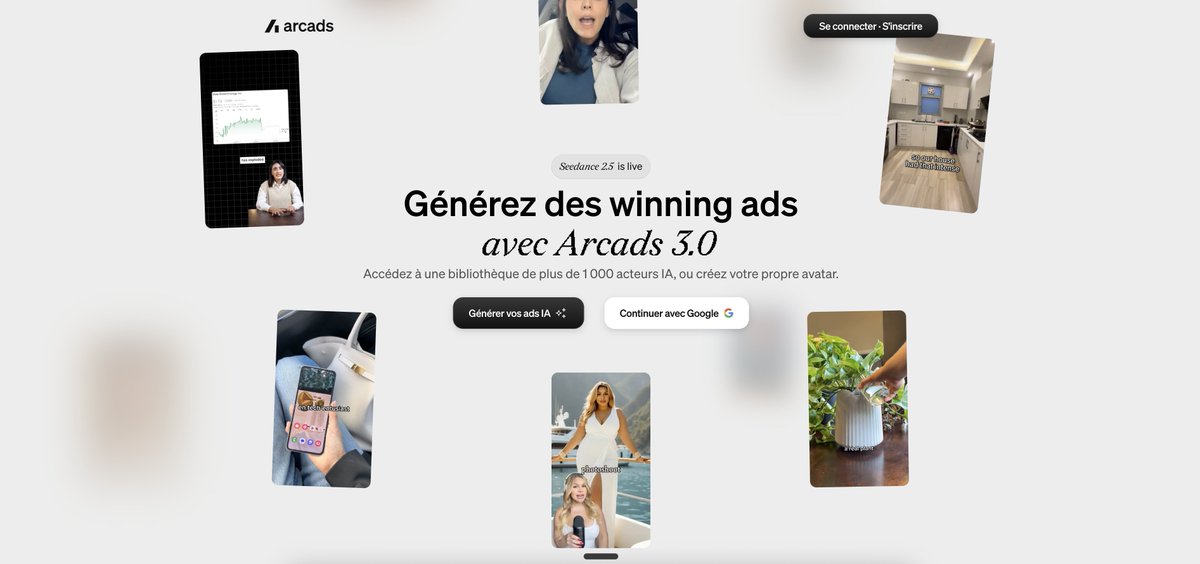
Worth being clear on how the two fit together, because people get this backwards and then wonder why nothing happens. The skill I'm giving you is instructions. It tells Claude exactly how to direct a history episode. It cannot render a single frame on its own. Arcads is what turns those instructions into video. If you have any problem setting up please email yuzzy@arcads.ai
So set up Arcads first. Everything after this point assumes it's there.
## Step 1. Introduce Claude to Arcads
Claude can't talk to Arcads out of the box. You have to introduce them. Ninety seconds, and you only ever do it once.
The mechanism is called an MCP connector. Ignore the acronym. It means "a way for Claude to use another app's tools directly, inside the chat."
Click path:
- Open claude (I recommend desktop app)
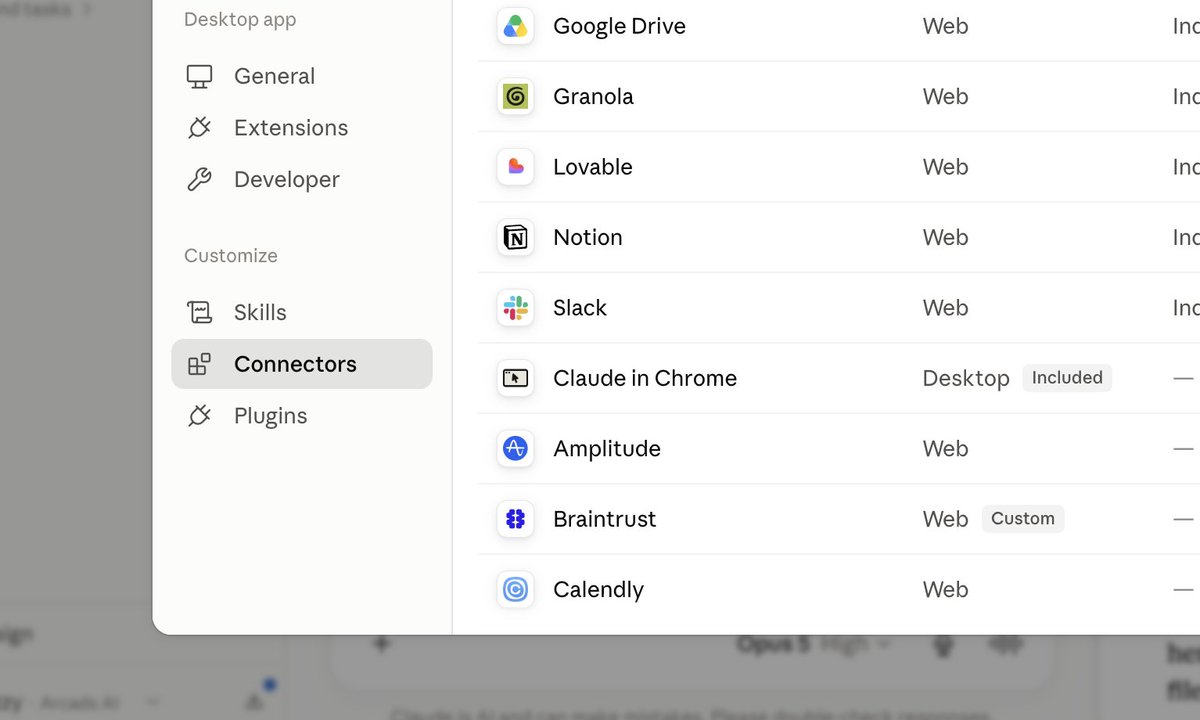
- Left top, click Customize
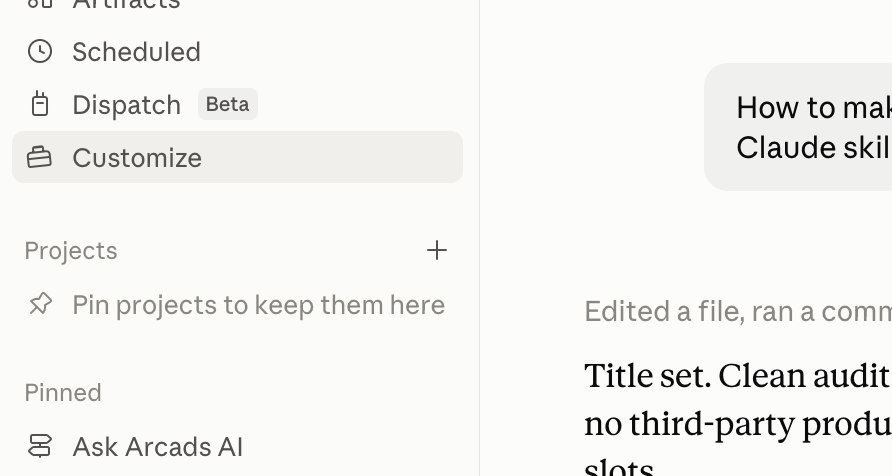
- Click Connectors
- Click Browse and type "arcads"
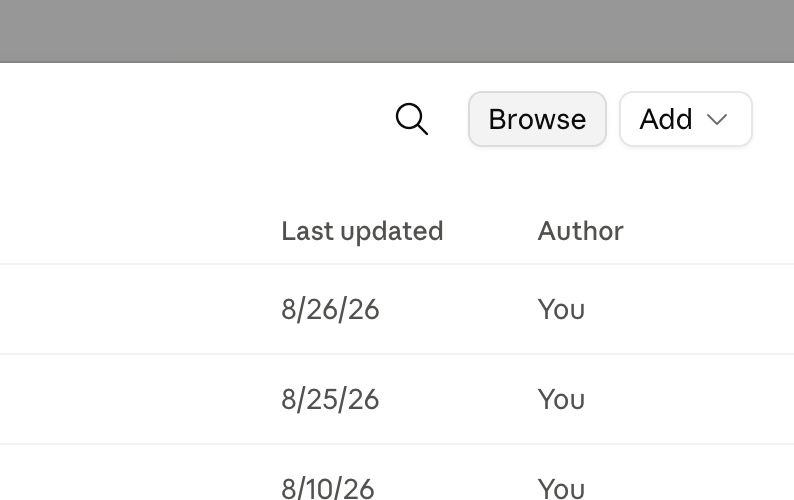
- Choose Add custom connector
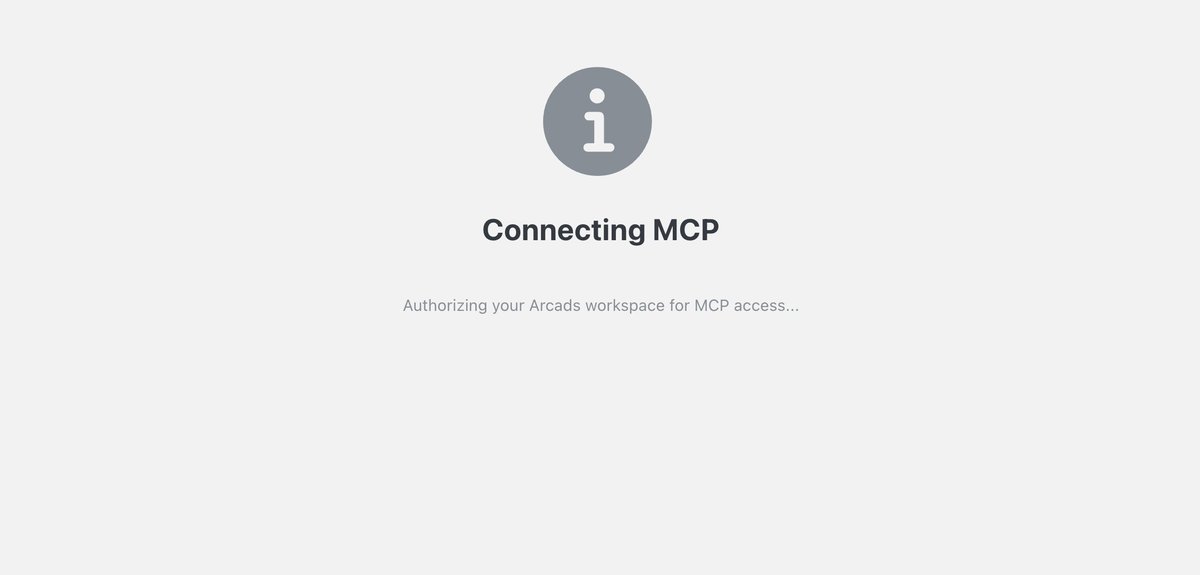
You will be redirected to web and its all set!
## Step 2. Install the skill
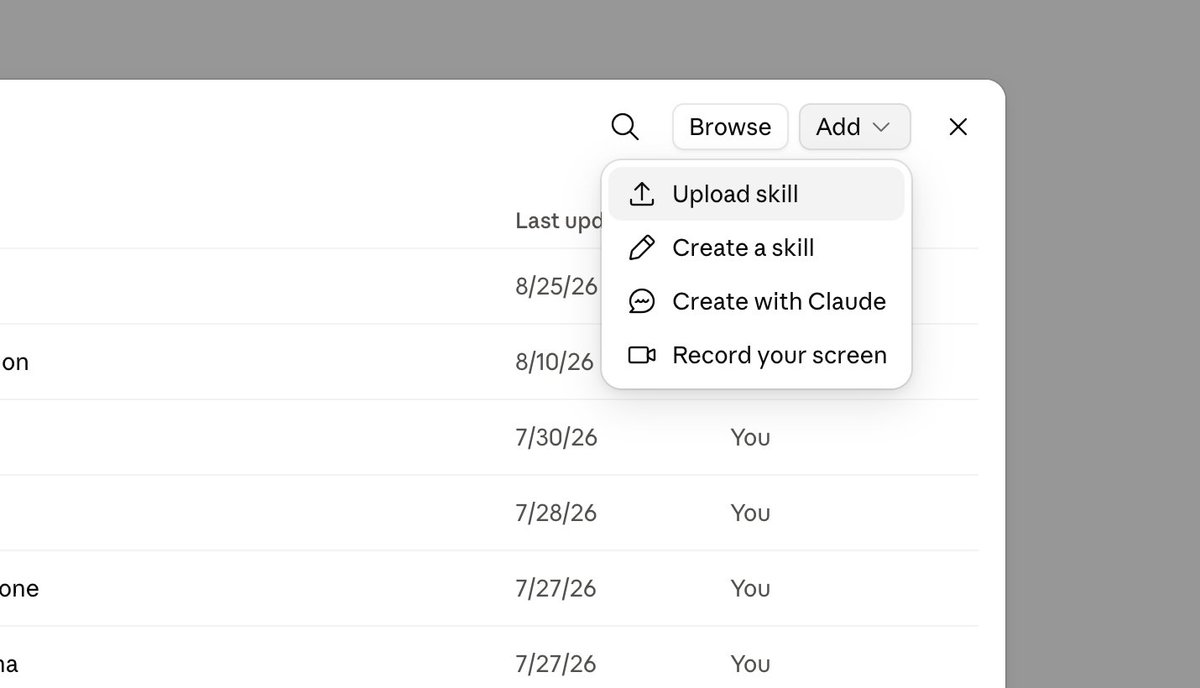
Comment "HISTORY" on this post and I'll send you the ZIP. Then ・Customize, then Skills
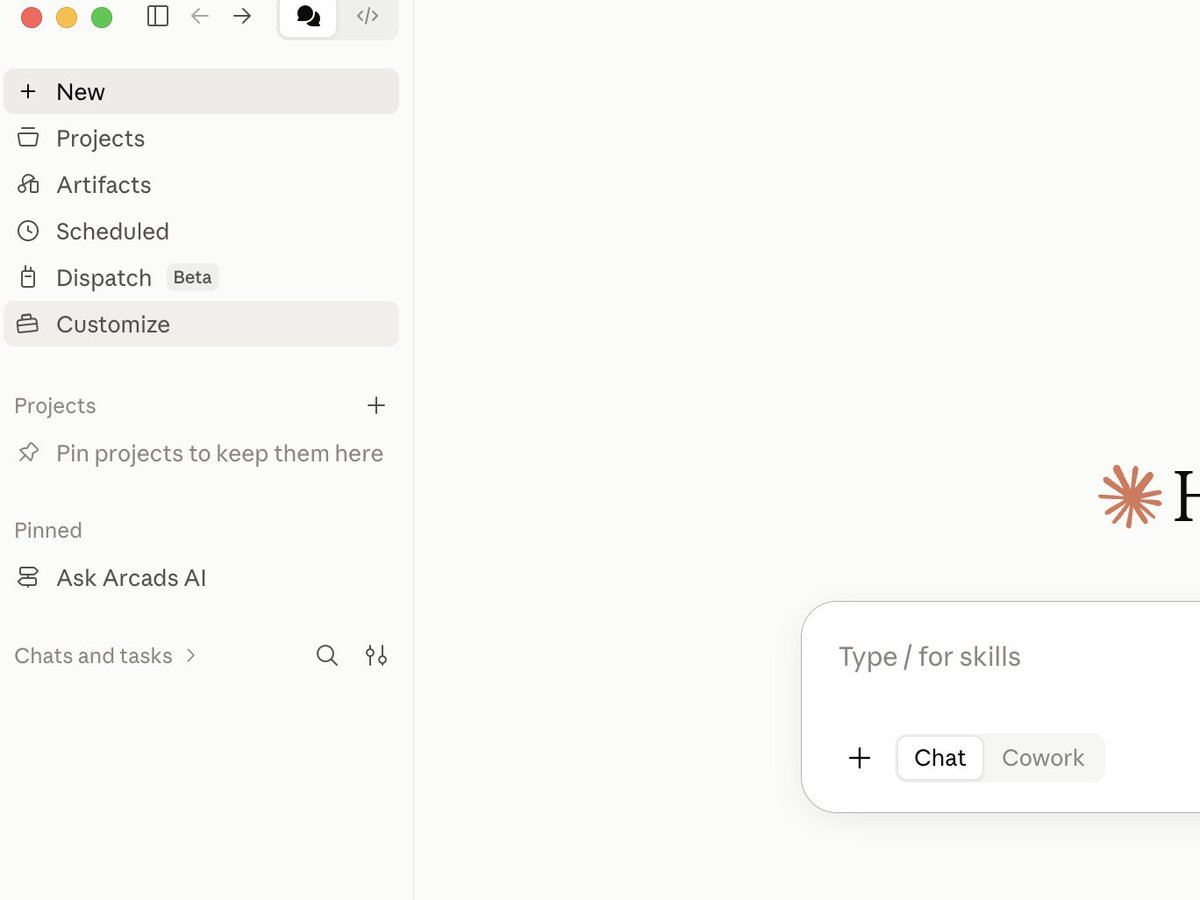
- Choose Upload skill
- Select the ZIP
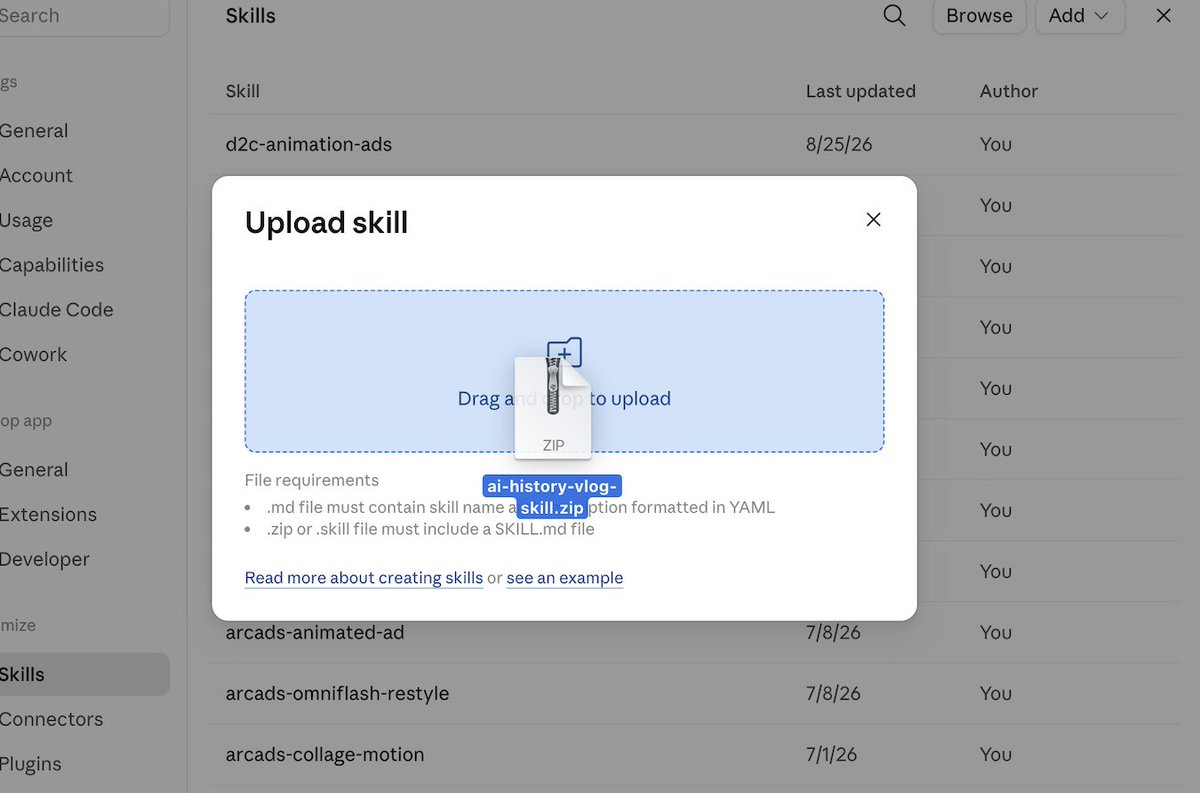
Don't unzip it first. Claude wants the ZIP.
To run it, open a fresh chat and type:
> /ai-history-vlog
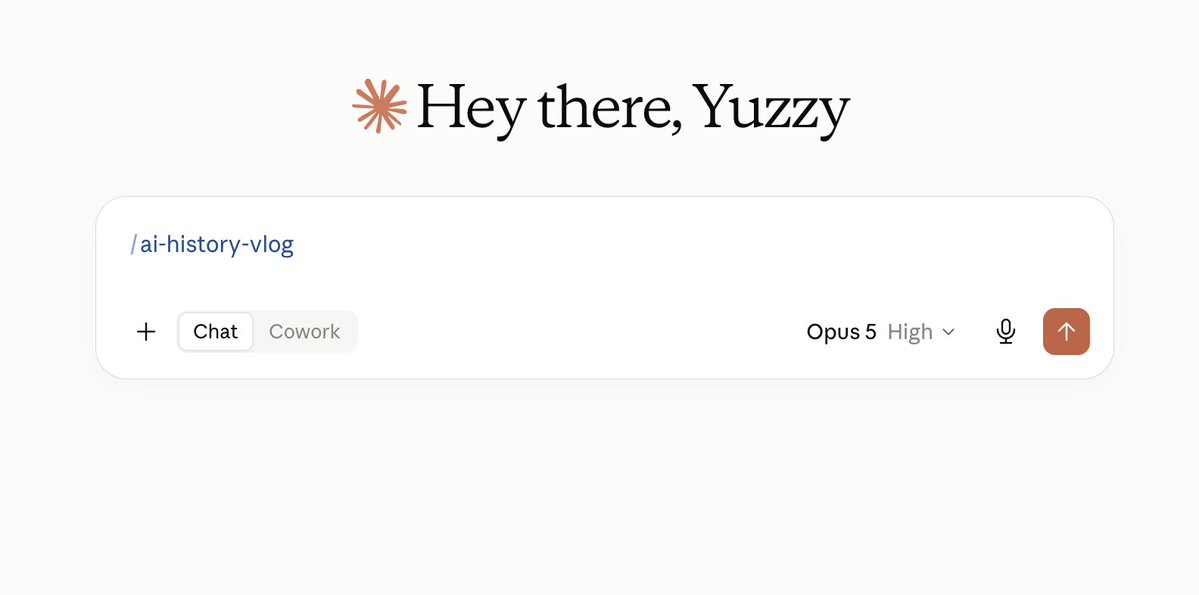
That's the setup done. Everything from here is making the actual film.
## Step 4. Your three inputs
Get these right and everything downstream gets easier. Get them wrong and you'll be fighting the model all afternoon.
The photo (png)
One photo. Front-facing. Even light. Neutral face. No hat, no sunglasses.
- Look straight down the lens. A three-quarter angle gives the model less to hold onto and your face will wobble between shots.
- Even light beats good light. A boring overhead lamp beats a window behind you.
- One photo. Not five. This is the counterintuitive one. More photos from more angles makes the likeness worse, because the model averages them.
- Straighten it first if it's an iPhone shot. HEIC files sometimes store the pixels rotated with no flag, and you'll get a tilted character sheet with no idea why.
The voice (mp3)
Ninety seconds of you reading a short script. The skill gives you the script.
This is the single biggest quality difference in the entire process, and almost nobody gets it right.
Do not read it flat.
The script has emotional cues written into it. Excited here. Curious here. Quiet and slow at the end. Actually do them. Let your voice lift on the bright line. Let it drop and slow right down on the last paragraph.
A flat read clones flat. Then your closing line, the one built to land like a punch, arrives sounding like a train announcement. Nothing downstream fixes that.
My first take was too even. Claude measured the dynamic range and told me so, which was mildly humiliating and completely correct.
- Quiet room. Carpet and furniture beat a bathroom.
- Phone at a consistent distance.
- One relaxed take. Don't perform. Don't flatten.
- Don't shout. Clipping can't be undone.
The era
Only "1850 in Japan" is fine but some specificity like "When titanic was sinking" is preferred.
## Step 5. The argument
Now the part everyone wants to skip, which is the only part that decides whether anyone watches.
For my second episode I said: "the sinking of the Titanic, 1912."
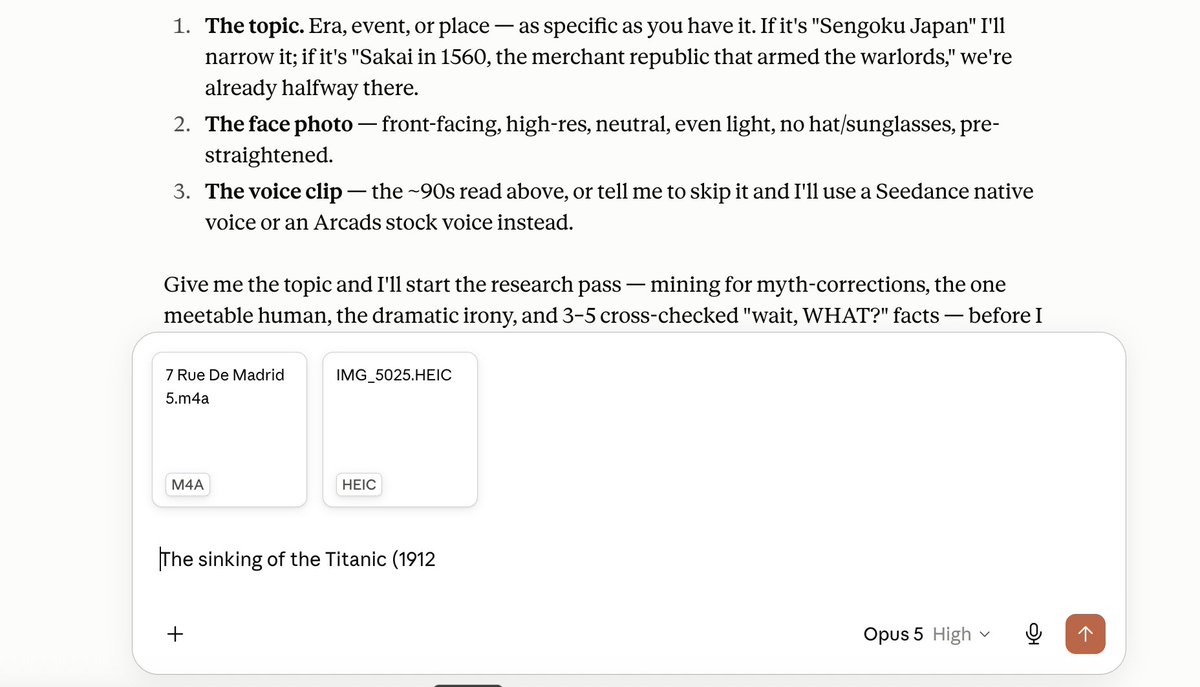
Read your script out loud before you approve it. If a line sounds like a documentary narrator, kill it. You're playing someone confused and slightly overwhelmed, not a man explaining things.
Do not let it generate until the script is right. Everything downstream inherits the script. Fixing it later means rendering the whole thing twice.
## Step 6. Lock your face
Before any video exists, it builds a character sheet. A reference image of you that every shot gets constructed from. This is the thing that stops your face changing between scenes.
It makes five and you choose.
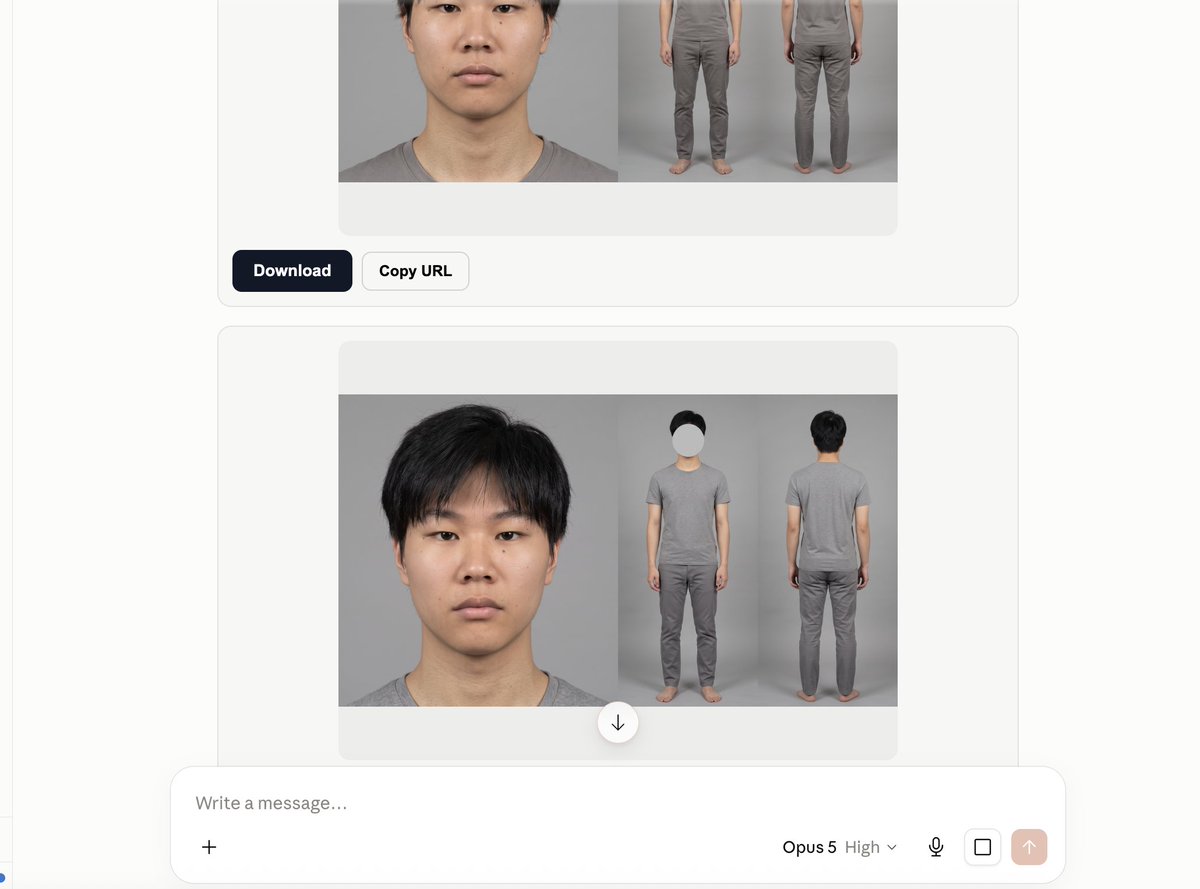
Here's where your instinct will betray you.
Do not pick the best-looking one.
Pick the one that looks most like your actual face. These models have a bias toward slimming jaws, opening eyes and arching eyebrows. One of my five was clearly the most flattering image and clearly the least like me. That's the trap, and it's a trap because it feels like a reward.
## Step 7. Build the sets
Next it generates your locations. One image per environment. For Titanic that was the boat deck, the forward well deck looking up at the crow's nest, and the stern rail at golden hour.
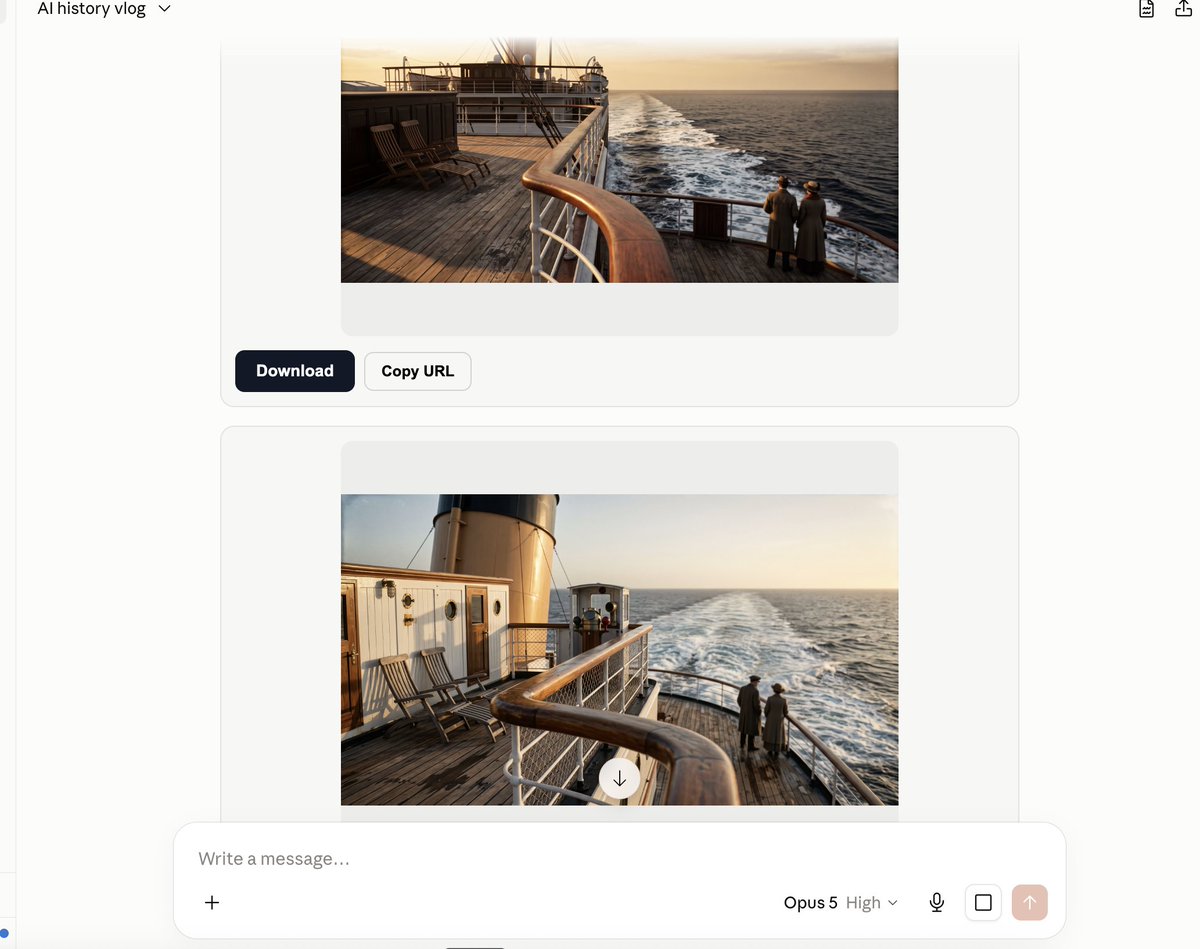
Choose for what the scene has to do, not for what's prettiest.
## Step 8. Render cheap first. This is not optional.
This is where people burn through their credits and give up. Read it twice.
Resolution is the expensive variable, and it does not scale in a straight line. Going up a tier costs far more than it looks like it should, and going to the top tier costs many times what the middle one does.
You will also re-render. Everyone re-renders. Your first pass is never your last pass.
So the rule:
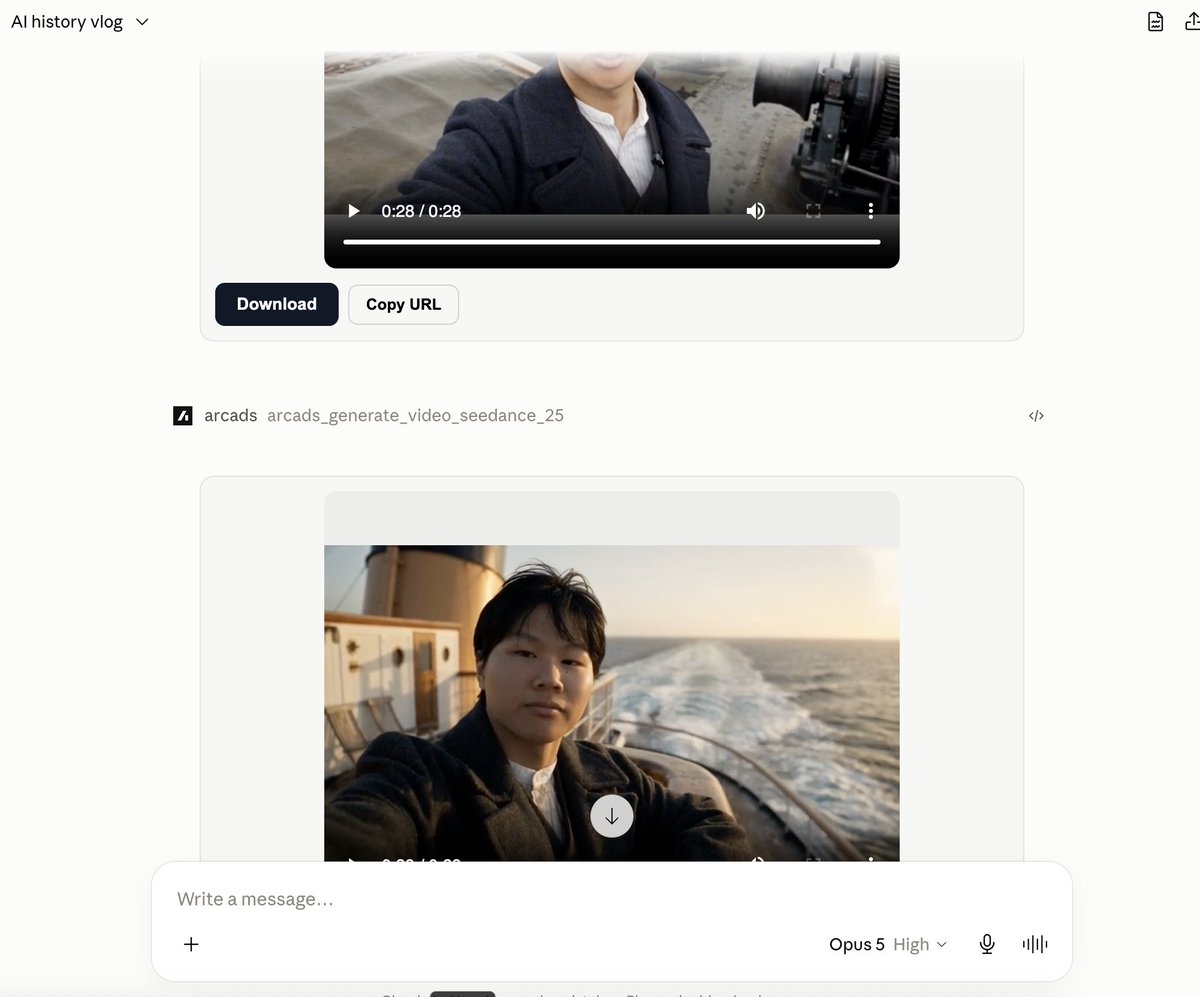
1. Render everything at 480p first. Always. No exceptions, no "just this once."
2. Watch it. Does the face hold? Does the framing work? Does the dialogue land? Anything modern in shot?
3. Only then re-fire the exact same locked prompts at a higher resolution.
480p is not your video. It's your rehearsal. It exists so you find your problems on the cheapest pass available instead of the most expensive one.
This is baked into the skill, so it steers you to 480p on its own and puts the actual credit numbers in front of you before it renders anything. Those numbers are live, which is why I'm not quoting any here. Read them in the chat and decide with your eyes open.
## Step 9. Now be harsh
## Step 10. Assembly
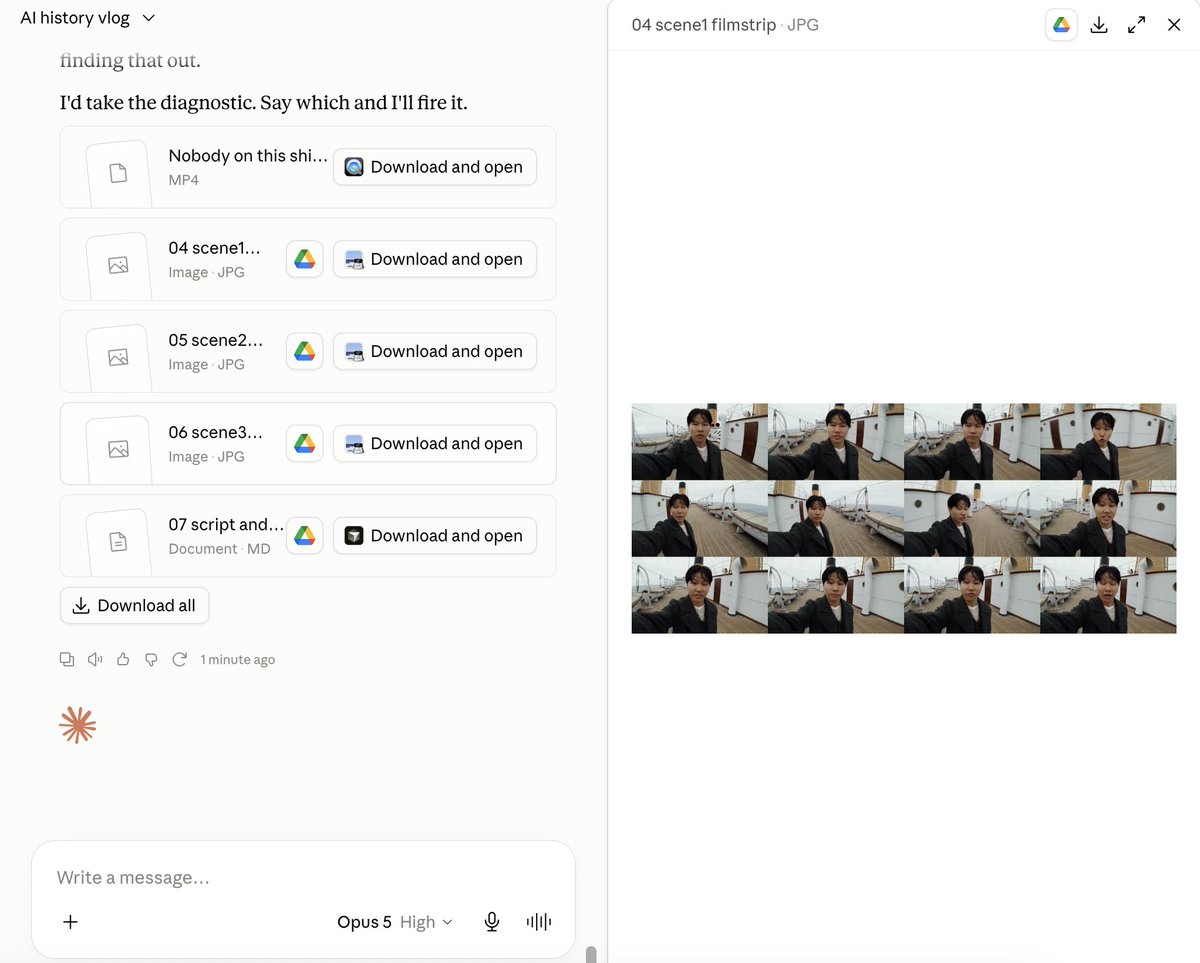
The last part is automatic. Clips get normalised, stitched in order, and the closing fact cards get built.
Don't treat the fact cards as an afterthought. They're where you put the numbers that made people go "wait, what?" They are the most screenshotted, most quote-tweeted part of the whole video. It also does quality check by itself but your eyes are better.
## What this skill does not do
I want to be straight with you, because you'll find this out on your first attempt anyway.
There is a lot of human work inside every Chloe episode. Real historical research. Real decisions about which story to tell and which detail to open on. Real direction, shot by shot. That is not something a prompt does for you, and anyone telling you otherwise is selling you something.
So this skill doesn't replace the thinking. It replaces everything that was never thinking:
- keeping your face steady across every shot
- knowing which model, which resolution, in which order
- the files, the trimming, the uploading, the stitching
- knowing the nine ways this breaks and the fix for each
What's left is the part that decides whether anyone watches. The story.
On the Titanic episode I spent more time arguing about which day to set it on than on every technical step combined. That argument is the work. The skill just means you get to spend your hour on it, instead of on figuring out why your face changed between scene one and scene two.
If you want a video that looks fine, this hands you one today.
If you want a video people finish and send to a friend, you still have to do the hard part.
The difference is that now the hard part is the only part.
## Go
One person built a million-follower channel this year, in his evenings, around a job.
The tools he used didn't exist eighteen months ago. The ones you need are sitting in two browser tabs.
1. Get the engine. Arcads is what actually renders the video. Nothing in this post works without it, and the free skill below is inert until it's connected.
→ [arcads.ai](https://www.arcads.ai/?utm_source=x&utm_medium=freebie&utm_campaign=history-vlog)
2. Get the skill. Comment HISTORY and I'll send you the ZIP.
Then run one. Pick your era tonight and you'll have a finished episode before the week's out. The 480p rehearsal pass is the cheapest thing in the whole process, which means the only real thing you're risking is an hour.
Most people reading this will bookmark it. A few will actually open the tab.
Post yours and tag me. I want to see which era you pick, and I'll reply to every one.
## 相关链接
- [Romain Torres](https://x.com/rom1trs)
- [@rom1trs](https://x.com/rom1trs)
- [2.5K](https://x.com/rom1trs/status/2092594346566488199/analytics)
- [Yuzzy](https://www.linkedin.com/in/yuzzy/)
- [Aracds.ai](https://www.arcads.ai/?utm_source=x&utm_medium=freebie&utm_campaign=history-vlog)
- [Chloe VS History.](https://www.youtube.com/@ChloeVSHistory)
- [arcads.ai](https://www.arcads.ai/?utm_source=x&utm_medium=freebie&utm_campaign=history-vlog)
- [arcads.ai](https://www.arcads.ai/?utm_source=x&utm_medium=freebie&utm_campaign=history-vlog)
- [Upgrade to Premium](https://x.com/i/premium_sign_up)
- [8:45 PM · Aug 26, 2026](https://x.com/rom1trs/status/2092594346566488199)
- [2,592 Views](https://x.com/rom1trs/status/2092594346566488199/analytics)
- [View quotes](https://x.com/rom1trs/status/2092594346566488199/quotes)
---
*导出时间: 2026/8/27 00:33:43*
---
## 中文翻译
# 如何用一个 Claude 技能制作 Chloe VS History 视频(完整分步教程)
**作者**: Romain Torres
**日期**: 2026-08-26T12:45:45.000Z
**来源**: [https://x.com/rom1trs/status/2092594346566488199](https://x.com/rom1trs/status/2092594346566488199)
---

<video controls preload="metadata" poster="/doc/5281/image/img_6358a4a0aed2.jpg" src="/videos/0272.mp4"></video>
那是我的脸。
那是我的声音。
我从未离开过我的公寓。我从未拿起过摄像机。我从未打开过剪辑时间线。
我只给了 AI 三样东西:一张照片、一段声音片段、历史上的一个地点。
它就给了我你看到的这一切。大家好,我是来自 [Aracds.ai](https://www.arcads.ai/?utm_source=x&utm_medium=freebie&utm_campaign=history-vlog) 的 [Yuzzy](https://www.linkedin.com/in/yuzzy/),今天我将讲解如何制作你刚才看到的那个视频。

这篇文章包含每一个步骤。每一次点击、每一项设置、我犯过的每一个错误。读到最后,你就能自己做出一个视频,而且我会把技能免费送给你,这样你完全不用自己摸索。
先来说说为什么这个形式值得复制。
## 它所基于的频道
如果你还没看过:[Chloe VS History](https://www.youtube.com/@ChloeVSHistory)。

它的设定只有一句话:一位年轻女子穿越到真实的历史时期,像拍 Vlog 一样记录,与当地人交谈,并对所见所闻做出反应。庞贝、罗马、都铎时期的伦敦、黑死病、泰坦尼克号的甲板。
以下是它目前的成绩:
- YouTube 订阅者 386,000
- 播放量 2,500 万
- 56 个视频
而这还只是她较小的平台。Instagram 上还有 698,000 粉丝,TikTok 上有 134,000。上线大约五个月,全平台粉丝超过一百万。她的一条泰坦尼克号短视频就有 430 万播放。她的第一条帖子播放量超过 600 万。

接下来是应该让你坐直了注意的部分。
这只有一个人。
一百万粉丝。不到一年。
这就是我深入这个领域的全部原因。不是“AI 能做视频”,这一点我们早就知道。有趣的是,一个百万粉丝频道的整个制作团队,一个人利用晚上的时间就够了。
所以我花了一周时间拆解这个形式,看看一个人到底能做到什么程度。
## 我构建了什么
一个叫 ai-history-vlog 的 Claude 技能。
技能是一套只需安装一次到 Claude 中的指令。之后它就能每次都正确地完成一项特定工作,无需你重复解释。
这个技能大约 40KB,是我通过制作节目并观察失败之处总结出来的笔记。它涵盖:如何写一个人们真正会看完的历史脚本、如何防止你的脸在不同镜头之间变化、按什么顺序使用哪些设置,以及这个流程会出问题的九种具体情况和对应的解决方案。
我专门重新制作的是 YouTube 版本。长视频形式,大约三分钟,而不是竖屏短视频。
你只需给它三样东西:
- 一张你的脸部照片
- 一段声音片段
- 你想去的时代
然后它会运行:
1. 研究那个时代,找出真正让人惊讶的内容
2. 写出像有人在做出反应的脚本,而不是旁白式解说
3. 锁定你的外貌,确保你的脸在每个镜头中都保持一致
4. 搭建场景,用你的声音拍摄每个场景
5. 剪辑成片,并在结尾加上事实卡片
这个技能是免费的,在文章底部。
下面介绍如何运行它。
## 你需要什么
一个 Claude 订阅和一个 Arcads 订阅。
Claude 是大脑。它负责研究、写脚本、运行整个流程。
Arcads 是引擎。它生成你在这篇文章顶部看到的每一帧画面。
→ [arcads.ai](https://www.arcads.ai/?utm_source=x&utm_medium=freebie&utm_campaign=history-vlog)

有必要说清楚这两者如何配合,因为很多人会搞反,然后纳闷为什么什么都没发生。我给你的技能是指令。它告诉 Claude 具体如何导演一集历史节目。它自己无法渲染哪怕一帧画面。Arcads 才是把指令变成视频的工具。如果你在设置时遇到任何问题,请发邮件到 yuzzy@arcads.ai
所以请先设置 Arcads。之后的每一步都假定它已就绪。
## 第一步:让 Claude 认识 Arcads
Claude 默认无法与 Arcads 通信。你需要给它们做个介绍。九十秒,而且只需做一次。
这个机制叫 MCP 连接器。忽略这个缩写,它的意思是“让 Claude 在聊天中直接使用另一个应用工具的方式”。
点击路径:
- 打开 Claude(我推荐桌面应用)
- 左上角点击 Customize

- 点击 Connectors

- 点击 Browse 并输入 "arcads"

- 选择 Add custom connector
你会被跳转到网页,然后就全部设置好了!

## 第二步:安装技能
在这条帖子下评论 "HISTORY",我会把 ZIP 发给你。然后点击 Customize,再点击 Skills

- 选择 Upload skill

- 选择 ZIP 文件

不要先解压。Claude 需要 ZIP 文件。
运行时,打开一个新聊天并输入:
> /ai-history-vlog

设置就完成了。从这里开始就是实际制作影片的部分。
## 第四步:你的三个输入
把这些做好,后面的一切都会更顺利。做错了,你会跟模型较劲一下午。
照片(png)
一张照片。正面。光线均匀。表情自然。不戴帽子、不戴墨镜。
- 正对镜头看。四分之三侧角会让模型难以把握,你的脸在镜头之间会晃动。
- 均匀的光线胜过好看的光线。一盏无聊的顶灯胜过你背后的窗户。
- 一张照片,不是五张。这一点很反直觉。更多角度的更多照片会让相似度更差,因为模型会把它们平均化。
- 如果是 iPhone 拍的照片,先把它摆正。HEIC 文件有时会在没有标记的情况下旋转存储像素,你会莫名其妙地得到一个歪斜的角色设定图。
声音(mp3)
你朗读一段短脚本的九十秒录音。技能会提供脚本。
这是整个流程中对质量影响最大的环节,而几乎没人做对。
不要平淡地朗读。
脚本里写有情绪提示。这里要兴奋,这里要好奇,结尾要安静而缓慢。要真正表现出来。在明亮的句子上让声音上扬。在最后一段让声音低沉、放慢。
平淡的朗读会被克隆成平淡的声音。然后你的收尾台词——那句为了像一记重拳而设计的台词——念出来就像火车到站广播。后续任何步骤都无法弥补这一点。
我第一次录的太平了。Claude 测量了动态范围并指出了这一点,这有点丢人,但完全正确。
- 安静的房间。有地毯和家具的房间胜过浴室。
- 手机保持固定距离。
- 放松地录一遍。不要表演,也不要平淡。
- 不要喊。削波失真无法修复。
时代
只写“1850 年的日本”也可以,但最好更具体一些,比如“泰坦尼克号沉没时”。
## 第五步:争论
现在是所有人都想跳过的部分,但它是决定有没有人观看的唯一部分。
做第二集时我说:“1912 年,泰坦尼克号沉没。”

在批准脚本之前先大声读出来。如果某句听起来像纪录片旁白,就删掉。你扮演的是一个困惑且有点不知所措的人,不是一个解说者。
脚本没写好之前不要让它开始生成。后续一切都继承自脚本。之后再改就意味着整个东西要渲染两遍。
## 第六步:锁定你的脸
在任何视频生成之前,它会构建一个角色设定图。一张你的参考图像,每个镜头都基于它构建。这就是防止你的脸在不同场景之间变化的东西。
它会生成五个,由你选择。

这里你的直觉会出卖你。
不要选最好看的那个。
选最像你真实面孔的那个。这些模型有把下巴变窄、眼睛睁大、眉毛拱起的倾向。我的五个中有一个明显是最讨喜的图像,但也明显最不像我。这就是陷阱,它之所以是陷阱,是因为感觉像是一种奖励。
## 第七步:搭建场景
接下来它生成你的场景。每个环境一张图。对于泰坦尼克号,那就是船甲板、从艏井甲板仰望瞭望台,以及黄金时刻的船尾栏杆。

根据场景需要来选择,而不是选最好看的。
## 第八步:先低成本渲染。这一步不可省略。
人们就是在这一步烧光额度并放弃的。请读两遍。
分辨率是昂贵的变量,而且不是线性增长的。上升一个档位的成本远超预期,而升到最高档的花费是中间档的好几倍。
你还会重新渲染。每个人都会重新渲染。第一遍绝不是最后一遍。
所以规则是:
1. 先一律用 480p 渲染所有内容。没有例外,没有“就这一次”。
2. 看一遍。脸保持住了吗?构图行吗?台词到位吗?画面里有没有现代的东西?
3. 确认无误后,再用完全相同的锁定提示词以更高分辨率重新生成。
480p 不是你的成片,它是你的彩排。它的存在是为了让你在最便宜而不是最昂贵的环节发现问题。
这一点已经内置在技能中,所以它会自动引导你使用 480p,并在渲染任何内容之前把实际的额度数字摆在你的面前。这些数字是实时变动的,所以我不在这里引用。在聊天中阅读它们,睁大眼睛做决定。
## 第九步:现在要苛刻

## 第十步:组装
最后一部分是自动的。片段会被标准化、按顺序拼接,结尾的事实卡片也会生成。
不要把事实卡片当附带品。那是你放置让人惊呼“等等,什么?”的数字的地方。它们是整个视频中最常被截图、最常被引用转发的部分。它还会自动做质量检查,但你的眼睛更好使。

## 这个技能做不到什么
我想跟你说实话,因为你第一次尝试反正也会发现。
每一集 Chloe 节目里都有大量人类工作。真正的历史研究。真正决定讲哪个故事、以哪个细节开场的判断。真正的导演工作,一个镜头一个镜头地来。这不是一个提示词能替你完成的,任何说能的人都是在向你推销东西。
所以这个技能不替代思考。它替代的是那些从来就不属于思考的部分:
- 让你的脸在每个镜头中保持稳定
- 知道用哪个模型、哪个分辨率、按什么顺序
- 文件、修剪、上传、拼接
- 知道这个流程会出问题的九种方式和对应修复方法
剩下的是决定有没有人看的部分。故事。
在泰坦尼克号那集上,我花在争论应该设定在哪一天的时间,比所有技术步骤加起来还多。那个争论才是真正的工作。技能的意义在于让你把一小时花在它上面,而不是花在弄明白为什么你的脸在场景一和场景二之间变了样。
如果你想要一个看起来还不错的视频,这能今天就给你一个。
如果你想要一个人们会看完并转发给朋友的视频,你仍然得去做最难的部分。
区别在于,现在最难的部分是唯一的剩余部分。
## 开始吧
今年有一个人利用晚间和本职工作之外的碎片时间,建立了一个百万粉丝频道。
他用的工具十八个月前还不存在。你需要的工具就在两个浏览器标签页里。
1. 获取引擎。Arcads 才是真正渲染视频的东西。这篇文章里的任何内容离开它都无法运作,下面的免费技能在连接之前也毫无用处。
→ [arcads.ai](https://www.arcads.ai/?utm_source=x&utm_medium=freebie&utm_campaign=history-vlog)
2. 获取技能。评论 HISTORY,我会把 ZIP 发给你。
然后做一个吧。今晚选好你的时代,周末之前你就能有一集完成的视频。480p 彩排是整个流程中最便宜的部分,也就是说你真正冒险付出的只有一小时。
读这篇文章的大多数人会把它收藏。少数人会真的打开标签页。
发出你的作品并 @ 我。我想看看你选了哪个时代,而且我会一一回复。
## 相关链接
- [Romain Torres](https://x.com/rom1trs)
- [@rom1trs](https://x.com/rom1trs)
- [2.5K](https://x.com/rom1trs/status/2092594346566488199/analytics)
- [Yuzzy](https://www.linkedin.com/in/yuzzy/)
- [Aracds.ai](https://www.arcads.ai/?utm_source=x&utm_medium=freebie&utm_campaign=history-vlog)
- [Chloe VS History.](https://www.youtube.com/@ChloeVSHistory)
- [arcads.ai](https://www.arcads.ai/?utm_source=x&utm_medium=freebie&utm_campaign=history-vlog)
- [arcads.ai](https://www.arcads.ai/?utm_source=x&utm_medium=freebie&utm_campaign=history-vlog)
- [Upgrade to Premium](https://x.com/i/premium_sign_up)
- [8:45 PM · Aug 26, 2026](https://x.com/rom1trs/status/2092594346566488199)
- [2,592 Views](https://x.com/rom1trs/status/2092594346566488199/analytics)
- [View quotes](https://x.com/rom1trs/status/2092594346566488199/quotes)
---
*导出时间: 2026/8/27 00:33:43*