# How to Build An Entire iOS App With Claude Code in 48 Hours

**作者**: ashen
**日期**: 2026-04-28T20:04:17.000Z
**来源**: [https://x.com/ashen_one/status/2050274121939042724](https://x.com/ashen_one/status/2050274121939042724)
---

if youve tried to vibecode an iOS app and it ended up looking like every other AI slop app on the store this is for you
most vibecoded apps look the same. same gradient backgrounds, same generic icons, same boring UI. the reason is that everyone is asking AI to build the app and then accepting whatever it gives back. theyre skipping the part that actually matters
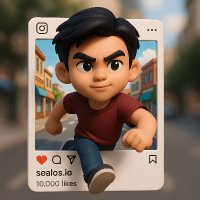
i built @merlaiapp in one week. its on the app store waiting for rejection (not approval, well get to that). its a wrapper of wrappers, runs on gemini, claude, falai and openai in the background
BUT it looks better than 90% of the apps making $50k+/m right now
heres how i did it step by step and how you're gonna be able to do the exact same thing by the end of this article
> **ashen@ashen_one**: [原文链接](https://x.com/ashen_one/status/2049218164094050646)
>
> claude design is my all time favorite anthropic drop this year, even more than opus 4.7
> its actually really really good at design and the "handoff to claude code" makes it basically copy/paste ui to the actual working product
> claude design made the entire ui for merl (full
>
> 
> 
# step 1: find an idea that already makes money
stop trying to come up with the next billion dollar app. that idea isnt yours. someone else already has it and they already shipped it
go to sensor tower or appkitty. these tell you exactly which apps are making money and how much. filter by category — health and fitness, productivity, AI, whatever you want
heres what i found in 5 minutes:
- holistic food scanner: $700k/m
- sleep tracker with no UI: $30k/m
- ai photo enhancer: $90k/m, 2 million downloads
- ai photo editor: $60k/m
these are not novel ideas. theyre wrappers around APIs that anyone can call. the difference is they shipped and you didnt
your goal is not $1m a month. your goal is $10k/m. thats 0.5% market share of apps already making 7 figures. if you cant convince yourself you can take 0.5% of a market thats already proven, the idea isnt the problem
dont ever think your idea is stupid until you put a buy now button on it and verify nobody will pay. thats how you know its stupid, not before

havent heard of most of these apps before in my life yet they've retired bloodlines
# step 2: get UI inspiration before you build anything
go to pinterest. search "iOS app design", "tech app inspo", "claymorphism", whatever vibe matches your idea
pin like 5-10 designs you love. dont just pick safe stuff. pick the weird ones too. the ones with mascots, bold colors, unusual layouts
heres what i was looking for in mine:
- one big mascot taking up the screen
- bright punchy colors
- minimal text on the actual screens
- borderless design where things blend into each other
the vibe matters more than the functionality. functionality is just an API call, takes 5 minutes. the vibe is what makes someone stop scrolling on tiktok

look how pretty some of these are. btw dont ever just copy stuff fully, that’s gay.
# step 3: make a mascot with gpt 2.0
this is the part everyone has been asking me about. this is how merl exists
go to chatgpt, make a new project, name it after your app, and upload your pinterest references
talk to it via voice-to-text. yap. literally yap. the more context you give it the better the output. tell it what youre building, what vibe youre going for, why you uploaded those specific references
ask it: what is this UI style called and what mascot direction would you recommend
for the second app we made as an example: it told me my refs were claymorphism. recommended a "shape shifter mascot like ditto" — a blob of clay that can transform into anything. then i asked for 5 variations in different colors with different items in their hands. yellow with a paintbrush, white with a phone, black with a camera, etc
gpt 2.0 made all 5 in 10 seconds and they were actually amazing -- genuinely cracked.

if this was around during NFTs wed be billionaires
# step 4: animate the mascot with seedance 2.0
go to @higgsfield (or wherever has seedance 2.0). upload your individual mascot images one at a time
for each one, write a prompt that uses the item in their hand:
- yellow with paintbrush: make him paint something on an easel
- white with phone: make him take a phone call, look at his phone in disgust, hang up
- teal with headphones: make him listen to good music, bobbing his head
settings: 1080p, 9:16 portrait, 5 seconds. dont do 15 — youre just looping these and longer = more credits

its genuinely amazing how good seedance 2.0 is lmfao
generate one for each character. you want like 5-10 of these to start. for merl i have 20+ that randomly cycle through the app
these MP4s are what help make the app NOT look vibecoded. when the entire screen is a custom-animated mascot in the background instead of a gradient, nobody really focuses on the button UI, they're looking at the brand!
# step 5: get your API keys
before touching code, get these:
1. fal.ai for the actual AI feature. specifically kling v3 motion control if youre doing faceswapping video like we did
2. railway for hosting your landing page
3. supabase for user data storage
4. revenuecat for payments
just paste them straight into claude code one at a time. it stores them in the project
# step 6: design the UI in claude design
claude design is criminally underrated. its the best feature claude shipped this year and nobody talks about it
upload your pinterest references AND screenshots of any apps you want to copy elements from. tell it: design me a 3-step onboarding using my mascot character. make the mascot the main focus. minimal text. each screen should feel like a borderless full-bleed video
answer all the questions it asks. typography, color, accent, layout. dont skip these — every answer makes the output more specific
then ask it to add the rest: homepage, history, settings, terms of service, privacy policy, paywall, delete account, sign-in. literally everything
it takes 10-15 minutes per generation. you can do the api key step during this part.
once youre happy hit hand-off to claude code OR download as a zip file. zip file is more reliable in my experience (and can be given to codex) — claude code direct hand-off works too

the header is a bit claude codey but rest is amazing
# step 7: set up claude code in terminal (NOT the app)
i started in the claude code app and switched to terminal. terminal is way better. it can actually control your computer — open simulator, run xcode, push to github, all of it
create a new private github repo. name it. clone it locally
bypass permissions is non-negotiable. you do NOT want to be sitting there pressing accept 400 times. unless youre asking a question, always have this on
open 3-4 terminal tabs. each one runs claude in parallel. one for the UI build, one for the backend, one for the landing page. they wont step on each other if you tell them what each is working on
set transcript view to verbose so you can see whats happening in real time. summary or normal hides too much
# step 8: build the app + open simulator
drop your zip file from claude design into the terminal. tell it: use this design, build the entire app, open simulator iphone 17 pro max when ready
simulator opens automatically. you can drag images and videos directly into it to add them to the photo library for testing
if your build fails the first time (mine did — onboarding came over but homepage didnt) just tell claude code what broke. it fixes it. dont overthink debugging in vibecoded apps. claude wrote the bug, claude can fix it
once the app loads on simulator and youre happy with the UI, give it the API keys and tell it to wire up the actual feature:
> yo, set up fal.ai for kling v3 motion control. user uploads a video and an image. video goes through cling v3 with the image as the face reference. output saves to history. add a loading screen with progress %itll take 5-10 minutes. youll get a working app

this is what your screen should look like
# step 9: pricing + revenuecat (the most annoying part)
go to revenuecat. create a new project. then just have claude open in another tab and screenshot every single page that confuses you. ask: what do i paste here, what does this mean
before setting prices, ask claude: given that fal.ai cling v3 costs $X per second and apple takes 30%, what should i charge
for kling v3 at $0.126/sec, a 5 second video costs $0.63. apple takes 30% so your net per dollar is $0.70
claude recommended:
- 3 free generations to start
- $9.99/m pro
- $59.99/year (save 50%)
dont copy this. do your own market research. go to your competitors apps in the app store and check their pricing. youre not gonna charge more than them on day one
then go to app store connect and create the same in-app purchases there. revenuecat and app store connect have to mirror each other exactly. ask claude. its annoying but not hard

not a bad paywall!
# step 10: landing page on railway
in your second terminal tab:
> make a landing page for the iOS app. use the assets in my folder. dont make it look vibecoded. open on localhost when done
itll spin one up in like 5 minutes. push to railway with the API key. youre done
dont spend 8 hours on the landing page. spend 8 hours on the app. the landing page is a placeholder for the app store link

not bad not great idc
# the part nobody tells you: rejections are coming
i made an entire article on this last month. you WILL get rejected. plan for it
> **ashen@ashen_one**: [原文链接](https://x.com/ashen_one/status/2034271779196162234)
>
most rejections have nothing to do with the app being vibecoded. its small stuff:
- forced sign in (need guest option)
- no AI consent form
- no account deletion button
- paywall not specific enough
- using your icon as your promo image
go read my iOS rejections article before you submit. or just feed this list to claude and ask: do i have all of these — before submitting
tldr
- find an existing app making $50k+/m, take 0.5% of that market
- pinterest for vibe, gpt 2.0 for mascot, seedance 2.0 for animation
- 4 API keys: fal.ai, railway, supabase, revenuecat
- claude design for UI, claude code (or codex now) in terminal for build
- always run with --dangerously-skip-permissions and 3-4 parallel tabs
- the mascot videos are what help make it NOT look vibecoded
- expect 5+ rejections from apple, none of them about the code
video version of this entire article (8 HOURS to make, the longest video ive ever done):
## 相关链接
- [ashen](https://x.com/ashen_one)
- [@ashen_one](https://x.com/ashen_one)
- [8.5K](https://x.com/ashen_one/status/2050274121939042724/analytics)
- [@merlaiapp](https://x.com/@merlaiapp)
- [$50k](https://x.com/search?q=%2450k&src=cashtag_click)
- [Apr 29](https://x.com/ashen_one/status/2049218164094050646)
- [322K](https://x.com/ashen_one/status/2049218164094050646/analytics)
- [$700k](https://x.com/search?q=%24700k&src=cashtag_click)
- [$30k](https://x.com/search?q=%2430k&src=cashtag_click)
- [$90k](https://x.com/search?q=%2490k&src=cashtag_click)
- [$60k](https://x.com/search?q=%2460k&src=cashtag_click)
- [$1m](https://x.com/search?q=%241m&src=cashtag_click)
- [$10k](https://x.com/search?q=%2410k&src=cashtag_click)
- [@higgsfield](https://x.com/@higgsfield)
- [fal.ai](https://fal.ai/)
- [Mar 18](https://x.com/ashen_one/status/2034271779196162234)
- [83K](https://x.com/ashen_one/status/2034271779196162234/analytics)
- [$50k](https://x.com/search?q=%2450k&src=cashtag_click)
- [fal.ai](https://fal.ai/)
- [2:00 AM · May 2, 2026](https://x.com/ashen_one/status/2050274121939042724)
- [8,597 Views](https://x.com/ashen_one/status/2050274121939042724/analytics)
- [View quotes](https://x.com/ashen_one/status/2050274121939042724/quotes)
---
*导出时间: 2026/5/2 10:12:21*
---
## 中文翻译
# 如何在 48 小时内用 Claude Code 构建完整的 iOS 应用
**作者**: ashen
**日期**: 2026-04-28T20:04:17.000Z
**来源**: [https://x.com/ashen_one/status/2050274121939042724](https://x.com/ashen_one/status/2050274121939042724)
---

如果你试过用“氛围编程(vibecode)”做一个 iOS 应用,结果它看起来和应用商店里每一个由 AI 生成的垃圾应用没什么两样,那么这篇文章就是为你准备的。
大多数氛围生成的应用看起来都千篇一律。同样的渐变背景,同样的通用图标,同样无聊的 UI。原因是每个人都让 AI 去构建应用,然后全盘接受它给出的任何东西。他们跳过了真正重要的环节。
我在一周内构建了 @merlaiapp。它已经在应用商店里,等着被拒(不是批准,我们会说到这点的)。它是套壳的套壳,在后台运行着 gemini、claude、falai 和 openai。
但是,它看起来比目前 90% 月入 5 万美元以上的应用都要好。
以下是我一步步做到的,以及读完这篇文章后你将如何能够完全复刻这个过程。
> **ashen@ashen_one**: [原文链接](https://x.com/ashen_one/status/2049218164094050646)
>
> claude design 是我今年最喜欢的 anthropic 发布功能,甚至超过了 opus 4.7
> 它实际上真的非常擅长设计,而且“交接给 claude code”让它基本上可以把 UI 复制粘贴到实际工作的产品中
> claude design 制作了 merl 的整个 UI(完整的
>
> 
> 
# 第一步:找一个已经能赚钱的点子
别再试图想出下一个价值十亿美元的应用了。那个点子不是你的。别人已经有了,而且他们已经发布了。
去 Sensor Tower 或 Appkitty。这些网站会明确告诉你哪些应用在赚钱以及赚了多少。按类别筛选——健康与健身、生产力、AI,随你喜欢。
这是我 5 分钟内发现的:
- 整体食物扫描仪:70 万美元/月
- 无 UI 睡眠追踪器:3 万美元/月
- AI 照片增强器:9 万美元/月,200 万下载量
- AI 照片编辑器:6 万美元/月
这些都不是新颖的点子。它们只是围绕任何人都调用的 API 的套壳。区别在于它们发布了,而你没有。
你的目标不是月入 100 万。你的目标是月入 1 万。这已经是那些月入 7 位数的应用的 0.5% 市场份额了。如果你不能说服自己从一个已经证明过的市场中拿下 0.5% 的份额,那么问题就不在于点子。
在放上“立即购买”按钮并验证没人愿意付钱之前,永远不要觉得你的点子很蠢。那是你确定它蠢的方式,而不是在此之前。

我这辈子以前都没听说过这些应用里的大多数,但它们已经实现了财务自由。
# 第二步:在构建任何东西之前寻找 UI 灵感
去 Pinterest。搜索“iOS 应用设计”、“科技应用灵感”、“粘土拟态(Claymorphism)”,任何符合你点子氛围的关键词。
收藏 5-10 个你喜欢的设计。不要只挑那些安全的。也要挑那些奇怪的。那些有吉祥物、大胆色彩、非同寻常布局的。
我在找我的应用时想要的是:
- 一个占据屏幕的大吉祥物
- 明亮有力的颜色
- 实际屏幕上的文字最少
- 无边框设计,元素相互融合
氛围比功能更重要。功能只是一个 API 调用,花 5 分钟。氛围才是让人在 TikTok 上停止滑动的原因。

看看这些有多漂亮。顺便说一句,永远不要完全照搬,那样很烂。
# 第三步:用 GPT 2.0 制作吉祥物
这是大家一直在问我的部分。这就是 Merl 存在的方式。
去 ChatGPT,新建一个项目,以你的应用命名,然后上传你的 Pinterest 参考图。
通过语音转文字与它对话。闲扯。真的就是闲扯。你给的上下文越多,输出就越好。告诉它你在构建什么,你想要什么氛围,你为什么上传那些特定的参考图。
问它:这种 UI 风格叫什么,你会推荐什么方向的吉祥物。
对于我们作为示例制作的第二个应用:它告诉我我的参考是粘土拟态。推荐了一个“像 multi 一样的变形吉祥物”——一团可以变成任何东西的粘土。然后我要求 5 个变体,颜色不同,手里拿的东西也不同。黄色的拿画笔,白色的拿电话,黑色的拿相机等等。
GPT 2.0 在 10 秒内生成了全部 5 个,而且真的太神了——简直完美。

如果这东西在 NFT 时期就存在,我们早就成亿万富翁了。
# 第四步:用 Seedance 2.0 给吉祥物制作动画
去 @higgsfield(或者任何有 Seedance 2.0 的地方)。一次上传你的单个吉祥物图片。
对于每一个,写一个使用它们手中物品的提示词:
- 拿画笔的黄色:让他在画架上画画
- 拿电话的白色:让他接电话,厌恶地看着手机,挂断
- 拿耳机的青色:让他听好音乐,随着节奏点头
设置:1080p,9:16 竖屏,5 秒。不要做 15 秒——你只是在循环这些,视频越长=消耗的积分越多。

Seedance 2.0 真的太强了笑死我了。
为每个角色生成一个。你想要大概 5-10 个作为开始。对于 Merl,我有 20 多个在应用里随机循环。
这些 MP4 文件有助于让你的应用看起来不像“氛围编程”生成的。当整个屏幕是自定义动画吉祥物背景而不是渐变时,没有人会真正关注按钮 UI,他们在看品牌!
# 第五步:获取你的 API 密钥
在接触代码之前,先获取这些:
1. fal.ai 用于实际的 AI 功能。特别是如果你像我们一样做换脸视频,要用 kling v3 motion control。
2. railway 用于托管你的着陆页
3. supabase 用于用户数据存储
4. revenuecat 用于支付
只需把它们一个个粘贴到 claude code 中。它会将它们存储在项目中。
# 第六步:在 Claude Design 中设计 UI
Claude design 被严重低估了。这是 claude 今年发布的最好的功能,却没人谈论它。
上传你的 Pinterest 参考图以及你想抄袭元素的任何应用的截图。告诉它:用我的吉祥物角色设计一个 3 步入职流程。让吉祥物成为主要焦点。文字最少。每个屏幕应该感觉像是一个无边框的全屏视频。
回答它问的所有问题。字体、颜色、强调色、布局。不要跳过这些——每一个答案都让输出更具体。
然后要求它添加其余部分:主页、历史、设置、服务条款、隐私政策、付费墙、删除账户、登录。字面上的所有东西。
每次生成需要 10-15 分钟。你可以在这部分期间做 API 密钥那一步。
一旦你对结果满意,点击交接给 claude code 或者下载为 zip 文件。根据我的经验,zip 文件更可靠(而且可以给 codex 用)——claude code 直接交接也可以。

标题有点 claude code 的味道,但其余部分很棒。
# 第七步:在终端中设置 Claude Code(不是应用)
我是在 claude code 应用中开始的,然后转到了终端。终端要好得多。它实际上可以控制你的电脑——打开模拟器、运行 xcode、推送到 github,所有这些。
新建一个私有 github 仓库。命名。在本地克隆。
绕过权限(bypass permissions)是不可商量的。你不想坐在那里按 400 次接受。除非你在问问题,否则永远开启这个。
打开 3-4 个终端标签页。每个都并行运行 claude。一个用于 UI 构建,一个用于后端,一个用于着陆页。如果你告诉它们各自在做什么,它们不会互相冲突。
将转录视图设置为详细模式,这样你可以实时看到发生了什么。摘要或普通模式隐藏了太多信息。
# 第八步:构建应用 + 打开模拟器
把你的 claude design zip 文件放到终端里。告诉它:使用这个设计,构建整个应用,准备好时打开模拟器 iphone 17 pro max。
模拟器会自动打开。你可以直接把图片和视频拖进去,将它们添加到照片库进行测试。
如果你的构建第一次失败了(我的就是——入职页面过来了,但主页没有),只需告诉 claude code 哪里坏了。它会修复它。不要过度思考氛围生成应用中的调试。claude 写的 bug,claude 可以修复。
一旦应用在模拟器中加载并且你对 UI 满意了,给它 API 密钥并告诉它连接实际功能:
> 哟,为 kling v3 motion control 设置 fal.ai。用户上传一个视频和一个图片。视频通过 kling v3 处理,图片作为面部参考。输出保存到历史记录。添加一个带有进度 % 的加载屏幕
这需要 5-10 分钟。你会得到一个可工作的应用。

这就是你的屏幕应该看起来的样子。
# 第九步:定价 + Revenuecat(最烦人的部分)
去 Revenuecat。新建一个项目。然后只需让 claude 在另一个标签页打开,并对每一个让你困惑的页面截图。问:我这里粘贴什么,这是什么意思。
在设定价格之前,问 claude:鉴于 fal.ai kling v3 的成本是每秒 X 美元,苹果抽成 30%,我应该收多少钱
对于每秒 0.126 美元的 kling v3,一个 5 秒的视频成本是 0.63 美元。苹果抽成 30%,所以你每美元净得 0.70 美元。
Claude 推荐:
- 开始有 3 次免费生成
- 9.99 美元/月专业版
- 59.99 美元/年(省 50%)
不要照抄这个。做你自己的市场调研。去应用商店里你的竞争对手的应用那里查看他们的定价。第一天你不会收得比他们贵。
然后去 App Store Connect 在那里创建相同的内购项目。Revenuecat 和 App Store Connect 必须完全镜像对应。问 claude。这很烦人但并不难。

不错的付费墙!
# 第十步:Railway 上的着陆页
在你的第二个终端标签页里:
> 为 iOS 应用做一个着陆页。使用我文件夹里的素材。别让它看起来像氛围生成的。完成后在 localhost 打开
它会在大概 5 分钟内生成一个。用 API 密钥推送到 railway。你就完成了。
不要在着陆页上花 8 小时。在应用上花 8 小时。着陆页只是应用商店链接的占位符。

不好不坏无所谓。
# 没人告诉你的部分:拒审即将来临
我上个月为此写了一整篇文章。你会被拒。为此做好准备。
> **ashen@ashen_one**: [原文链接](https://x.com/ashen_one/status/2034271779196162234)
>
大多数拒审与应用是氛围生成的无关。都是些小事:
- 强制登录(需要访客选项)
- 没有 AI 同意表
- 没有删除账户按钮
- 付费墙不够具体
- 使用你的图标作为你的推广图片
在提交之前去读我的 iOS 拒审文章。或者就把这个列表喂给 claude 并问:我有所有这些吗——在提交之前。
总结
- 找一个现有的月入 5 万美元以上的应用,拿下那个市场的 0.5%
- Pinterest 定氛围,gpt 2.0 定吉祥物,seedance 2.0 定动画
- 4 个 API 密钥:fal.ai, railway, supabase, revenuecat
- Claude design 搞 UI,终端里的 claude code(或现在的 codex)搞构建
- 始终运行 --dangerously-skip-permissions 和 3-4 个并行标签页
- 吉祥物视频是让它看起来不像氛围生成的关键
- 预期会被苹果拒 5 次以上,但没一个是因为代码
整篇文章的视频版(花了 8 小时制作,我做过的最长的视频):
## 相关链接
- [ashen](https://x.com/ashen_one)
- [@ashen_one](https://x.com/ashen_one)
- [8.5K](https://x.com/ashen_one/status/2050274121939042724/analytics)
- [@merlaiapp](https://x.com/@merlaiapp)
- [$50k](https://x.com/search?q=%2450k&src=cashtag_click)
- [Apr 29](https://x.com/ashen_one/status/2049218164094050646)
- [322K](https://x.com/ashen_one/status/2049218164094050646/analytics)
- [$700k](https://x.com/search?q=%24700k&src=cashtag_click)
- [$30k](https://x.com/search?q=%2430k&src=cashtag_click)
- [$90k](https://x.com/search?q=%2490k&src=cashtag_click)
- [$60k](https://x.com/search?q=%2460k&src=cashtag_click)
- [$1m](https://x.com/search?q=%241m&src=cashtag_click)
- [$10k](https://x.com/search?q=%2410k&src=cashtag_click)
- [@higgsfield](https://x.com/@higgsfield)
- [fal.ai](https://fal.ai/)
- [Mar 18](https://x.com/ashen_one/status/2034271779196162234)
- [83K](https://x.com/ashen_one/status/2034271779196162234/analytics)
- [$50k](https://x.com/search?q=%2450k&src=cashtag_click)
- [fal.ai](https://fal.ai/)
- [2:00 AM · May 2, 2026](https://x.com/ashen_one/status/2050274121939042724)
- [8,597 Views](https://x.com/ashen_one/status/2050274121939042724/analytics)
- [View quotes](https://x.com/ashen_one/status/2050274121939042724/quotes)
---
*导出时间: 2026/5/2 10:12:21*