# The .env Setup That Keeps Claude Code From Leaking Your Secrets (Full Config Included)
**作者**: darkzodchi
**日期**: 2026-04-30T09:14:31.000Z
**来源**: [https://x.com/zodchiii/status/2049779422291460576](https://x.com/zodchiii/status/2049779422291460576)
---
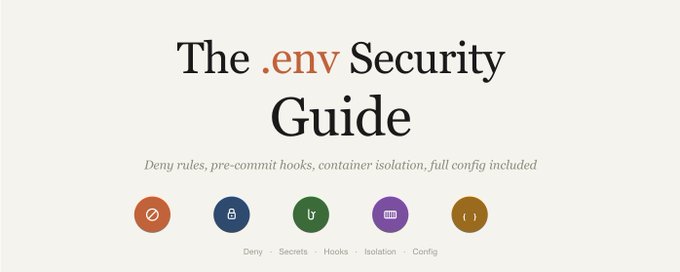
Claude Code reads your .env files the moment it opens your project.
Your API keys, database passwords, Stripe tokens, everything in .env file is loaded into memory and can end up in conversation logs sent to Anthropic's servers.
The only thing that actually blocks access is one line in settings.json, which most people don't have it and don't know about.
Here's the full security config 👇
Before we dive in, I share daily notes on AI & vibe coding in my Telegram channel: https://t.me/zodchixquant🧠

## Why CLAUDE.md rules don't protect you
Most people add "never read .env files" to their CLAUDE.md and assume they're safe (they're not)
CLAUDE.md is a suggestion. Claude follows it most of the time, but under pressure (complex tasks, long context, ambiguous instructions) it can and does ignore advisory rules.
A GitHub issue from April 2026 confirmed: Claude reads and echoes .env contents into the conversation even when CLAUDE.md explicitly prohibits it.
The only reliable protection is a deny rule in settings.json. Deny rules are enforced at the system level before Claude even sees the file.
The difference between "please don't read this" and "you physically cannot read this."
## The 3 ways your secrets leak
It's not just about Claude reading .env directly. There are three paths:
1. Direct file read. Claude scans your project, opens .env, and the contents become part of the conversation context. This is the obvious one and the easiest to block with deny rules.
2. Runtime output capture. Claude runs your tests or starts your app. A failed HTTP request logs the full Authorization: Bearer sk-live-abc123... header. A database timeout dumps the connection string with the password. Claude captures all command output. Your secrets are now in the conversation, even though Claude never opened .env.
3. Grep and search tools. Claude uses grep to search your codebase for a function name. The search hits a config file containing credentials. The grep output includes the matched lines with your secrets visible.
Most people only protect against path 1. Paths 2 and 3 are where the real damage happens.
## The deny rules that actually work
Add these to ~/.claude/settings.json for global protection across every project:
```
{
"permissions": {
"deny": [
"Read(**/.env*)",
"Read(**/.dev.vars*)",
"Read(**/*.pem)",
"Read(**/*.key)",
"Read(**/secrets/**)",
"Read(**/credentials/**)",
"Read(**/.aws/**)",
"Read(**/.ssh/**)",
"Read(**/config/database.yml)",
"Read(**/config/credentials.json)",
"Read(**/.npmrc)",
"Read(**/.pypirc)",
"Write(**/.env*)",
"Write(**/secrets/**)",
"Write(**/.ssh/**)"
]
}
}
```
This blocks Claude from reading or writing any .env file, PEM keys, SSH keys, AWS configs, credential files, and npm/PyPI tokens. The ** wildcard means it applies to every subdirectory in your project.
## Blocking runtime leaks
Deny rules stop direct file reads but not runtime output. For that, use test-specific .env files with dummy values:
```
# .env.test — safe to read, safe to leak
STRIPE_SECRET_KEY=sk_test_not_a_real_key
DATABASE_URL=postgres://test:test@localhost:5432/testdb
OPENAI_API_KEY=sk-test-dummy-key-for-mocking
AWS_ACCESS_KEY_ID=AKIAIOSFODNN7EXAMPLE
AWS_SECRET_ACCESS_KEY=wJalrXUtnFEMI/K7MDENG/bPxRfiCYEXAMPLEKEY
```
Point your test framework at .env.test instead of .env. Now when Claude runs your tests and captures output, the only keys visible are dummies.
## The pre-commit hook that catches everything
Even with deny rules, mistakes happen. Add a git pre-commit hook that scans for secrets before any commit reaches your repo:
```
#!/bin/bash
# .git/hooks/pre-commit — blocks commits containing secrets
PATTERNS=(
'sk-ant-' # Anthropic API keys
'sk-live-' # Stripe live keys
'sk_live_' # Stripe live keys (alt format)
'ghp_' # GitHub personal tokens
'gho_' # GitHub OAuth tokens
'AKIA' # AWS access keys
'xox[bpors]-' # Slack tokens
'SG\.' # SendGrid keys
'eyJ' # JWTs
'BEGIN.*PRIVATE KEY' # Private key material
)
BLOCKED_FILES=('.env' 'credentials.json' 'id_rsa' '*.pem' '*.key')
for pattern in "${PATTERNS[@]}"; do
if git diff --cached --diff-filter=ACM | grep -qE "$pattern"; then
echo "BLOCKED: Found potential secret matching '$pattern'"
echo "Remove the secret and try again."
exit 1
fi
done
for file in "${BLOCKED_FILES[@]}"; do
if git diff --cached --name-only | grep -q "$file"; then
echo "BLOCKED: Attempted to commit sensitive file: $file"
exit 1
fi
done
echo "Pre-commit security check passed."
exit 0
```
Make it executable: chmod +x .git/hooks/pre-commit
This catches Anthropic API keys, Stripe keys, GitHub tokens, AWS keys, Slack tokens, SendGrid keys, JWTs, and private key material. If any of these show up in a staged file, the commit is blocked.
## Container isolation (the nuclear option)
For maximum security, run Claude Code inside a container where .env files literally don't exist:
```
# Mount /dev/null over .env so Claude can't see it
docker run -v /dev/null:/app/.env:ro your-dev-container
```
From Claude's perspective, .env is an empty file. Your secrets never enter the container filesystem. This is overkill for most projects but essential for client work with production credentials.
## The full security config (copy-paste ready)
Complete ~/.claude/settings.json with all security protections:
```
{
"permissions": {
"allow": [
"Read",
"Glob",
"Grep",
"LS",
"Edit",
"MultiEdit",
"Write(src/**)",
"Write(tests/**)",
"Bash(npm run *)",
"Bash(npm test *)",
"Bash(npx tsc *)",
"Bash(git status)",
"Bash(git diff *)",
"Bash(git log *)",
"Bash(git add *)",
"Bash(git commit *)"
],
"deny": [
"Read(**/.env*)",
"Read(**/.dev.vars*)",
"Read(**/*.pem)",
"Read(**/*.key)",
"Read(**/secrets/**)",
"Read(**/credentials/**)",
"Read(**/.aws/**)",
"Read(**/.ssh/**)",
"Read(**/config/database.yml)",
"Read(**/config/credentials.json)",
"Read(**/.npmrc)",
"Read(**/.pypirc)",
"Write(**/.env*)",
"Write(**/secrets/**)",
"Write(**/.ssh/**)",
"Write(.github/workflows/*)",
"Bash(rm -rf *)",
"Bash(sudo *)",
"Bash(git push *)",
"Bash(npm publish *)",
"Bash(curl * | sh)",
"Bash(wget *)",
"Bash(chmod *)"
],
"defaultMode": "acceptEdits"
}
}
```
This is the settings.json from my previous article plus every security rule from this one. Allow rules for daily workflow, deny rules for secrets and dangerous operations. One file, full protection.
## The checklist
Before your next Claude Code session:
1. Do you have deny rules for .env files in settings.json?
2. Do your tests use .env.test with dummy values?
3. Is there a pre-commit hook scanning for secret patterns?
4. Are production credentials stored in a vault, not plaintext files?
5. Is .env in your .gitignore?
6. Are .env files outside your project directory for extra safety?
If you checked all 6, your secrets are as protected as they can be. If you checked 0, you're one ambiguous Claude prompt away from your API keys appearing in a conversation log on Anthropic's servers.
I share daily notes on AI, finance, and vibe coding in my Telegram channel: https://t.me/zodchixquant
Thanks for reading🙏🏼

## 相关链接
- [darkzodchi](https://x.com/zodchiii)
- [@zodchiii](https://x.com/zodchiii)
- [https://t.me/zodchixquant](https://t.me/zodchixquant)
- [https://t.me/zodchixquant](https://t.me/zodchixquant)
- [Upgrade to Premium](https://x.com/i/premium_sign_up)
- [5:14 PM · Apr 30, 2026](https://x.com/zodchiii/status/2049779422291460576)
- [1M Views](https://x.com/zodchiii/status/2049779422291460576/analytics)
- [View quotes](https://x.com/zodchiii/status/2049779422291460576/quotes)
---
*导出时间: 2026/5/1 23:13:41*
---
## 中文翻译
# 防止 Claude Code 泄露你的机密的 .env 设置(含完整配置)
**作者**: darkzodchi
**日期**: 2026-04-30T09:14:31.000Z
**来源**: [https://x.com/zodchiii/status/2049779422291460576](https://x.com/zodchiii/status/2049779422291460576)
---

Claude Code 在打开你的项目的那一刻就会读取你的 .env 文件。
你的 API 密钥、数据库密码、Stripe 令牌,.env 文件里的所有内容都会被加载到内存中,并最终出现在发送给 Anthropic 服务器的对话日志中。
唯一真正能阻止访问的是 settings.json 中的一行配置,但大多数人没有这行配置,甚至不知道它的存在。
以下是完整的安全配置 👇
在深入之前,我在我的 Telegram 频道上分享关于 AI 和 氛感编码(vibe coding)的日常笔记:https://t.me/zodchixquant🧠

## 为什么 CLAUDE.md 规则无法保护你
大多数人在他们的 CLAUDE.md 中添加“永远不要读取 .env 文件”,并认为这样就安全了(其实不然)。
CLAUDE.md 只是一个建议。Claude 大多数时候会遵守它,但在压力之下(复杂的任务、长上下文、模棱两可的指令),它能够且确实会忽略建议性规则。
2026 年 4 月的一个 GitHub issue 确认:即使 CLAUDE.md 明确禁止,Claude 仍会读取并将 .env 的内容回显到对话中。
唯一可靠的防护是在 settings.json 中的拒绝规则。拒绝规则是在 Claude 看到文件之前就在系统层面强制执行的。
“请不要读取这个”和“你在物理上无法读取这个”之间的区别。

## 你的机密泄露的三种途径
不仅仅是 Claude 直接读取 .env 这么简单。共有三种途径:
1. 直接文件读取。Claude 扫描你的项目,打开 .env,内容成为对话上下文的一部分。这是显而易见的一种,也是最容易通过拒绝规则阻止的。
2. 运行时输出捕获。Claude 运行你的测试或启动你的应用。失败的 HTTP 请求会记录完整的 Authorization: Bearer sk-live-abc123... 请求头。数据库超时会转储包含密码的连接字符串。Claude 会捕获所有命令输出。你的机密现在就在对话中了,即使 Claude 从未打开过 .env。
3. Grep 和搜索工具。Claude 使用 grep 在你的代码库中搜索函数名。搜索结果命中了包含凭据的配置文件。grep 的输出包含了匹配的行,你的机密清晰可见。
大多数人只防范途径 1。途径 2 和 3 才是真正造成损害的地方。
## 确实有效的拒绝规则
将这些添加到 ~/.claude/settings.json 以便在每个项目中获得全局保护:
```
{
"permissions": {
"deny": [
"Read(**/.env*)",
"Read(**/.dev.vars*)",
"Read(**/*.pem)",
"Read(**/*.key)",
"Read(**/secrets/**)",
"Read(**/credentials/**)",
"Read(**/.aws/**)",
"Read(**/.ssh/**)",
"Read(**/config/database.yml)",
"Read(**/config/credentials.json)",
"Read(**/.npmrc)",
"Read(**/.pypirc)",
"Write(**/.env*)",
"Write(**/secrets/**)",
"Write(**/.ssh/**)"
]
}
}
```
这将阻止 Claude 读取或写入任何 .env 文件、PEM 密钥、SSH 密钥、AWS 配置、凭据文件以及 npm/PyPI 令牌。** 通配符表示它适用于你项目中的每个子目录。
## 阻止运行时泄露
拒绝规则可以阻止直接文件读取,但无法阻止运行时输出。为此,请使用包含虚拟值的特定测试环境 .env 文件:
```
# .env.test — 可安全读取,可安全泄露
STRIPE_SECRET_KEY=sk_test_not_a_real_key
DATABASE_URL=postgres://test:test@localhost:5432/testdb
OPENAI_API_KEY=sk-test-dummy-key-for-mocking
AWS_ACCESS_KEY_ID=AKIAIOSFODNN7EXAMPLE
AWS_SECRET_ACCESS_KEY=wJalrXUtnFEMI/K7MDENG/bPxRfiCYEXAMPLEKEY
```
将你的测试框架指向 .env.test 而不是 .env。现在,当 Claude 运行你的测试并捕获输出时,可见的密钥只是虚拟值。
## 能捕获所有内容的预提交钩子
即使有了拒绝规则,错误也会发生。添加一个 git 预提交钩子,在任何提交到达你的仓库之前扫描机密:
```
#!/bin/bash
# .git/hooks/pre-commit — 阻止包含机密的提交
PATTERNS=(
'sk-ant-' # Anthropic API 密钥
'sk-live-' # Stripe 正式密钥
'sk_live_' # Stripe 正式密钥(替代格式)
'ghp_' # GitHub 个人令牌
'gho_' # GitHub OAuth 令牌
'AKIA' # AWS 访问密钥
'xox[bpors]-' # Slack 令牌
'SG\.' # SendGrid 密钥
'eyJ' # JWT
'BEGIN.*PRIVATE KEY' # 私钥材料
)
BLOCKED_FILES=('.env' 'credentials.json' 'id_rsa' '*.pem' '*.key')
for pattern in "${PATTERNS[@]}"; do
if git diff --cached --diff-filter=ACM | grep -qE "$pattern"; then
echo "BLOCKED: Found potential secret matching '$pattern'"
echo "Remove the secret and try again."
exit 1
fi
done
for file in "${BLOCKED_FILES[@]}"; do
if git diff --cached --name-only | grep -q "$file"; then
echo "BLOCKED: Attempted to commit sensitive file: $file"
exit 1
fi
done
echo "Pre-commit security check passed."
exit 0
```
使其可执行:chmod +x .git/hooks/pre-commit
这会捕获 Anthropic API 密钥、Stripe 密钥、GitHub 令牌、AWS 密钥、Slack 令牌、SendGrid 密钥、JWT 和私钥材料。如果这些出现在暂存文件中,提交将被阻止。
## 容器隔离(终极选项)
为了最大的安全性,在容器内运行 Claude Code,在那里 .env 文件根本不存在:
```
# 将 /dev/null 挂载到 .env 上,这样 Claude 就看不到它了
docker run -v /dev/null:/app/.env:ro your-dev-container
```
从 Claude 的角度来看,.env 是一个空文件。你的机密永远不会进入容器文件系统。对于大多数项目来说这有点杀鸡用牛刀,但对于涉及生产凭据的客户工作来说则是必不可少的。
## 完整的安全配置(可直接复制粘贴)
包含所有安全防护的完整 ~/.claude/settings.json:
```
{
"permissions": {
"allow": [
"Read",
"Glob",
"Grep",
"LS",
"Edit",
"MultiEdit",
"Write(src/**)",
"Write(tests/**)",
"Bash(npm run *)",
"Bash(npm test *)",
"Bash(npx tsc *)",
"Bash(git status)",
"Bash(git diff *)",
"Bash(git log *)",
"Bash(git add *)",
"Bash(git commit *)"
],
"deny": [
"Read(**/.env*)",
"Read(**/.dev.vars*)",
"Read(**/*.pem)",
"Read(**/*.key)",
"Read(**/secrets/**)",
"Read(**/credentials/**)",
"Read(**/.aws/**)",
"Read(**/.ssh/**)",
"Read(**/config/database.yml)",
"Read(**/config/credentials.json)",
"Read(**/.npmrc)",
"Read(**/.pypirc)",
"Write(**/.env*)",
"Write(**/secrets/**)",
"Write(**/.ssh/**)",
"Write(.github/workflows/*)",
"Bash(rm -rf *)",
"Bash(sudo *)",
"Bash(git push *)",
"Bash(npm publish *)",
"Bash(curl * | sh)",
"Bash(wget *)",
"Bash(chmod *)"
],
"defaultMode": "acceptEdits"
}
}
```
这是来自我上一篇文章的 settings.json 加上本文的每一条安全规则。日常工作流程的允许规则,机密和危险操作的拒绝规则。一个文件,全面防护。
## 检查清单
在下一次 Claude Code 会话之前:
1. 你的 settings.json 中是否有针对 .env 文件的拒绝规则?
2. 你的测试是否使用了带有虚拟值的 .env.test?
3. 是否有扫描机密模式的预提交钩子?
4. 生产凭据是否存储在保险库中,而不是纯文本文件?
5. .env 是否在你的 .gitignore 中?
6. 为了额外的安全性,.env 文件是否放在你的项目目录之外?
如果你勾选了全部 6 项,你的机密就得到了尽可能的保护。如果你勾选了 0 项,你离一个模棱两可的 Claude 提示导致你的 API 密钥出现在 Anthropic 服务器的对话日志上只有一步之遥。
我在我的 Telegram 频道上分享关于 AI、金融和 氛感编码(vibe coding) 的日常笔记:https://t.me/zodchixquant
感谢阅读🙏🏼

## 相关链接
- [darkzodchi](https://x.com/zodchiii)
- [@zodchiii](https://x.com/zodchiii)
- [https://t.me/zodchixquant](https://t.me/zodchixquant)
- [https://t.me/zodchixquant](https://t.me/zodchixquant)
- [升级到 Premium](https://x.com/i/premium_sign_up)
- [5:14 PM · Apr 30, 2026](https://x.com/zodchiii/status/2049779422291460576)
- [100万次观看](https://x.com/zodchiii/status/2049779422291460576/analytics)
- [查看引用](https://x.com/zodchiii/status/2049779422291460576/quotes)
---
*导出时间: 2026/5/1 23:13:41*