# Claude Design
**作者**: HyperFrames
**日期**: 2026-07-26T01:07:48.000Z
**来源**: [https://x.com/HyperFrames_/status/2081184676430160379](https://x.com/HyperFrames_/status/2081184676430160379)
---
# Day 20 of 30: Hyperframes with Claude Design
Nineteen days of this series have started from the same place: the design already exists. HyperFrames captures a website, reads the brand out of the pixels, and writes it into a FRAME.md. That works because somebody already did the design work.
Day 20 covers the other half: when the design does not exist yet. Anthropic has a tool for exactly that moment, and because of one convenient fact about how it works, it plugs straight into a HyperFrames pipeline.
## What Claude Design is
Claude Design is Anthropic's design tool, live at claude.ai/design as a research preview for Pro, Max, Team, and Enterprise plans. You describe what you want, Claude designs it on a canvas, and you refine it the way you would in a design tool instead of a chat window: click an element and leave an inline comment, drag the sliders it spawns for color and type size, or just edit the thing directly.
Two details make it different from every "AI makes you a mockup" tool before it:
- It has taste. The model behind it is trained for design work, and it shows. Layouts, spacing, and type come out considered instead of generated. It is the closest thing yet to Figma for non-designers, but simpler: no artboards to learn, no pen tool, just intent and iteration.
- It learns your brand first. During onboarding, Claude Design builds a design system for your team by reading your codebase and design files. Every project after that automatically uses your colors, your typography, your components.
## The unlock
Everything it produces is on-brand by construction instead of by correction.
Our HeyGen design system already lives in it: the ABC Solar Display and TT Norms Pro families, the full color token set, and about forty real components, from buttons to player controls. So when we ask Claude Design to ideate a frame, a title card, or an end screen, it is not guessing at HeyGen's look. It is composing with the same pieces our product ships with.
## Using it with HyperFrames
Here is the part that makes this a video story and not just a design story: Claude Design projects are real HTML and CSS. And HyperFrames renders video from HTML. There is no translation layer between the two.
So the workflow is four steps:
1. Give it your design system. Onboarding builds one from your codebase and design files, or sync an existing component library from Claude Code with /design-sync.
2. Ideate in Claude Design. Describe the frames you want. Comment, slide, and nudge until the taste is right. This is the Figma-for-non-designers step.
3. Download the project. What comes out is not a screenshot of a design. It is the design: working HTML, CSS, fonts, and tokens.
4. Hand it to Claude Code. Because HyperFrames speaks the same language, the downloaded design is not a reference to recreate. It is source material. Claude Code drops it into the composition and animates it: the layout becomes the scene, the components become the cast.
Design tool on one side, video tool on the other, and the border between them disappears because both sides are HTML.
The real run
We did this for Day 20 itself. One sentence into Claude Design, with the Prism design system and the day's background pattern attached:
```
make me a 15 sec sizzle animation for HeyGen HyperFrames Day 20 Claude Design. using our brand fonts and colors
```
Before touching the canvas it asked the questions a producer would ask: where the video will live, what aspect ratio, how to use the uploaded pattern, tone, typography, audio. We answered the ones that mattered (a landing page loop, 1:1 square, the pattern as the background, no audio in the file so music can come in post) and told it to decide the rest.
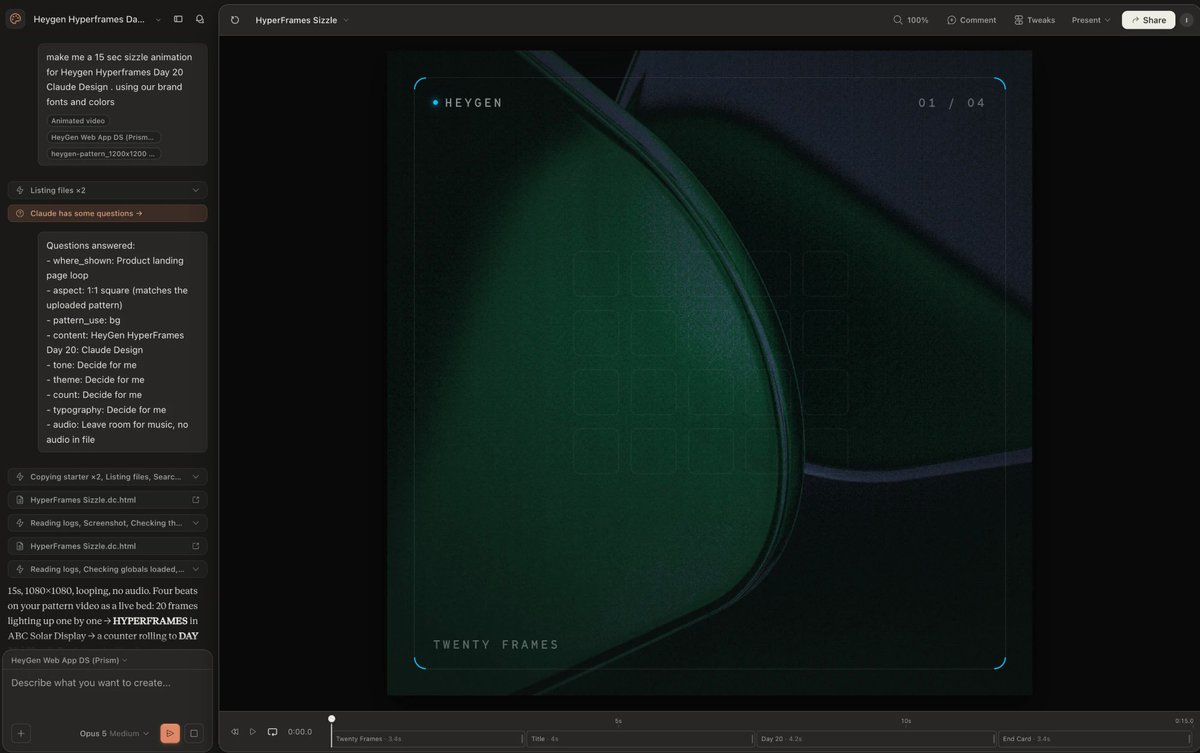
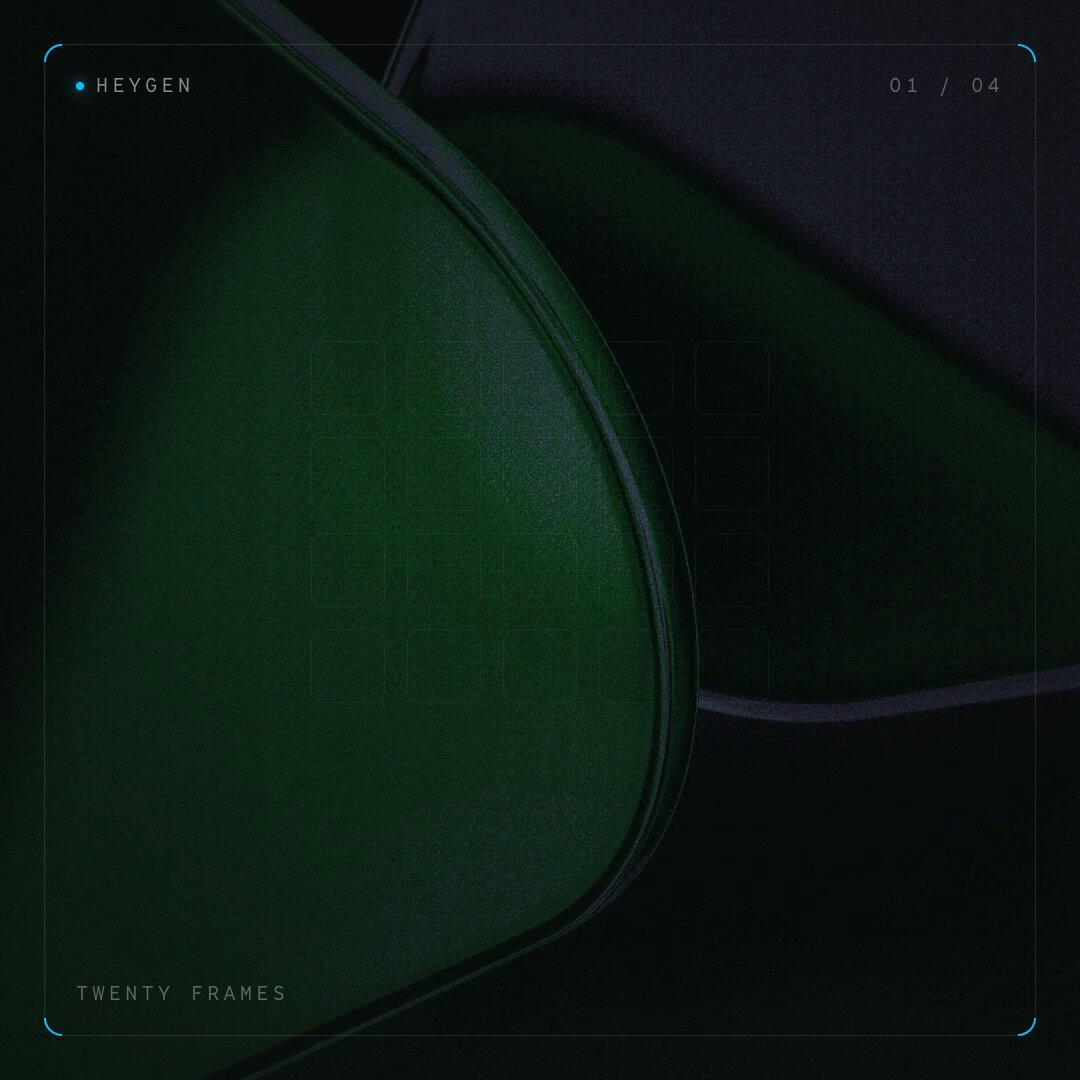
What came back was a 15 second, 1080 by 1080 looping sizzle in four beats: a grid of twenty frames lighting up one by one, the HYPERFRAMES title in ABC Solar Display, a counter rolling to Day 20, and the HeyGen lockup end card. TT Norms Pro Mono for the film chrome, Prism blue accents, the pattern tinted toward brand blue. It even shipped its own Tweaks panel: pattern opacity, accent color, and a film-chrome toggle.
Exporting is one click. Share, then Export, and you get the MP4 next to the thing this whole day is about: the entire project as HTML.
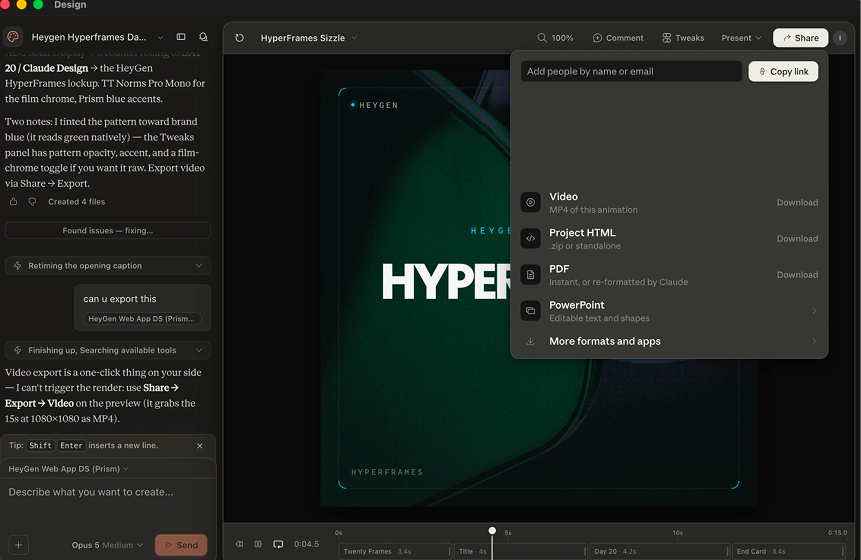
That downloaded HTML project is what goes to Claude Code next. One honest note from our run: the export's background flickered. Claude Design's player restarts the pattern video in every scene and its exporter steps through the video frame by frame, so the bed never settles. Keep that in mind, because fixing it is exactly what the handoff is for.
## The final output
We handed the downloaded project to Claude Code and rebuilt it as a HyperFrames composition. Same four scenes, same type, same easings. One structural change: the pattern video becomes a single continuous background layer that plays once under the whole cut instead of restarting in every scene. HyperFrames owns media playback at render time, so the bed is frame-exact. Measured frame to frame, the old export's background jumped at every scene cut. This one holds steady for the full 15 seconds.
Output:
## The pro move: teach Claude Design to speak HyperFrames
Everything above used Claude Design out of the box, which is why the export needed a rebuild on the way in. There is an official shortcut. HyperFrames ships an instruction file, claude-design-hyperframes.md, built for exactly this pairing.
Attach that file in a new Claude Design chat along with your brief, screenshots, and brand assets. It hands Claude Design pre-valid HyperFrames skeletons with the structural rules already embedded, so the model spends its taste on palette, typography, scene content, and GSAP motion instead of on format. What comes back is a ready HyperFrames project: index.html, preview.html, README.md, and DESIGN.md.
Download it and refine in Claude Code (or Cursor):
```
npx skills add heygen-com/hyperframes
npx hyperframes lint
npx hyperframes preview
```
Three tips from the official guide:
- Attachments beat everything. Screenshots and brand guides steer the design harder than pasted text, and both beat URLs.
- Do not judge motion in the pane. The in-pane preview scrubber is unreliable; preview locally.
- Claude Design does not lint. Run npx hyperframes lint locally to catch structural issues before you render.
⭐ If this series is useful, star the HyperFrames repo.
- Claude Design: claude.ai/design · announcement
- Official pairing guide: Claude Design for HyperFrames
- Install the skills: npx skills add heygen-com/hyperframes
Day 20 down. 10 to go.
## 相关链接
- [HyperFrames](https://x.com/HyperFrames_)
- [@HyperFrames_](https://x.com/HyperFrames_)
- [11K](https://x.com/HyperFrames_/status/2081184676430160379/analytics)
- [FRAME.md](http://frame.md/)
- [Claude Design](https://claude.com/product/design)
- [claude.ai/design](https://claude.ai/design)
- [claude-design-hyperframes.md](https://github.com/heygen-com/hyperframes/blob/main/docs/guides/claude-design-hyperframes.md)
- [star the HyperFrames repo](https://github.com/heygen-com/hyperframes)
- [claude.ai/design](https://claude.ai/design)
- [announcement](https://www.anthropic.com/news/claude-design-anthropic-labs)
- [Claude Design for HyperFrames](https://hyperframes.heygen.com/guides/claude-design)
- [Upgrade to Premium](https://x.com/i/premium_sign_up)
- [9:07 AM · Jul 26, 2026](https://x.com/HyperFrames_/status/2081184676430160379)
- [11.3K Views](https://x.com/HyperFrames_/status/2081184676430160379/analytics)
- [View quotes](https://x.com/HyperFrames_/status/2081184676430160379/quotes)
---
*导出时间: 2026/7/26 14:50:13*
---
## 中文翻译
# Claude 设计
**作者**:HyperFrames
**日期**:2026-07-26T01:07:48.000Z
**来源**:[https://x.com/HyperFrames_/status/2081184676430160379](https://x.com/HyperFrames_/status/2081184676430160379)
---

# 第 20 天(共 30 天):Hyperframes 与 Claude 设计
这个系列的十九天都是从一个相同的地方开始的:设计已经存在。HyperFrames 捕获一个网站,从像素中读取品牌信息,并将其写入 FRAME.md。之所以可行,是因为已经有人完成了设计工作。
第 20 天讲的是另一半:当设计还不存在时。Anthropic 恰好有一个针对这一时刻的工具,而且由于它工作方式上的一个便利特性,它可以直接接入 HyperFrames 流水线。
## Claude 设计是什么
Claude 设计是 Anthropic 的设计工具,目前以研究预览版的形式在 claude.ai/design 上线,面向 Pro、Max、Team 和 Enterprise 计划。你描述你想要什么,Claude 在画布上进行设计,然后你可以像在设计工具中那样进行优化,而不是在聊天窗口里:点击一个元素并留下内联评论,拖动它为颜色和字号生成的滑块,或者直接编辑内容本身。
有两个细节使它不同于之前的所有“AI 帮你做效果图”工具:
- 它有品味。背后的模型是为设计工作训练的,这一点显而易见。布局、间距和字体呈现出来是经过考量的,而不是生成的。它是迄今为止最接近非设计师版 Figma 的东西,但更简单:无需学习画板,没有钢笔工具,只有意图和迭代。
- 它会先学习你的品牌。在引导流程中,Claude 设计会通过阅读你的代码库和设计文件,为你的团队构建一套设计系统。之后的每个项目都会自动使用你的颜色、你的排版、你的组件。
## 突破点
它产出的一切在构建时就天然符合品牌,而不是靠事后修正。
我们的 HeyGen 设计系统已经在其中:ABC Solar Display 和 TT Norms Pro 字体家族、完整的颜色 token 集,以及大约四十个真实组件,从按钮到播放器控件。所以当我们让 Claude 设计构思一个画面、一张标题卡或一个片尾画面时,它并不是在猜测 HeyGen 的外观。它是在用我们产品实际搭载的相同部件进行组合。
## 与 HyperFrames 配合使用
让这成为一个视频故事而不仅仅是设计故事的关键在于:Claude 设计项目是真正的 HTML 和 CSS。而 HyperFrames 从 HTML 渲染视频。两者之间没有翻译层。
所以工作流程只有四步:
1. 给它你的设计系统。引导流程会从你的代码库和设计文件中构建一个,或者用 /design-sync 从 Claude Code 同步现有的组件库。
2. 在 Claude 设计中构思。描述你想要的画面。评论、滑动、微调,直到品味对了为止。这就是“非设计师的 Figma”步骤。
3. 下载项目。得到的不是设计的截图,而是设计本身:可用的 HTML、CSS、字体和 token。
4. 交给 Claude Code。因为 HyperFrames 说的是同一种语言,下载的设计不是需要复刻的参考图,而是源素材。Claude Code 把它放入合成并进行动画处理:布局成为场景,组件成为演员。
一边是设计工具,另一边是视频工具,而它们之间的边界消失了,因为两边都是 HTML。
## 实战运行
我们在第 20 天自己就这么做了。向 Claude 设计输入一句话,并附上 Prism 设计系统和当天的背景图案:
```
make me a 15 sec sizzle animation for HeyGen HyperFrames Day 20 Claude Design. using our brand fonts and colors
```
在动笔画布之前,它先问了一个制片人会问的问题:视频会放在哪里、什么宽高比、如何使用上传的图案、基调、排版、音频。我们回答了重要的那些(落地页循环、1:1 正方形、图案作为背景、文件中不含音频以便后期配乐),其余让它自己决定。

返回的是一个 15 秒、1080×1080 的循环宣传片,分四个节拍:由二十个画面组成的网格逐一亮起、ABC Solar Display 字体的 HYPERFRAMES 标题、滚动到第 20 天的计数器,以及 HeyGen 标识的片尾卡。TT Norms Pro Mono 用于胶片质感边框,Prism 蓝色点缀,图案向品牌蓝调色。它甚至自带了一个 Tweaks 面板:图案不透明度、点缀颜色,以及一个胶片质感开关。
导出只需一键。先分享,再导出,你会得到 MP4,以及今天这一整天真正的主角:作为 HTML 的完整项目。

下载的 HTML 项目接下来就是交给 Claude Code 的东西。我们这次运行中一个坦率的说明:导出的背景会闪烁。Claude 设计的播放器在每个场景都会重启图案视频,而它的导出器是逐帧步进视频的,所以底图始终无法稳定。记住这一点,因为修复它正是交接环节的用武之地。
## 最终产出
我们把下载的项目交给 Claude Code,并将其重建为一个 HyperFrames 合成。同样的四个场景、同样的字体、同样的缓动。一个结构性改动:图案视频变成单一连续的背景层,在整段剪辑之下播放一次,而不是在每个场景中重启。HyperFrames 在渲染时掌控媒体播放,所以底图精确到帧。逐帧测量,旧导出的背景在每个场景切换处都会跳动。而这一个在整个 15 秒内都保持稳定。
输出:

## 专业操作:教会 Claude 设计说 HyperFrames
以上所有内容都是开箱即用地使用 Claude 设计,这也是导出文件需要在导入时重建的原因。有一个官方捷径。HyperFrames 附带了一个指令文件 claude-design-hyperframes.md,专门为这种搭配而构建。
将该文件附加到一个新的 Claude Design 对话中,同时附上你的简报、截图和品牌资产。这样可以为 Claude Design 提供预先验证过的 HyperFrames 骨架,结构规则已经内嵌其中,模型可以把它的品味用在配色、排版、场景内容和 GSAP 动效上,而不是格式本身。最终返回的是一个可以直接使用的 HyperFrames 项目:index.html、preview.html、README.md 和 DESIGN.md。
下载后在 Claude Code(或 Cursor)中进行精修:
```
npx skills add heygen-com/hyperframes
npx hyperframes lint
npx hyperframes preview
```
官方指南中的三条建议:
- 附件胜过一切。截图和品牌指南比粘贴的文本更能引导设计,而这两者又都胜过 URL。
- 不要在面板内评判动效。面板内的预览滑块不可靠;请在本地预览。
- Claude Design 不会进行 lint 检查。在渲染之前,请在本地运行 npx hyperframes lint 来发现结构性问题。
⭐ 如果这个系列对你有帮助,请给 HyperFrames 仓库点个星。
- Claude Design:claude.ai/design · 官方公告
- 官方搭配指南:Claude Design for HyperFrames
- 安装技能:npx skills add heygen-com/hyperframes
第 20 天完成。还剩 10 天。
## 相关链接
- [HyperFrames](https://x.com/HyperFrames_)
- [@HyperFrames_](https://x.com/HyperFrames_)
- [11K](https://x.com/HyperFrames_/status/2081184676430160379/analytics)
- [FRAME.md](http://frame.md/)
- [Claude Design](https://claude.com/product/design)
- [claude.ai/design](https://claude.ai/design)
- [claude-design-hyperframes.md](https://github.com/heygen-com/hyperframes/blob/main/docs/guides/claude-design-hyperframes.md)
- [给 HyperFrames 仓库点星](https://github.com/heygen-com/hyperframes)
- [claude.ai/design](https://claude.ai/design)
- [官方公告](https://www.anthropic.com/news/claude-design-anthropic-labs)
- [Claude Design for HyperFrames](https://hyperframes.heygen.com/guides/claude-design)
- [升级到 Premium](https://x.com/i/premium_sign_up)
- [9:07 AM · 2026年7月26日](https://x.com/HyperFrames_/status/2081184676430160379)
- [11.3K 次浏览](https://x.com/HyperFrames_/status/2081184676430160379/analytics)
- [查看引用](https://x.com/HyperFrames_/status/2081184676430160379/quotes)
---
*导出时间: 2026/7/26 14:50:13*