无参考图生成高端AI产品广告的完整流程 Zazzy 2026-04-21 10.4 KB 3.7K 91 ☆ 收藏 𝕏 文章列表 文章阐述了无需依赖参考图,利用AI制作高端产品广告的系统化方法。作者主张将AI设计视为“场景导演”,通过建立独立的“Prompt引擎”聊天将想法转化为高度结构化的指令。文章详细拆解了包含场景搭建、光影、构图及负面限制的Prompt框架,并介绍了使用Nano Banana进行生成与迭代的步骤,强调了结构化思维对于控制AI输出质量的重要性。 AI设计提示词工程产品摄影工作流图像生成AI绘图营销视觉Google Flow 79 值得读 ▶ 文章发布时间较新,提供了一套极具实操性、结构化的高质量AI产品广告提示词框架,步骤清晰易读,但技术深度与原理解释略有欠缺。 # How I Create High-End AI Product Ads (Without Reference Images) **作者**: Zazzy **日期**: 2026-04-20T11:43:35.000Z **来源**: [https://x.com/zazzygfx/status/2046193054638284938](https://x.com/zazzygfx/status/2046193054638284938) --- 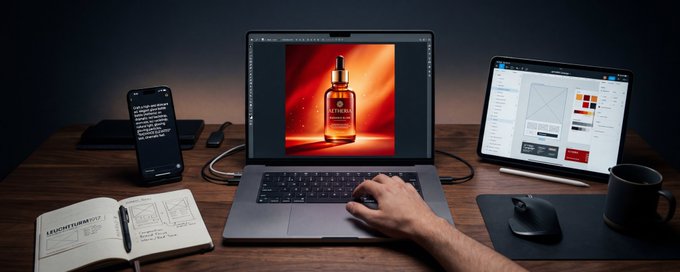 ## Most people think AI design is about generating images. It’s not. It’s about directing scenes. What I’ve built is a simple but powerful system: I use a separate AI chat as a prompt engine, a tool that converts my ideas into highly detailed, production-level prompts that can control any AI image tool. This is the exact method I use to create premium product visuals consistently. ## Step 1: Stop Relying on Reference Images You don’t need Pinterest boards to create great visuals. Instead, you need clarity in your head. Think like a director: - What’s happening in the scene? - Where is the product? - Who is interacting with it? - What’s the mood? Once you can describe it clearly, AI becomes predictable. ## Step 2: Use a “Prompt Engine” Chat I don’t generate images directly. I describe my idea like this: > “A premium skincare product placed on a minimal table with soft lighting and a feminine hand interacting with it” Then my AI chat expands it into a fully structured, detailed prompt. This is what gives me control. ## Step 3: The Prompt Framework (This Is Everything) Every high-quality AI product visual I create follows this exact structure: { "prompt_framework": { "opening_statement": "Ultra-realistic [CATEGORY] product advertisement scene, premium commercial photography style", "scene_setup": "Environment description + product placement context", "product_instruction": "Use exact uploaded product image, no redesign, no label change", "human_interaction": "Hand/model pose, grip style, nail details, movement direction", "objects_layout": "Supporting props arranged for balance and storytelling", "background": "[DESCRIBE YOUR BACKGROUND: color, texture, gradient, environment, etc.]", "lighting": "Soft diffused studio lighting, gentle shadows, subtle reflections", "surface_styling": "Matte/clean surfaces, minimal clutter, realistic material textures", "camera_composition": "Angle, framing, depth of field, focus priority", "quality_specs": "Ultra-photorealistic, 8K, cinematic color grading, premium branding aesthetic", "restrictions": [ "No text", "No watermark", "Do not modify product design", "Maintain exact branding" ] } } This structure is what separates random outputs from intentional, professional visuals. ## Step 4: Why This Works If you study real product ads, you’ll notice something: Nothing is random. From the prompts I’ve built (see breakdown here ), every detail is controlled: - Lighting direction - Hand positioning - Object placement - Camera angle - Texture realism AI is just executing instructions. So the better your instructions → the better your output. ## Step 5: Apply It to Any Product This system works for any niche: - Skincare → soft lighting, vanity setups - Fitness → gym props, dynamic interaction - Luxury → metallic surfaces, minimal compositions - Food → glossy textures, close-up shots All you do is swap: - Scene - Props - Interaction - Mood - Background (fully customizable now) The framework stays the same. ## Step 6: Generate with Nano Banana (Google Flow) Once your prompt is ready: Go to Nano Banana (inside Flora) Upload your product image Paste your structured prompt Generate Important line to always include: > “Use exact product image, no redesign, no label change” This protects your brand identity. ## Step 7: Don’t Regenerate, Refine If your result isn’t perfect: Don’t start over. Edit the prompt: - Adjust lighting (too harsh? too flat?) - Change camera angle (top view, front, close-up) - Improve composition (spacing, balance) - Fix interaction (hand position, realism) - Refine your background description This is how professionals work. ## Step 8: The Mindset Shift Beginners: → “Let me try random prompts” Professionals: → “Let me direct this scene properly” That one shift changes everything. ## Final Thought AI doesn’t replace design. It amplifies it. If you can think clearly, structure your ideas, and direct scenes with intention you can create studio-level product ads from your laptop. If you want more workflows like this, plus the exact systems I use: Stay in the community. https://t.me/zaizazzy We’re just getting started. ## 相关链接 - [Zazzy](https://x.com/zazzygfx) - [@zazzygfx](https://x.com/zazzygfx) - [1.8K](https://x.com/zazzygfx/status/2046193054638284938/analytics) - [Flora](https://refer.flora.ai/zazzy) - [https://t.me/zaizazzy](https://t.me/zaizazzy) - [Upgrade to Premium](https://x.com/i/premium_sign_up) - [7:43 PM · Apr 20, 2026](https://x.com/zazzygfx/status/2046193054638284938) - [1,826 Views](https://x.com/zazzygfx/status/2046193054638284938/analytics) --- *导出时间: 2026/4/21 09:39:19* --- ## 中文翻译 # 我如何在没有参考图的情况下制作高端 AI 产品广告 **作者**: Zazzy **日期**: 2026-04-20T11:43:35.000Z **来源**: [https://x.com/zazzygfx/status/2046193054638284938](https://x.com/zazzygfx/status/2046193054638284938) ---  ## 大多数人认为 AI 设计就是生成图像。 其实不是。 它是指导演场景。 我所构建的是一套简单但强大的系统: 我使用一个单独的 AI 聊天作为提示词引擎,一个能将我的想法转化为高度详细、生产级提示词的工具,可以控制任何 AI 图像工具。 这就是我用来持续打造高端产品视觉效果的确切方法。 ## 第一步:停止依赖参考图 你不需要 Pinterest 收藏集也能创作出出色的视觉作品。 相反,你需要的是脑中的清晰构想。 像导演一样思考: - 场景中正在发生什么? - 产品在哪里? - 谁在与它互动? - 氛围是什么样的? 一旦你能清晰地描述它,AI 就变得可预测了。 ## 第二步:使用“提示词引擎”聊天 我不直接生成图像。 我这样描述我的想法: > “一款高端护肤品放置在极简风格的桌子上,配有柔和的灯光,一只女性的手正在与它互动” 然后我的 AI 聊天会将其扩展为一个结构完整、细节丰富的提示词。 这就是我能掌控局面的原因。 ## 第三步:提示词框架(这是核心) 我创作的每一张高质量 AI 产品视觉都遵循这个确切的结构: { "prompt_framework": { "opening_statement": "超写实 [品类] 产品广告场景,高端商业摄影风格", "scene_setup": "环境描述 + 产品摆放情境", "product_instruction": "使用确切上传的产品图片,不重新设计,不更改标签", "human_interaction": "手/模特姿势、握持方式、指甲细节、动作方向", "objects_layout": "为平衡和叙事而布置的辅助道具", "background": "[描述你的背景:颜色、质感、渐变、环境等]", "lighting": "柔和的漫射影棚灯光、轻柔的阴影、细腻的反光", "surface_styling": "哑光/洁净表面,极简杂物,真实的材质纹理", "camera_composition": "角度、构图、景深、对焦优先级", "quality_specs": "超照片级写实、8K、电影级调色、高端品牌美学", "restrictions": [ "不加文字", "不加水印", "不修改产品设计", "保持品牌标识完全一致" ] } } 正是这个结构将随机的输出与有意图的专业视觉区分开来。 ## 第四步:为什么这有效 如果你研究真实的产品广告,你会注意到一点: 没有什么东西是随机的。 从我所构建的提示词(见这里的解析)来看,每一个细节都受到控制: - 灯光方向 - 手部位置 - 物体摆放 - 相机角度 - 纹理真实感 AI 只是在执行指令。 所以你的指令越好 → 输出就越好。 ## 第五步:应用到任何产品上 这套系统适用于任何细分领域: - 护肤品 → 柔和灯光、梳妆台场景 - 健身 → 健身房道具、动态互动 - 奢侈品 → 金属表面、极简构图 - 食物 → 光泽质感、特写镜头 你所要做的只是替换: - 场景 - 道具 - 互动 - 氛围 - 背景(现在完全可自定义) 框架保持不变。 ## 第六步:用 Nano Banana(Google Flow)生成 提示词准备好之后: 前往 Nano Banana(在 Flora 内部) 上传你的产品图片 粘贴你的结构化提示词 生成 始终要包含的关键一句: > “使用确切的产品图片,不重新设计,不更改标签” 这能保护你的品牌识别度。 ## 第七步:不要重新生成,要精修 如果你的结果不完美: 不要推倒重来。 编辑提示词: - 调整灯光(太刺眼?太平淡?) - 更换相机角度(俯视、正面、特写) - 改进构图(间距、平衡) - 修正互动(手的位置、真实感) - 精修你的背景描述 这就是专业人士的工作方式。 ## 第八步:思维转变 新手: → “让我试试随机提示词” 专业人士: → “让我正确地导演这个场景” 这一个转变会改变一切。 ## 最后的想法 AI 不会取代设计。 它会放大设计。 如果你能清晰地思考、组织你的想法,并有意图地导演场景,你就可以用自己的笔记本电脑创作出工作室级别的产品广告。 如果你想要更多这样的工作流,以及我使用的确切系统: 请留在社区里。 https://t.me/zaizazzy 我们才刚刚开始。 ## 相关链接 - [Zazzy](https://x.com/zazzygfx) - [@zazzygfx](https://x.com/zazzygfx) - [1.8K](https://x.com/zazzygfx/status/2046193054638284938/analytics) - [Flora](https://refer.flora.ai/zazzy) - [https://t.me/zaizazzy](https://t.me/zaizazzy) - [升级到高级版](https://x.com/i/premium_sign_up) - [2026年4月20日 下午7:43](https://x.com/zazzygfx/status/2046193054638284938) - [1,826 次浏览](https://x.com/zazzygfx/status/2046193054638284938/analytics) --- *导出时间: 2026/4/21 09:39:19*
G GPT Image 2.5 使用指南:从 2.0 提示词迁移,到 Flare / Sunburst 工作流 本文详细介绍了 OpenAI GPT Image 2.5 相比 2.0 的核心升级:参考图主体保持更强、局部编辑更准、多轮修改不易漂移、延迟降低约 50%。作者提出 2.5 的提示词应从"描述+重复+防错"的长写法转向"状态管理"思维,通过 Preserve/Change 结构和 Delta Edit 小步修改,用 Mother Image(母版图)建立基础状态后逐步迭代。文章还对比了 API 中的 Flare(快速生产、批量探索)与 Sunburst(高精度精修、复杂编辑)两个型号的定位,并给出 Flare 探索+Sunburst 精修的合理工作流建议。 技术 › LLM ShyNloc 2026-09-18 GPT Image 2.5OpenAI图像生成提示词工程Delta EditFlareSunburst连续编辑工作流AI绘图
拆 拆解 Qwen-Image 官方「智能改写」:我把生图和改图经验总结成了一个 Skill 作者在测试 Qwen-Image 2.1 时发现,生图和改图效果不佳的主要原因是创作意图未被准确传递给模型,如负面文字被印进海报、改姿势只换了衣服等。作者将经验整理成 qwen-image-gen Skill 并提交开源:区分文生图、局部编辑和参考人物创作;将人物动作、接触关系、镜头和画面文字写成模型可执行的描述;落实比例决策并检查返回图片真实像素;将质量反馈带回下一版。四组对照实验显示三组改善、一组失败,证明提示词改写有价值但非几何纠错器。 技术 › Skill Fini.Yang 2026-09-23 Qwen-Image图像生成提示词工程SkillAI绘图开源文生图图像编辑
O OpenAI 官方 GPT Image 2.5 提示词指南深度拆解 本文深度拆解 OpenAI 官方发布的 GPT Image 2.5 图像提示词指南。文章介绍了 Flare 与 Sunburst 双模型的选型逻辑与 API 参数解耦设计,系统梳理了官方首次披露的 8 大提示词工程法则,包括规格化定义结果、用具体细节取代情绪空话、精确文本排版用双引号、编辑时分离改动与约束、多图参考角色分配、单步渐进迭代等。并配以胶片人像、商业广告排版、透明 Logo、四格条漫、移动端 UI 原型、科学信息图、YC 路演页等 8 大商业级实战案例与完整提示词模版,指出 AI 图像生成已进入工程化规格说明时代。 技术 › LLM Kieran Zhang 2026-09-09 OpenAIGPT Image提示词工程图像生成Spec-driven PromptingAI绘图双模型架构编辑模式文本渲染实战案例
如 如何榨出 AI 设计的 99% 创造力:一套三阶段工作流 作者受前苹果设计师 Anshu Chimala 启发,指出 AI 设计产出平庸的根源在于 LLM 作为下一个词元预测器、经 RLHF 对齐后天然倾向安全解。文章借鉴设计双钻模型,提出三阶段工作流:探索、确立、交付。核心技法包括:注入随机种子字符串打破思维定势、用大胆具象的提示词激发创意、三步发散法生成设计概念、引入'设计挑刺官'子智能体构建独立评审反馈闭环,以及调用图像生成工具提升视觉质感。通过多智能体协同与成本控制,可在极短轮次内产出超越常规 AI 模板的高水准设计。 技术 › 前端 米开朗基杨 2026-09-04 AI设计提示词工程Claude多智能体协同UI设计双钻模型子智能体设计工作流图像生成Claude Code
万 万能GPT Image 2超美AI角色图提示词框架 作者分享了研究多年的万能AI角色图提示词框架,解决AI绘图中提示词匮乏和参数繁琐的痛点。用户只需输入一句话人物描述,框架即可自动提取关键信息、推断缺失参数、生成配色方案、套用固定模块,输出包含渲染标签、光影系统、画面结构、角色设定、服化道细节、负面提示词的完整生图提示词。框架内置性别与身份服饰适配表和多种风格映射表(3D次世代、2D日系、水墨国风等),支持豆包、即梦等工具使用。 技术 › Skill AI求道者Siri 2026-09-02 AI绘图提示词工程GPT Image 2角色设定图图像生成豆包即梦提示词框架
我 我做了一支skills军队:56 位士兵,一个将军 作者介绍了其 XXD Panel 系统:56 个各自独立、各守一套审美的“士兵”Skill,配合负责推荐、点将、试稿和批量派发的“将军”Skill(xxd-panel-all),解决风格多样后如何选择、批量制作如何提效的问题。每位士兵保留独立原始提示词,互不混血,支持上下、左右、纯设计、壁纸包四种交付模式和批量目录处理。文章详述了 56 位士兵的风格特长分组、适用人群、质量控制逻辑及入门方式。 技术 › Skill 小小东 2026-08-25 SkillAgent提示词工程AI绘图批量生成视觉设计Claude CodeCodex工作流XXD Panel
产 产品剖面剧场:用AI提示词切开产品展示核心卖点 作者提出一种AI图像生成的广告创意玩法——"产品剖面剧场":通过提示词让产品沿优雅切面打开,内部呈现微型舞台,分四层展示外壳结构、成分零件、作用过程和超现实利益景观。相比普通爆炸图只回答"由什么组成",剖面剧场还传达"能带来什么感受"。文章给出了完整核心提示词、适用品类(护肤、食品、鞋服、数码等)及参数技巧,强调一张图只讲一个核心利益点,真实结构建立可信度,超现实景观传达价值。 技术 › 工具与效率 Derek Wen|德里克文 (@derek_wall90176) 2026-08-23 AI绘图提示词产品广告营销创意AIGC商业设计图像生成产品摄影
施 施工图 vs 创意简报:跨模型图片生成迁移时提示词的正确改法 文章针对在 Google Nano Banana 与 OpenAI GPT Image 2 之间迁移图片生成提示词时的常见误区进行辨析。作者指出长提示词翻车的根源不在长短,而在于信息冲突、约束缺乏优先级、参考图职责不清以及一次性要求过多。文章提出'创意简报'与'结构化施工图'两种提示模式应按偏差成本选择而非按模型选择,并给出重做任务定义、约束优先级、参考图职责与迭代方式的四层迁移框架,最后强调模型差异需通过严格的对照实测验证。 技术 › LLM VoxCat 2026-08-19 提示词工程图片生成Nano BananaGPT Image 2跨模型迁移AI绘图提示词优化工作流
当 当模型画“宋式审美”时,它到底还不会什么 作者通过一系列图像生成测试,探讨模型在创作“宋式审美”图像时的能力边界。测试涵盖材质、设色、线条、线框约束、人物叙事、知识封面与产品海报。结论是:模型能生成细线、青绿设色、留白与传统符号,但无法稳定让局部服从复合判断——线条说明形体、颜色附着结构、留白构成空间、主景回应内容。模型适合受约束的探索,人则应转向建立判断系统与排序约束。方法上应先问内容再问画风,用真实命题评估而非孤立美图。 技术 › AIGC SagaSu 2026-08-18 AI绘图宋式审美图像生成提示词工程视觉设计国风AI能力边界设计方法论文生图审美判断
我 我写提示词时,不再只靠感觉了 文章探讨了提升AI提示词(Prompt)质量的思考,对比了“情绪法”与“结构法”的区别。作者指出,单纯依赖情绪词汇虽能营造氛围但缺乏稳定性,而结构法通过定义载体、光线、构图等参数确保结果可控。最终提倡“混合法”,即用结构锁定画面骨架,再用情绪补足灵魂,将提示词从“许愿文”转化为精准的“视觉合同”。 技术 › LLM VoxCat 2026-05-14 提示词提示词工程AIGC图像生成结构法情绪法工作流技巧
使 使用 GPT 5.5 和 GPT Image 2 设计完美演示文稿的实践指南 作者分享了一种利用 OpenAI GPT-5.5 和 GPT Image 2 制作高质量演示文稿的新工作流。该方法模仿人类分工,先生成纯文本内容,再基于选定的情绪板(Mood Board)通过图像生成模型统一设计风格。文章详细介绍了具体的提示词步骤、遇到的问题(如文本幻觉)以及最终生成的惊艳效果,同时也指出了该方案在可编辑性和文件体积上的局限性。 技术 › 工具与效率 Simon Smith 2026-04-25 GPT-5.5GPT Image 2演示设计工作流AI绘图提示词工程CodexOpenAI设计自动化内容创作
W Why 12,000 Nano Banana Prompts Are Blowing Up Right Now 文章介绍了“12000个Nano Banana提示词”数据集,它通过提供结构化的布局框架来加速AI图像生成工作流。作者探讨了如何将此数据集与NotebookLM结合,实现提示词的对话式检索,从而提升制作缩略图、信息图和品牌视觉的效率与一致性,最终将提示词库转化为可复用的长期视觉生产基础设施。 技术 › 工具与效率 Julian Goldie SEO 2026-04-22 AI提示词工程图像生成NotebookLM工作流自动化视觉设计效率工具品牌建设批量处理