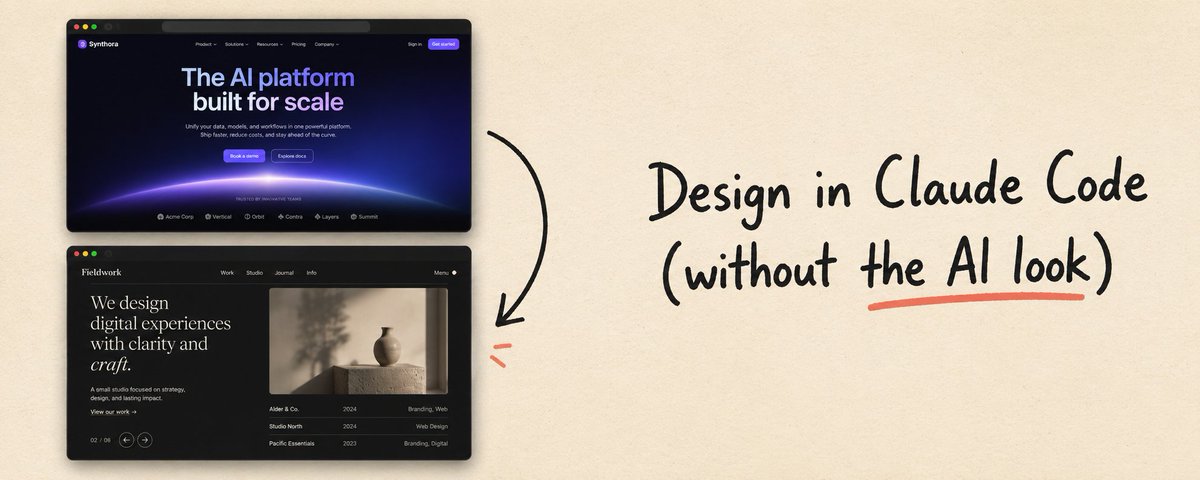
# Design in Claude Code (without the AI look)
**作者**: Charlie Hills
**日期**: 2026-08-30T11:33:57.000Z
**来源**: [https://x.com/charliejhills/status/2094025830037180889](https://x.com/charliejhills/status/2094025830037180889)
---
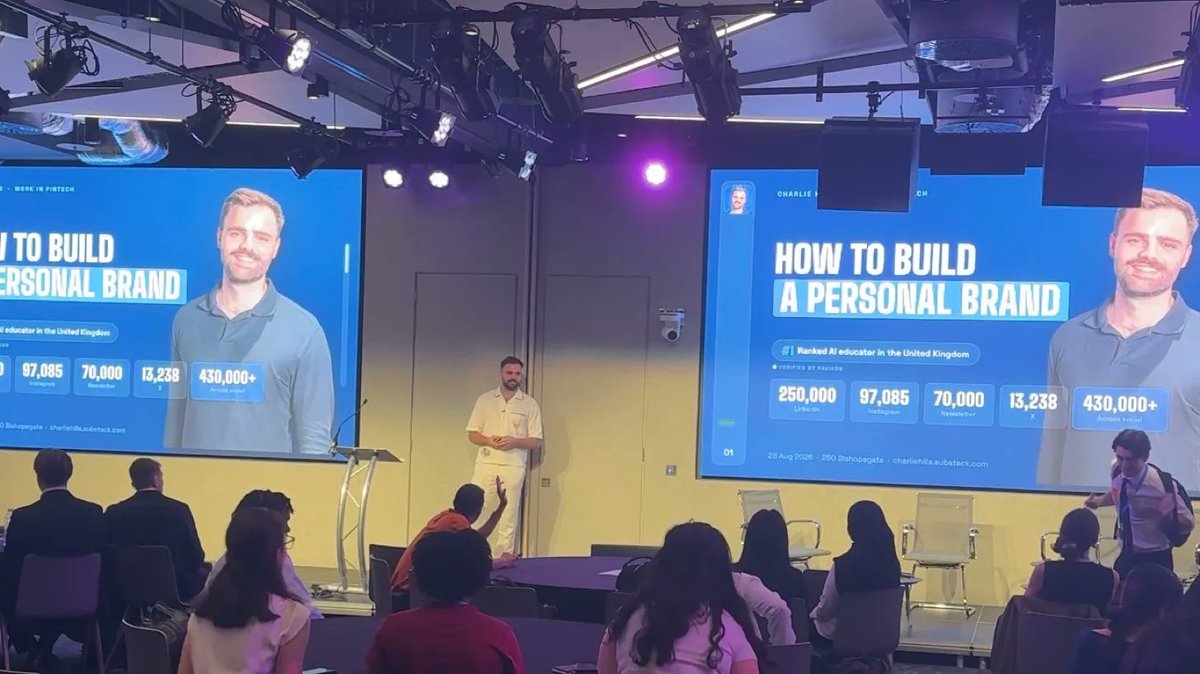
This week I gave a talk to 120 people at NatWest. I built the 29 slides for it in one sitting.
A month ago that same deck would have taken me two days of arguing with Claude about fonts and spacing 😭 I have a design background (which made it worse) and I've tried everything on this.
Nothing worked until I stopped describing the deck I wanted and pointed at one I already had.
In this issue:
- What the AI gives you when it has nothing of yours to read
- How to connect Figma to Claude, step by step
- The four files that make everything come out on brand
If you are totally new to Claude Code, I cover 80% of it here in 20 minutes.
[The full claude code course](https://www.youtube.com/watch?v=fql8aohBS6A)
First, what I (actually) tried
It was Thursday and I needed a deck in under 24 hours. I already had one created by Claude Code. It was pretty good, but I needed something bespoke for tomorrow.
I was tired of fighting Claude. So I gave the same brief to the tools everyone recommends.
Here is Gamma.
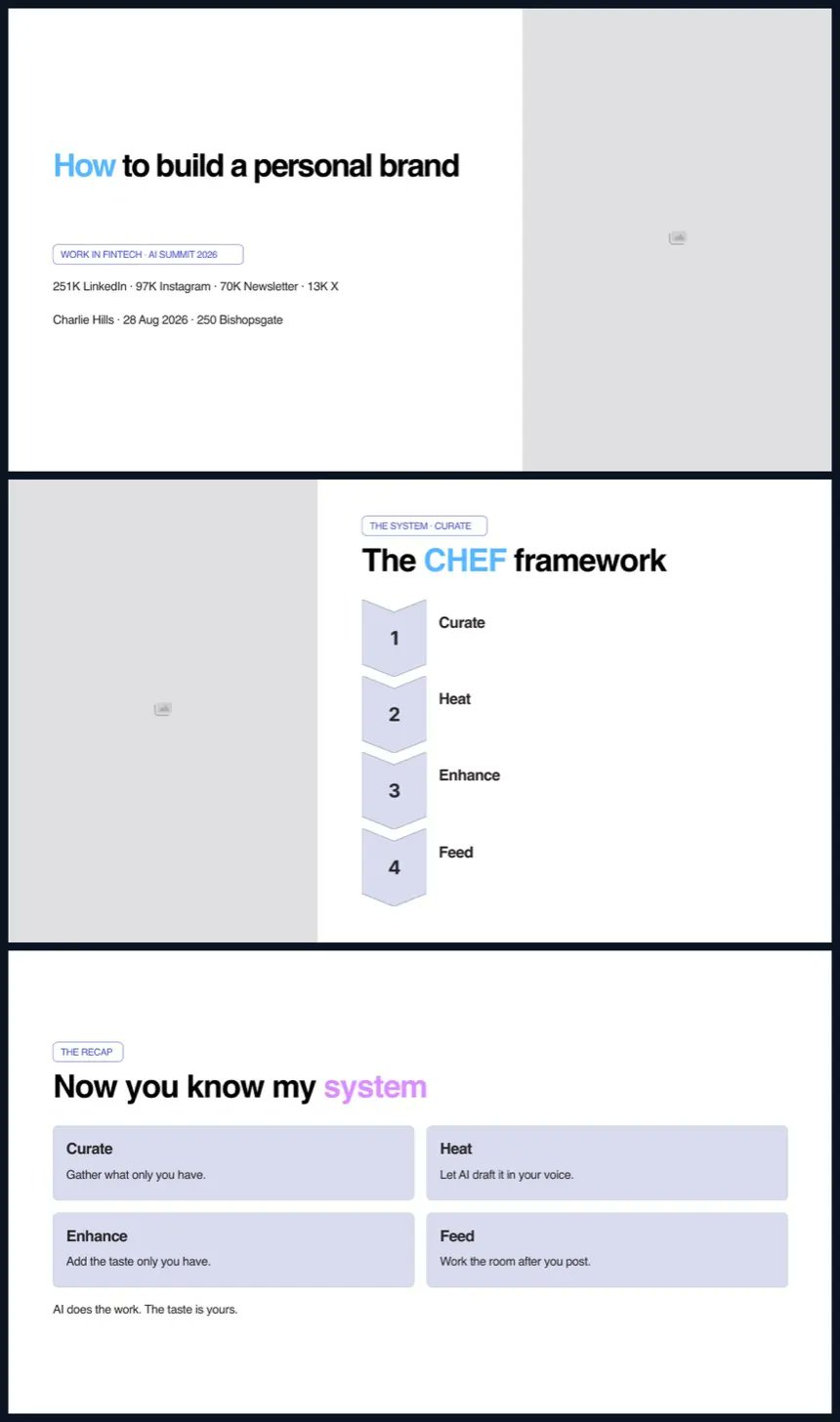
Here is Claude Design.
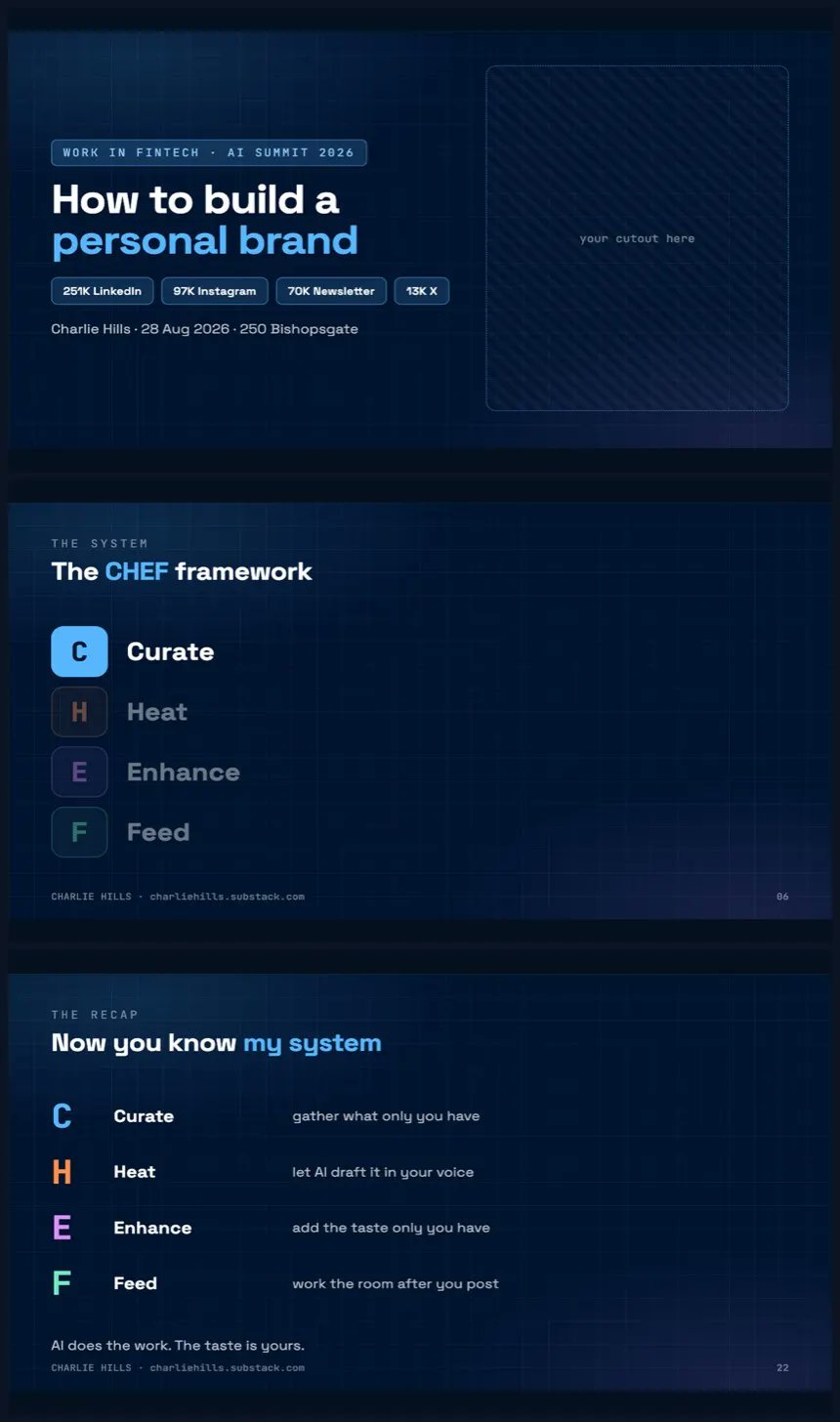
Here is Canva, through its own MCP connector (which I'd never properly used before).
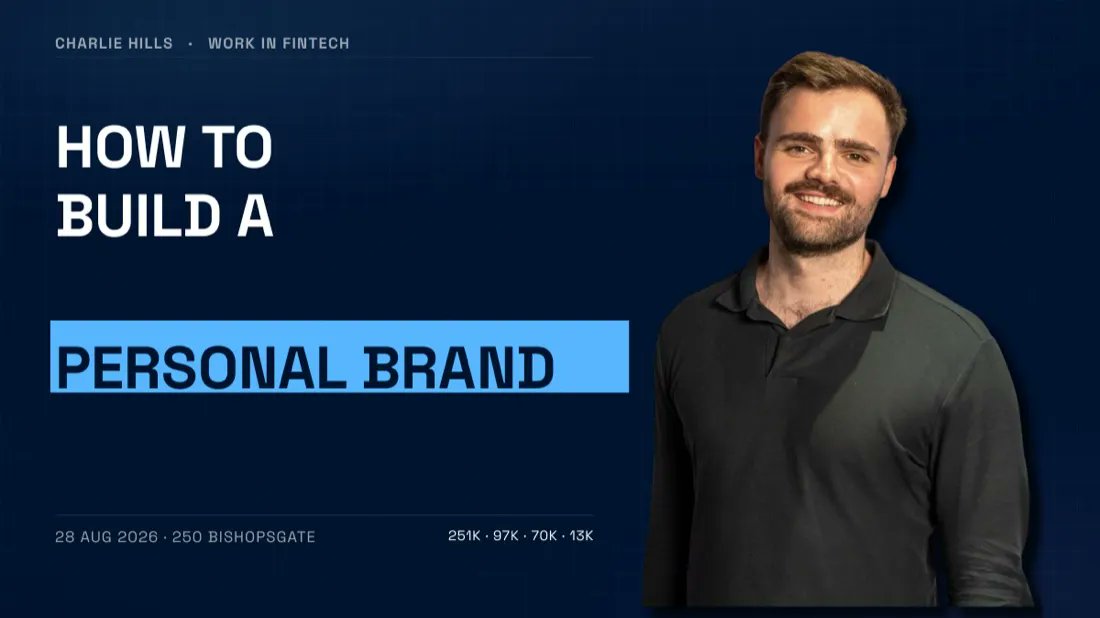
All of them are competent. None of them were perfect.
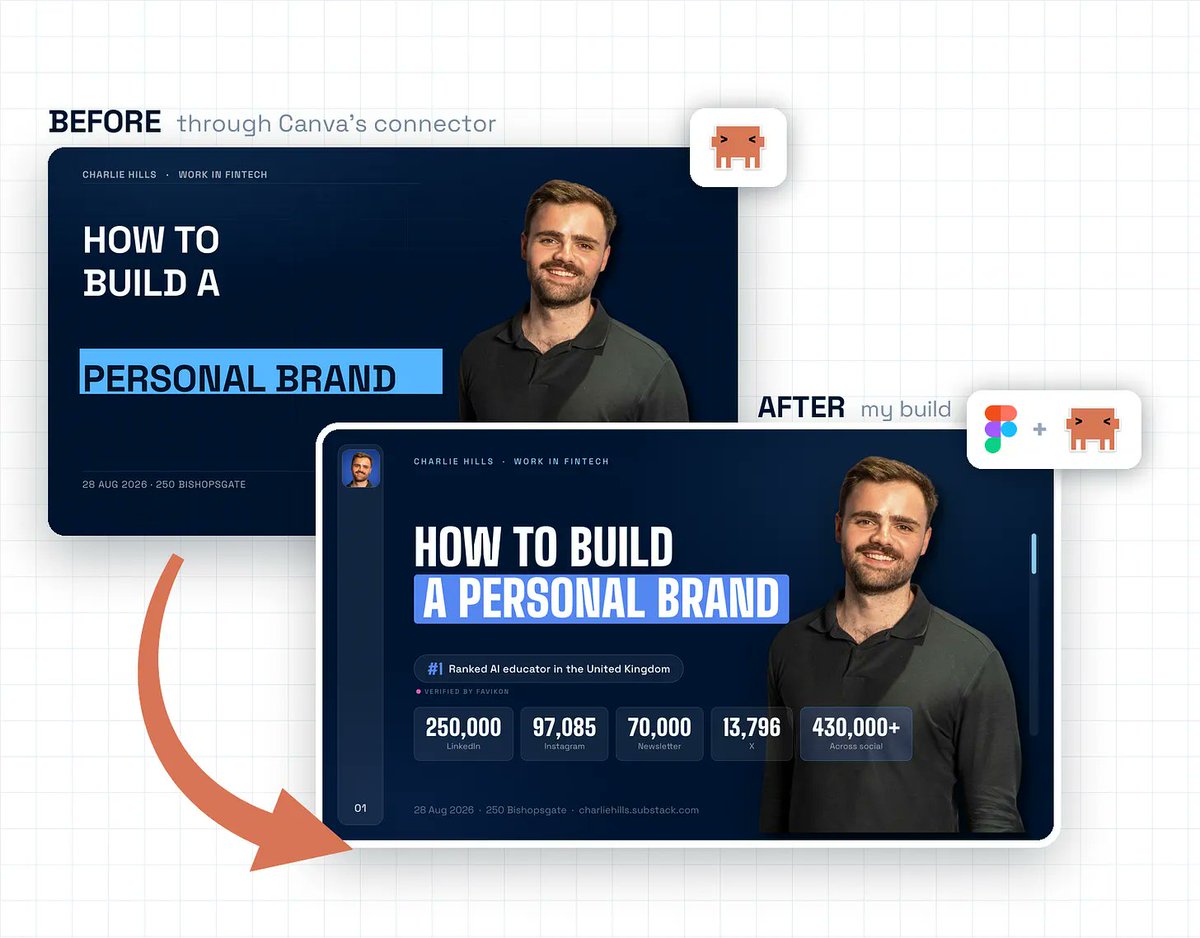
Here is the same slide out of my own system.
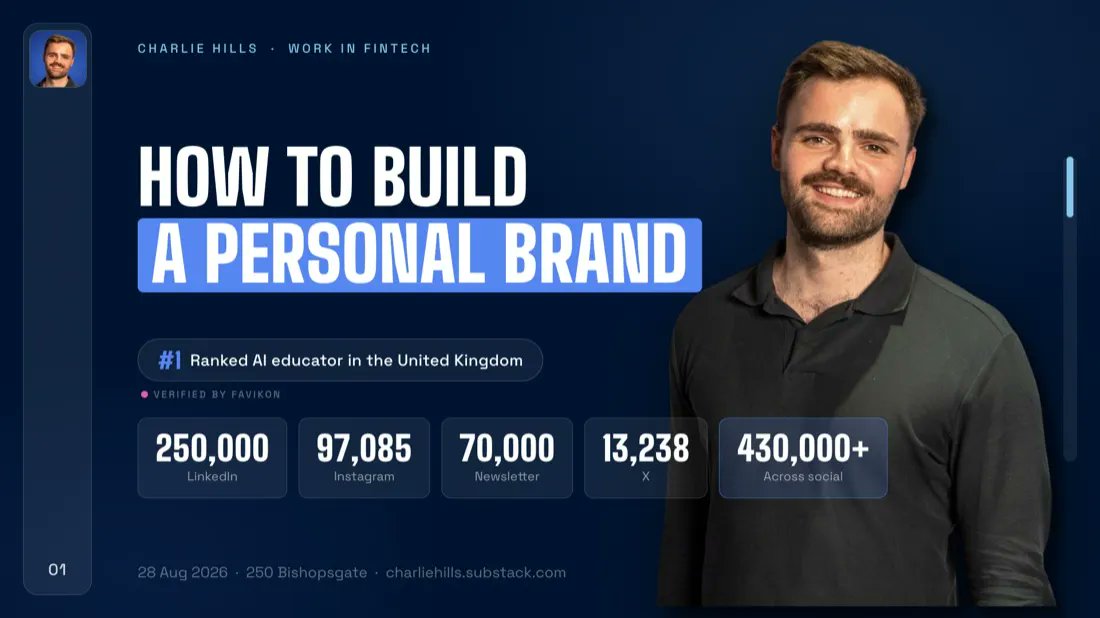
It would have taken me hours of voice-to-text to perfect the screenshots, the layout, and everything about these presentations.
You cannot fix that by prompting harder. They had nothing of yours to read, so they had nothing to point at.
I’m not bashing Gamma, Claude Design or Canva here.
I’m just simply saying I found a better solution.
What (actually) worked
Last year I worked with [Shahmeer](https://www.linkedin.com/in/shahmeerdesigns/) on a presentation. He built the first draft properly, the way a designer does, and it sat in my Figma for months.
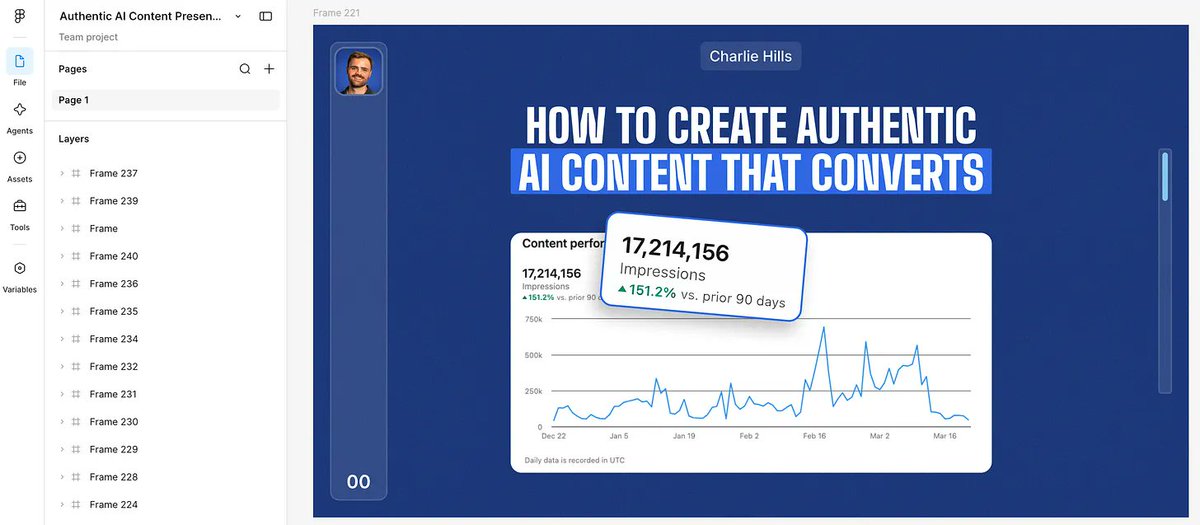
I had never once thought of it as a system. I just liked the deck.
You almost certainly have a file like that (everyone does). You've just never called it the reference.
The Figma MCP is what turned it into one.
Claude reads a real Figma file directly now, so instead of describing my brand I pointed at that presentation and dropped in the ideas I wanted to make.
I had never once thought of it as a system. I just liked the deck.
You almost certainly have a file like that (everyone does). You've just never called it the reference.
The Figma MCP is what turned it into one.
Claude reads a real Figma file directly now, so instead of describing my brand I pointed at that presentation and dropped in the ideas I wanted to make.
Setting up Figma (properly)
1. Make a Figma account. Go to [figma.com](//figma.com), sign up, and take the free plan (there is a paid one, ignore it).
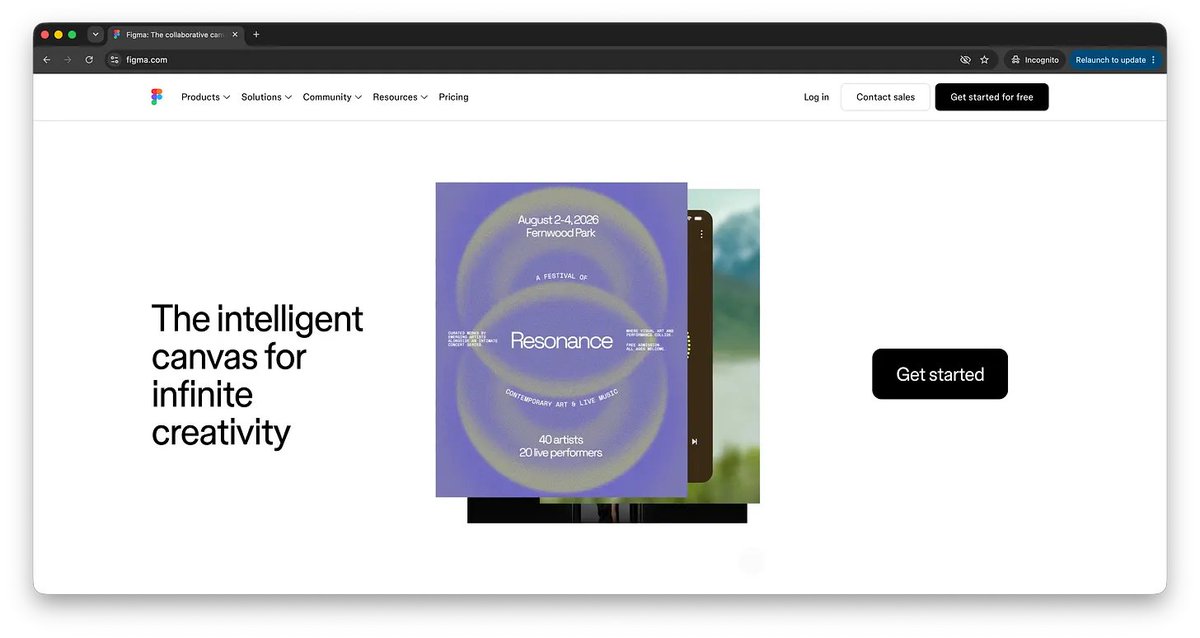
If you already have an account then skip this. Plenty of people do and have just never opened it.
2. Get the file you like into it. This is your reference.
It is the deck, or the brand board, or the one thing somebody made you that actually looked right (mine was a deck).
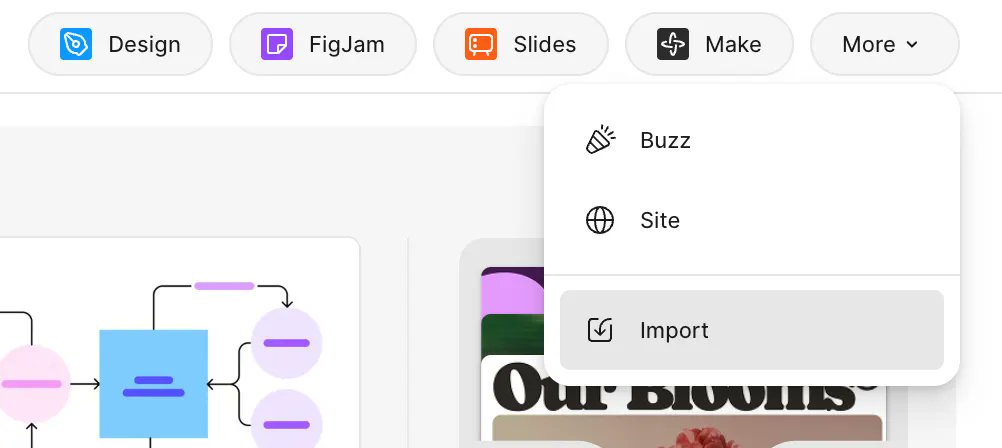
If a designer built it, message them and ask for the Figma link. They will still have it.
Mine sat in my account for months and I had never once opened it.
3. Connect Figma to Claude. In the Claude desktop app, click the + button in the bottom left of the chat box.
Hover over Connectors, then click Manage connectors.
Hit the + next to Connectors, find Figma in the list, and click it.
<video controls preload="metadata" poster="/doc/5552/image/img_7c64a1c9da55.jpg" src="/videos/0331.mp4"></video>
A browser window opens, you log into Figma, and you approve the access.
4. Copy the link to the exact thing you want. This is the step everyone misses, and I missed it too.
Do not grab the web address out of the top of the browser.
Open the file in Figma, right click the frame or the slide it needs to read, and choose Copy link.
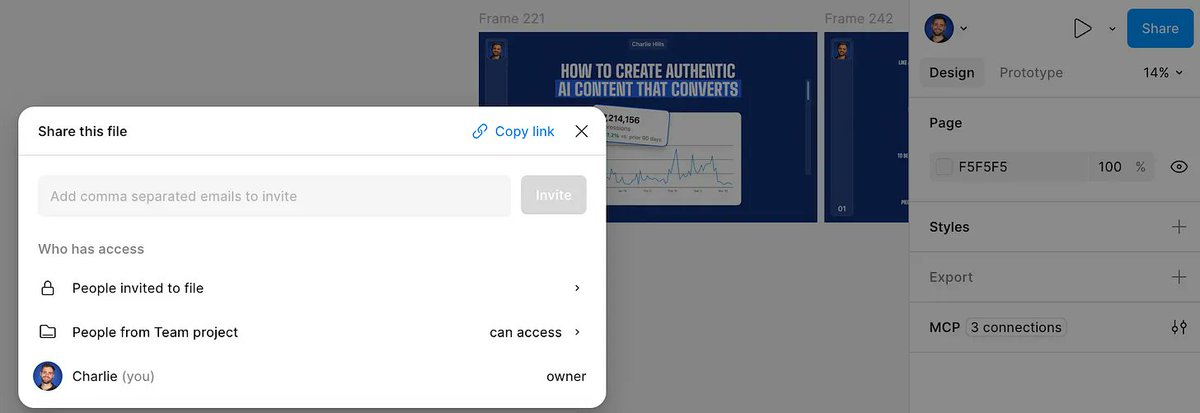
That link points at that one thing instead of the entire file.
And that is the difference between Claude reading your design and Claude reading a filing cabinet.
5. Send it, with the thing you are stuck on. Paste the link first, then attach whatever you are currently fighting with, then say what is wrong with it and what you want instead.
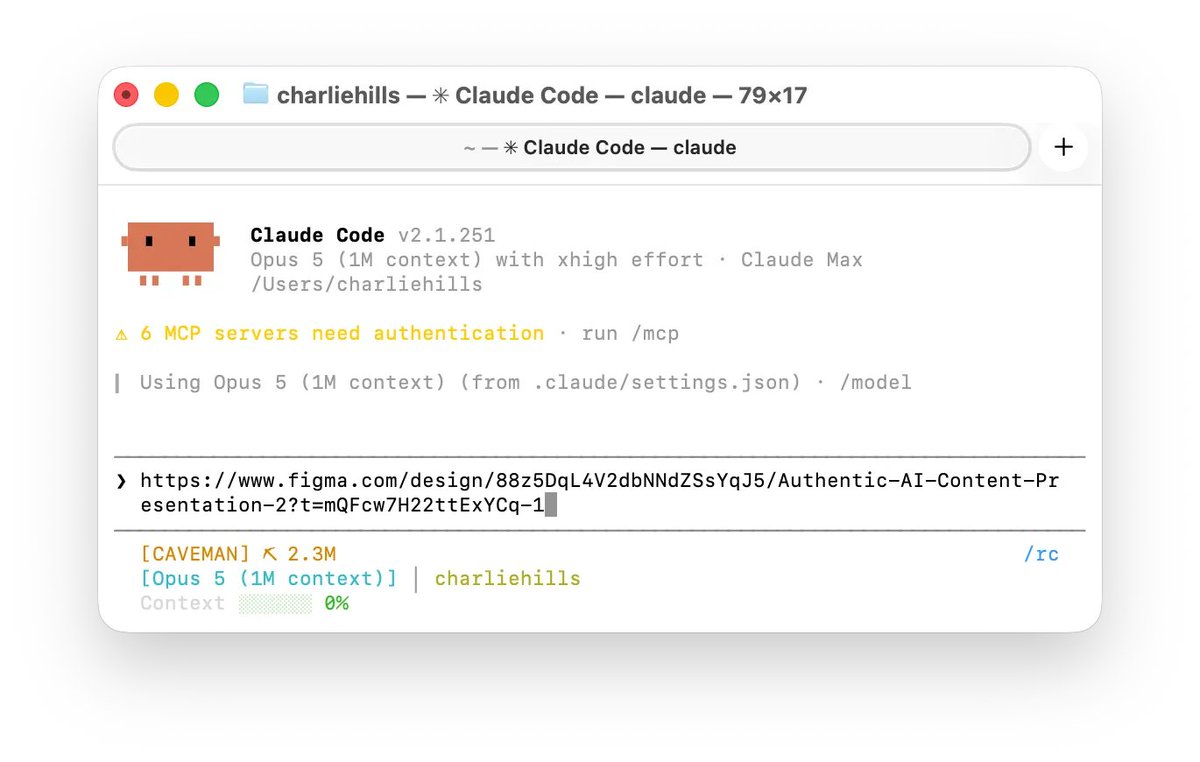
What I typed was closer to a confession than a prompt.
That was it. Claude read the real file, took the styling out of it, and rebuilt the deck in it.
<video controls preload="metadata" poster="/doc/5552/image/img_64fbd9d28009.jpg" src="/videos/0332.mp4"></video>
I couldn’t believe it, now I could update to the presentation whilst keeping it perfectly on brand just by describing what I wanted to Claude.
It matched my brand style exactly, because it was built on top of something that already did.
Why my infographics run somewhere else
I run my LinkedIn graphics on a similar system I’ve spent months building. It goes above and beyond Figma MCP, Claude Design and every tool I have tested, and it’s not even close.
I tested the Figma MCP for infographics (it’s pretty good), but it struggled with the complexity that my infographics require.
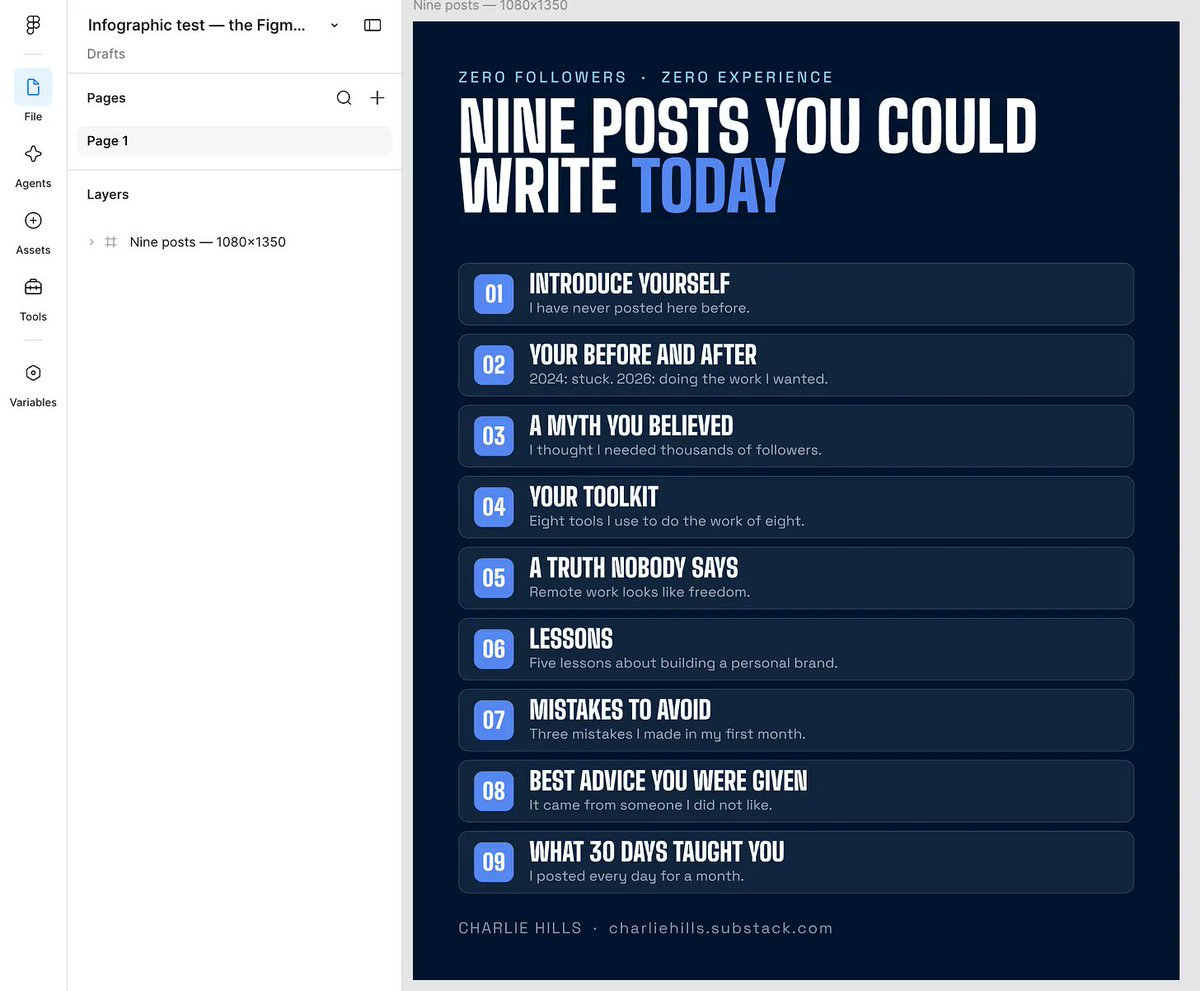
My Claude Code system is far superior.
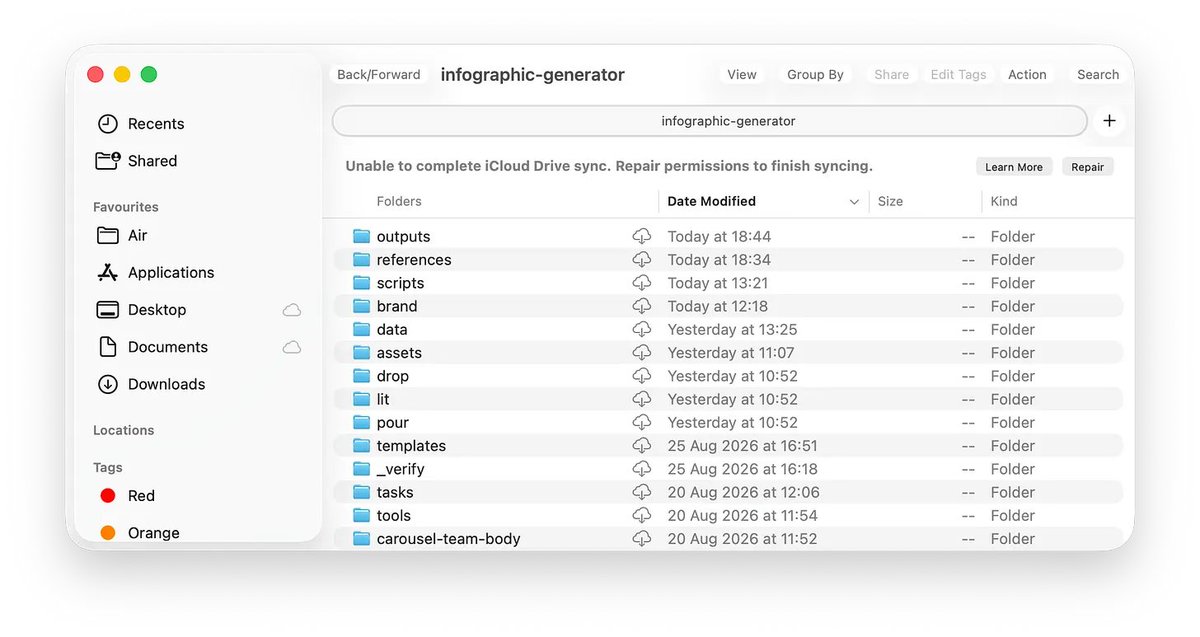
It is that good for one reason. I worked with [Nick Broekema](https://www.linkedin.com/in/nbroekema/), and Nick wrote me a proper brand guideline. He gave me the hex codes, the type scale, the spacing, everything.
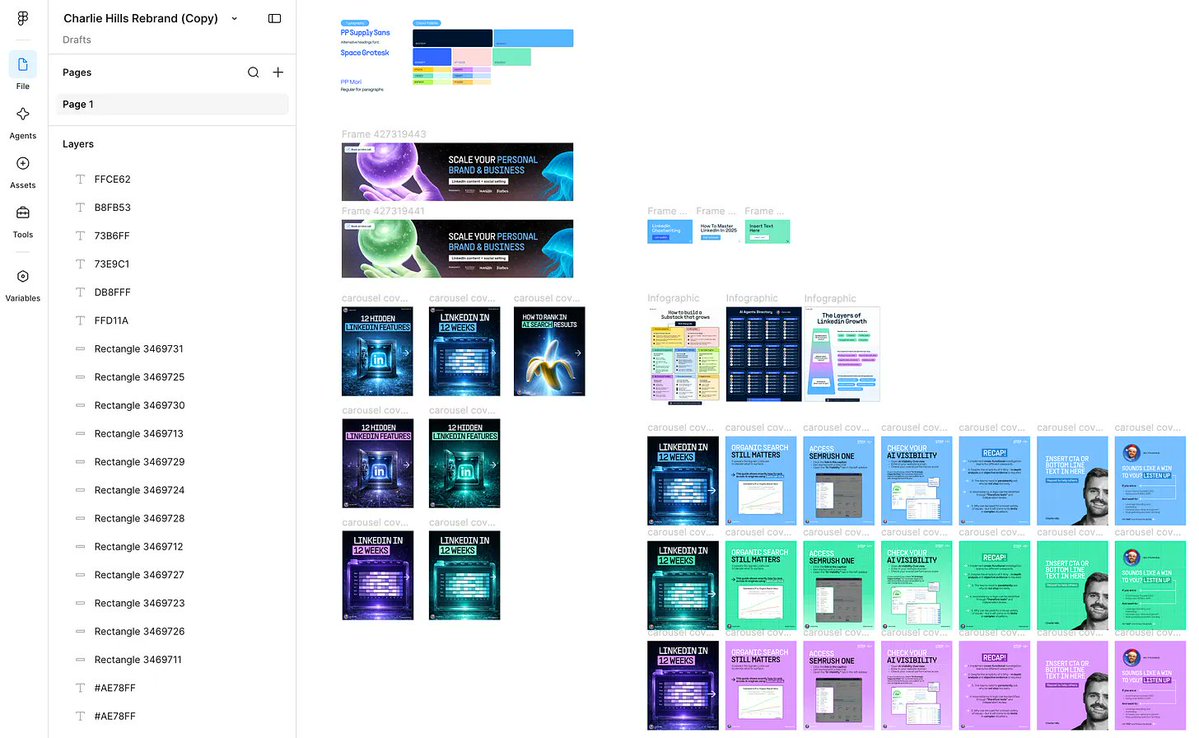
I have built everything since on that one document. You can get to the same place with yours. Start with the reference. It is the thing everything else stands on, and it will change your output this week.
I've spent months on mine, and that whole system (the references, the templates, and the checks that stop a bad graphic ever reaching me) is what I'm opening up as the LinkedIn AI OS. Waitlist here: [growth.charliehills.io/are-you-a-fit](https://growth.charliehills.io/are-you-a-fit)
Step 1. Pull your rules out of the work you already have
If you can pay someone to design, pay them once, not per graphic.
And if you can't, pull it out yourself.
Go and collect five pieces of design you already like. Your best graphics, your banner, your website, a deck you reuse, anything of yours that felt right. Screenshots are fine.
Put them in a folder (that's what the prompt below reads).
Paste this:
```
I am giving you five pieces of design I already like.
Write me one file called REFERENCE.md that any AI can read before it makes anything for me. It must cover:
1. Every colour as a hex code, and what each one is for
2. The fonts, the sizes, and the spacing between things
3. Where my logo goes and how much clear space it needs
4. Five things my brand must never do
5. One example, described in full, of it done right
Ask me about anything you cannot work out from the files.
Show me the file before you save it.
```
Run this once and you keep the file forever.
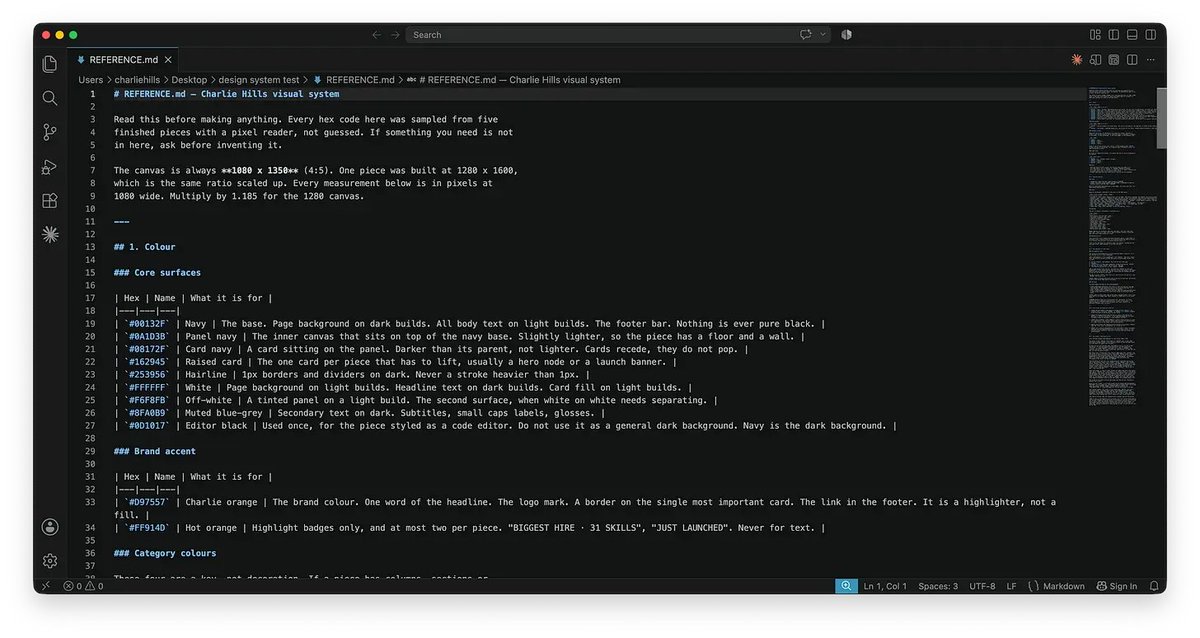
So the next test was a brand that is not mine.
Tarana Kasana is a really good LinkedIn creator (go and follow her). She did not ask me to do this, I just wanted to see whether the system held up on a brand that was not mine, so I built hers off her public LinkedIn banner and nothing else.
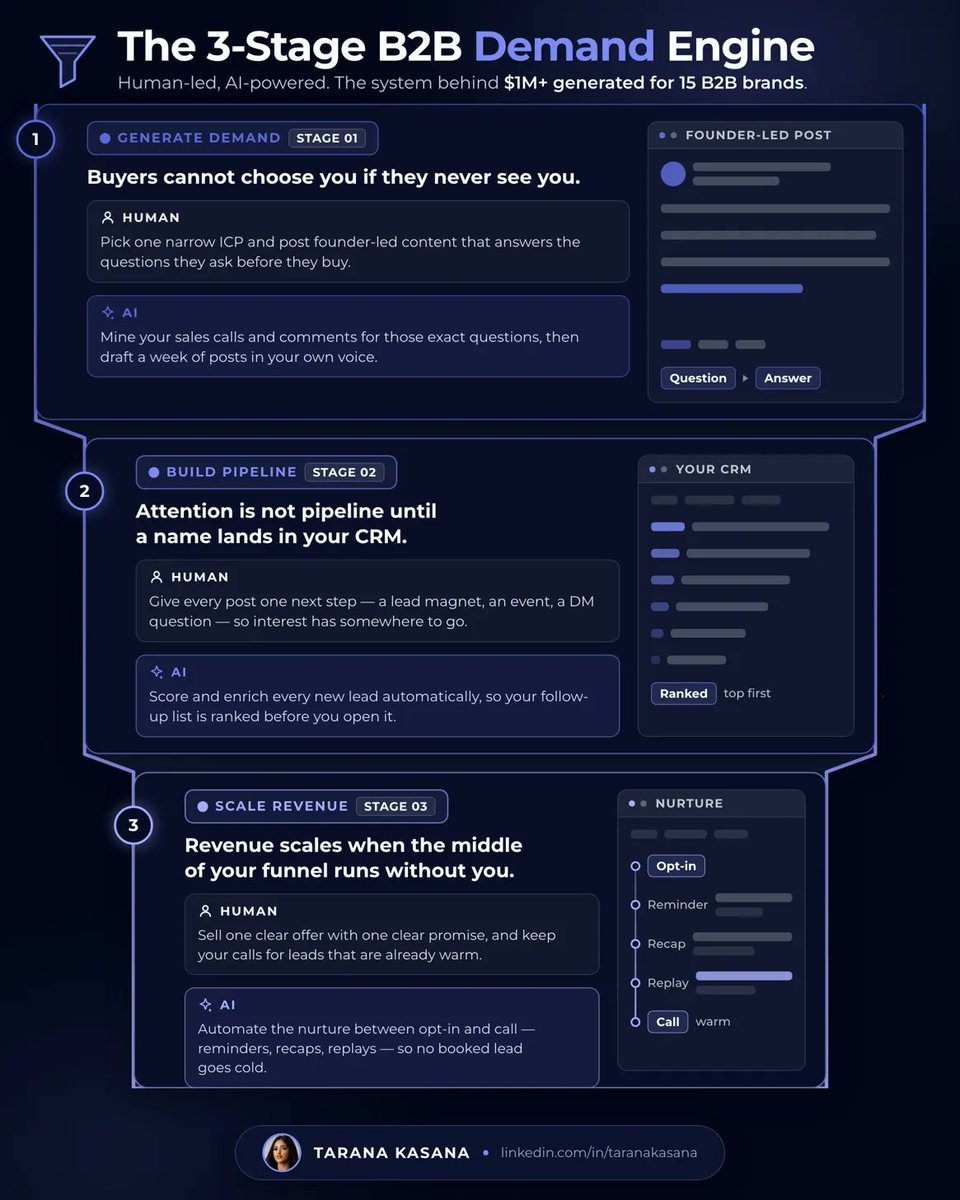
Perfectly on brand, and not one value was a guess. Your banner is probably already your reference (you have just never read it as one).
Same day, same system, completely different brand. Jim Cranston did not ask me either, and his came out in his own sage green with nothing of mine anywhere in it.
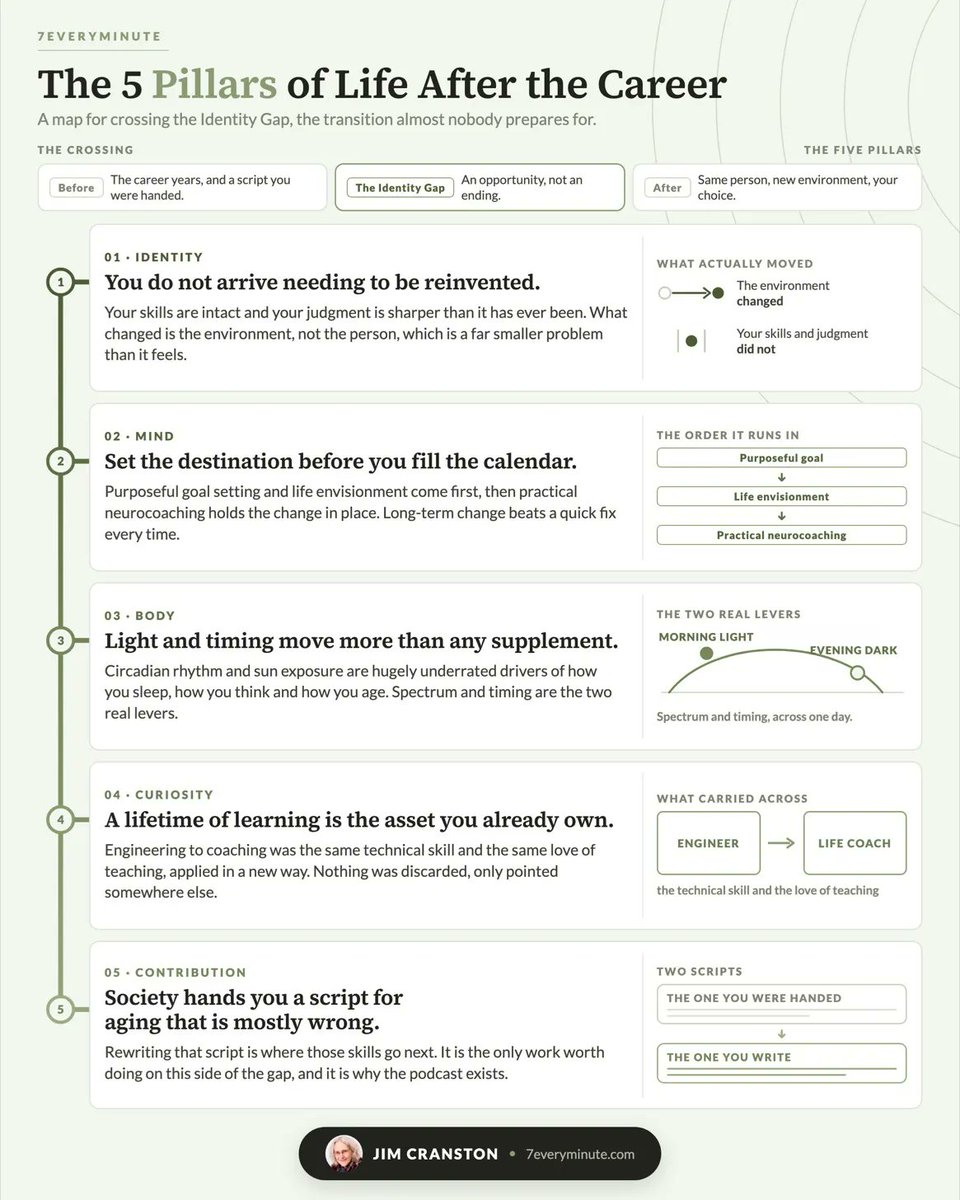
That is how both came out so fast. Not a clever prompt (it never is). A library of work to point at, there’s sixty-six builds in my system now, so it clones the closest one instead of starting again.
You can build that library yourself, one graphic at a time. It just takes months, and mine took most of a year. If you want my full system and templates rather than months of building your own: [growth.charliehills.io/are-you-a-fit](https://growth.charliehills.io/are-you-a-fit)
Step 2. Make Claude read it before it draws
A reference nobody opens is a mood board with extra steps.
Paste this:
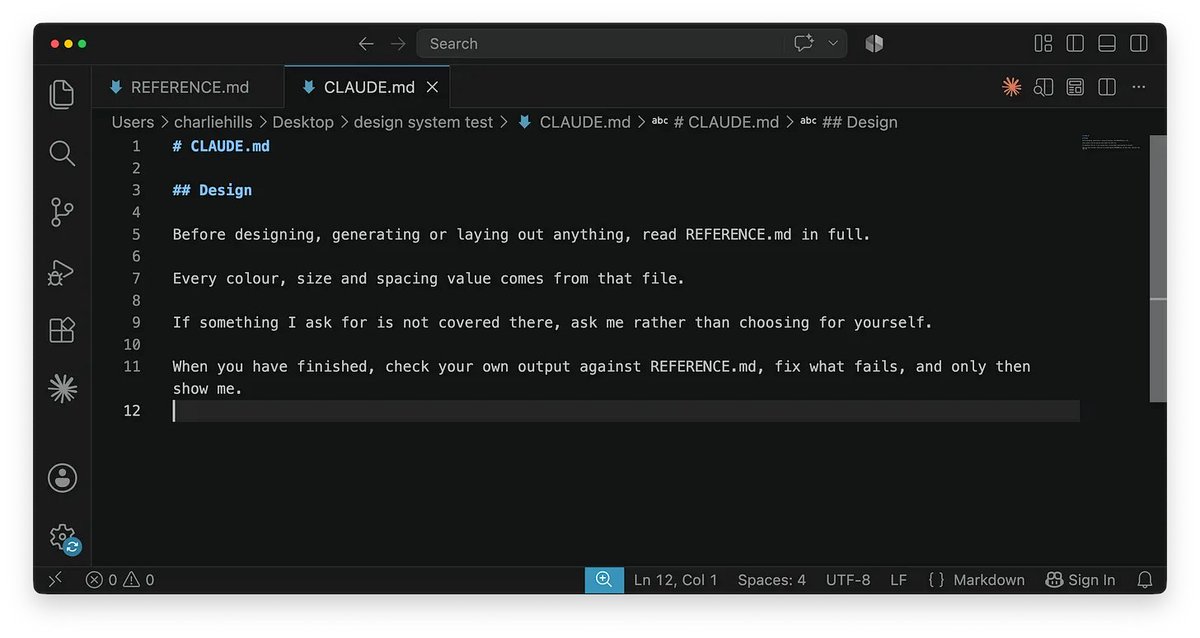
> Add this to CLAUDE.md, and create the file if it does not exist: Before designing, generating or laying out anything, read REFERENCE.md in full. Every colour, size and spacing value comes from that file. If something I ask for is not covered there, ask me rather than choosing for yourself. When you have finished, check your own output against REFERENCE.md, fix what fails, and only then show me.
That last line does more than the other three combined (by a distance). Claude checks its own work against the file before anything reaches you.
Step 3. Turn the file into a design system
The reference tells Claude what's allowed. A design system tells it how to build (very different jobs).
Paste this:
> Read REFERENCE.md and every file in /examples. Write me DESIGN.md in the project root. It is the build rulebook, not a mood board. Cover: 1. The colour tokens, named by JOB (background, ink, accent, muted), each with its hex 2. The type scale, in real sizes, and which face goes where 3. The spacing scale, as a small set of values I reuse everywhere 4. The components I actually use, with what each one is for 5. A decision log at the bottom, where every choice we make from now on gets recorded Work from what is IN the reference and the examples. Where they disagree, ask me. Show me the file before you save it.
Then give it somewhere to live, because a rulebook nobody can find is a rulebook nobody reads:
> your-project/ CLAUDE.md the four lines that make it read everything below REFERENCE.md the five rules DESIGN.md the build system examples/ five things you were happy with
That folder is the whole thing. Four files, one of them four lines long.
Screenshots in a folder are inspiration. A file it reads first is a system.
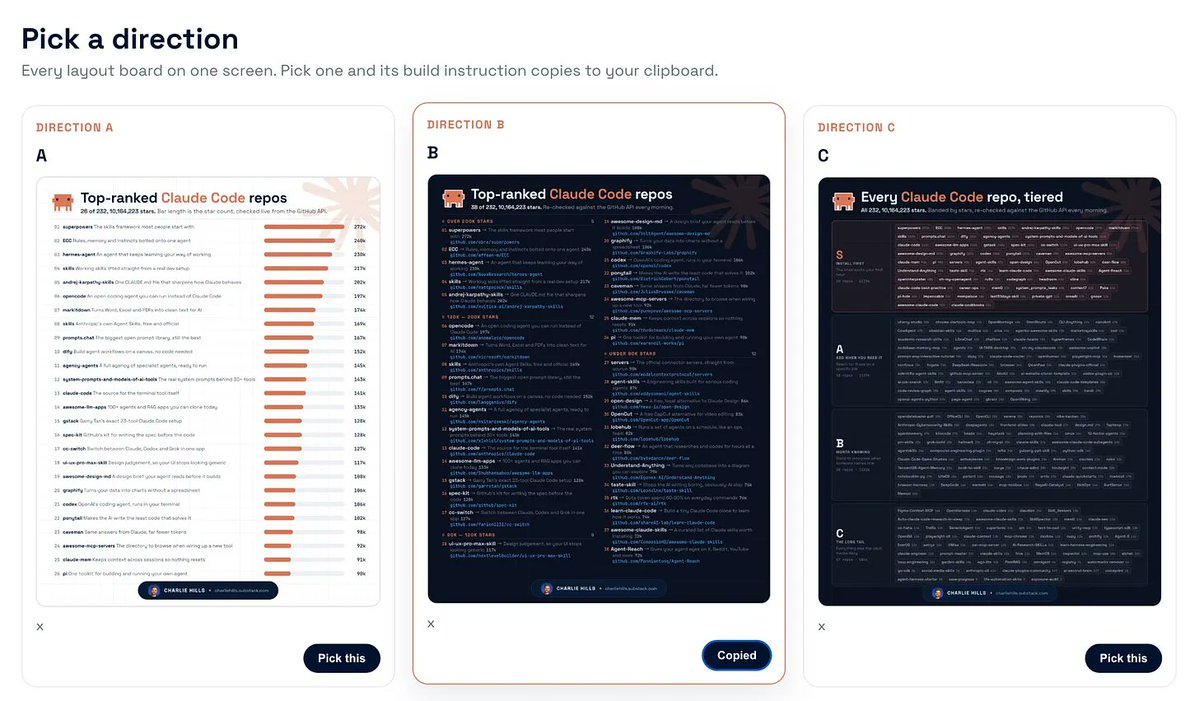
And never accept the first version. Ask for three or four variants and put them side by side, or you'll end up polishing whatever came out first (I did this for months).
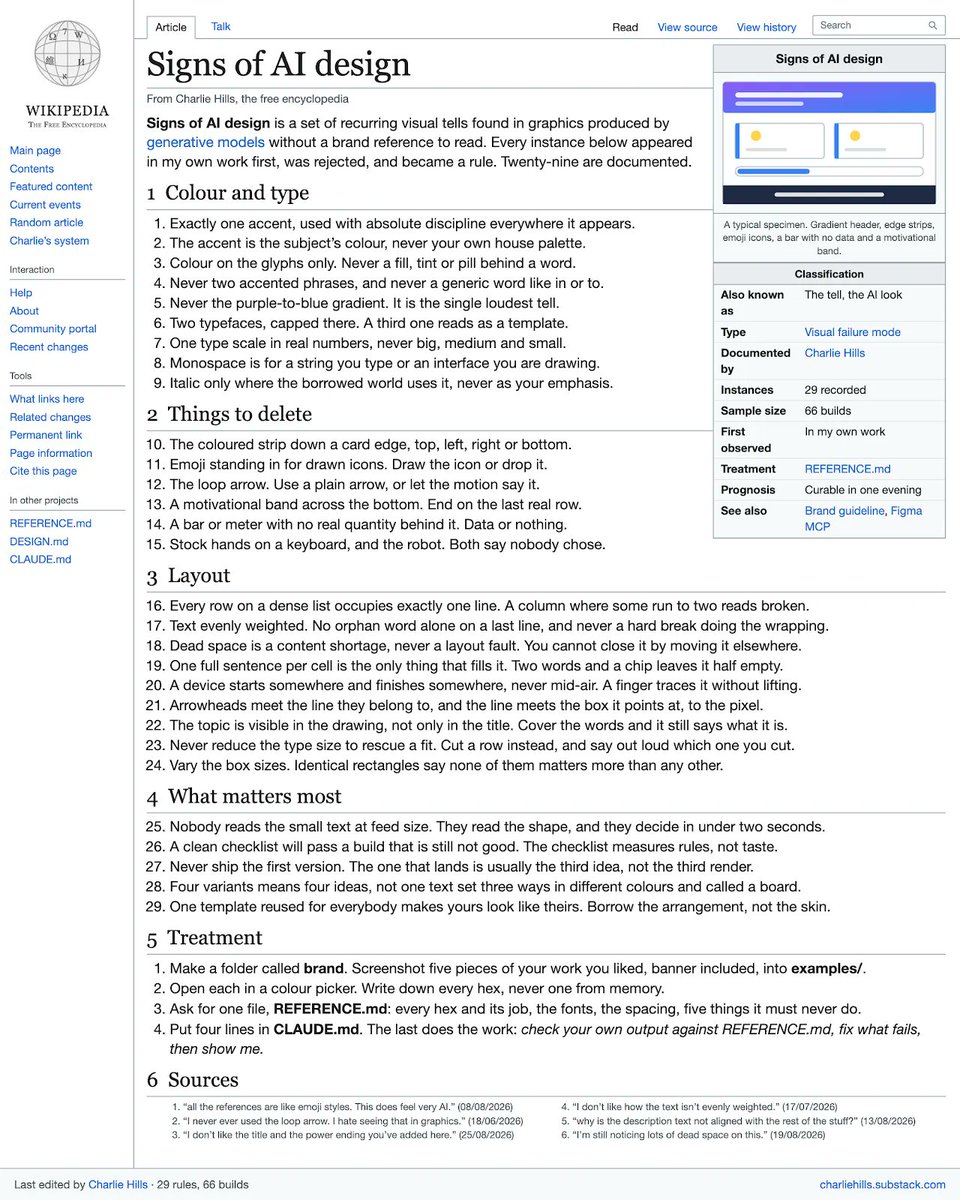
The 29 tells of AI design
I can only spot these because I have been at this a while. You probably can’t yet, and every one of them came out of a graphic I rejected.
I've written before that graphic design was dead. That’s half right.
AI has replaced the designer who makes the individual post. It has not replaced the person who decides what good looks like. That judgement was never in the file, and it never gets automated.
It came from two people. Shahmeer made the deck. Nick made the guideline. I have not paid either of them a second time, and both of them are still in everything I ship.
A machine can hold your rules perfectly. It cannot tell you they were the right ones.
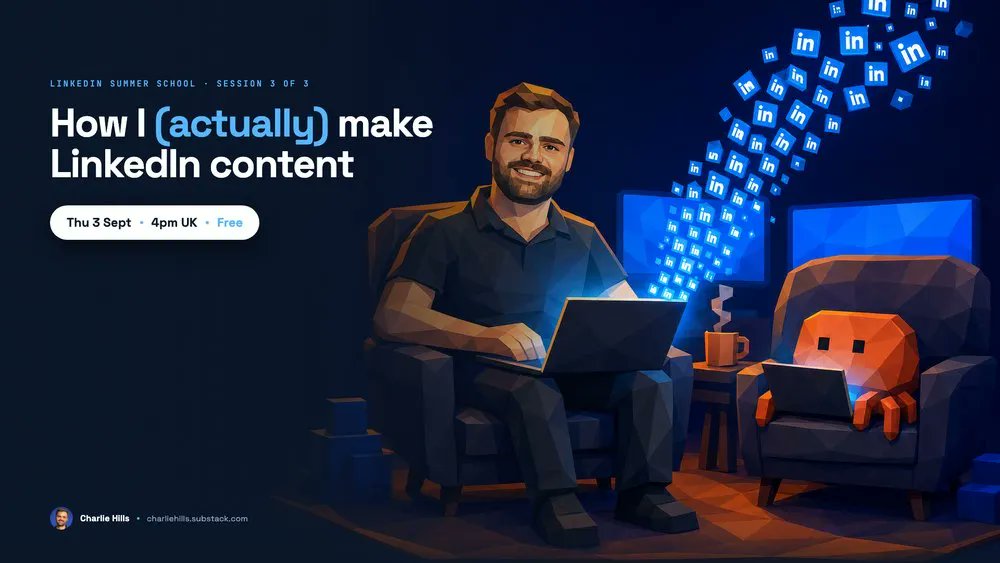
This Thursday from 4pm - 5pm (UK). I’m hosting LinkedIn Summer School #3 (my final free workshop of the summer) and I’m running the whole thing live.
I’ll have multiple Claude Code terminals open, so you can watch the reference file do the work instead of taking my word for it. [luma.com/linkedin-olrf](https://luma.com/linkedin-olrf)
Then AI Summit Barcelona, 22 and 23 September, where I am running a workshop on how I (actually) grew to ~250k on LinkedIn. If you cannot make it to Barcelona, the Digital Pass gets you my workshop plus the full programme, live and then on demand for a year.
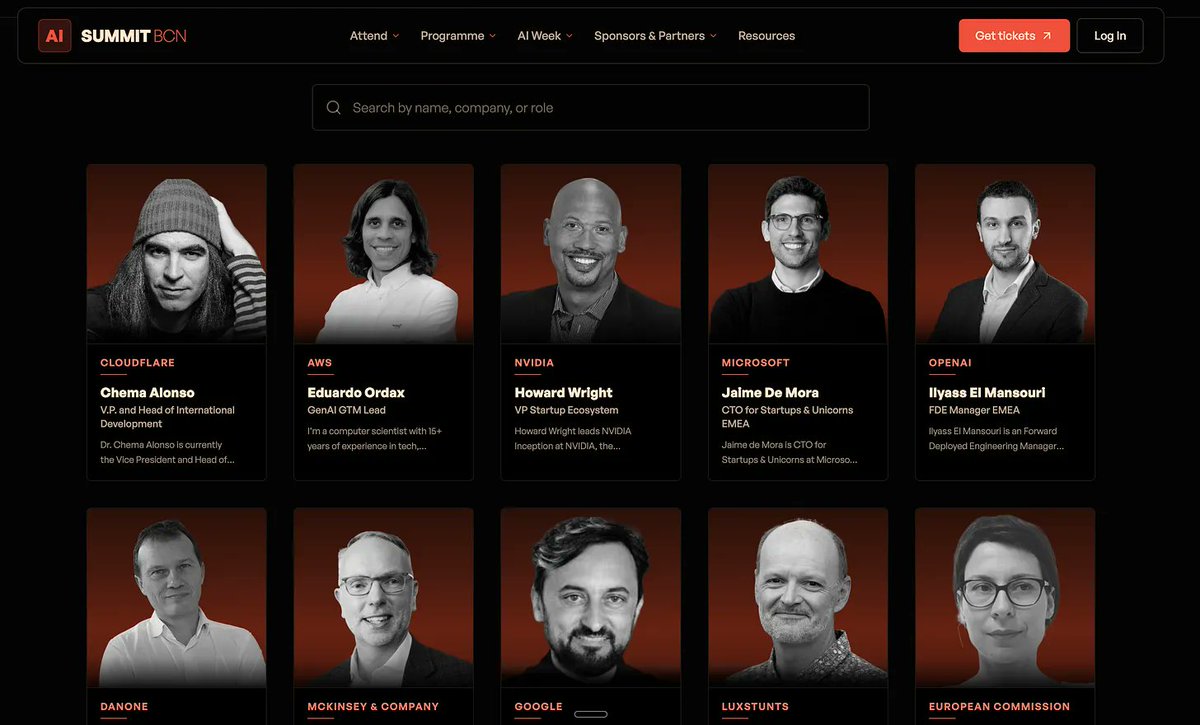
You also get 10+ hours of hands-on training, credits for Anthropic, OpenAI, ElevenLabs and Zapier, an official certificate and a LinkedIn skills badge. Passes and details: [aisummitbarcelona.com](https://aisummitbarcelona.com/)
That's it from me this week. See you again next week.
Stay curious, stay human and keep creating
— Charlie
## 相关链接
- [Charlie Hills](https://x.com/charliejhills)
- [@charliejhills](https://x.com/charliejhills)
- [9.1K](https://x.com/charliejhills/status/2094025830037180889/analytics)
- [The full claude code course](https://www.youtube.com/watch?v=fql8aohBS6A)
- [Shahmeer](https://www.linkedin.com/in/shahmeerdesigns/)
- [figma.com](https://figma.com/)
- [Nick Broekema](https://www.linkedin.com/in/nbroekema/)
- [growth.charliehills.io/are-you-a-fit](https://growth.charliehills.io/are-you-a-fit)
- [growth.charliehills.io/are-you-a-fit](https://growth.charliehills.io/are-you-a-fit)
- [luma.com/linkedin-olrf](https://luma.com/linkedin-olrf)
- [aisummitbarcelona.com](https://aisummitbarcelona.com/)
- [Upgrade to Premium](https://x.com/i/premium_sign_up)
- [7:33 PM · Aug 30, 2026](https://x.com/charliejhills/status/2094025830037180889)
- [9,161 Views](https://x.com/charliejhills/status/2094025830037180889/analytics)
- [View quotes](https://x.com/charliejhills/status/2094025830037180889/quotes)
---
*导出时间: 2026/8/30 22:43:26*
---
## 中文翻译
# 在 Claude Code 中做设计(摆脱 AI 味)
**作者**: Charlie Hills
**日期**: 2026-08-30T11:33:57.000Z
**来源**: [https://x.com/charliejhills/status/2094025830037180889](https://x.com/charliejhills/status/2094025830037180889)
---

本周我在 NatWest 给 120 个人做了一场演讲。演讲的 29 页幻灯片是我一口气做出来的。
一个月前,同样一份幻灯片我得花两天时间跟 Claude 吵字体和间距😭 我有设计背景(这让情况更糟),而且我试过所有方法。

直到我不再描述我想要的幻灯片,而是直接指着一个我已经有的幻灯片,一切才奏效。
本期内容:
- 当 AI 没有你的任何东西可读时,它会给你什么
- 如何一步步把 Figma 连接到 Claude
- 让一切输出都符合品牌调性的四个文件
如果你完全没用过 Claude Code,我在这里 20 分钟覆盖了其中 80% 的内容。
[完整的 Claude Code 课程](https://www.youtube.com/watch?v=fql8aohBS6A)
首先,我(实际)试过什么
那是周四,我需要在 24 小时内做出一份幻灯片。我已经有一份 Claude Code 生成的,相当不错,但我需要一份为第二天量身定制的。
我已经厌倦了跟 Claude 斗争。于是我把同样的需求交给了大家都在推荐的工具。
这是 Gamma。

这是 Claude Design。

这是 Canva,通过它自己的 MCP 连接器(我以前从没正经用过)。

它们都很称职,但都不完美。
这是我自己系统里同一页幻灯片。

要用语音转文字去完善这些演示文稿的截图、排版和所有细节,得花我好几个小时。
这不是靠更卖力地写提示词就能解决的。它们没有你的任何东西可读,所以也就没有东西可以参照。
我不是在贬低 Gamma、Claude Design 或 Canva。
我只是想说我找到了更好的解决方案。
什么(真正)奏效了
去年我和 [Shahmeer](https://www.linkedin.com/in/shahmeerdesigns/) 合作做过一份演示文稿。他按设计师的方式认真做了初稿,然后这份初稿在我的 Figma 里一放就是好几个月。

我从没把它当成一个系统。我只是喜欢那份幻灯片。
你几乎肯定也有一份这样的文件(人人都有)。你只是从没把它称为“参照物”。
Figma MCP 就是把它变成系统的东西。
Claude 现在能直接读取真实的 Figma 文件,所以与其描述我的品牌,我不如直接指向那份演示文稿,再输入我想做的新创意。
我从没把它当成一个系统。我只是喜欢那份幻灯片。
你几乎肯定也有一份这样的文件(人人都有)。你只是从没把它称为“参照物”。
Figma MCP 就是把它变成系统的东西。
Claude 现在能直接读取真实的 Figma 文件,所以与其描述我的品牌,我不如直接指向那份演示文稿,再输入我想做的新创意。

正确设置 Figma
1. 注册一个 Figma 账号。访问 [figma.com](//figma.com),注册,选免费套餐(有付费的,忽略它)。

如果你已经有账号就跳过这步。很多人都有账号,只是从来没打开过。
2. 把你喜欢的文件放进去。这就是你的参照物。
可以是幻灯片、品牌看板,或者某个别人给你做的、看起来确实对路的东西(我的是一份幻灯片)。

如果是设计师做的,发消息找他要 Figma 链接。他应该还留着。
我的那份在账号里放了好几个月,我一次都没打开过。
3. 把 Figma 连接到 Claude。在 Claude 桌面应用里,点击聊天框左下角的 + 按钮。
悬停在“连接器”上,然后点击“管理连接器”。
点击连接器旁边的 +,在列表中找到 Figma,点击它。
<video controls preload="metadata" poster="/doc/5552/image/img_7c64a1c9da55.jpg" src="/videos/0331.mp4"></video>
会打开一个浏览器窗口,登录 Figma,然后授权访问。
4. 复制你想要的那个具体对象的链接。这是所有人都漏掉的一步,我也漏掉过。
不要直接复制浏览器顶部的网址。
在 Figma 中打开文件,右键点击需要读取的画框或幻灯片,选择“复制链接”。

这个链接指向那一个对象,而不是整个文件。
这就是“Claude 读到你的设计”和“Claude 读到一个文件柜”的区别。
5. 把链接连同你正卡住的东西一起发过去。先粘贴链接,再附上你正在纠结的任何东西,然后说出它有什么问题、你想要什么样的效果。

我打的字更像是一段坦白,而不是提示词。
就这样。Claude 读取了真实文件,从中提取样式,并按此重建了幻灯片。
<video controls preload="metadata" poster="/doc/5552/image/img_64fbd9d28009.jpg" src="/videos/0332.mp4"></video>
我简直不敢相信,现在我只需向 Claude 描述我的需求,就能更新演示文稿,同时完美保持品牌调性。
它完全匹配我的品牌风格,因为它是建立在原本就符合品牌的东西之上的。
为什么我的信息图在别的地方运行
我的 LinkedIn 图形用的是一套类似的系统,花了好几个月才搭建起来。它远远超过 Figma MCP、Claude Design 和我测试过的所有工具,而且差距还不是一星半点。
我用 Figma MCP 测试过信息图(效果不错),但它应付不了我的信息图所需的复杂度。

我的 Claude Code 系统要强大得多。

它之所以这么好用,原因只有一个。我和 [Nick Broekema](https://www.linkedin.com/in/nbroekema/) 合作过,Nick 为我写了一份正经的品牌规范。他给了我色值、字号阶梯、间距,应有尽有。

从那以后我做的所有东西都基于那一份文档。你也可以用你自己的文档达到同样的效果。从参照物开始。它是其他一切的基础,这周就能改变你的产出。
我在我的系统上花了几个月,而这整套系统(参照物、模板,以及防止糟糕图形送到我面前的检查机制)就是我要开放的 LinkedIn AI OS。候补名单:[growth.charliehills.io/are-you-a-fit](https://growth.charliehills.io/are-you-a-fit)
第 1 步:从你已有的作品中提炼规则
如果你能花钱请人做设计,付一次钱,而不是每次按图付费。
如果不能,就自己动手提炼。
去找五件你已经喜欢的设计作品。你最好的图形、你的横幅、你的网站、一份你反复使用的幻灯片,任何你觉得顺眼的东西。截图就行。
把它们放进一个文件夹(这就是下面提示词要读取的)。
粘贴以下内容:
```
I am giving you five pieces of design I already like.
Write me one file called REFERENCE.md that any AI can read before it makes anything for me. It must cover:
1. Every colour as a hex code, and what each one is for
2. The fonts, the sizes, and the spacing between things
3. Where my logo goes and how much clear space it needs
4. Five things my brand must never do
5. One example, described in full, of it done right
Ask me about anything you cannot work out from the files.
Show me the file before you save it.
```
运行一次,这个文件你就永久拥有了。

接下来的测试是一个不属于我的品牌。
Tarana Kasana 是一位非常优秀的 LinkedIn 创作者(去关注她)。她没有让我这么做,我只是想看看这套系统在一个不属于我的品牌上是否依然成立,所以我仅凭她公开的 LinkedIn 横幅就搭建了她的品牌系统。

完美贴合品牌调性,而且没有一个数值是靠猜的。你的横幅很可能已经是你的参照物了(你只是从没这么读过它)。
同一天,同一系统,完全不同的品牌。Jim Cranston 也没有委托我,他的成品是鼠尾草绿,里面没有半点我的风格的痕迹。

两个都能这么快做出来,原因就在于此。靠的不是什么巧妙的提示词(从来都不是)。靠的是一套可以指向的作品库,我的系统里现在有六十六个成品,所以它会克隆最接近的一个,而不是从零开始。
你自己也可以搭建这样一个作品库,一次一张图。只是需要几个月,我的花了将近一年。如果你想要我的完整系统和模板,而不是花几个月自己从头建:[growth.charliehills.io/are-you-a-fit](https://growth.charliehills.io/are-you-a-fit)
第 2 步:让 Claude 在绘图之前先读取它
一份没人打开的参照文件,不过是多绕了几步的心情看板。
粘贴以下内容:
> 把这段话加入 CLAUDE.md,如果文件不存在就创建它:在设计、生成或排版任何东西之前,先完整阅读 REFERENCE.md。每一个颜色、尺寸和间距数值都必须来自该文件。如果我要求的东西在其中没有覆盖,问我,而不是自己选。完成后,用 REFERENCE.md 检查你自己的输出,修正不合格的地方,然后才能给我看。
最后一句的作用比其他三句加起来还要大(遥遥领先)。Claude 会在任何东西送达你之前,先用文件检查自己的工作。

第 3 步:把参照文件变成设计系统
参照文件告诉 Claude 什么被允许。设计系统告诉它怎么构建(这是两份非常不同的工作)。
粘贴以下内容:
> 阅读 REFERENCE.md 和 /examples 里的每一个文件。在项目根目录为我写一份 DESIGN.md。这是构建规则手册,不是心情看板。内容涵盖:1. 颜色令牌,按用途命名(背景、墨色、强调、弱化),每个附色值 2. 字号阶梯,用真实尺寸,并注明每种字体用在哪里 3. 间距阶梯,用一套我到处复用的小数值集合 4. 我实际使用的组件,以及每个组件的用途 5. 底部放一个决策日志,记录我们今后做出的每一个选择。从参照文件和示例中已有的内容出发。两者有冲突时,问我。保存文件前先给我看。
然后给它一个安身之处,因为一本没人找得到的规则手册就是一本没人读的规则手册:
> your-project/ CLAUDE.md 让它读取下面所有内容的四行规则 REFERENCE.md 五条规则 DESIGN.md 构建系统 examples/ 五件你满意的作品
那个文件夹就是全部了。四个文件,其中一个只有四行。
文件夹里的截图是灵感。而它第一个读取的文件才是系统。
而且永远不要接受第一个版本。要求三四个变体并排比较,否则你最终只会去打磨最先冒出来的那个(我就这么干了好几个月)。

AI 设计的 29 个破绽
我能认出这些破绽,是因为我在这上面摸爬滚打了很久。你可能还看不出来,而且每一条都来自一张被我否掉的图。

我之前写过“平面设计已死”。这话说对了一半。
AI 已经取代了制作单张帖子的设计师。但它没有取代决定“好”是什么样的人。那种判断力从来不在文件里,也永远不会被自动化。
它来自两个人。Shahmeer 做了那份幻灯片。Nick 写了那份规范。我没有再付过他们第二次钱,但他们俩的成果仍存在于我发布的每一件作品中。
机器可以完美地执行你的规则。但它无法告诉你那些规则是不是正确的。
本周四下午 4 点至 5 点(英国时间)。我将主持 LinkedIn 夏季学校第 3 期(我今夏最后一场免费工作坊),全程直播实操。
我会同时开多个 Claude Code 终端,让你亲眼看到参照文件是如何工作的,而不是听我一面之词。[luma.com/linkedin-olrf](https://luma.com/linkedin-olrf)

然后是 9 月 22 日和 23 日的巴塞罗那 AI 峰会,我将在那里主持一场工作坊,讲我(实际)是如何在 LinkedIn 增长到约 25 万粉丝的。如果你去不了巴塞罗那,数字通行证可以让你看到我的工作坊以及完整议程,可实时观看,之后一年内可点播回放。

你还能获得 10 多小时的实操培训、Anthropic、OpenAI、ElevenLabs 和 Zapier 的额度、官方证书以及 LinkedIn 技能徽章。通行证和详情:[aisummitbarcelona.com](https://aisummitbarcelona.com/)
本周就到这里。下周再见。
保持好奇,保持人性,持续创作
— Charlie
## 相关链接
- [Charlie Hills](https://x.com/charliejhills)
- [@charliejhills](https://x.com/charliejhills)
- [9.1K](https://x.com/charliejhills/status/2094025830037180889/analytics)
- [完整的 Claude Code 课程](https://www.youtube.com/watch?v=fql8aohBS6A)
- [Shahmeer](https://www.linkedin.com/in/shahmeerdesigns/)
- [figma.com](https://figma.com/)
- [Nick Broekema](https://www.linkedin.com/in/nbroekema/)
- [growth.charliehills.io/are-you-a-fit](https://growth.charliehills.io/are-you-a-fit)
- [growth.charliehills.io/are-you-a-fit](https://growth.charliehills.io/are-you-a-fit)
- [luma.com/linkedin-olrf](https://luma.com/linkedin-olrf)
- [aisummitbarcelona.com](https://aisummitbarcelona.com/)
- [升级到高级版](https://x.com/i/premium_sign_up)
- [2026 年 8 月 30 日晚上 7:33](https://x.com/charliejhills/status/2094025830037180889)
- [9,161 次浏览](https://x.com/charliejhills/status/2094025830037180889/analytics)
- [查看引用](https://x.com/charliejhills/status/2094025830037180889/quotes)
---
*导出时间: 2026/8/30 22:43:26*