# How I replaced Google Slides with Claude Code, HTML/CSS and git
**作者**: Ryan Sarver
**日期**: 2026-04-14T09:45:25.000Z
**来源**: [https://x.com/rsarver/status/2043988990584312187](https://x.com/rsarver/status/2043988990584312187)
---
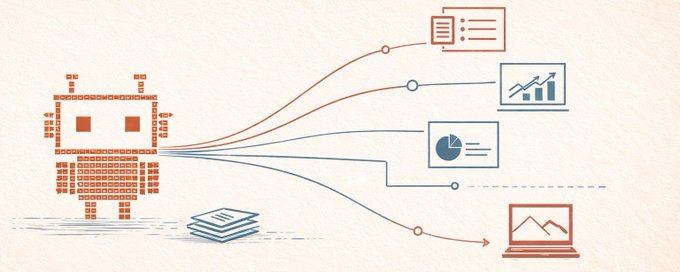
My article about building an AI chief of staff on OpenClaw got way more traction than I expected, and a lot of people asked about specific workflows I've layered on top. This is one of those: how I replaced Google Slides entirely for building our fundraising decks, and then extracted the whole system into an open-source project called Stella Decks that anyone can clone and make their own.
I haven't opened Google Slides in months. Every deck we've produced for our fundraise was built in this system. Eight decks, one shared design system, one set of source material. I make a deck now the way I'd make one if I had my best designer and best comms person sitting right there with me. Iteration cycles went from hours to minutes. I don't go down design rabbit holes anymore. I stay focused on the story.
If you want to skip ahead, the repo is available at the bottom.
## The insight that makes this work
Here's what I figured out: most decks are trapped in proprietary formats. Google Slides, PowerPoint, Keynote. You can't really operate on them programmatically, and neither can an LLM. If you build slides as HTML and CSS, a deck becomes just code and language: a visual artifact made of code that exists to communicate a narrative. LLMs are already incredibly good at both of those things. The format change is what unlocks everything. The same tools that are great at building websites and writing prose can be great at building decks.
The harness is what matters. Without it you get generic HTML. With the right constraints, you get slides that look like your designer made them and that serve the story you're trying to tell. The rest of this article is about the harness.
## Setting up the design system through conversation
The first thing you do after cloning the repo is run /design-setup in Claude Code.
It's a conversational design consultation. You can say "I want something that feels like The Economist meets Redpoint" or "clean, confident, dark editorial" and Claude proposes a full design system: color palette, typography, spacing, component patterns, three to five opinionated design principles. If you have existing brand materials, you drop them in the context/ folder and Claude extracts colors, typography, and tone from what you already have. One good sentence can be enough.
After the conversation, Claude writes a DESIGN.md with specific hex values, named Google Fonts, pixel spacing, and opinionated principles in your voice. It updates the CSS tokens in deck.css to match. You preview the example deck, see the new look, and iterate until it feels right.
This is powered by the separation of two files. CLAUDE.md teaches Claude how the system works: file structure, HTML patterns, manifest conventions, component library. No design opinions. DESIGN.md captures what good looks like for your specific project. CLAUDE.md is generic to the system; DESIGN.md is unique to you. Claude reads both before touching any slide, which is the difference between a capable tool and a capable collaborator.
## How a slide actually gets made
I start by building a markdown file with the overall narrative and the specific messages I want each slide to land. Headlines I'm thinking about, key stats, the argument each slide needs to make, how it connects to what comes before and after. This is the raw material.
Claude reads all of that alongside the brief and the design system, then gets to work. It understands what my key messages are, tightens up the language where it needs to, and builds me a slide. It's not just laying out what I wrote, it's interpreting the intent and producing something that fits the visual system and the narrative arc.
Rarely is the first version the production-ready slide, but that's where the magic is. A conversation begins, the same way it would with your designer and comms person, except instead of handoffs and waiting for the next round, you're all right there in the room collaborating live any time you want. I say the headline isn't sharp enough, or the layout buries the stat that matters, or this slide needs to feel more like an assertion and less like a data dump, and it adjusts in real time.
The further I've gotten into the deck, the closer each slide is to one-shotting the final product. Claude learns the voice, the rhythm, the level of density I want. Early slides took a few rounds. By the time I'm building slide fifteen, the first version is often close to done.
And you can always go into the HTML and edit directly if you need to. It's just a file.
Every slide is a standalone HTML document, 1280 by 720 pixels, linking to the shared deck.css. You can 'git diff' two versions and see exactly what changed. You can branch and try a completely different approach without risking the main deck.
## The brief anchors the narrative
Before any slides exist, there's a BRIEF.md in each deck's directory. It defines the audience, the narrative arc, what decisions the reader is being asked to make, and what success looks like. Claude reads this before creating or modifying anything.
This matters more than it sounds. When I ask for a new slide, Claude doesn't just produce a layout. It checks the brief and asks itself where this moment fits in the arc. When I restructure the opening, it flags if the new order undermines the setup for the ask. The brief is what turns a slide-making tool into something that thinks about the story.
Every deck has its own brief. The fundraise teaser has a different audience and arc than the diligence deck, which has a different arc than a deck tailored for one specific investor meeting. Same design system, different narrative intent.
## The narrative review
This is the piece that doesn't have an analog in traditional deck workflows.
I built a skill that reads the brief, then walks through the full deck and evaluates it the way a communications advisor would. Does the arc hold? Does this slide earn its place in the sequence? Is the ask set up properly by what comes before it? Does the evidence actually support the assertion that preceded it? Are we burying the lead?
It catches things like: a thesis that never gets paid off three slides later, a data section that actually undermines the confidence of what came before, a closing that doesn't connect back to the opening. The kind of structural problems that are easy to miss when you're deep in individual slides.
And it's fast enough to run iteratively. I change three slides, run the review, see if the arc still holds. That feedback loop is what makes the narrative actually get better rather than just getting longer.
## The manifest and branching
Each deck has a manifest.json that controls slide order:
To reorder, I edit the manifest. To A/B test two different openings, I create two manifests pointing at the same slide pool. To build a shortened version for a 20-minute meeting, I make a new manifest that pulls a subset. Slides become a library I compose from rather than a fixed sequence.
Trying a completely different opening is a branch and a five-minute conversation, not a risky afternoon. The speed of experimentation changes what you're willing to try, and that changes the quality of the final product.
## Design review with gstack
For visual review I've been using @garrytan's /gstack design skills. It runs structured critique cycles that generate alternatives and evaluate trade-offs, closer to reviewing website comps than squinting at slides in presenter view. What if the data were visualized differently? What if this slide were split into two? What if we led with the chart instead of the headline? Generating a variant is just asking Claude to create one inside the same design system.
## Export and delivery
A Puppeteer script takes 2x retina screenshots of each slide and composites them into an image-based PDF. Screenshots instead of Chrome's print mode because print CSS has bugs that break properties you need for good-looking slides. Same input, same output, every time. Slide numbers are auto-injected from the manifest.
A browser-based viewer loads slides from the manifest with keyboard navigation and deploys on Vercel with clean URLs. Anyone with the link views the deck in a browser, same as sharing a Google Slides link.
## The repo
## What's next
I built this out of frustration and need, not because I'm a design systems expert. I have friends who are incredible designers and design system builders and thinkers, and they would look at my system and have some serious notes. Stella Decks was built to solve a specific problem and I know there are people who can make it much better.
If you're making multiple decks from a shared identity, things like fundraise decks, board decks, marketing decks, and tailored versions, the payoff compounds fast. We have eight decks running off this system at Inkef right now, all sharing one design system and one set of source material.
## Where to find it
The repo is public: github.com/rsarver/stella-decks. Clone it, run /design-setup, and see what happens. I'm putting it out there in case people find it useful and in the hope that people who know design systems better than I do will run with it.
Shout out to @alexbard and Satish Dharmaraj for prompting me to actually do this.
If you build on it or adapt it for your own workflow, I'd love to hear about it.
## 相关链接
- [Ryan Sarver](https://x.com/rsarver)
- [@rsarver](https://x.com/rsarver)
- [39K](https://x.com/rsarver/status/2043988990584312187/analytics)
- [AI chief of staff on OpenClaw](https://ryan.com/building-an-ai-chief-of-staff-on-openclaw)
- [@garrytan](https://x.com/garrytan)
- [/gstack](https://github.com/garrytan/gstack)
- [github.com/rsarver/stella-decks](https://github.com/rsarver/stella-decks)
- [@alexbard](https://x.com/alexbard)
- [Upgrade to Premium](https://x.com/i/premium_sign_up)
- [5:45 PM · Apr 14, 2026](https://x.com/rsarver/status/2043988990584312187)
- [39.1K Views](https://x.com/rsarver/status/2043988990584312187/analytics)
- [View quotes](https://x.com/rsarver/status/2043988990584312187/quotes)
---
*导出时间: 2026/4/15 00:34:39*
---
## 中文翻译
# 我如何用 Claude Code、HTML/CSS 和 git 取代了 Google Slides
**作者**: Ryan Sarver
**日期**: 2026-04-14T09:45:25.000Z
**来源**: [https://x.com/rsarver/status/2043988990584312187](https://x.com/rsarver/status/2043988990584312187)
---

我那篇关于在 OpenClaw 上构建 AI 幕僚长的文章比我预期的反响大得多,很多人都问我在这基础上叠加了哪些具体的工作流程。这就是其中之一:我如何完全用这套系统取代 Google Slides 来制作融资演示文稿,然后又将整个系统提取成了一个名为 Stella Decks 的开源项目,任何人都可以克隆并打造成自己的版本。
我已经好几个月没打开过 Google Slides 了。我们为这轮融资制作的每一份演示文稿都是用这套系统完成的。八份演示文稿,一套共享的设计系统,一套源材料。我现在做演示文稿的感觉,就像我有最优秀的设计师和最优秀的传播专员就坐在身边一起工作一样。迭代周期从几小时缩短到了几分钟。我不再陷入设计的死胡同。我始终专注于故事本身。
如果你想跳过细节,代码仓库在文末。
## 让这一切成为可能的核心洞察
我是这样想明白的:大多数演示文稿都被困在专有格式里。Google Slides、PowerPoint、Keynote。你无法真正以编程方式对它们进行操作,LLM 也一样。但如果你用 HTML 和 CSS 来构建幻灯片,一份演示文稿就变成了代码和语言的组合:一个由代码构成、为传达叙事而存在的视觉产物。而 LLM 在这两方面已经出奇地擅长。格式的改变解锁了一切。那些擅长构建网站和撰写文章的工具,同样可以擅长构建演示文稿。
关键在于这个框架本身。没有它,你得到的只是千篇一律的 HTML。有了正确的约束,你得到的幻灯片看起来就像是你的设计师亲手做的,并且服务于你想讲的故事。本文其余部分讲的就是这个框架。
## 通过对话搭建设计系统
克隆仓库后你要做的第一件事,就是在 Claude Code 中运行 /design-setup。
这是一次对话式的设计咨询。你可以说“我想要一种《经济学人》遇上 Redpoint 的感觉”,或者说“干净、自信、深色编辑风格”,然后 Claude 会提出一整套设计系统:配色方案、字体排版、间距、组件模式,以及三到五条鲜明的设计原则。如果你有现成的品牌素材,可以把它们放进 context/ 文件夹,Claude 会从你已有的内容中提取颜色、字体和调性。一句到位的话可能就足够了。
对话结束后,Claude 会生成一份 DESIGN.md,其中包含具体的十六进制色值、命名的 Google Fonts、像素间距,以及以你的语气表述的鲜明原则。它还会更新 deck.css 中的 CSS 变量以保持一致。你可以预览示例演示文稿,查看新外观,并不断迭代直到感觉对味。
这一切得益于两个文件的分离。CLAUDE.md 教会 Claude 系统如何运作:文件结构、HTML 模式、清单约定、组件库。不包含任何设计观点。DESIGN.md 则记录了对你的特定项目而言“好”是什么样子。CLAUDE.md 对系统而言是通用的;DESIGN.md 对你而言是独一无二的。Claude 在动手修改任何幻灯片之前都会先读这两个文件,这正是“一个能干的工具”和“一个能干的协作者”之间的区别。
## 一张幻灯片是如何诞生的
我首先会创建一个 markdown 文件,写明整体叙事以及我希望每张幻灯片传达的具体信息。我正在构思的标题、关键数据、每张幻灯片需要提出的论点,以及它与前后内容的关联。这就是原材料。
Claude 读取所有这些内容,连同简报和设计系统,然后开始工作。它理解我的核心信息是什么,在需要的地方精炼措辞,并为我构建一张幻灯片。它不只是排版我写的内容,而是在解读我的意图,并产出符合视觉系统和叙事弧线的东西。
第一版很少能直接达到可投产的水准,但魔法恰恰在这里。一场对话随之展开,就像你和你的设计师、传播专员之间的对话一样,只不过不再是来回交接和等待下一轮,而是你们所有人随时都在同一个房间里实时协作。我说标题不够犀利,或者排版埋没了关键数据,或者这张幻灯片需要更像一个鲜明论断而不是数据堆砌,它就会实时调整。
演示文稿做得越深入,每张幻灯片就越接近一次成型。Claude 学习我的语气、节奏,以及我想要的密度水平。早期的幻灯片花了好几轮。等到做到第十五张时,第一版往往已经接近完成。
而且你随时可以直接进入 HTML 里手动编辑。它只是一个文件而已。
每张幻灯片都是一个独立的 HTML 文档,1280×720 像素,链接到共享的 deck.css。你可以对两个版本执行 'git diff',清楚看到改动之处。你还可以开分支尝试完全不同的方案,而不会危及其他版本。
## 简报锚定叙事
在任何幻灯片诞生之前,每份演示文稿的目录中都有一份 BRIEF.md。它定义了受众、叙事弧线、要求读者做出的决策,以及成功是什么样子。Claude 在创建或修改任何内容之前都会先读它。
这比听起来重要得多。当我要求制作一张新幻灯片时,Claude 不只是产出一个版式。它会查看简报,并思考这个时刻在叙事弧线中处于什么位置。当我重构开篇部分时,它会提醒我新的顺序是否削弱了为融资诉求所做的铺垫。正是这份简报,把一个制作幻灯片的工具变成了一个懂得思考故事的东西。
每份演示文稿都有自己的简报。融资预告片的受众和弧线不同于尽调演示文稿,而后者又不同于为某一场特定投资人会议量身定制的演示文稿。相同的设计系统,不同的叙事意图。
## 叙事审查
这正是传统幻灯片工作流程中没有对应物的部分。
我构建了一个技能,它会先读取简报,然后通读整套幻灯片,并像一位传播顾问那样对它进行评估。叙事弧线是否成立?这张幻灯片是否配得上它在序列中的位置?“请求”(ask)是否被前面的内容恰当地铺垫了?证据是否真正支撑了它前面的论断?我们是否把重点埋没了?
它能捕捉到诸如:一个论点在三张幻灯片之后仍然没有得到呼应、一个数据部分实际上削弱了之前内容所建立的信心、一个没有回扣开头的结尾。这类结构性问题在你深入处理单张幻灯片时很容易被忽略。
而且它的速度足够快,可以迭代运行。我改三张幻灯片,运行评审,看看叙事弧线是否仍然成立。正是这个反馈循环让叙事真正变好,而不只是变得更长。
## 清单与分支
每套幻灯片都有一个 manifest.json 来控制幻灯片顺序:
要重新排序,我就编辑清单。要 A/B 测试两种不同的开场,我就创建两个指向同一幻灯片池的清单。要为 20 分钟的会议构建一个精简版本,我就创建一个只拉取子集的新清单。幻灯片变成了一个我可以随意组合的素材库,而不是固定的序列。
尝试一个完全不同的开场只是一个分支和五分钟的对话,而不是一个有风险的下午。实验的速度改变了你愿意尝试的范围,而这又改变了最终产品的质量。
## 使用 gstack 进行设计评审
对于视觉评审,我一直在用 @garrytan 的 /gstack 设计技能。它运行结构化的评审循环,生成备选方案并评估取舍,这更像是评审网页设计稿,而不是在演示者视图中眯着眼看幻灯片。如果数据换一种方式可视化会怎样?如果这张幻灯片拆成两张会怎样?如果我们把图表而不是标题放在前面会怎样?生成一个变体只需要让 Claude 在同一个设计系统内创建一个即可。
## 导出与交付
一个 Puppeteer 脚本对每张幻灯片截取 2 倍视网膜分辨率的截图,并将它们合成一个基于图片的 PDF。使用截图而不是 Chrome 的打印模式,因为打印 CSS 有 bug,会破坏制作美观幻灯片所需的属性。相同的输入,相同的输出,每次都是如此。幻灯片编号由清单自动注入。
一个基于浏览器的查看器从清单加载幻灯片,支持键盘导航,并部署在 Vercel 上,带有简洁的 URL。任何拥有链接的人都可以在浏览器中查看幻灯片,就像分享 Google Slides 链接一样。
## 代码仓库
## 接下来
我做这个是因为挫败感和需求,而不是因为我是什么设计系统专家。我有一些朋友是非常出色的设计师、设计系统构建者和思考者,他们看到我的系统一定会提出一些非常严肃的意见。Stella Decks 是为了解决一个特定的问题而构建的,我知道有人能把它做得好得多。
如果你要基于共享的品牌形象制作多套幻灯片,比如融资路演幻灯片、董事会幻灯片、营销幻灯片以及各种定制版本,收益会迅速复合。现在 Inkef 有八套幻灯片在运行这套系统,它们共享同一个设计系统和同一套源素材。
## 在哪里找到它
代码仓库是公开的:github.com/rsarver/stella-decks。克隆它,运行 /design-setup,看看会发生什么。我把它发布出来,是希望人们觉得它有用,也希望比我更懂设计系统的人能拿着它继续发展。
特别感谢 @alexbard 和 Satish Dharmaraj,是他们推动我真正动手做了这件事。
如果你在此基础上进行构建,或者将其适配到你自己的工作流程中,我很乐意听到你的消息。
## 相关链接
- [Ryan Sarver](https://x.com/rsarver)
- [@rsarver](https://x.com/rsarver)
- [39K](https://x.com/rsarver/status/2043988990584312187/analytics)
- [OpenClaw 上的 AI 幕僚长](https://ryan.com/building-an-ai-chief-of-staff-on-openclaw)
- [@garrytan](https://x.com/garrytan)
- [/gstack](https://github.com/garrytan/gstack)
- [github.com/rsarver/stella-decks](https://github.com/rsarver/stella-decks)
- [@alexbard](https://x.com/alexbard)
- [升级到 Premium](https://x.com/i/premium_sign_up)
- [2026年4月14日 下午5:45](https://x.com/rsarver/status/2043988990584312187)
- [39.1K 次浏览](https://x.com/rsarver/status/2043988990584312187/analytics)
- [查看引用](https://x.com/rsarver/status/2043988990584312187/quotes)
---
*导出时间: 2026/4/15 00:34:39*