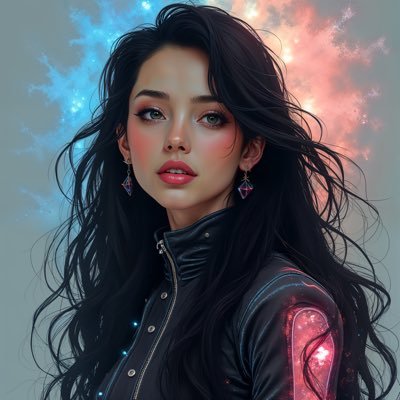
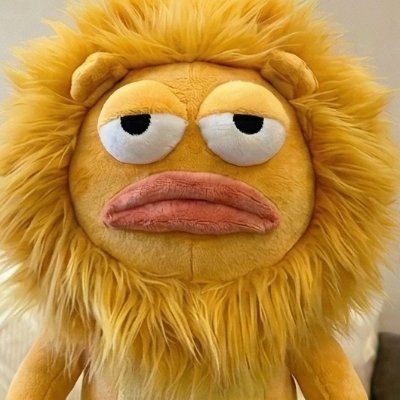
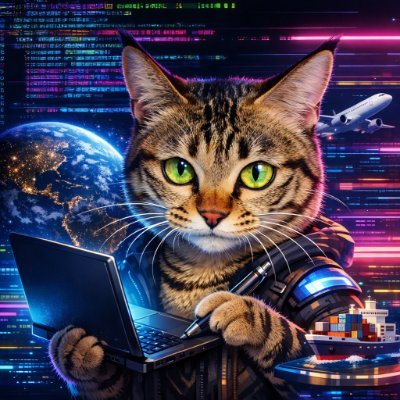
GPT Images 2.0 完全指南:从新手到专业的视觉生产系统 ✍ hoeem🕐 2026-04-24📦 6.4 KB 🟢 已读 𝕏 文章列表 文章深入剖析了 GPT Images 2.0 的核心优势与应用场景,指出其不仅是绘图工具,更是视觉生产系统。作者详细介绍了其在视觉叙事、角色一致性系统、营销活动生成等方面的五大应用场景,并提供了通用提示词模板、角色防漂移策略及编辑协议等实战技巧,强调建立工作流思维的重要性。 AI绘画提示词工作流设计GPT图像生成 # I want to master GPT images 2.0. **作者**: hoeem **日期**: 2026-04-21T18:58:41.000Z **来源**: [https://x.com/hooeem/status/2047417677350650212](https://x.com/hooeem/status/2047417677350650212) ---  I have combined every AI nerd, designer nerd, prompt nerd, and GPT image nerds advice into one master guide on GPT IMAGES 2.0 to take you from a beginner to a master. storyboards. character sheets. product mockups. social campaigns. ui concepts. infographics. more. it is ALL possible using gpt images 2.0. beginners will treat this like a better midjourney "make me a cool comic character" the pros will build workflows and create reusable anchors. let me show you where gpt images 2.0 actually dominates at: 1: visual storytelling openai's own examples show manga sequences, storyboard breakdowns, comic strips with proper panel pacing. this obliterates traditional workflows: > anime storyboard pages with character continuity social content carousels that convert shot-by-shot video breakdowns comic strips with readable pacing pros script it like directors. 2: character systems the breakthrough: reusable character anchors that don't drift between generations. real applications: > youtube channel mascots product characters that scale across campaigns > game character development sheets comic protagonist references you can make your character (or give it one you have) and utilise it in different scenes like this:  3: campaigns openai in their live demo showed korean hospitality brochures, editorial posters, graphic spreads with typography control. > product launch campaigns brand asset libraries social campaign visuals presentation materials you could generate an entire rebrand concept in 90 minutes. 12 poster variations, 8 social assets, 3 packaging concepts. traditional cost: £8,000 gpt images 2.0 cost: NOT THAT... look at this: 4: educational content that works academic posters, proof visualisations, process diagrams. the cookbook recommends treating these like instructional design briefs. output examples: > step-by-step explainers labeled process charts classroom teaching materials visual instruction guides 5: product development packaging concepts, virtual try-ons, product photography, collectible designs. approach difference: amateur: "make a product photo" professional: "create premium product hero shot with luxury styling, studio lighting, white background, product positioned at 3/4 angle" ANYWAY... those were some examples, but how should you prompt gpt images 2.0? well., let's do that. 1: universal prompt this template forces clarity. 2: storyboard mastery prompt result: storytelling that actually flows. 3: character system (just upload him), and for follow-up scenes: reference the master sheet. change only pose/setting/lighting. 4: campaigns critical detail: put exact copy in quotes. demand verbatim rendering. 5: advanced tactics the continuity system community-tested workflow for character consistency: create master description - appearance only, no scene details name your character - "alex" or "maya" for reference reuse core details - repeat key appearance elements in follow-ups separate identity from action - change pose/setting, preserve character example master description: "maya, 28, athletic build, shoulder-length dark hair with blue highlights, distinctive green eyes, small scar above left eyebrow, typically wears fitted black jacket" follow-up usage: "maya [from master description] sitting at cafe table, laptop open, morning lighting, 3/4 view" the editing protocol always specify: - change only: [specific element] - preserve: [everything else - list explicitly] - keep same: [lighting/pose/background/colours] example: "change only the laptop screen to show financial charts. preserve maya's pose, facial expression, lighting, background, clothing. keep everything else identical." quality scaling strategy low quality: drafts, exploration, concept development medium quality: social media assets, presentations, internal usehigh quality: print materials, final deliverables, client work. NOW THEN... what about common failures? well here's there instant fixes: problem: character drifts between images fix: character anchor system. master description. repeat core details. problem: text appears but isn't exact fix: shorten text, use quotes, specify typography, increase quality setting. problem: edits change too much fix: "change only X" protocol. list what must stay identical. problem: output looks generic fix: specific materials, lighting, framing. avoid "make it look good." problem: layouts feel cluttered fix: write like design brief. specify hierarchy, spacing, typography rules. the mindset that wins beginners ask: "what prompt should i write?" professionals ask: "what workflow builds the deliverable i need?" the difference is systems thinking. pros use gpt images 2.0 as: > storyboard production engine character development tool campaign asset generator > localisation multiplier concept development accelerator they don't prompt better. they build better systems. here's what matters most stop thinking "image generator." start thinking "visual production system." the real power: turning ideas into deliverable assets. storyboards that tell stories. character sheets that scale. campaigns that convert. mockups that sell. content that works. treat it like a professional collaborator with clear briefs, not a creative slot machine. your next move: pick one deliverable type. storyboards, character sheets, or campaign assets. master that workflow first. let me know what you're going to try first! ## 相关链接 - [hoeem](https://x.com/hooeem) - [@hooeem](https://x.com/hooeem) - [16K](https://x.com/hooeem/status/2047417677350650212/analytics) - [Apr 22](https://x.com/DtheW1995/status/2046664938861527422) - [4.8K](https://x.com/DtheW1995/status/2046664938861527422/analytics) - [Apr 22](https://x.com/rom1trs/status/2046941522042519797) - [73K](https://x.com/rom1trs/status/2046941522042519797/analytics) - [Upgrade to Premium](https://x.com/i/premium_sign_up) - [4:49 AM · Apr 24, 2026](https://x.com/hooeem/status/2047417677350650212) - [16.3K Views](https://x.com/hooeem/status/2047417677350650212/analytics) - [View quotes](https://x.com/hooeem/status/2047417677350650212/quotes) --- *导出时间: 2026/4/24 11:13:28*
G GPT2:博物馆文物图鉴生成提示词 作者分享了一个专为制作文物知识海报设计的GPT-image2提示词。该工具通过联网检索权威资料,能够生成包含十个以上信息层级、排版优雅且具有国际设计水准的文物美学卡片。文章详细阐述了提示词的设计逻辑,包括如何通过几何结构、嵌入大字、笔刷动线以及智能配色来提升视觉与知识的结合度。 技术 › AIGC ✍ 小小东🕐 2026-04-28 提示词文物海报图像生成设计博物馆AI绘画
K Kimi K3宣传图解构:Kimi Archive 风格提示词 作者受 Kimi K3 宣传视频启发,深度拆解其“Kimi Archive”档案美学风格。文章提供了一套详细的 AI 绘画提示词模板,涵盖构图、物件、质感与色彩规范,旨在指导用户生成具备高级感、克制美与收藏价值的封面视觉,适用于未来创意与设计场景。 技术 › 工具与效率 ✍ Adrian Punk🕐 2026-07-27 提示词AI绘画设计Kimi视觉风格封面设计
用 用Codex打造个人IP形象全流程教程 文章详细记录了作者利用 Codex 和 grill-me 从零打造个人 IP 形象的全过程。核心在于通过设计访谈将模糊需求转化为契约,由 Codex 自动执行生图、迭代、归档,并最终沉淀为可复用的 repo-only 配图 skill,构建了一套可持续的内容生产系统。 技术 › Codex ✍ Chasen🕐 2026-07-21 个人IP工作流AI绘画自动化Skill设计
前 前进色 × 后退色:裸眼3D封面图 本文介绍了如何通过高饱和的前进色和低对比的后退色,利用色彩与清晰度分层,创造出具有裸眼3D视觉效果的封面图。文中提供了简易版提示词和完整 Skill 工具,帮助用户快速生成实验风格的视觉设计。 技术 › Skill ✍ 阿哲Phil🕐 2026-07-17 设计AI绘画提示词视觉设计海报制作色彩理论裸眼3D
制 制作角色说明书 文章介绍了利用AI制作角色说明书的重要性,即通过详细的角色卡锁定角色结构、表现力和细节,从而在生成图片和视频时保持角色一致性。文中提供了角色设定板的提示词模板,帮助创作者更稳定地还原角色。 技术 › LLM ✍ 多肉|AI 内容增长架构师🕐 2026-07-16 角色设计AI绘画提示词角色一致性创作工具角色说明书图像生成
蓝 蓝黄配色封面生成 Prompt:宜家德邦风格的设计指南 本文分析了宜家、德邦等品牌常用的“深蓝+明黄”配色逻辑,将其转化为一套完整的 AI 绘图提示词。该提示词定义了扁平矢量大字封面的核心视觉定位、版式系统及色彩规范,旨在生成既醒目又具秩序感的现代设计作品。 技术 › 工具与效率 ✍ Adrian Punk🕐 2026-07-13 提示词Prompt设计AI绘图配色封面生成设计规范蓝黄配色扁平化工作流
最 最强教程类封面提示词:国风书法+堆叠卡片展示 本文提供了一套高级的教程类封面设计提示词,核心策略是建立稳定的“左实右虚”左右构图。左侧根据主题堆叠相关视觉元素,形成贴边的主题景观,确保信息量和画面记忆;右侧仅保留大幅留白,使用黑色毛笔字呈现标题,以增强视觉冲击力和高级感。文章详细规定了构图原则、视觉风格及具体参数,适用于生成具有东方展览海报气质的封面图。 技术 › LLM ✍ Adrian Punk🕐 2026-07-11 Prompt提示词AI绘画设计封面构图
分 分享一组AI人物形象卡 作者分享了一组用于生成高质量AI人物形象卡的提示词模板。该模板包含主视觉区、面部特写、配色板、局部细节展示及身高比例参考等六个维度,旨在通过精细的指令设计辅助制作人员精准把控角色造型、服饰质感与光影效果,适用于超写实国风与现代风格的创作。 技术 › 工具与效率 ✍ 灰度笔记🕐 2026-06-29 AI绘画提示词人物设计三视图工作流灵感MidjourneyStableDiffusion
G GPT进阶技巧精装合集:一次性拉开与普通人的使用差距! 文章深入挖掘了ChatGPT被忽视的高级功能,旨在帮助用户提升AI使用效率。核心技巧包括:利用个性化功能定制AI人设与记忆;使用“临时聊天”进行无痕咨询;将AI接入群聊变身会议助理;利用项目功能预设指令以实现自动化办公;以及使用生图、记忆管理和定时任务等功能。作者强调通过功能组合与工具联动,让AI从单纯的聊天工具进化为高效的智能协作代理。 技术 › OpenAI ✍ Crypto墨城🕐 2026-05-30 ChatGPT使用技巧提示词AI绘画自动化工作流效率工具Agent记忆功能定时任务
我 我写提示词时,不再只靠感觉了 文章探讨了提升AI提示词(Prompt)质量的思考,对比了“情绪法”与“结构法”的区别。作者指出,单纯依赖情绪词汇虽能营造氛围但缺乏稳定性,而结构法通过定义载体、光线、构图等参数确保结果可控。最终提倡“混合法”,即用结构锁定画面骨架,再用情绪补足灵魂,将提示词从“许愿文”转化为精准的“视觉合同”。 技术 › LLM ✍ VoxCat🕐 2026-05-14 提示词提示词工程AIGC图像生成结构法情绪法工作流技巧
G GPT2创作极简线条城市海报:高级收藏感与人民币美学 作者受国外大神启发,利用ChatGPT调查具体地点的逻辑,开发了具有“人民币插画味道”的极简线条城市海报风格。文章分享了针对任意图片和特定地址的同款风格生成优化方案,并附带了详细的提示词,强调真实空间关系、在地性特征及单色印刷美学,旨在打造具有收藏级质感的城市切面视觉作品。 技术 › LLM ✍ 小小东🕐 2026-05-12 GPT提示词AI绘画海报设计城市插画视觉设计
借 借助AI,你也能写出高质量提示词:GPT Image 2生图技巧 本文以GPT Image 2为例,介绍了提升AI绘画质量的五个实用技巧。包括利用ChatGPT反向推导提示词寻找灵感、借助AI对话生成具体画面描述、通过专业图库(Civitai、Liblib)学习风格、利用模板仿写高质量提示词结构,以及从主体、细节到综述的“填空式”写作法则。 技术 › LLM ✍ 李岳🕐 2026-05-07 AI绘画提示词ChatGPTStable DiffusionGPT Image 2教程设计