# The power of Kimi K2.6 most people are sleeping on
**作者**: Defileo
**日期**: 2026-05-02T19:19:22.000Z
**来源**: [https://x.com/defileo/status/2050656413006053793](https://x.com/defileo/status/2050656413006053793)
---

Everyone is talking about Claude and ChatGPT this month, and meanwhile a free, open source model is quietly doing things neither of them can do.
300 sub-agents working in parallel, 4,000 coordinated steps, 12-hour autonomous runs, full web agencies built in 40 minutes, 1500 rows of validated data scraped from the web in a single afternoon.

Just take a look at this:
This is Kimi K2.6 from Moonshot AI, and most people have not realized what they are missing.
Here is what it actually does, why it matters, how to set it up for free, and where it beats Claude outright.

But before we start, ake a look at this comparison of the prices and performance of Claude, GPT, Kimi and others:
## 🚨 Psst, leaving a full guide at the end of this article how to use Kimi 2.6 for absolutely free
## What Kimi actually is
Kimi K2.6 is an open source model under a Modified MIT License, free to use on kimi(.)com and free to self-host if you want.
The API costs around $0.60 per million input tokens, roughly 8x cheaper than Claude.
https://www.kimi.com/ai-models/kimi-k2-6
The technical numbers: 1 trillion total parameters, 32 billion active per token, 256k context window, max output of 65,536 tokens per response.
Natively trained to coordinate 300 sub-agents across 4,000 coordinated steps, triple what K2.5 could do.
But none of that is the real story, the real story is what the agent swarm actually does when you turn it loose.
## The Agent Swarm: What It Looks Like in Practice
Every other AI is a single worker, one task at a time.
Kimi's swarm is a coordinator spinning up dozens or hundreds of sub-agents working in parallel, each handling a piece, all reporting back to a main agent that merges the results.
That is the architectural difference, and it changes what is possible in one prompt.
The 40-minute web agency: A Toronto creator asked Kimi to find 20 notaries with outdated or missing websites, then generate landing pages for each.
Five sub-agents handled it: scraping Google Maps and Yellow Pages, evaluating site quality, generating mockups, drafting outreach emails, and producing a market analysis report. 40 minutes, one prompt.
Swap notaries for any local business with a bad website and you have a repeatable side hustle.

https://www.youtube.com/watch?v=QJ2bM8Me5Fk
The 1500-row data scrape: Pulling every active AI data center in the US into one structured spreadsheet, name, location, capacity, operator, status, validated source.
A single agent would take 6 to 8 hours doing it sequentially. Kimi launched waves of agents in parallel, each handling a regional batch, and the file was ready in a fraction of the time.
The 12-hour autonomous run, Kimi was told to take a small open source model on an Apple M3 Max and improve its throughput. Starting point, 15 tokens per second.
It ran 12 hours unattended, made 1,000+ tool calls, modified 4,000+ lines of code, iterated through 12 strategies, and finished at 193 tokens per second, 20% above the LM Studio baseline, no human in the loop, just a defined goal.
## What Makes the Swarm Actually Work
The trap most people fall into when they hear "agent swarm" is sending one-line prompts and expecting magic. That is the fastest way to waste credits and get garbage output.
The actual unlock is markdown-driven prompting. Instead of writing "scrape all AI data centers in the US," you write a 2-3 page markdown file that defines exactly what data to collect, what counts as valid, what sources are acceptable, what format the output should take, and what the agent should do when it finds conflicting information.
It feels like overkill until you realize you are not writing a prompt, you are writing a spec, and the swarm executes against the spec while you go work on something else.
The same approach applies for code. The instruction is not "build me a website using this data," it is a markdown file that outlines the tech stack, page architecture, design system, and feature requirements.
Specify once, deploy hundreds of agents, get production-quality output.
This is why people calling agent swarms "fragile" usually mean their prompts were fragile. Spec-driven prompting changes the result completely.
## 🚨 The Free Setup: Cloudflare + Open Code
Most people do not know this works, but you can run Kimi K2.6 completely free with daily usage limits through Cloudflare Workers AI.
Here is the full setup in five steps.
Step 1: Go to Cloudflare create a free account, log in to the dashboard.
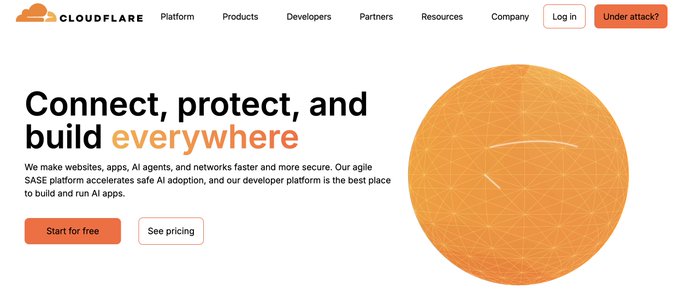
https://www.cloudflare.com/
Step 2: In the left sidebar, click AI, then Workers AI, then REST API.
You will see your Account ID, copy it. Then click "Create Workers AI API token," copy the token, save it somewhere safe.
Step 3: Install Open Code, an open source CLI that handles model routing. Run
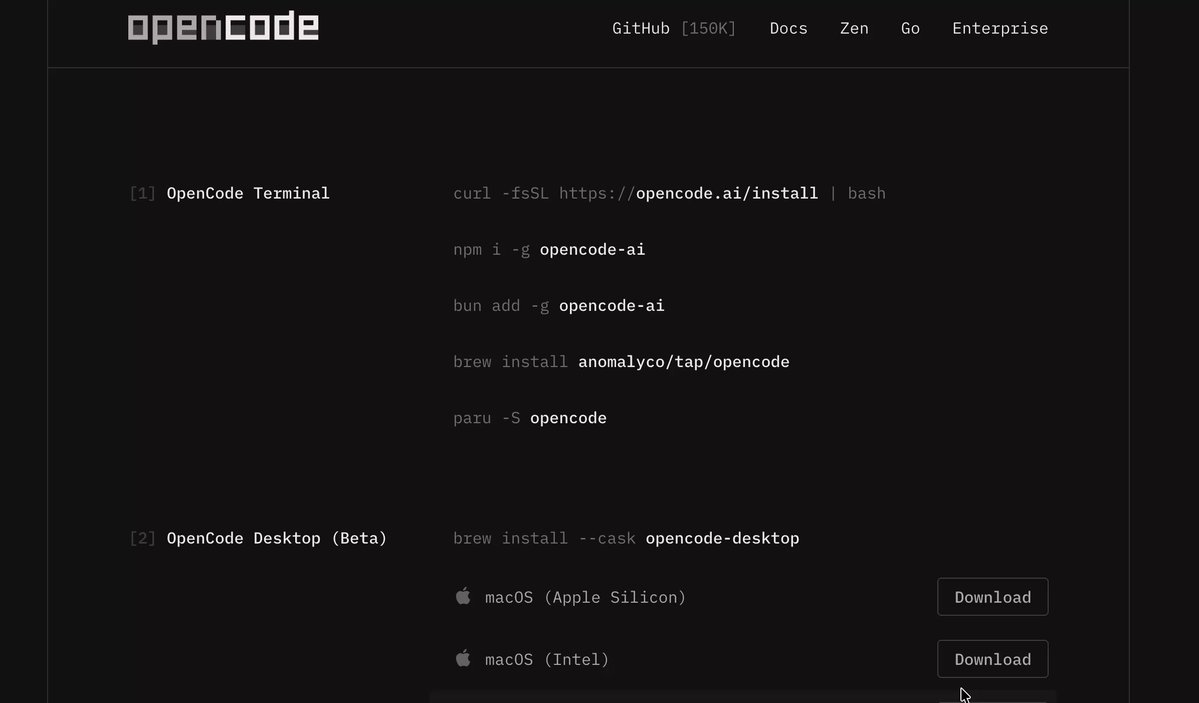
https://opencode.ai/download
In your terminal paste the command on the site above to install Opencode.
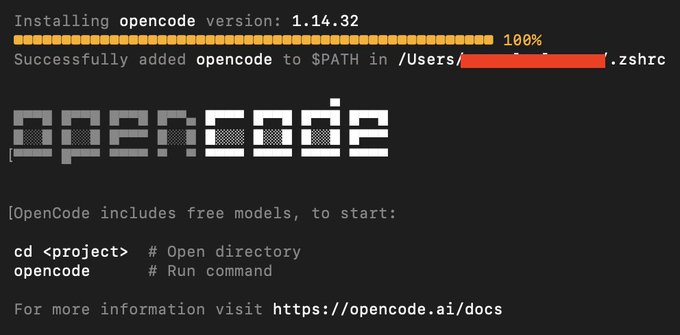
Step 4: Open Open Code, type connect, select Cloudflare Workers AI as the provider, paste your Account ID, paste your API token.
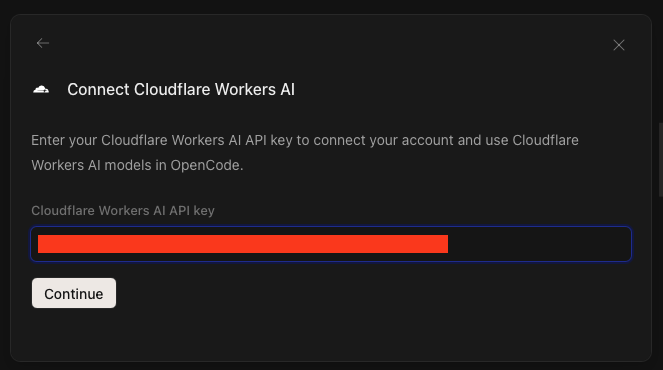
Step 5: Search the model list for Kimi K2.6, select it, done.
Now you have a Claude Code-style interface running Kimi K2.6 on free Cloudflare credits.
Tab toggles between plan mode and implementation mode, same workflow, no subscription, no API bills as long as you stay within the daily limit.
For agent swarm features specifically, you need the Allegretto plan on kimi dot com but for everything else, Cloudflare is free and works today.
## Claude vs Kimi: The Honest Comparison
Kimi wins more often than people assume.
Where Kimi wins: 8x cheaper per token (free on Cloudflare), 300 parallel sub-agents Claude does not offer, longer autonomous runs without drift, faster on parallelizable work, open source so you can self-host or fork it, larger output length (65k tokens per response), and strong front-end and UI generation through the MoonVIT vision encoder.
Where Claude wins: Production code precision (64.3% vs 58.6% on SWE-bench Pro), vision and document fidelity at 98.5% visual acuity, slightly more reliable tool calls, and a marginally lower hallucination rate (36% vs 39%).
The honest rule: Kimi is the better default for most real-world work, cheaper, faster, open, and excellent on parallel tasks. Use Claude when the work is sequential, needs production-grade precision, or involves vision and document fidelity. Most people default to Claude out of habit, it is not always the right call.
## Three Prompts to Test Kimi Right Now
Run these in Kimi to see what the model actually does. Same prompts work in Claude or ChatGPT for direct comparison.
Prompt 1: The agent swarm test
```
Find 15 [type of business: dentists, restaurants, plumbers, real estate
agents] in [your city] that have either no website or an outdated website.
For each business, generate:
- A modern, mobile-responsive landing page draft with their business
details and a clear call to action
- A custom outreach email pitching a website redesign
- A short note on what is wrong with their current site
Deliver everything as separate files plus one summary report with
estimated revenue impact per client.
```
This is the web agency in 40 minutes test, swap in your city and target business type. Run it on Kimi's Allegretto plan to see the agent swarm work.
Prompt 2: The data scraper
```
Build me a structured spreadsheet of [topic: every AI model released
since 2020, every YC company in fintech, every Fortune 500 SaaS tool,
your topic here].
Columns to include: name, launch date, key metric, source URL,
short description, current status.
Validate every entry by visiting the source. If a source conflicts
with another, flag it and pick the more authoritative one.
Output as a single .xlsx file ready to import.
```
This shows you the data pipeline power, Kimi will deploy waves of agents to validate every row against real sources.
Prompt 3: The long-horizon code optimization
```
Take the code in [file or repo URL] and improve its performance.
Goals: reduce execution time, improve readability, eliminate any
obvious bugs.
Iterate, benchmark before and after each change, only keep changes
that measurably improve performance. Document each change with a
brief reason.
Run until you have either tripled performance or hit a clear
diminishing returns point.
```
This is the throughput test, Kimi will run autonomously for hours, iterating, benchmarking, modifying, until it hits the goal.
## Cherry on top 🍒 for the AI frens:
If you read this far, here's your reward: a completely free AI course built for people who are actually ready to start, Claude power user toolkit:
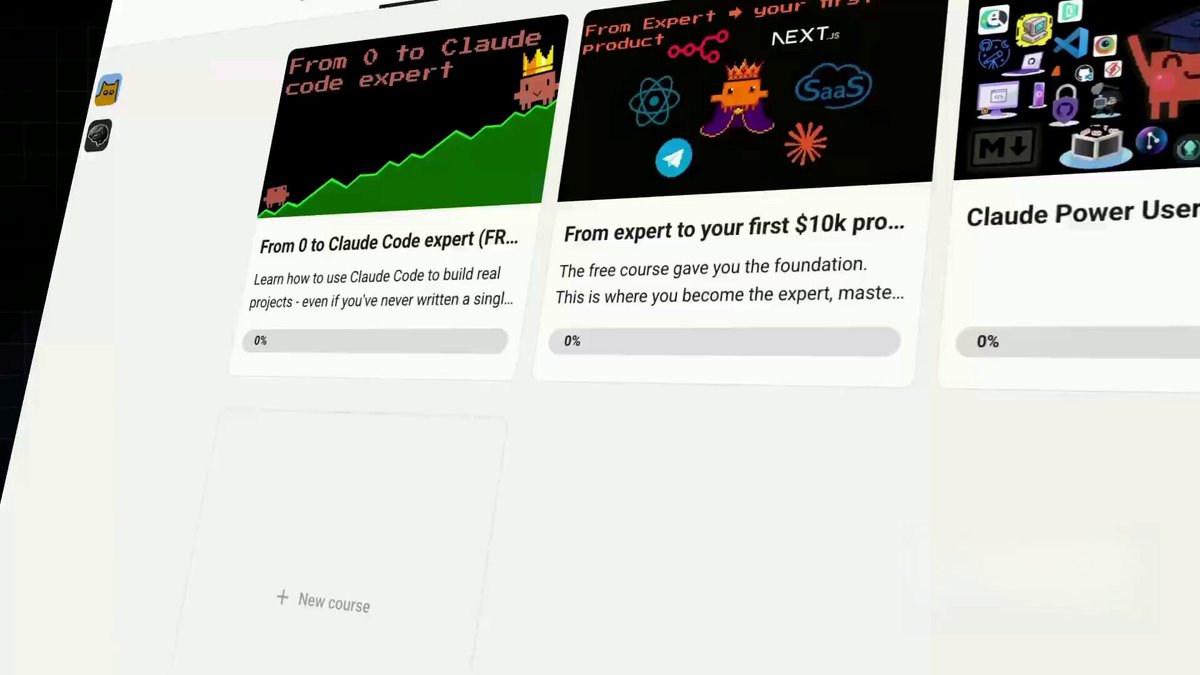
Leaving a link below:
➡️ https://www.skool.com/ai-builderss/classroom
More is coming, and it's going to be bigger than anything we've dropped so far stay tuned, grab your spot early, and get ready to fall deep into the AI rabbit hole.
- Leo
## 相关链接
- [Defileo](https://x.com/defileo)
- [@defileo](https://x.com/defileo)
- [10K](https://x.com/defileo/status/2050656413006053793/analytics)
- [https://www.kimi.com/ai-models/kimi-k2-6](https://www.kimi.com/ai-models/kimi-k2-6)
- [https://www.youtube.com/watch?v=QJ2bM8Me5Fk](https://www.youtube.com/watch?v=QJ2bM8Me5Fk)
- [https://www.cloudflare.com/](https://www.cloudflare.com/)
- [https://opencode.ai/download](https://opencode.ai/download)
- [https://www.skool.com/ai-builderss/classroom](https://www.skool.com/ai-builderss/classroom)
- [3:19 AM · May 3, 2026](https://x.com/defileo/status/2050656413006053793)
- [10.2K Views](https://x.com/defileo/status/2050656413006053793/analytics)
- [View quotes](https://x.com/defileo/status/2050656413006053793/quotes)
---
*导出时间: 2026/5/3 13:44:54*
---
## 中文翻译
# 大多数人都在低估 Kimi K2.6 的力量
**作者**: Defileo
**日期**: 2026-05-02T19:19:22.000Z
**来源**: [https://x.com/defileo/status/2050656413006053793](https://x.com/defileo/status/2050656413006053793)
---

这个月大家都在谈论 Claude 和 ChatGPT,与此同时,一个免费的开源模型正在悄然做着它们都做不到的事情。
300 个并行工作的子智能体,4000 个协调步骤,12 小时的自主运行,40 分钟内建立完整的网络代理机构,一个下午从网络上抓取并验证 1500 行数据。

看看这个:
这是 Moonshot AI 的 Kimi K2.6,大多数人还没意识到他们错过了什么。
下面是它实际的功能、它的重要性、如何免费设置它,以及它在哪些方面直接击败了 Claude。

但在开始之前,先看看 Claude、GPT、Kimi 和其他模型的价格与性能对比:
## 🚨 嘘,文末会留一份完全免费使用 Kimi 2.6 的完整指南
## Kimi 到底是什么
Kimi K2.6 是一个基于修改版 MIT 许可证的开源模型,可以在 kimi(.)com 上免费使用,如果你想,也可以免费自托管。
API 的费用大约是每 100 万个输入 token 0.60 美元,大约比 Claude 便宜 8 倍。

https://www.kimi.com/ai-models/kimi-k2-6
技术参数:总共 1 万亿参数,每个 token 激活 320 亿,256k 上下文窗口,每次响应最大输出 65,536 个 token。
经过原生训练,可协调 300 个子智能体跨越 4000 个协调步骤,是 K2.5 能力的三倍。
但这些都不是重点,重点在于当你放开限制时,智能体群实际上能做什么。
## 智能体群:实际表现如何
其他所有 AI 都是单兵作战,一次处理一个任务。
Kimi 的群群是一个协调者,能启动数十或数百个并行工作的子智能体,每个处理一部分,所有结果汇总给一个主智能体进行合并。
这就是架构上的差异,它改变了一个提示词能做的事情的边界。
40 分钟的网络代理:多伦多的一位创作者让 Kimi 寻找 20 个网站过时或缺失的公证人,然后为每个人生成落地页。
五个子智能体处理了这件事:抓取谷歌地图和黄页、评估网站质量、生成模型、起草外联邮件,并生成市场分析报告。40 分钟,一个提示词。
把公证人换成任何网站糟糕的本地生意,这就成了一个可重复的副业。

https://www.youtube.com/watch?v=QJ2bM8Me5Fk
1500 行的数据抓取:将美国所有活跃的 AI 数据中心汇总到一个结构化的电子表格中,包括名称、位置、容量、运营商、状态、已验证的来源。
单个智能体顺序执行需要 6 到 8 小时。Kimi 并行启动了多波次的智能体,每个处理一个区域批次,文件在极短的时间内就准备好了。
12 小时的自主运行,Kimi 被要求在 Apple M3 Max 上优化一个小型开源模型的吞吐量。起点是每秒 15 个 token。
它无人值守运行了 12 小时,进行了 1000 多次工具调用,修改了 4000 多行代码,迭代了 12 种策略,最终达到每秒 193 个 token,比 LM Studio 基准高 20%,全程无人干预,只有一个既定目标。
## 是什么让群群真正有效
当人们听到“智能体群”时最容易掉进的陷阱是发送一行提示词并期待奇迹。这是浪费积分并获得垃圾输出最快的方式。
真正的解锁是 markdown 驱动的提示词。与其写“抓取美国所有的 AI 数据中心”,不如写一个 2-3 页的 markdown 文件,明确定义要收集什么数据、什么算有效、什么来源可接受、输出应采用什么格式,以及当智能体发现冲突信息时该怎么做。
在你不觉得这是过度设计之前,它看起来确实如此,直到你意识到你不是在写提示词,而是在写规范,群群会根据规范执行,而你可以去处理其他事情。
同样的方法也适用于代码。指令不是“使用这些数据给我建一个网站”,而是一个概述技术栈、页面架构、设计系统和功能要求的 markdown 文件。
一次指定,部署数百个智能体,获得生产质量的输出。
这就是为什么那些称智能体群“脆弱”的人通常是因为他们的提示词很脆弱。规范驱动的提示词会彻底改变结果。
## 🚨 免费设置:Cloudflare + Open Code
大多数人不知道这可行,但你可以通过 Cloudflare Workers AI 完全免费运行 Kimi K2.6,只需遵守每日使用限制。
这里是通过五步完成设置的完整指南。
第一步:前往 Cloudflare 创建一个免费账户,登录到仪表板。

https://www.cloudflare.com/
第二步:在左侧边栏中,点击 AI,然后点击 Workers AI,再点击 REST API。
你会看到你的账户 ID,复制它。然后点击“创建 Workers AI API 令牌”,复制令牌,并将其保存在安全的地方。
第三步:安装 Open Code,这是一个处理模型路由的开源 CLI。运行

https://opencode.ai/download
在你的终端中,粘贴上面网站上的命令以安装 Opencode。

第四步:打开 Open Code,输入 connect,选择 Cloudflare Workers AI 作为提供商,粘贴你的账户 ID,粘贴你的 API 令牌。

第五步:在模型列表中搜索 Kimi K2.6,选择它,完成。
现在你拥有一个运行在免费 Cloudflare 积分上的 Kimi K2.6 的 Claude Code 风格界面。
Tab 键可在计划模式和实现模式之间切换,工作流程相同,无需订阅,只要在每日限制内就没有 API 账单。
特别是对于智能体群功能,你需要在 kimi dot com 上使用 Allegretto 计划,但对于其他所有功能,Cloudflare 是免费的并且今天就能用。
## Claude vs Kimi:诚实的比较
Kimi 获胜的次数比人们想象的要多。
Kimi 获胜的地方:每 token 价格便宜 8 倍(Cloudflare 上免费),拥有 Claude 没有的 300 个并行子智能体,更长的自主运行而不偏离,在可并行工作上的速度更快,开源所以你可以自托管或分叉,更大的输出长度(每次响应 65k token),以及通过 MoonVIT 视觉编码器强大的前端和 UI 生成能力。
Claude 获胜的地方:生产级代码精度(在 SWE-bench Pro 上为 64.3% vs 58.6%),98.5% 视觉敏锐度的视觉和文档保真度,稍微更可靠的工具调用,以及稍低的幻觉率(36% vs 39%)。
诚实的规则:对于大多数现实世界的工作,Kimi 是更好的默认选择,更便宜、更快、更开放,并且在并行任务上表现出色。当工作是顺序的、需要生产级精度或涉及视觉和文档保真度时,使用 Claude。大多数人出于习惯默认使用 Claude,但这并不总是正确的选择。
## 三个立即测试 Kimi 的提示词
在 Kimi 中运行这些,看看模型实际能做什么。同样的提示词也可以在 Claude 或 ChatGPT 中运行以进行直接比较。
提示词 1:智能体群测试
```
在 [你的城市] 寻找 15 家 [企业类型:牙医、餐厅、水管工、房地产
经纪人],他们要么没有网站,要么网站过时。
为每个企业生成:
- 一个现代化的、响应式移动端落地页草案,包含他们的业务
细节和明确的行动号召
- 一份定制的外联邮件,推销网站重设计服务
- 一份关于他们当前网站存在问题的简短说明
将所有内容作为单独的文件以及一份包含每个客户预计收入影响的总结报告交付。
```
这是 40 分钟网络代理测试,换成你的城市和目标企业类型。在 Kimi 的 Allegretto 计划上运行它,看看智能体群是如何工作的。
提示词 2:数据抓取器
```
给我建立一个关于 [主题:自 2020 年以来发布的所有 AI 模型、金融科技
领域的每一家 YC 公司、每一个财富 500 强 SaaS 工具、你的主题] 的结构化电子表格。
要包含的列:名称、发布日期、关键指标、来源 URL、
简短描述、当前状态。
通过访问来源来验证每个条目。如果某个来源与另一个来源冲突,请
标记它并选择更具权威性的那个。
输出为单个 .xlsx 文件,准备好导入。
```
这向你展示了数据管道的力量,Kimi 将部署一波又一波的智能体,根据真实来源验证每一行。
提示词 3:长期代码优化
```
获取 [文件或仓库 URL] 中的代码并提高其性能。
目标:减少执行时间,提高可读性,消除任何
明显的 bug。
进行迭代,在每次更改前后进行基准测试,只保留那些
能切实提高性能的更改。用简短的原因记录每个更改。
一直运行,直到你将性能提高了三倍或达到明显的
收益递减点。
```
这是吞吐量测试,Kimi 将自主运行数小时,迭代、基准测试、修改,直到达到目标。
## 给 AI 朋友们的额外福利 🍒:
如果你读到了这里,这是给你的奖励:一门完全免费的 AI 课程,专为那些真正准备好开始的人打造,Claide 高级用户工具包:

链接留在这里:
➡️ https://www.skool.com/ai-builderss/classroom
更多内容即将到来,它将比我们目前发布的任何东西都要宏大,敬请期待,尽早抢占位置,准备好深陷 AI 的兔子洞。
- Leo
## 相关链接
- [Defileo](https://x.com/defileo)
- [@defileo](https://x.com/defileo)
- [10K](https://x.com/defileo/status/2050656413006053793/analytics)
- [https://www.kimi.com/ai-models/kimi-k2-6](https://www.kimi.com/ai-models/kimi-k2-6)
- [https://www.youtube.com/watch?v=QJ2bM8Me5Fk](https://www.youtube.com/watch?v=QJ2bM8Me5Fk)
- [https://www.cloudflare.com/](https://www.cloudflare.com/)
- [https://opencode.ai/download](https://opencode.ai/download)
- [https://www.skool.com/ai-builderss/classroom](https://www.skool.com/ai-builderss/classroom)
- [3:19 AM · May 3, 2026](https://x.com/defileo/status/2050656413006053793)
- [10.2K Views](https://x.com/defileo/status/2050656413006053793/analytics)
- [View quotes](https://x.com/defileo/status/2050656413006053793/quotes)
---
*导出时间: 2026/5/3 13:44:54*