# Hermes Desktop Agent Just Made Browser Automation Way Better
**作者**: Julian Goldie SEO
**日期**: 2026-08-12T16:55:57.000Z
**来源**: [https://x.com/JulianGoldieSEO/status/2087585627277783138](https://x.com/JulianGoldieSEO/status/2087585627277783138)
---
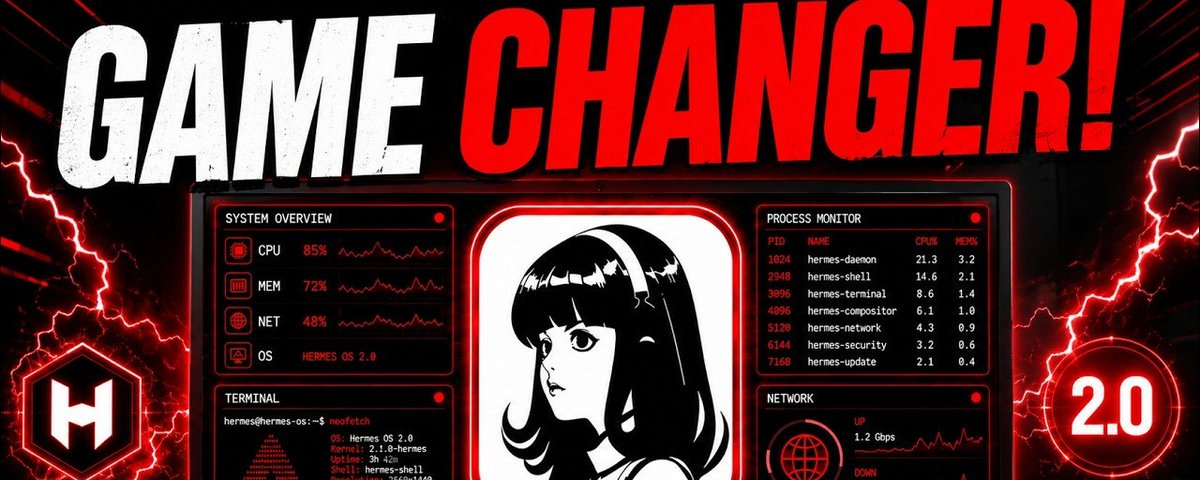
Hermes Desktop Agent makes browser automation much easier to trust because you can finally watch what your AI is doing while it works.
For broader AI coaching, training, and support, the [AI Profit Boardroom](https://www.skool.com/ai-profit-lab-7462/about) gives you another place to get help with practical AI systems.
The biggest change is visibility, because websites, files, generated work, tool results, and browser actions can all appear beside the conversation instead of happening behind a loading spinner.
Watch the video below:
> **Julian Goldie SEO@JulianGoldieSEO**: [原文链接](https://x.com/JulianGoldieSEO/status/2087583880379617293)
>
> Hermes Desktop just made browser automation much easier to trust.
> You can finally watch the agent work instead of staring at a spinner.
> Here’s the setup I’d use:
> → Open the preview rail first.
> → Ask Hermes to research a live page.
> → Watch the page load beside the chat.
Want to make money and save time with AI? Get AI Coaching, Support & Courses 👉 [https://www.skool.com/ai-profit-lab-7462/about](https://www.skool.com/ai-profit-lab-7462/about)
## Hermes Desktop Agent Makes Browser Automation Visible
Traditional browser agents often ask you to trust a process you cannot actually see while it is happening.
You give the agent a research task, wait for several actions, and eventually receive a finished summary.
The problem is that you may never know whether it opened the correct page during that process.
Hermes Desktop Agent changes this by bringing the working browser directly into the desktop interface.
Pages can appear beside the conversation while Hermes continues navigating through the task.
That means you can catch a wrong source before the mistake spreads into later research.
You can also see when the agent grabs navigation text instead of the information you actually wanted.
This creates a useful balance between automation and human supervision without requiring constant manual control.
Hermes still performs the repetitive browser actions while you remain able to inspect important moments.
Research feels less like sending instructions into a black box and hoping everything worked.
The improvement sounds small until you start using agents for longer tasks involving several websites.
Visible browser automation makes those larger workflows much easier to understand, correct, and trust.
## Hermes Desktop Agent Uses The Preview Rail
The preview rail is one of the most useful additions for people who regularly automate browser work.
It sits beside the main conversation and gives you a live view of what Hermes is currently handling.
Mac users can open the rail with Command J, while Windows users can use Control J.
Web pages can appear there as the agent navigates between sources during a research task.
Local files and other tool outputs can also use the same area instead of opening somewhere else.
That keeps more of the workflow inside one desktop environment rather than spreading it across several windows.
Hermes Desktop Agent becomes especially useful when you are comparing information from multiple pages.
You can watch the source while the agent extracts useful details into the conversation beside it.
If the wrong page appears, you can intervene before Hermes spends several more actions processing bad information.
The same rail can later display generated artifacts, making it useful beyond ordinary web research.
Keeping the working material visible also makes debugging much easier when automation behaves unexpectedly.
The preview rail effectively turns the desktop application into a control panel for active agent work.
## Hermes Desktop Agent Reads The Structure Of A Web Page
Hermes does not have to understand every website purely by staring at screenshots like a person.
Its browser tools can read an accessibility tree that represents the structure of the page in text.
Interactive elements receive references that the agent can use when deciding where to click.
That lets Hermes choose a particular element rather than guessing a random pixel location on your screen.
Small visual changes are therefore less likely to completely destroy an otherwise working browser sequence.
A button can move slightly while still representing the same structural element the agent needs.
Hermes Desktop Agent can use this structured view to understand headings, links, inputs, buttons, and other controls.
That gives the model cleaner information when planning the next browser action.
Screenshots still have value when a complicated visual layout cannot be understood through structured text alone.
For those cases, Hermes also has vision capabilities that can examine what the page looks like.
Combining structured page information with visual analysis gives the agent more than one way to understand difficult websites.
That flexibility makes browser automation more resilient than depending on screenshots or coordinates alone.
## Hermes Desktop Agent Has Practical Browser Tools
The browser toolset is built around straightforward actions that become powerful when an agent combines them intelligently.
Hermes can navigate to a page, capture its current state, click elements, and enter text.
It can scroll through longer pages when useful information is located further down.
Keyboard commands can be sent when websites require actions that are easier through keys than buttons.
The agent can also move backward when a browser path leads somewhere unhelpful.
Image listing gives Hermes another way to understand visual resources available on a page.
Hermes Desktop Agent uses these individual tools as building blocks inside larger multi-step jobs.
A research workflow might open a result, inspect the page, follow another link, and extract relevant information.
An automation workflow could navigate through several screens before entering data into the correct field.
Each individual action is simple, but the model decides how they should connect.
That reasoning layer is what separates agent browsing from a rigid automation script with fixed steps.
The result is a system that can adjust its browser path when the website does not behave exactly as expected.
## Hermes Desktop Agent Handles Difficult Websites Better
Real websites create problems that basic browser automation demos rarely show.
Pages can contain JavaScript errors, alert windows, enormous amounts of text, and unusual visual layouts.
Hermes includes additional tools designed to handle those situations instead of simply abandoning the task.
Its console capabilities can inspect JavaScript errors and interact with page information more directly.
The vision tool helps when the accessibility tree cannot explain enough about a complicated screen.
Dialogue handling is another important improvement because unexpected pop-ups can interrupt normal browser commands.
Older automation could become stuck when an alert appeared and blocked every action that followed.
Hermes Desktop Agent can detect a pending dialogue and respond before continuing the browser workflow.
Long pages receive special treatment when a normal snapshot becomes too large to keep conveniently in context.
The full information can be written to cache so the agent can return and read it in manageable pieces.
That avoids quietly throwing away everything near the bottom of an unusually long page.
These recovery options matter because dependable browser automation needs to survive messy websites, not only perfect demonstrations.
## Hermes Desktop Agent Makes Research Easier To Verify
Browser research becomes much more valuable when you can check exactly where important information came from.
Hermes can keep a page visible while collecting details from that source into the working conversation.
That gives you an immediate way to compare the agent's interpretation with the information displayed on screen.
You can catch outdated sources, irrelevant pages, or weak evidence before they shape the final output.
This is especially useful when your task involves comparisons, statistics, quotations, product information, or recent developments.
Hermes Desktop Agent can still do most of the repetitive collection without forcing you to visit every page manually.
The [AI Profit Boardroom](https://www.skool.com/ai-profit-lab-7462/about) also offers broader support and training for people building useful AI workflows.
Visibility means you only need to step in when something looks wrong or deserves closer inspection.
As your prompts improve, the amount of intervention required can become smaller.
The important difference is that human review remains available without becoming the entire workflow.
You gain much of the speed of automation while keeping access to the evidence behind the result.
That makes Hermes more practical for serious research than browser agents that hide everything until the end.
## Hermes Desktop Agent Adds Grounded Citations
Grounded citations push this idea further by connecting important statements with real evidence.
Hermes can compare quotations against text found on the page rather than recreating them loosely from memory.
Citations can point back toward the source supporting the statement you received.
That makes checking an important claim much easier after a research workflow finishes.
A separate fact-checking mode can review material and distinguish what can or cannot be verified.
Supported statements can remain separate from claims where the available evidence is weak.
Hermes Desktop Agent therefore has a way to expose uncertainty rather than hiding it inside confident language.
This is useful when you are reviewing documents, collecting research, or preparing factual content.
Grounded evidence still does not remove the need for judgment when a decision carries serious consequences.
It does reduce the amount of blind trust required when an agent produces a polished research summary.
You can follow the supporting material yourself whenever a detail looks surprising.
The difference between a plausible answer and a sourced answer becomes much clearer inside this workflow.
## Hermes Desktop Agent Makes Voice More Interactive
Voice control becomes more useful when you can interrupt the agent naturally while work is still happening.
Hermes can speak responses in smaller pieces as the underlying answer continues generating.
If the explanation starts heading somewhere unhelpful, you can interrupt simply by speaking again.
The agent stops, listens, and understands that its previous response was interrupted.
That feels more natural than waiting through one long audio response before giving another instruction.
On-device wake-word support also keeps an important part of the listening process running locally.
Hermes Desktop Agent can combine this voice layer with visible browsing inside the same working environment.
You might watch the agent navigate a page and verbally correct the task without returning to the keyboard.
This can be useful when supervising longer research or automation workflows from your desk.
The visual rail still provides information that voice alone cannot communicate efficiently.
Together, these input methods make the desktop app feel more like directing an active assistant.
That interaction becomes increasingly valuable when agents handle jobs lasting longer than one simple prompt.
## Hermes Desktop Agent Keeps Artifacts Beside The Conversation
Hermes Desktop is also designed for creating outputs rather than only researching websites.
Artifacts can appear as versioned cards with live previews inside the desktop experience.
A generated landing page can therefore render beside the conversation that produced it.
You can inspect the result and immediately ask Hermes to change a section that does not work.
The updated version can appear without forcing you to repeatedly save files and switch applications.
Hermes Desktop Agent shortens the distance between giving instructions and judging the finished result.
This becomes useful for prototypes, pages, visual outputs, documents, and other work requiring several revisions.
Research can also flow directly into creation because the source material and resulting artifact remain nearby.
You might collect information through the browser and then ask Hermes to create something from those findings.
Keeping revisions visible makes it easier to compare whether each requested change actually improved the output.
Versioning also provides more structure than replacing one invisible result with another.
The same preview rail that improves browser trust therefore becomes useful during the creation process too.
## Hermes Desktop Agent Gives You Better Control Over Context And Approvals
Long agent sessions can become less reliable when the working context fills with too much information.
Hermes Desktop includes a context meter showing how much of the available window is currently being used.
You can inspect what portion comes from tools, skills, memory, system instructions, and conversation history.
That helps explain why an agent may become less focused after a particularly long workflow.
Hermes Desktop Agent turns an invisible technical limit into something you can watch and manage.
Browser snapshots and large tool outputs can consume substantial context during complex research jobs.
Checking the meter can reveal when simplifying or restarting the working context would help.
Approvals provide another important layer of control when the agent begins executing real commands.
Smart review can evaluate flagged actions without demanding manual approval for every harmless step.
Each decision remains limited rather than becoming permanent unrestricted permission.
That gives you a middle ground between confirming everything and disabling protection completely.
Better context awareness and smarter permissions make powerful automation easier to supervise responsibly.
## Hermes Desktop Agent Makes Memory And Multi-Agent Work Easier To Manage
Hermes can also work with other agents through support for agent-to-agent communication standards.
That opens the door to workflows where different specialized agents collaborate instead of one model handling every job.
One agent might research while another builds an artifact and another checks the finished result.
A shared desktop environment gives you a clearer place to observe what those systems are producing.
Hermes Desktop Agent also includes a journey view that helps you inspect memories and skills accumulated over time.
You can see what the system has learned rather than treating persistent memory as another hidden black box.
Incorrect information can be edited or removed before it continues influencing future tasks.
This matters because useful long-term memory should remain controllable when your preferences or workflows change.
For broader coaching and AI support as you build these systems, the [AI Profit Boardroom](https://www.skool.com/ai-profit-lab-7462/about) is another available resource.
Start with one browser workflow where success is easy to judge before adding more tools and responsibilities.
Keep the preview rail open, watch context usage, and leave sensible approval controls enabled while testing.
Once that setup proves dependable, Hermes can gradually handle larger research, browser, creation, and multi-agent workflows.
## Frequently Asked Questions About Hermes Desktop Agent
1. What does Hermes Desktop Agent do? Hermes Desktop Agent can browse websites, work with files, use tools, run agent workflows, and show important outputs inside its desktop interface. The preview rail makes those actions easier to observe while the agent works. 2. Can I watch Hermes browse websites? Yes, the preview rail can display the active web page beside your conversation during browser tasks. This makes incorrect pages or weak sources easier to catch before they affect later steps. 3. Does Hermes Desktop Agent support grounded citations? Yes, Hermes can connect claims and quotations with evidence from the pages it reads. That gives you a clearer path for checking important information after the research is finished. 4. Should I turn Hermes approvals off? Keeping smart approvals enabled is usually the better approach because it preserves safeguards without forcing you to approve every normal action. Sensitive commands should still receive closer review before execution. 5. Can I see what Hermes remembers about me? Yes, the journey view lets you inspect memories and skills the agent has accumulated. You can edit or remove incorrect information so future work uses cleaner context.
## 相关链接
- [Julian Goldie SEO](https://x.com/JulianGoldieSEO)
- [@JulianGoldieSEO](https://x.com/JulianGoldieSEO)
- [1.3K](https://x.com/JulianGoldieSEO/status/2087585627277783138/analytics)
- [AI Profit Boardroom](https://www.skool.com/ai-profit-lab-7462/about)
- [10h](https://x.com/JulianGoldieSEO/status/2087583880379617293)
- [https://www.skool.com/ai-profit-lab-7462/about](https://www.skool.com/ai-profit-lab-7462/about)
- [AI Profit Boardroom](https://www.skool.com/ai-profit-lab-7462/about)
- [AI Profit Boardroom](https://www.skool.com/ai-profit-lab-7462/about)
- [Upgrade to Premium](https://x.com/i/premium_sign_up)
- [1:02 AM · Aug 13, 2026](https://x.com/JulianGoldieSEO/status/2087585627277783138)
- [1,319 Views](https://x.com/JulianGoldieSEO/status/2087585627277783138/analytics)
---
*导出时间: 2026/8/13 11:36:58*
---
## 中文翻译
# Hermes桌面代理让浏览器自动化变得更值得信赖
**作者**: Julian Goldie SEO
**日期**: 2026-08-12T16:55:57.000Z
**来源**: [https://x.com/JulianGoldieSEO/status/2087585627277783138](https://x.com/JulianGoldieSEO/status/2087585627277783138)
---

Hermes桌面代理让浏览器自动化变得更加值得信赖,因为你现在终于可以在AI工作的同时,实时观察它在做什么。
如需更广泛的AI辅导、培训和支持,[AI Profit Boardroom](https://www.skool.com/ai-profit-lab-7462/about) 为你提供了另一个获取实用AI系统帮助的地方。
最大的变化在于可见性,因为网站、文件、生成的作品、工具结果和浏览器操作都可以显示在对话旁边,而不是在加载动画背后悄悄进行。
观看下面的视频:
> **Julian Goldie SEO@JulianGoldieSEO**: [原文链接](https://x.com/JulianGoldieSEO/status/2087583880379617293)
>
> Hermes Desktop刚刚让浏览器自动化变得更加值得信赖。
> 你终于可以观察代理工作,而不是盯着加载动画发呆。
> 以下是我会使用的设置:
> → 首先打开预览侧栏。
> → 让Hermes研究一个实时页面。
> → 在聊天旁边观看页面加载。
想用AI赚钱并节省时间?获取AI辅导、支持和课程 👉 [https://www.skool.com/ai-profit-lab-7462/about](https://www.skool.com/ai-profit-lab-7462/about)
## Hermes桌面代理让浏览器自动化变得可见
传统的浏览器代理往往要求你信任一个你实际上无法看到的过程。
你给代理一个研究任务,等待几个操作,最终收到一份完成的摘要。
问题在于,你可能永远不知道它在这个过程中是否打开了正确的页面。
Hermes桌面代理通过将正在工作的浏览器直接带入桌面界面来改变这一点。
页面可以显示在对话旁边,而Hermes继续在任务中导航。
这意味着你可以在错误传播到后续研究之前,及时发现错误的来源。
你还可以看到代理何时抓取了导航文本,而不是你真正想要的信息。
这在自动化和人工监督之间创造了一个有用的平衡,而不需要持续的手动控制。
Hermes仍然执行重复的浏览器操作,同时你能够检查重要的时刻。
研究不再像是把指令发送到一个黑匣子里,然后希望一切都能正常工作。
这种改进听起来很小,直到你开始使用代理处理涉及多个网站的更长任务。
可见的浏览器自动化让这些更大的工作流程更容易理解、纠正和信任。
## Hermes桌面代理使用预览侧栏
对于经常自动化浏览器工作的人来说,预览侧栏是最有用的新增功能之一。
它位于主对话旁边,让你实时查看Hermes当前正在处理的内容。
Mac用户可以使用Command J打开侧栏,而Windows用户可以使用Control J。
在研究任务中,当代理在来源之间导航时,网页可以显示在那里。
本地文件和其他工具输出也可以使用同一区域,而不是在其他地方打开。
这让更多工作流程保持在同一个桌面环境中,而不是分散在多个窗口中。
当你在比较多个页面的信息时,Hermes桌面代理变得特别有用。
你可以在代理将有用的细节提取到旁边对话中的同时,观看来源页面。
如果出现了错误的页面,你可以在Hermes花费更多操作处理错误信息之前进行干预。
同一个侧栏之后还可以显示生成的工件,使其在普通网络研究之外也很有用。
保持工作材料的可见性也让自动化行为异常时的调试变得更加容易。
预览侧栏有效地将桌面应用程序变成了活跃代理工作的控制面板。
## Hermes桌面代理读取网页的结构
Hermes不必像人一样仅仅通过查看截图来理解每个网站。
它的浏览器工具可以读取一个代表页面结构的可访问性树(文本形式)。
交互元素会获得引用,代理在决定点击哪里时可以使用这些引用。
这让Hermes能够选择特定的元素,而不是猜测屏幕上的随机像素位置。
因此,微小的视觉变化不太可能完全破坏原本正常工作的浏览器序列。
按钮可以稍微移动,但仍然代表代理需要的相同结构元素。
Hermes桌面代理可以使用这种结构化视图来理解标题、链接、输入框、按钮和其他控件。
这为模型在规划下一个浏览器操作时提供了更清晰的信息。
当复杂的视觉布局无法仅通过结构化文本理解时,截图仍然有价值。
对于这些情况,Hermes还具备视觉能力,可以检查页面的外观。
将结构化页面信息与视觉分析相结合,让代理拥有多种方式来理解困难的网站。
这种灵活性使浏览器自动化比仅依赖截图或坐标更加稳健。
## Hermes桌面代理拥有实用的浏览器工具
浏览器工具集围绕直接的操作构建,当代理智能地组合它们时会变得强大。
Hermes可以导航到页面、捕获当前状态、点击元素和输入文本。
当有用信息位于页面下方时,它可以滚动浏览更长的页面。
当网站需要通过按键而非按钮更容易执行的操作时,可以发送键盘命令。
当浏览器路径走向无用的方向时,代理还可以后退。
图片列表为Hermes提供了另一种理解页面上可用视觉资源的方式。
Hermes桌面代理在更大的多步骤任务中将这些单独的工具作为构建块使用。
一个研究工作流程可能打开一个结果、检查页面、跟随另一个链接并提取相关信息。
一个自动化工作流程可能在输入数据到正确字段之前,导航经过多个屏幕。
每个单独的操作都很简单,但模型决定它们应该如何连接。
这个推理层是将代理浏览与固定步骤的僵化自动化脚本区分开来的关键。
结果是一个系统,当网站的行为不完全符合预期时,它可以调整浏览器路径。
## Hermes桌面代理更好地处理困难的网站
真实网站会产生基本浏览器自动化演示很少展示的问题。
页面可能包含JavaScript错误、警告窗口、大量文本和不寻常的视觉布局。
Hermes包含额外的工具来处理这些情况,而不是简单地放弃任务。
其控制台功能可以检查JavaScript错误,并更直接地与页面信息交互。
当可访问性树无法充分解释复杂屏幕时,视觉工具会提供帮助。
对话框处理是另一个重要的改进,因为意外的弹窗可能会中断正常的浏览器命令。
较旧的自动化在出现警告并阻止所有后续操作时可能会卡住。
Hermes桌面代理可以检测到待处理的对话框,并在继续浏览器工作流程之前做出响应。
当普通快照变得太大而无法方便地保留在上下文中时,长页面会得到特殊处理。
完整信息可以写入缓存,以便代理返回并以可管理的片段读取。
这避免了悄悄丢弃异常长页面底部附近的所有内容。
这些恢复选项很重要,因为可靠的浏览器自动化需要能够在混乱的网站中生存,而不仅仅是完美的演示。
## Hermes桌面代理让研究更容易验证
当你能够检查重要信息的确切来源时,浏览器研究变得更有价值。
Hermes可以在从来源收集细节到工作对话中的同时,保持页面可见。
这为你提供了一种即时的方式来比较代理的解释与屏幕上显示的信息。
你可以在过时的来源、不相关的页面或薄弱的证据影响最终输出之前发现它们。
当你的任务涉及比较、统计数据、引文、产品信息或最新发展时,这尤其有用。
Hermes桌面代理仍然可以完成大部分重复的收集工作,而不强迫你手动访问每个页面。
[AI Profit Boardroom](https://www.skool.com/ai-profit-lab-7462/about) 也为构建实用AI工作流程的人提供更广泛的支持和培训。
可见性意味着你只需要在看起来有问题或值得更仔细检查时介入。
随着你的提示词改进,所需的干预量可以变得更小。
重要的区别在于,人工审查仍然可用,但不会成为整个工作流程。
你获得了自动化的大部分速度,同时保留了对结果背后证据的访问权限。
这使得Hermes比那些把所有事情隐藏到最后的浏览器代理更适合严肃的研究。
## Hermes桌面代理添加了基于证据的引用
基于证据的引用通过将重要陈述与真实证据联系起来,进一步推动了这一理念。
Hermes可以将引文与页面上找到的文本进行比较,而不是凭记忆粗略地重新创建。
引用可以指回支持你收到的陈述的来源。
这使得研究工作流程完成后,检查重要声明变得更加容易。
一个单独的事实核查模式可以审查材料,并区分哪些可以验证,哪些不能。
有支持的陈述可以与证据薄弱的声明分开。
因此,Hermes桌面代理有一种方式来暴露不确定性,而不是将其隐藏在自信的语言中。
当你审查文档、收集研究或准备事实性内容时,这很有用。
当决策带来严重后果时,基于证据的材料仍然不能消除判断的需要。
它确实减少了代理生成精美研究摘要时所需的盲目信任量。
每当细节看起来令人惊讶时,你可以自己跟进支持材料。
在这个工作流程中,一个貌似合理的答案和一个有来源的答案之间的区别变得更加清晰。
## Hermes桌面代理让语音更具交互性
当你可以自然地打断代理工作时,语音控制变得更加有用。
Hermes可以在底层答案继续生成的同时,以较小的片段说出响应。
如果解释开始走向无用的方向,你可以直接再次说话来打断。
代理会停止、倾听,并理解其之前的响应被打断了。
这比等待一个长音频响应然后再给出另一个指令感觉更自然。
设备上的唤醒词支持也让监听过程的一个重要部分在本地运行。
Hermes桌面代理可以在同一个工作环境中将语音层与可见浏览结合起来。
你可以看着代理导航页面,并通过语音纠正任务,而无需回到键盘。
这在你的办公桌上监督更长的研究或自动化工作流程时可能很有用。
视觉侧栏仍然提供语音单独无法有效传达的信息。
这些输入方法结合在一起,让桌面应用感觉更像是在指挥一个活跃的助手。
当代理处理比一个简单提示更长的任务时,这种交互变得越来越有价值。
## Hermes桌面代理将工件保留在对话旁边
Hermes Desktop也设计用于创建输出,而不仅仅是研究网站。
工件可以作为带实时预览的版本化卡片出现在桌面体验中。
因此,生成的落地页可以在产生它的对话旁边渲染。
你可以检查结果,并立即要求Hermes更改不起作用的部分。
更新版本可以出现,而不强迫你反复保存文件并切换应用程序。
Hermes桌面代理缩短了发出指令和判断最终结果之间的距离。
这对于原型、页面、视觉输出、文档和其他需要多次修订的工作变得有用。
研究也可以直接流入创作,因为源材料和生成的工件保持在一起。
你可能会通过浏览器收集信息,然后要求Hermes根据这些发现创建一些东西。
保持修订可见使得比较每个请求的更改是否真正改善了输出变得更加容易。
版本化也比用一个不可见的结果替换另一个提供更多的结构。
因此,提高浏览器信任度的同一个预览侧栏在创作过程中也变得有用。
## Hermes桌面代理让你更好地控制上下文和审批
当工作上下文充满太多信息时,长时间的代理会话可能变得不太可靠。
Hermes Desktop包含一个上下文仪表,显示当前正在使用的可用窗口有多少。
你可以检查哪些部分来自工具、技能、记忆、系统指令和对话历史。
这有助于解释为什么代理在特别长的工作流程后可能变得不太专注。
Hermes桌面代理将一个不可见的技术限制变成了你可以观察和管理的东西。
在复杂的研究任务中,浏览器快照和大型工具输出可能消耗大量上下文。
检查仪表可以揭示何时简化或重启工作上下文会有所帮助。
当代理开始执行真实命令时,审批提供了另一个重要的控制层。
智能审查可以评估被标记的操作,而不要求对每个无害步骤进行手动审批。
每个决定都保持有限,而不是成为永久的无限制权限。
这给了你一个中间地带,介于确认一切和完全禁用保护之间。
更好的上下文意识和更智能的权限使强大的自动化更容易负责任地监督。
## Hermes桌面代理让记忆和多代理工作更易于管理
Hermes还可以通过支持代理间通信标准与其他代理协作。
这为不同专业代理协作的工作流程打开了大门,而不是让一个模型处理所有工作。
一个代理可能负责研究,另一个构建工件,还有一个检查最终结果。
一个共享的桌面环境为你提供了一个更清晰的地方来观察这些系统正在产生什么。
Hermes桌面代理还包含一个旅程视图,帮助你检查随时间积累的记忆和技能。
你可以看到系统学到了什么,而不是将持久记忆视为另一个隐藏的黑匣子。
错误的信息可以在继续影响未来任务之前被编辑或删除。
这很重要,因为有用的长期记忆应该在你的偏好或工作流程变化时保持可控。
如需在构建这些系统时获得更广泛的辅导和AI支持,[AI Profit Boardroom](https://www.skool.com/ai-profit-lab-7462/about) 是另一个可用资源。
从一个容易判断成功与否的浏览器工作流程开始,然后再添加更多工具和职责。
保持预览侧栏打开,观察上下文使用情况,并在测试时保持合理的审批控制启用。
一旦该设置被证明可靠,Hermes就可以逐渐处理更大的研究、浏览器、创作和多代理工作流程。
## 关于Hermes桌面代理的常见问题
1. Hermes桌面代理做什么? Hermes桌面代理可以浏览网站、处理文件、使用工具、运行代理工作流程,并在其桌面界面中显示重要输出。预览侧栏让你在代理工作时更容易观察这些操作。 2. 我可以观看Hermes浏览网站吗? 是的,预览侧栏可以在浏览器任务期间将活动网页显示在你的对话旁边。这使得错误的页面或薄弱的来源更容易在影响后续步骤之前被发现。 3. Hermes桌面代理支持基于证据的引用吗? 是的,Hermes可以将声明和引文与其阅读的页面上的证据联系起来。这为你提供了一条更清晰的路径,在研究完成后检查重要信息。 4. 我应该关闭Hermes的审批功能吗? 保持智能审批启用通常是更好的方法,因为它保留了安全措施,而不强迫你批准每个正常操作。敏感命令在执行前仍应接受更仔细的审查。 5. 我可以看到Hermes记住了关于我的什么信息吗? 是的,旅程视图让你检查代理积累的记忆和技能。你可以编辑或删除错误的信息,以便未来的工作使用更干净的上下文。
## 相关链接
- [Julian Goldie SEO](https://x.com/JulianGoldieSEO)
- [@JulianGoldieSEO](https://x.com/JulianGoldieSEO)
- [1.3K](https://x.com/JulianGoldieSEO/status/2087585627277783138/analytics)
- [AI Profit Boardroom](https://www.skool.com/ai-profit-lab-7462/about)
- [10h](https://x.com/JulianGoldieSEO/status/2087583880379617293)
- [https://www.skool.com/ai-profit-lab-7462/about](https://www.skool.com/ai-profit-lab-7462/about)
- [AI Profit Boardroom](https://www.skool.com/ai-profit-lab-7462/about)
- [AI Profit Boardroom](https://www.skool.com/ai-profit-lab-7462/about)
- [Upgrade to Premium](https://x.com/i/premium_sign_up)
- [1:02 AM · Aug 13, 2026](https://x.com/JulianGoldieSEO/status/2087585627277783138)
- [1,319 Views](https://x.com/JulianGoldieSEO/status/2087585627277783138/analytics)
---
*导出时间: 2026/8/13 11:36:58*