# 5 GitHub Repos: Kill AI Slop, Go Viral, Make Money
**作者**: The Startup Ideas Podcast (SIP)
**日期**: 2026-09-02T19:18:37.000Z
**来源**: [https://x.com/startupideaspod/status/2095229930376507598](https://x.com/startupideaspod/status/2095229930376507598)
---
## 5 GitHub Repos To Install This Month
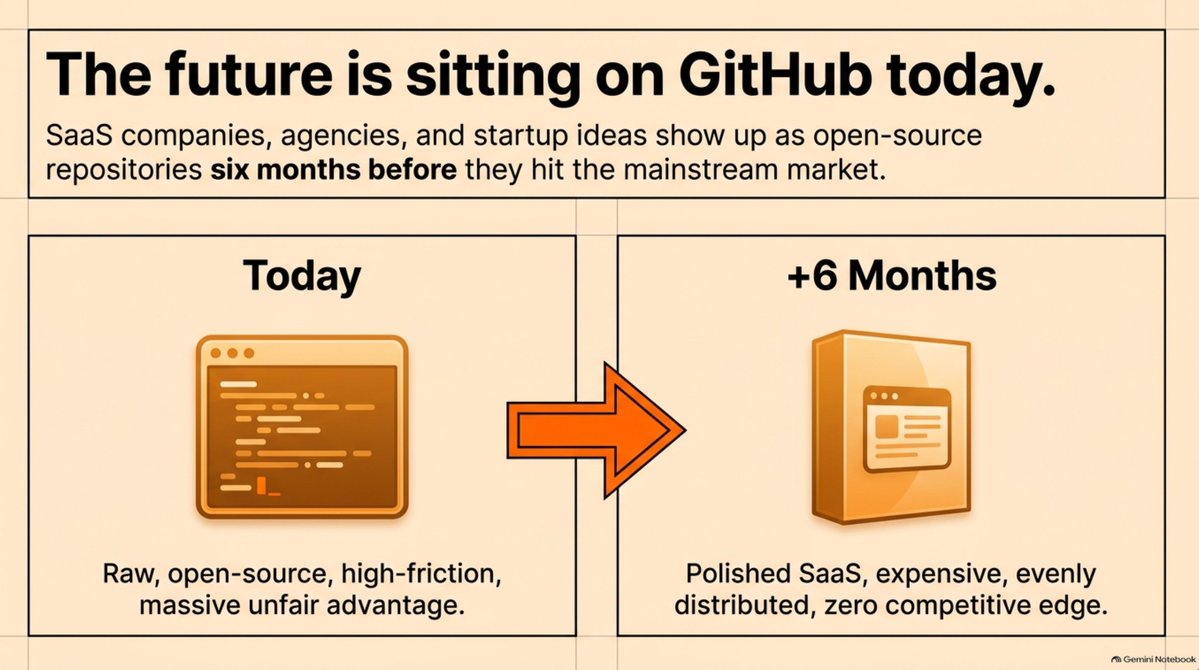
GitHub is where the tools people discuss in six months are sitting today.
SaaS companies, agencies, workflows, startup ideas. They show up there first.
So I went through the repos that got attention over the last 30 days and picked 5. All 5 are free and open source. A few carry paid dependencies (one leans on ElevenLabs), so plan for that.
Here they are, in plain English.
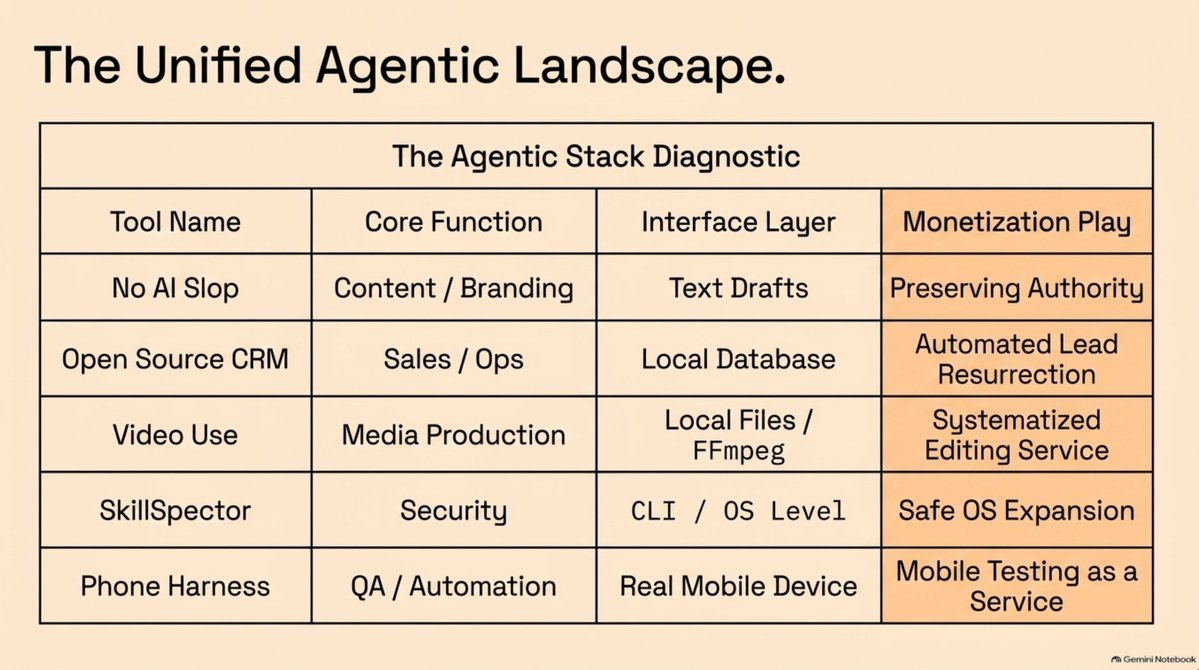
## 01. No AI Slop, by Peter Yang
Everyone who writes with AI has felt this.
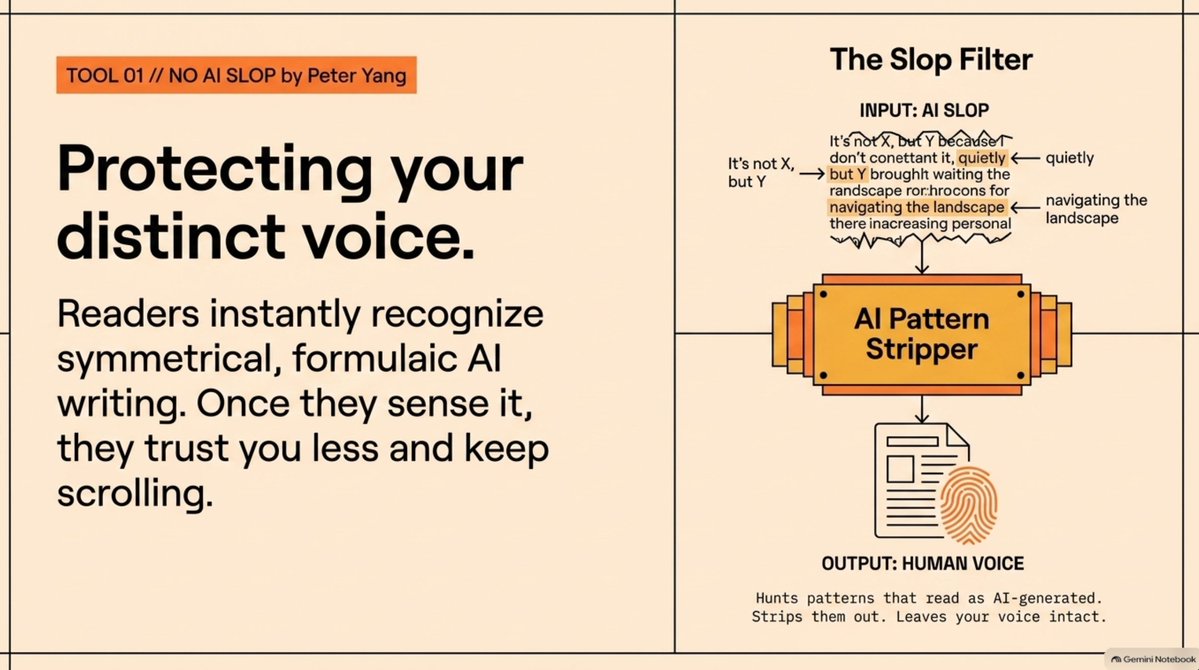
The grammar is fine. The syntax is fine. It still smells wrong. Too polished, too symmetrical, too formulaic. "It's not X, but it's Y." The word "quietly," over and over.
Once you notice it, you see it everywhere.
Most writing tools clean your draft and sand off the interesting parts, so everyone ends up sounding identical. This skill goes the other direction: it hunts the patterns that read as AI generated, and it protects your voice while it strips them.
Why it matters: you write constantly. Tweets, landing pages, cold emails, launch posts, product updates, onboarding copy, investor updates. Readers who sense AI copy trust you less and keep scrolling.
How to install:
npx skills add [github link]
The workflow:Write a rough outline yourself, messy and real → ask the skill to remove the AI patterns and keep your voice.
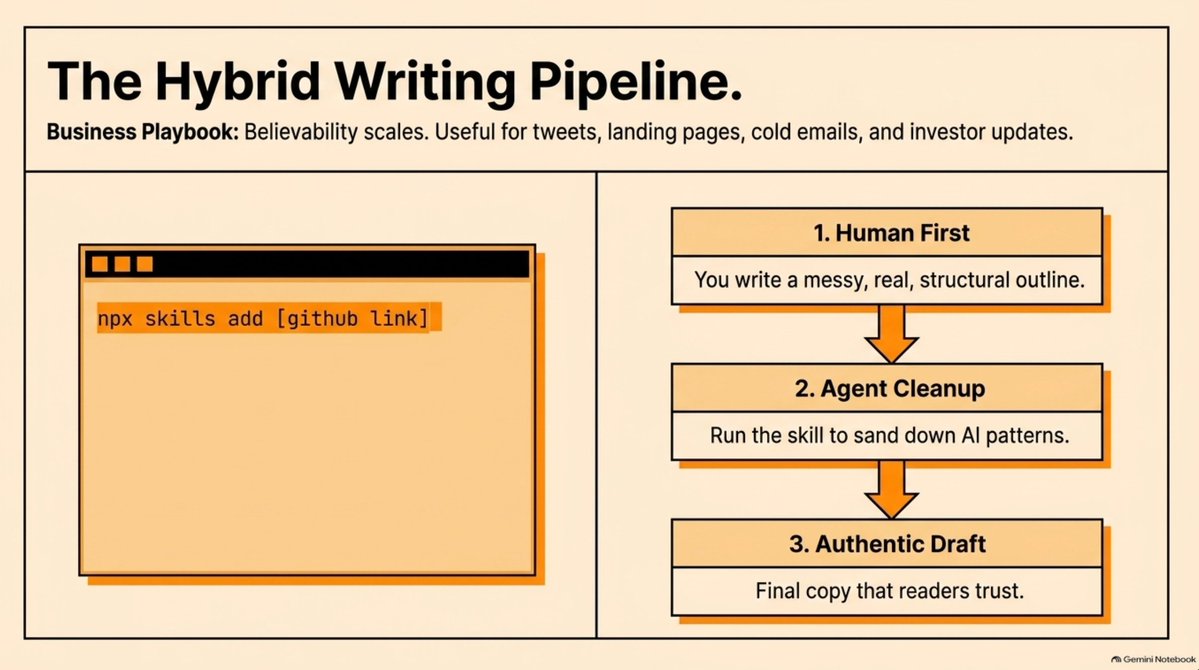
Human ideas first. AI cleanup second.
petergyang/no-ai-slop — [https://github.com/petergyang/no-ai-slop](https://github.com/petergyang/no-ai-slop)
## 02. The Open Source CRM, by TryCompAI
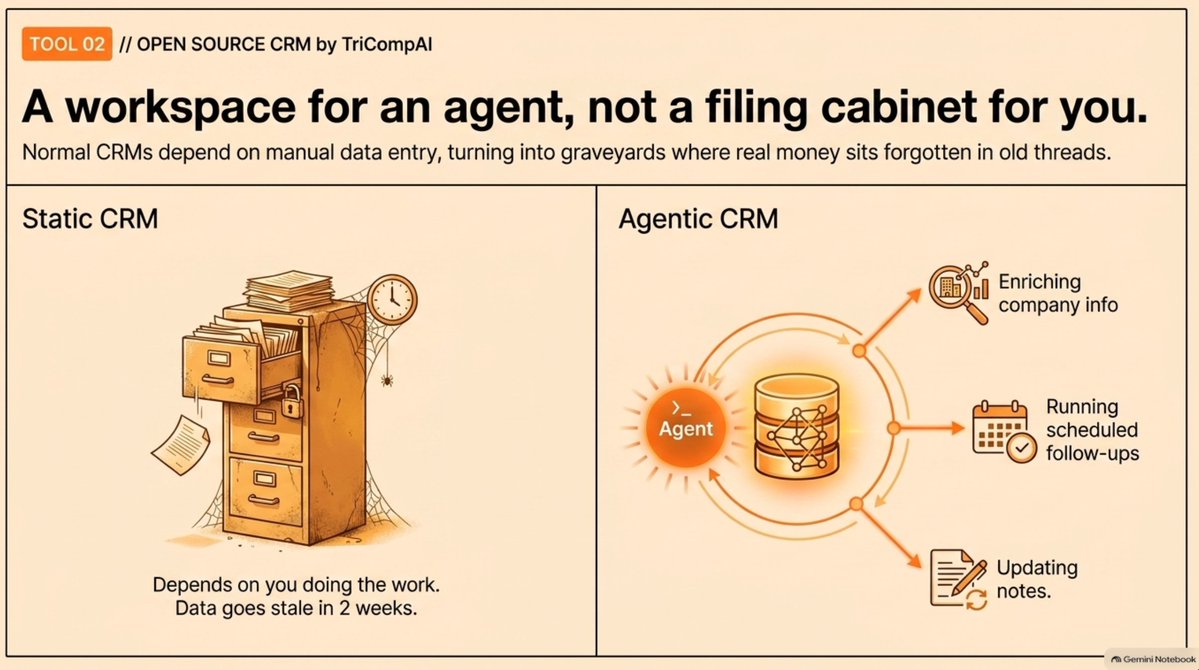
A normal CRM is a database with names, emails, and notes. It depends on you doing the work.
So it becomes a graveyard. Exciting for two weeks, then the data goes stale, the notes get messy, and the people who could pay you sit inside a tool nobody opens.
This repo treats the CRM as a workspace for an agent instead of a filing cabinet for you. The agent reads records, researches people, enriches company info, runs scheduled follow-ups, and keeps the notes current.
Why it matters: most businesses have opportunities. The opportunities just scatter. A warm intro from six months ago. A customer who said "check back later." Real money sits in those threads.
How to install (needs Bun and Docker):
git clone [repo] cd crm cp .env.example .env bun install docker compose up -d bun run db deploy bun run db seed bun run dev
It runs locally on localhost:3000, with the API on localhost:3001. Set your environment variables, including a Google or Microsoft OAuth client for sign-in, email, and calendar.
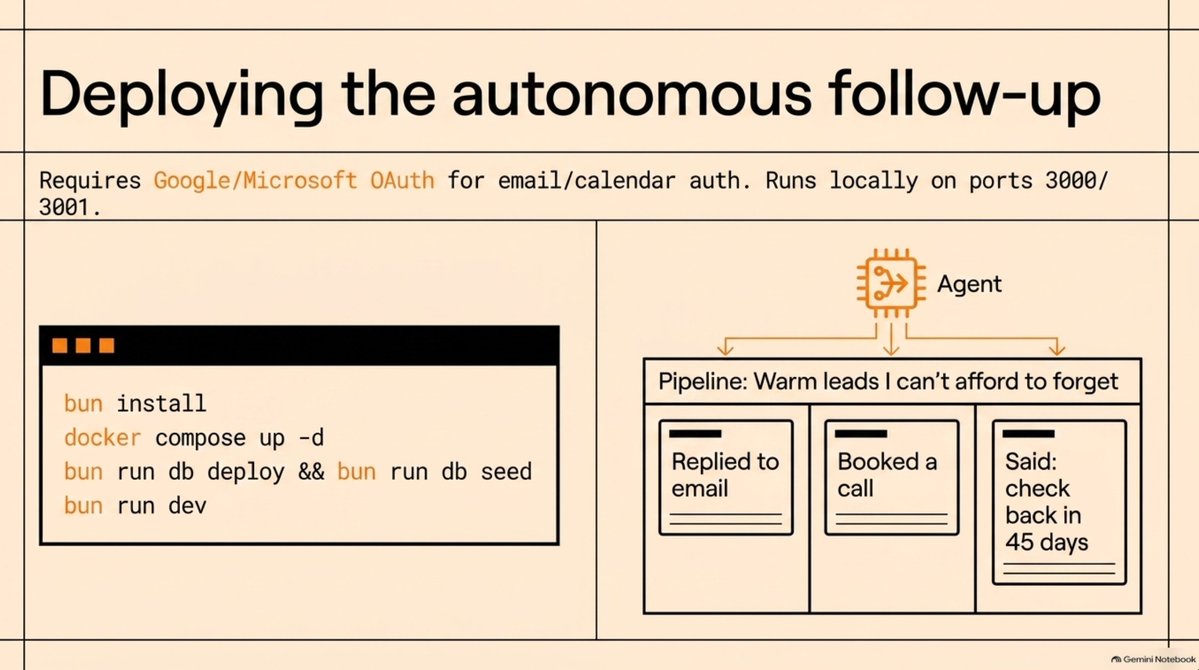
Start here: build one pipeline. Call it "warm leads I can't afford to forget." Drop in everyone who showed buying intent: replied to an email, booked a call, asked about pricing, said they would circle back in 45 days. Let the agent keep it alive.
Who needs a follow-up. What to say. What changed at their company since you last talked.
trycompai/crm — [https://github.com/trycompai/crm](https://github.com/trycompai/crm)
## 03. Video Use, by Browser Use
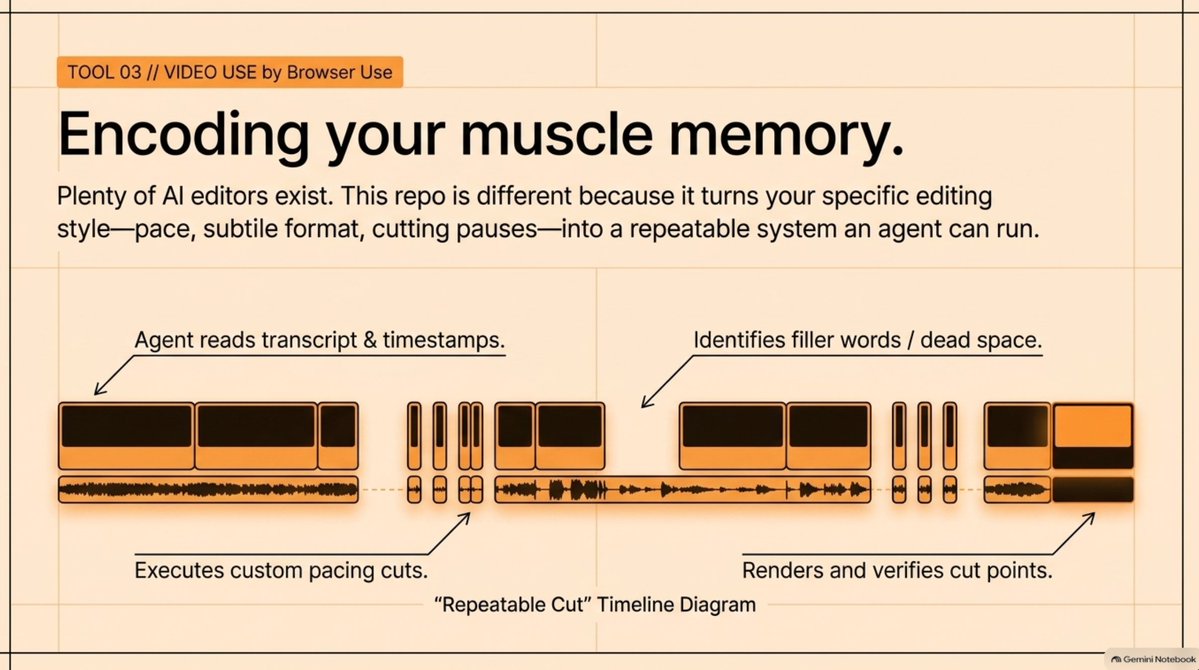
This one lands instantly: it lets you edit video with coding agents.
Drop your raw footage in a folder. Ask Claude Code or Codex to edit it. It removes filler words, cuts dead space, adds subtitles, color grades, builds overlays, renders the file, and checks the output.
Plenty of AI editing software exists already. The difference here is that your editing style becomes something an agent can read and repeat.
Think about your own edits. Same subtitle style. Same pace. Same way of cutting pauses and opening clips. That normally lives in muscle memory. Here the agent reads the transcript, looks at the timestamps, proposes a strategy, renders it, and checks the cut points.
How to install: paste a setup prompt into Claude Code or Codex with shell access. Read install.md, install the repo, wire up FFmpeg, register the skill with your agent, and ask for the ElevenLabs API key when needed. Manual install works too, though the agent handles it faster for most people.
Start small. One repeatable format. A founder's Loom into a 60 second launch video. A podcast recording into 3 clips. Get one format working, turn it into a system, then run it or sell it.
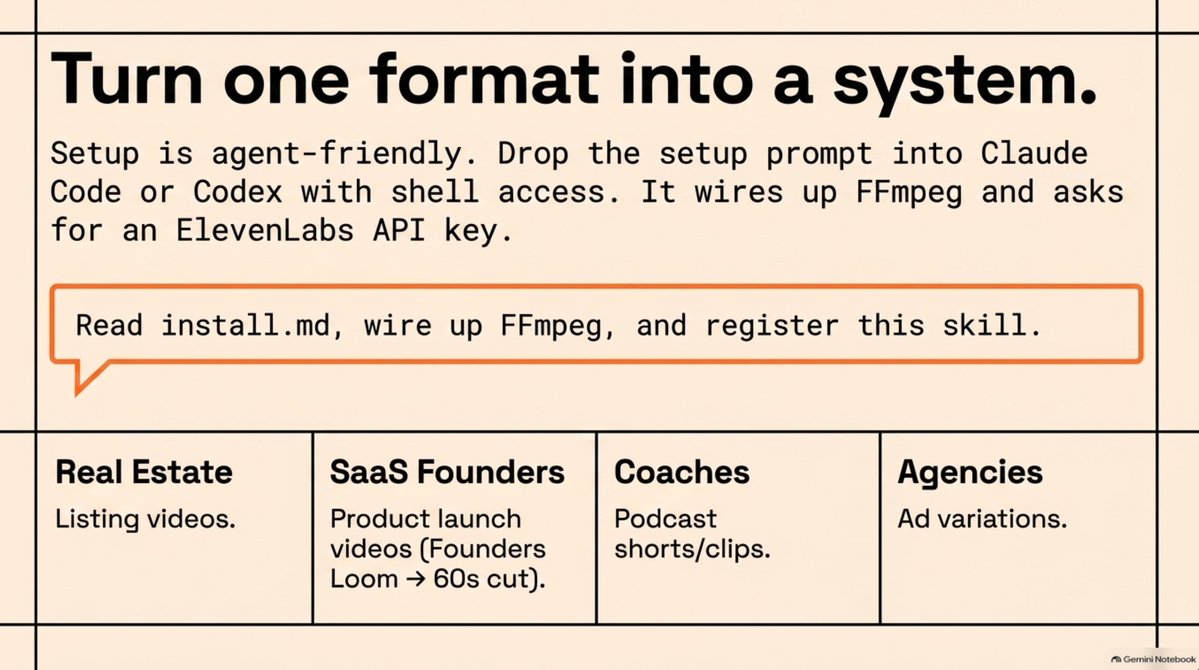
Startup idea sitting right there: real estate agents need listing videos, SaaS founders need product videos, coaches need clips, agencies need ad variations. Everyone wants content. Almost everyone hates editing.
browser-use/video-use — [https://github.com/browser-use/video-use](https://github.com/browser-use/video-use)
## 04. SkillSpector, by NVIDIA
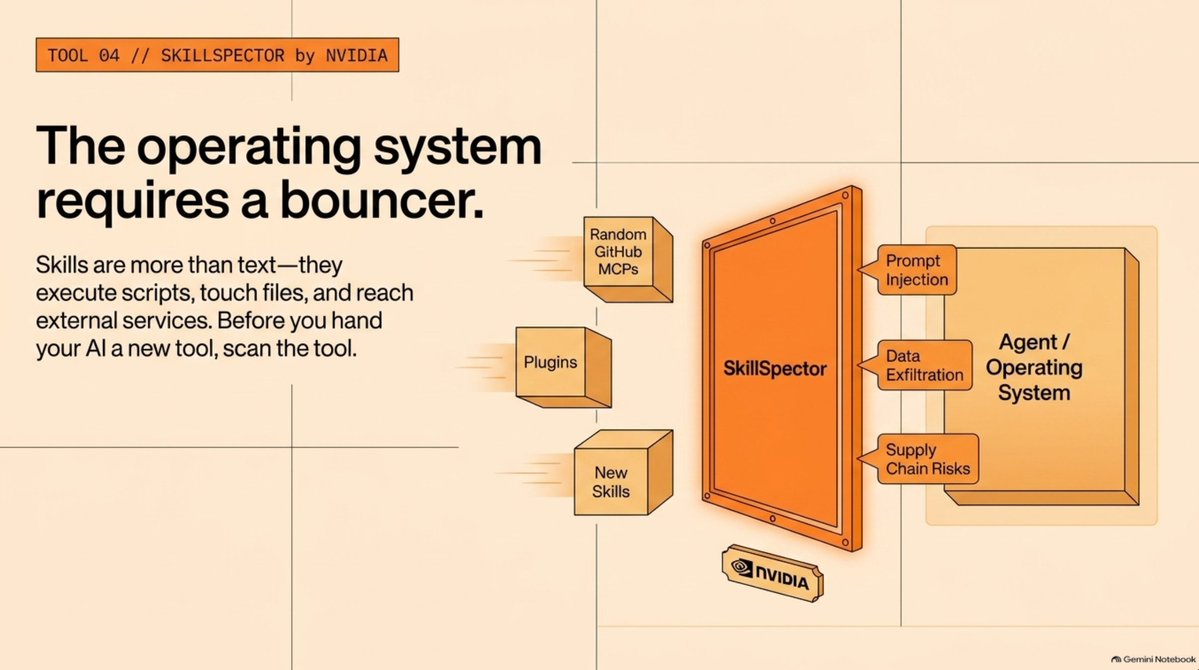
People now install skills, MCP servers, plugins, and agent tools straight from GitHub. That gives your AI new abilities fast.
It also creates a problem. A skill is more than a block of text. It carries instructions, scripts, dependencies, and tool access. It can touch files, call tools, and reach services.
SkillSpector scans agent skills for prompt injection, data exfiltration, supply chain risk, hidden instructions, malicious patterns, and MCP-related risks.
Before you hand your AI a new tool, scan the tool.
How to install:
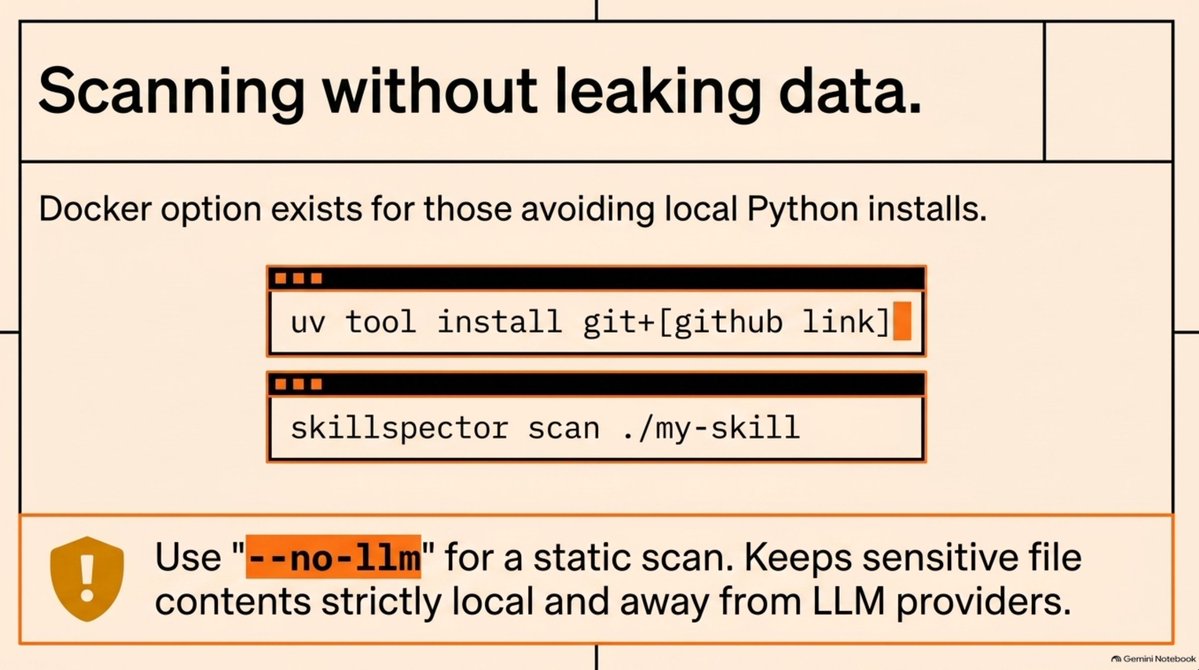
uv tool install git+[github link]
Scan a local directory with skillspector scan ./my-skill, or scan a GitHub repo by link. Add --no-llm for a static scan that keeps file contents away from an LLM provider, which matters for private files. A Docker option exists if you prefer to skip a local Python install.
Why it matters: builders are assembling full AI work environments now. A coding agent, a research skill, a design skill, a browser tool, a video workflow. That setup starts to look like an operating system for your work. At that point security becomes a founder problem instead of an enterprise problem.
NVIDIA attaching its name here gives the whole category credibility.
NVIDIA SkillSpector — [https://github.com/NVIDIA/SkillSpector](https://github.com/NVIDIA/SkillSpector)
## 05. Phone Harness, by Shawn Pana
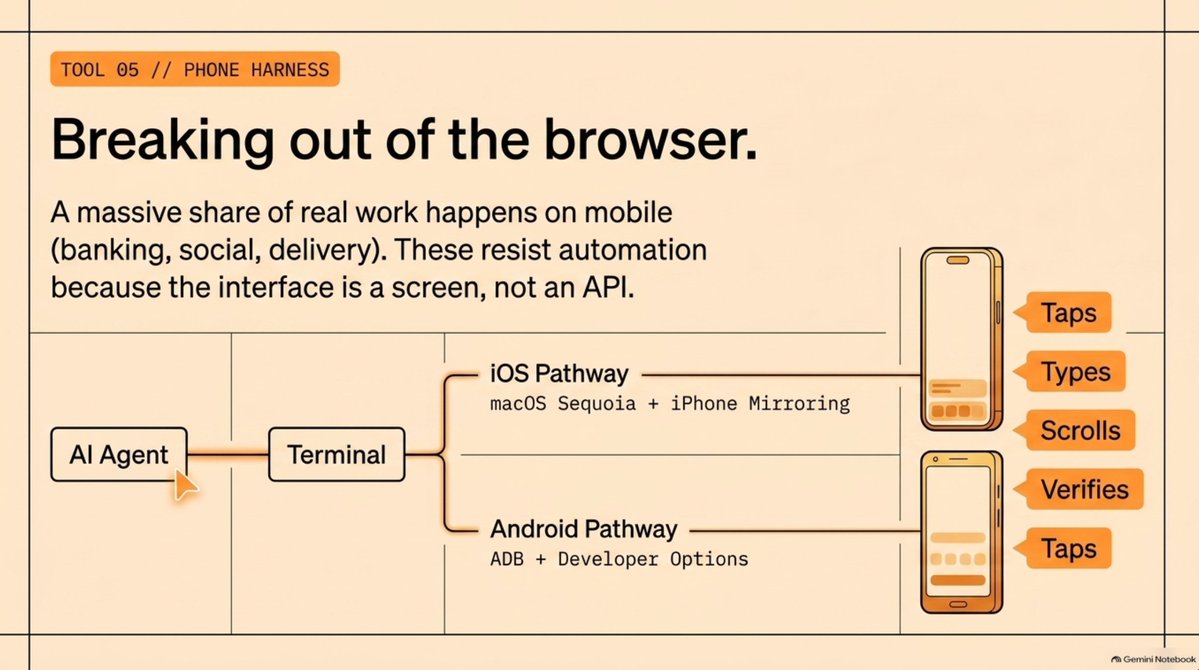
This one lets an AI agent control your phone.
Most agent tools live in browsers, terminals, and desktop apps. Meanwhile a huge share of real work happens on a phone. Banking, messaging, social, food delivery. Those workflows resist automation because the only real interface is a screen.
Phone Harness connects Codex or Claude Code to a real iPhone or Android. iPhone runs through Mac iPhone mirroring. Android runs through ADB. Your phone stays stock, Xcode stays out of it, and the phone needs no special app.
The agent sees the screen, taps, types, scrolls, opens apps, and verifies what happened.
Use cases: Mobile QA on a real device: onboarding, sign up, checkout Automating mobile apps that ship no API Repetitive creator workflows across TikTok and Instagram
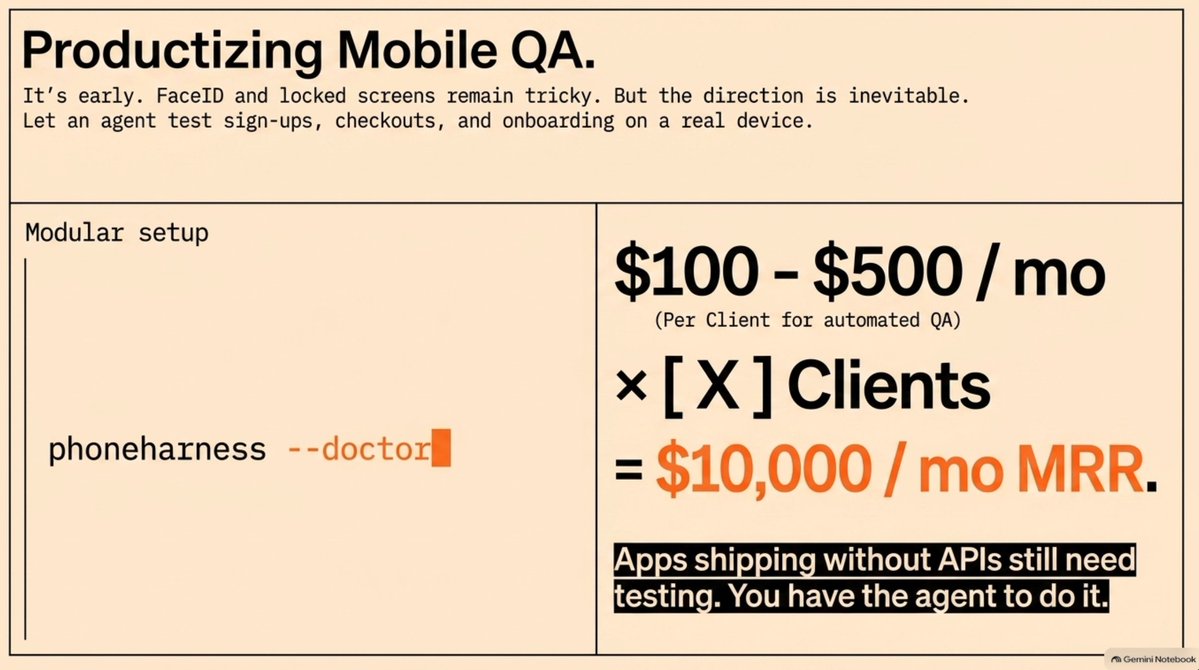
How to install: paste the repo's setup prompt into Codex or Claude Code. Clone the GitHub, read install.md, install so phone harness lands on your path, register it as an agent skill, read onboarding.md, and walk through setup. Then run phoneharness --doctor to check it.
iPhone needs macOS Sequoia or later with iPhone mirroring, plus accessibility and screen recording permissions for your terminal. Android needs developer options on, over USB or wireless.
Note on maturity: this one is early. Locked phones, Face ID, and camera flows stay tricky. The direction is obvious anyway. Agents are moving from answering questions to operating tools, and the phone is one of the biggest tool surfaces on earth.
Productize mobile QA and the math gets interesting fast. $100 a month per client. $500 a month per client. Count how many you need to reach $10k.
phone-harness — [https://github.com/ShawnPana/phone-harness](https://github.com/ShawnPana/phone-harness)
## The Pattern Behind All 5
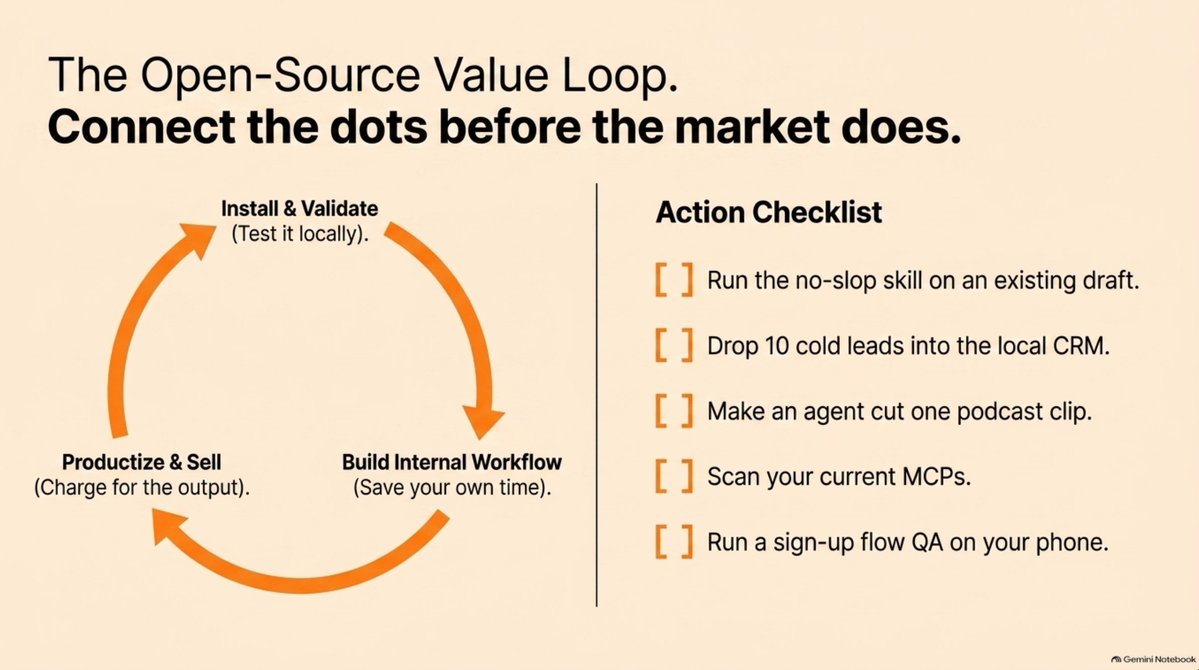
Install the repo. Get one small workflow working and adding value. Then decide: keep it inside your own workflow, or productize it for other people.
That is the loop.
## Action checklist
- Install the no-slop skill and run it on a draft you already wrote
- Stand up the CRM locally and build one pipeline of warm leads
- Pick one repeatable video format and make the agent produce it
- Scan every skill you install from now on
- Connect one phone and run a full sign-up flow as QA
- For any repo that works, ask whether someone would pay you to run it
GitHub is one of the few places left where genuinely useful tools appear before they go mainstream.
Install a few every month, even the technical ones. You learn what works for you, what the repo is missing, and how it fits your company.
You build faster. And the dots connect.
## Checkout the full episode:
Apple: [https://podcasts.apple.com/us/podcast/these-5-github-repos-are-a-goldmine/id1593424985?i=1000787470166](https://podcasts.apple.com/us/podcast/these-5-github-repos-are-a-goldmine/id1593424985?i=1000787470166)
Spotify: [https://open.spotify.com/episode/3Py7WoWQcXxb6SG1tium1D?si=05ebf7527fdd4500](https://open.spotify.com/episode/3Py7WoWQcXxb6SG1tium1D?si=05ebf7527fdd4500)
Youtube: [https://www.youtube.com/watch?v=9_SZFIW7tus](https://www.youtube.com/watch?v=9_SZFIW7tus)
## 相关链接
- [The Startup Ideas Podcast (SIP)](https://x.com/startupideaspod)
- [@startupideaspod](https://x.com/startupideaspod)
- [15K](https://x.com/startupideaspod/status/2095229930376507598/analytics)
- [https://github.com/petergyang/no-ai-slop](https://github.com/petergyang/no-ai-slop)
- [https://github.com/trycompai/crm](https://github.com/trycompai/crm)
- [https://github.com/browser-use/video-use](https://github.com/browser-use/video-use)
- [https://github.com/NVIDIA/SkillSpector](https://github.com/NVIDIA/SkillSpector)
- [https://github.com/ShawnPana/phone-harness](https://github.com/ShawnPana/phone-harness)
- [https://podcasts.apple.com/us/podcast/these-5-github-repos-are-a-goldmine/id1593424985?i=1000787470166](https://podcasts.apple.com/us/podcast/these-5-github-repos-are-a-goldmine/id1593424985?i=1000787470166)
- [https://open.spotify.com/episode/3Py7WoWQcXxb6SG1tium1D?si=05ebf7527fdd4500](https://open.spotify.com/episode/3Py7WoWQcXxb6SG1tium1D?si=05ebf7527fdd4500)
- [https://www.youtube.com/watch?v=9_SZFIW7tus](https://www.youtube.com/watch?v=9_SZFIW7tus)
- [Upgrade to Premium](https://x.com/i/premium_sign_up)
- [3:18 AM · Sep 3, 2026](https://x.com/startupideaspod/status/2095229930376507598)
- [15.4K Views](https://x.com/startupideaspod/status/2095229930376507598/analytics)
---
*导出时间: 2026/9/3 09:17:10*
---
## 中文翻译
# 5 个 GitHub 仓库:消灭 AI 味、病毒式传播、赚大钱
**作者**: The Startup Ideas Podcast (SIP)
**日期**: 2026-09-02T19:18:37.000Z
**来源**: [https://x.com/startupideaspod/status/2095229930376507598](https://x.com/startupideaspod/status/2095229930376507598)
---

## 本月必装的 5 个 GitHub 仓库

人们六个月后才热议的工具,如今正静静躺在 GitHub 上。
SaaS 公司、代理机构、工作流、创业点子,都会先出现在那里。
所以我翻了一遍过去 30 天里备受关注的仓库,挑出了 5 个。这 5 个全部免费开源。有几个带有付费依赖(其中一个依赖 ElevenLabs),请提前做好打算。
下面用大白话一一介绍。
## 01. No AI Slop,作者 Peter Yang

每个用 AI 写作的人都有过这种感受。
语法没问题,句式没问题,但就是感觉不对劲。太精致、太对称、太套路化。“这不是 X,而是 Y。”还有那个“悄悄地”,一遍又一遍。
一旦你注意到了,就到处都能看见。
大多数写作工具会打磨你的草稿,把有意思的地方磨平,结果所有人听起来都一个样。这个技能反其道而行之:它会猎杀那些一看就是 AI 生成的写作模式,并在清除它们的同时保护你的个人风格。
为什么重要:你每天都在写。推文、落地页、冷邮件、发布帖、产品更新、新手引导文案、投资人报告。察觉到 AI 味的读者会更不信任你,然后划走。
安装方法:
npx skills add [github 链接]
工作流程:自己先写一份粗糙的大纲,杂乱而真实 → 让这个技能去除 AI 模式并保留你的风格。

人类创意先行,AI 清理在后。
petergyang/no-ai-slop — [https://github.com/petergyang/no-ai-slop](https://github.com/petergyang/no-ai-slop)
## 02. 开源 CRM,作者 TryCompAI

普通 CRM 就是一个存着姓名、邮箱和备注的数据库,一切工作都得靠你自己来。
所以它最后变成一座坟场。头两周兴致勃勃,然后数据过时、备注凌乱,那些可能给你付钱的人就躺在没人打开的工具里。
这个仓库把 CRM 当作智能体的工作区,而不是给你用的文件柜。智能体会读取记录、调研联系人、丰富公司信息、执行定时跟进,并让备注保持最新。
为什么重要:大多数企业并不缺机会,只是机会散落各处。六个月前的一次热心引荐。一个说“以后再联系”的客户。真正的钱就藏在那些对话线索里。
安装方法(需要 Bun 和 Docker):
git clone [repo] cd crm cp .env.example .env bun install docker compose up -d bun run db deploy bun run db seed bun run dev
它会在 localhost:3000 本地运行,API 在 localhost:3001。设置你的环境变量,包括用于登录、邮件和日历的 Google 或 Microsoft OAuth 客户端。

从这里开始:建一个销售管道,命名为“我不能忘掉的热线索”。把所有表现出购买意向的人放进去:回复过邮件的、预约过通话的、问过价格的、说 45 天后回来的。让智能体保持管道活跃。
谁需要跟进。该说什么。自上次交流以来他们的公司有什么变化。
trycompai/crm — [https://github.com/trycompai/crm](https://github.com/trycompai/crm)
## 03. Video Use,作者 Browser Use

这个项目直击痛点:它让你用编程智能体来剪辑视频。
把原始素材放进文件夹,让 Claude Code 或 Codex 去剪辑。它会删除废话、剪掉空白、加字幕、调色、制作叠层、渲染文件并检查输出。
AI 剪辑软件已经很多了,但这里的区别在于:你的剪辑风格变成了智能体可以读取并复现的东西。
想想你自己的剪辑习惯。同样的字幕样式。同样的节奏。同样的删停顿、开片段方式。这通常存在于肌肉记忆里。而在这里,智能体会读字幕稿、看时间戳、提出剪辑策略、渲染成片并检查剪辑点。
安装方法:把安装提示词粘贴到有 shell 权限的 Claude Code 或 Codex 里。阅读 install.md、安装仓库、配置 FFmpeg、把技能注册到你的智能体上,需要时提供 ElevenLabs 的 API key。手动安装也可以,不过对大多数人来说,智能体处理得更快。
从小处开始。一种可重复的格式。把创始人的 Loom 视频变成 60 秒发布视频。把播客录像变成 3 条片段。让一种格式跑通,把它变成系统,然后自己运营或卖给客户。

创业点子就在眼前:房产经纪人需要房源视频,SaaS 创始人需要产品视频,教练需要片段,代理机构需要广告变体。人人都想要内容,但几乎人人都讨厌剪辑。
browser-use/video-use — [https://github.com/browser-use/video-use](https://github.com/browser-use/video-use)
## 04. SkillSpector,作者 NVIDIA

现在人们直接从 GitHub 安装技能、MCP 服务器、插件和智能体工具。这让你的 AI 快速获得新能力。
但也带来一个问题。技能不只是文本块。它包含指令、脚本、依赖和工具访问权限。它可以碰你的文件、调用工具、访问服务。
SkillSpector 会扫描智能体技能中的提示词注入、数据外泄、供应链风险、隐藏指令、恶意模式和 MCP 相关风险。
在把新工具交给你的 AI 之前,先扫描这个工具。
安装方法:
uv tool install git+[github 链接]
用 skillspector scan ./my-skill 扫描本地目录,或通过链接扫描 GitHub 仓库。加 --no-llm 可以进行静态扫描,避免文件内容发送给 LLM 提供商,这对私密文件很重要。如果你不想在本地装 Python,也有 Docker 方案。

为什么重要:建造者们现在正在搭建完整的 AI 工作环境。一个编程智能体、一个研究技能、一个设计技能、一个浏览器工具、一个视频工作流。这套配置开始像你工作的操作系统。到那时,安全就不再是企业问题,而是创始人的问题。
NVIDIA 挂名这个领域,让整个品类更有可信度。
NVIDIA SkillSpector — [https://github.com/NVIDIA/SkillSpector](https://github.com/NVIDIA/SkillSpector)
## 05. Phone Harness,作者 Shawn Pana

这个项目让 AI 智能体控制你的手机。
大多数智能体工具都活在浏览器、终端和桌面应用里。而现实中大量工作发生在手机上。银行、消息、社交、外卖。这些工作流抗拒自动化,因为唯一的真实界面就是屏幕。
Phone Harness 把 Codex 或 Claude Code 连接到真实的 iPhone 或 Android。iPhone 通过 Mac 的 iPhone 镜像运行,Android 通过 ADB 运行。手机保持原厂状态,不需要 Xcode,也不用装特殊应用。
智能体能看到屏幕,点击、输入、滚动、打开应用,并验证发生了什么。
使用场景:在真机上进行移动端 QA:新手引导、注册、结账;为不提供 API 的移动应用实现自动化;跨 TikTok 和 Instagram 的重复性创作者工作流。

安装方法:把仓库的安装提示词粘贴进 Codex 或 Claude Code。克隆 GitHub 仓库,阅读 install.md,安装使 phone harness 进入你的 PATH,把它注册为智能体技能,阅读 onboarding.md,走完安装流程。然后运行 phoneharness --doctor 进行检查。
iPhone 需要 macOS Sequoia 或更高版本并支持 iPhone 镜像,还需给终端授予辅助功能和屏幕录制权限。Android 需要开启开发者选项,通过 USB 或无线连接。
关于成熟度的说明:这个项目还很早期。锁屏手机、Face ID 和相机流程仍有难度。但方向显而易见。智能体正在从回答问题转向操作工具,而手机是地球上最大的工具界面之一。
把移动端 QA 产品化,账算起来就很刺激了。每个客户每月 100 美元。每个客户每月 500 美元。算算需要多少客户才能到 1 万美元。
phone-harness — [https://github.com/ShawnPana/phone-harness](https://github.com/ShawnPana/phone-harness)
## 这 5 个项目背后的共同规律
安装仓库。跑通一个能产生价值的小工作流。然后决定:留在自己的工作流里用,还是产品化卖给别人。
这就是闭环。
## 行动清单

- 安装 no-slop 技能,在你已经写好的一篇稿子上跑一遍
- 在本地搭起 CRM,建一条热线索管道
- 选一种可重复的视频格式,让智能体产出它
- 从现在起,扫描你安装的每一个技能
- 连接一部手机,完整跑一遍注册流程作为 QA
- 对任何好用的仓库,问问自己:有没有人愿意付钱让你替他们运营
GitHub 是仅存的几个地方之一:真正有用的工具在成为主流之前就已经出现在那里。

每个月装几个,哪怕是技术型的。你会了解什么对你有用、仓库还缺什么、以及它如何融入你的公司。
你建造得更快。所有的点连成了线。
## 收看完整节目:
Apple: [https://podcasts.apple.com/us/podcast/these-5-github-repos-are-a-goldmine/id1593424985?i=1000787470166](https://podcasts.apple.com/us/podcast/these-5-github-repos-are-a-goldmine/id1593424985?i=1000787470166)
Spotify: [https://open.spotify.com/episode/3Py7WoWQcXxb6SG1tium1D?si=05ebf7527fdd4500](https://open.spotify.com/episode/3Py7WoWQcXxb6SG1tium1D?si=05ebf7527fdd4500)
Youtube: [https://www.youtube.com/watch?v=9_SZFIW7tus](https://www.youtube.com/watch?v=9_SZFIW7tus)
## 相关链接
- [The Startup Ideas Podcast (SIP)](https://x.com/startupideaspod)
- [@startupideaspod](https://x.com/startupideaspod)
- [15K](https://x.com/startupideaspod/status/2095229930376507598/analytics)
- [https://github.com/petergyang/no-ai-slop](https://github.com/petergyang/no-ai-slop)
- [https://github.com/trycompai/crm](https://github.com/trycompai/crm)
- [https://github.com/browser-use/video-use](https://github.com/browser-use/video-use)
- [https://github.com/NVIDIA/SkillSpector](https://github.com/NVIDIA/SkillSpector)
- [https://github.com/ShawnPana/phone-harness](https://github.com/ShawnPana/phone-harness)
- [https://podcasts.apple.com/us/podcast/these-5-github-repos-are-a-goldmine/id1593424985?i=1000787470166](https://podcasts.apple.com/us/podcast/these-5-github-repos-are-a-goldmine/id1593424985?i=1000787470166)
- [https://open.spotify.com/episode/3Py7WoWQcXxb6SG1tium1D?si=05ebf7527fdd4500](https://open.spotify.com/episode/3Py7WoWQcXxb6SG1tium1D?si=05ebf7527fdd4500)
- [https://www.youtube.com/watch?v=9_SZFIW7tus](https://www.youtube.com/watch?v=9_SZFIW7tus)
- [Upgrade to Premium](https://x.com/i/premium_sign_up)
- [3:18 AM · Sep 3, 2026](https://x.com/startupideaspod/status/2095229930376507598)
- [15.4K Views](https://x.com/startupideaspod/status/2095229930376507598/analytics)
---
*导出时间: 2026/9/3 09:17:10*