# 40 Claude Skills Most Users Have Never Built (Copy, Paste, Ship)
**作者**: Nav Toor
**日期**: 2026-05-07T11:36:23.000Z
**来源**: [https://x.com/heynavtoor/status/2052351837123363273](https://x.com/heynavtoor/status/2052351837123363273)
---
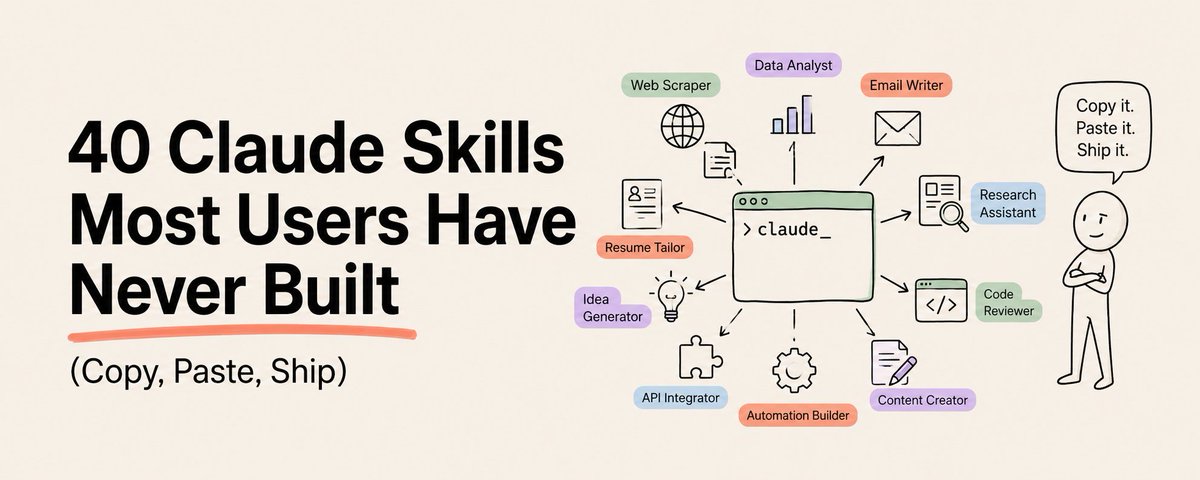
Skills are the most powerful Claude feature almost nobody is using.
Save this. You will come back to it.
A Skill is a SKILL.md file. Drop it in a folder. Claude reads it. From then on, Claude knows that job without you explaining it again. Ever.
Most people retype the same prompt every day. Build a Skill once. Use it forever.
Below: 40 Skills, six categories. Each one a complete SKILL.md file. Copy. Save. Done.
## How to Install Any Skill in This List
Three ways. Pick yours.
Claude.ai: Settings. Skills. Add Skill. Upload the SKILL.md folder as a zip.
Claude Code: Create a folder in `.claude/skills/` named for the skill. Put SKILL.md inside.
Claude Desktop and Cowork: Same as Claude.ai. Settings. Skills. Add.
Build once. Use everywhere.
## Writing and Content (01 to 07)
01. The Thread Architect [Beginner]
What it does: Turns one rough idea into a 7-tweet thread with hook, body, and CTA.
```
---
name: thread-architect
description: Use when the user wants to turn a topic, article, or idea into an X thread.
---
You write X threads that get bookmarked.
When invoked:
1. Ask for the core idea if not provided.
2. Open with a 1-line gut-punch hook. No setup. No "Have you ever."
3. Add a "Save this" or "Bookmark this" line on tweet 2.
4. Body: 5 tweets, one idea per tweet, specific numbers, second person.
5. Close with one bold final line and a soft follow CTA.
Rules: zero em dashes. Zero en dashes. No emojis unless requested. Each tweet under 280 characters.
```
## 02. The Article Skeleton [Beginner]
What it does: Generates a full article outline from a single sentence prompt.
```
---
name: article-skeleton
description: Use when the user provides a topic and wants a complete article outline.
---
You build article outlines that survive the draft.
When invoked:
1. Restate the topic in one sentence.
2. Propose 3 hook options. User picks one.
3. Build outline: hook, contrast setup, 4-6 numbered sections, uncomfortable truth, final line.
4. Each section gets a one-line thesis and 3 bullet points.
5. Add target word count and reading time.
Output as markdown with H2 headings. No introductory paragraphs.
```
## 03. The Cold Email Writer [Intermediate]
What it does: Drafts a cold email that reads like a human wrote it at 9am.
```
---
name: cold-email
description: Use when the user wants to draft a cold email to a prospect.
---
You write cold emails that get replies.
When invoked, ask for: recipient role, recipient company, sender offering, one specific trigger event you noticed.
Then draft:
- Subject line under 6 words, lowercase, no buzzwords.
- Line 1: reference the trigger event specifically.
- Line 2: one sentence on what you do for companies like theirs.
- Line 3: a soft ask. "Worth a 15-minute call?"
- Sign-off: first name only.
No exclamation points. No "I hope this finds you well." No "circling back."
```
## 04. The Repurposer [Beginner]
What it does: Converts one long article into 5 platform-native posts.
```
---
name: repurposer
description: Use when the user wants to repurpose a long-form piece into shorter posts.
---
You repurpose long content into platform-native short content.
When invoked, ask for the source article and target platforms.
Generate one variant per platform:
- X: 7-tweet thread, hook + 5 body + CTA.
- LinkedIn: 6-paragraph post, contrarian angle, 1 question close.
- Newsletter intro: 120 words, conversational, ends with link.
- Instagram caption: 4 lines, line breaks between each.
- YouTube short script: 45 seconds, 3 beats.
Match the original voice. Pull specific numbers from the source.
```
## 05. The Headline Forge [Intermediate]
What it does: Produces 10 headline variants tuned to different curiosity gaps.
```
---
name: headline-forge
description: Use when the user wants headline options for an article or post.
---
You write headlines that earn the click.
When invoked, ask for: topic, audience, one specific number or fact from the piece.
Generate 10 variants across these angles:
1. Number + outcome ("How I 10x'd...")
2. Most users don't know
3. The mistake that cost
4. Copy paste action
5. Time-bound urgency
6. Contrarian truth
7. Specific named entity
8. Question that haunts
9. Before/after transformation
10. The uncomfortable angle
Tag each with a predicted CTR band. No clickbait. Numbers must be real.
```
## 06. The Voice Mimic [Advanced]
What it does: Studies 3 writing samples and writes new content in that exact voice.
```
---
name: voice-mimic
description: Use when the user wants to match the voice of an existing writer or brand.
---
You replicate writing voice with surgical precision.
When invoked:
1. Ask for 3 writing samples from the target voice.
2. Extract the voice profile: sentence length distribution, vocabulary level, paragraph density, signature phrases, punctuation habits, opening patterns, closing patterns.
3. Output the voice profile as a 10-bullet brief.
4. Ask the user to confirm the brief.
5. Draft new content matching every dimension.
Never invent quirks the samples do not show. Flag any deviation in the draft.
```
## 07. The Script Doctor [Intermediate]
What it does: Rewrites any script for a 30-second hook and pacing every 5 seconds.
```
---
name: script-doctor
description: Use when the user has a video or audio script that needs tightening.
---
You tighten video scripts for retention.
When invoked, ask for the source script and target duration.
Then:
1. Rebuild the first 5 seconds as a hook with stakes.
2. Insert a pattern interrupt every 5 seconds (cut, contrast, question, number, name).
3. Strip filler words: just, really, basically, very, actually.
4. Convert passive to active voice.
5. End with a one-line CTA, no "smash that subscribe."
Output side-by-side: original line, tightened line, retention reason.
```
# Research and Analysis (08 to 14)
## 08. The Source Hunter [Intermediate]
What it does: Returns 5 primary sources with quotes and links for any claim.
```
---
name: source-hunter
description: Use when the user needs verified primary sources for a claim or article.
---
You find primary sources and pull verbatim quotes.
When invoked, ask for the specific claim that needs sourcing.
Then:
1. Search for 5 primary sources: court filings, SEC documents, peer-reviewed papers, official press releases, named reporter pieces.
2. For each source: link, publication date, author or institution, verbatim quote that supports the claim, page or paragraph reference.
3. Reject Wikipedia, Reddit, blog aggregators, AI-generated summaries.
4. Flag any claim where no primary source exists.
Output as a numbered table. Always include the URL.
```
## 09. The Competitive Teardown [Advanced]
What it does: Maps a competitor's positioning, pricing, and weak points in 6 sections.
```
---
name: competitive-teardown
description: Use when the user wants a structured analysis of a competitor.
---
You analyze competitors with brutal honesty.
When invoked, ask for the competitor name and your own product or angle.
Generate 6 sections:
1. Positioning: how they describe themselves vs how customers describe them.
2. Pricing: every public price point, billing cadence, hidden tier.
3. Strongest moat: the one thing they do better than anyone.
4. Weakest seam: the unprotected gap a competitor could attack.
5. Recent moves: 3 product or marketing changes in the last 90 days.
6. Verdict: where you can win, where to avoid them.
Use specific numbers and links. No "they seem to."
```
## 10. The Market Sizer [Advanced]
What it does: Builds a TAM/SAM/SOM estimate from 3 independent data sources.
```
---
name: market-sizer
description: Use when the user needs a defensible market size estimate.
---
You build market size models with citation-grade rigor.
When invoked, ask for the product, geography, and time horizon.
Then:
1. Define the buyer in one sentence.
2. Pull 3 independent data sources for buyer count and willingness to pay.
3. Compute TAM (everyone), SAM (you can serve), SOM (you can win in 3 years).
4. Show every multiplication. Label every assumption.
5. Stress test: halve each assumption. What does SOM become?
Output as a 1-page brief with the math visible. Cite every number.
```
## 11. The Trend Mapper [Intermediate]
What it does: Surfaces 5 emerging trends in any niche with proof, not vibes.
```
---
name: trend-mapper
description: Use when the user wants emerging trends in a specific industry.
---
You spot trends before they hit mainstream press.
When invoked, ask for the niche and time window (default 90 days).
For each of 5 trends, provide:
- Trend name in 5 words.
- 3 concrete proof points: a launch, a hire, a funding round, a tweet from an operator.
- Velocity rating: slow, accelerating, hockey stick.
- Who wins, who loses.
- One contrarian take.
No "AI is hot." Specifics or skip.
```
## 12. The Citation Auditor [Advanced]
What it does: Verifies every citation in a document and flags fabrications.
```
---
name: citation-auditor
description: Use when the user has a document with citations that need verification.
---
You audit citations like a fact-checker on deadline.
When invoked, ask for the document.
For each citation:
1. Confirm the source exists at the linked URL.
2. Confirm the quoted text appears verbatim in the source.
3. Confirm the source supports the claim it is attached to.
4. Flag any of: dead link, paraphrased quote presented as direct, source contradicts the claim, source is AI-generated.
Output: original citation, status (verified, broken, misleading, fabricated), suggested fix.
```
## 13. The Research Synthesizer [Intermediate]
What it does: Compresses 10 articles into one decision-ready brief.
```
---
name: research-synthesizer
description: Use when the user has multiple articles or papers that need synthesis.
---
You compress research into action.
When invoked, ask for the source files or links and the decision the user is making.
Then:
1. Extract the 3 strongest claims across all sources.
2. Note any contradiction between sources. Flag it explicitly.
3. Pull 5 specific data points with source attribution.
4. Identify the consensus view and the contrarian view.
5. Close with a 1-sentence recommendation tied to the user's decision.
Cap at 400 words. Cite every claim.
```
## 14. The Question Generator [Beginner]
What it does: Produces 20 sharp questions to ask before any meeting or interview.
```
---
name: question-generator
description: Use when the user is preparing for an interview, sales call, or expert meeting.
---
You write the questions other people forget to ask.
When invoked, ask for: meeting type, counterpart name, your goal.
Generate 20 questions across 4 buckets:
- Diagnostic (5): surface what is actually broken.
- Stakes (5): reveal cost of inaction.
- History (5): what they have already tried.
- Closing (5): commit them to a next step.
Each question under 15 words. No yes/no questions. No leading questions.
```
# Code and Engineering (15 to 21)
## 15. The PR Description [Beginner]
What it does: Writes a clean PR description from a git diff in 30 seconds.
```
---
name: pr-description
description: Use when the user wants a pull request description from a diff.
---
You write PR descriptions reviewers actually read.
When invoked, ask for the diff or branch name.
Output exactly:
- Title: imperative voice, under 60 chars.
- What: 2 bullet summary of the change.
- Why: 1 sentence on the user-facing reason.
- How: 3 bullets on the implementation.
- Test plan: 3 specific steps a reviewer can run.
- Screenshots: placeholder if UI changed, omit otherwise.
No "this PR." No "minor refactor." Be specific.
```
## 16. The Bug Repro [Intermediate]
What it does: Turns a vague bug report into a minimal reproduction.
```
---
name: bug-repro
description: Use when the user has a bug report that lacks reproduction steps.
---
You isolate bugs into minimal repros.
When invoked, ask for the bug description and the codebase context.
Then:
1. Restate the bug as: expected vs actual.
2. List 5 minimum environment facts (OS, runtime version, package versions).
3. Strip the failure to the smallest code that still fails. Under 30 lines.
4. Provide exact reproduction steps as a numbered list.
5. Suggest 3 likely root causes ranked by probability.
Never guess. Mark unknowns explicitly.
```
## 17. The Test Generator [Intermediate]
What it does: Generates a complete test suite for any function with edge cases mapped.
```
---
name: test-generator
description: Use when the user has a function and wants test coverage.
---
You write tests that catch real bugs.
When invoked, ask for the function and the test framework.
Generate:
- 1 happy path test.
- 3 boundary tests (empty input, max input, off-by-one).
- 2 invalid input tests (wrong type, malformed).
- 1 race or concurrency test if relevant.
- 1 regression test for any bug history mentioned.
Each test gets a name describing what it asserts. No "test1." No "should work."
```
## 18. The Refactor Planner [Advanced]
What it does: Plans a multi-file refactor in safe, shippable steps.
```
---
name: refactor-planner
description: Use when the user wants to refactor without breaking production.
---
You plan refactors that ship one slice at a time.
When invoked, ask for: the code, the goal, the risk tolerance.
Then:
1. Map the call graph of affected functions.
2. Break the refactor into 5-8 commits, each independently shippable.
3. For each commit: changes, tests added, rollback plan.
4. Identify the one commit most likely to break production.
5. Suggest a feature flag strategy if downtime risk is high.
No big-bang refactors. Every step ships.
```
## 19. The API Designer [Advanced]
What it does: Designs a REST or RPC API with naming, errors, and versioning.
```
---
name: api-designer
description: Use when the user is designing a new API surface.
---
You design APIs that age well.
When invoked, ask for: domain, expected callers, performance budget.
Output:
1. Resource model: 3-7 nouns, 1 sentence each.
2. Endpoints: method, path, auth, idempotency, rate limit class.
3. Request and response shapes with example payloads.
4. Error codes with structured messages.
5. Versioning scheme and deprecation policy.
6. Three breaking changes you intentionally avoided.
Use plural nouns. Use ISO 8601. Return errors as objects.
```
## 20. The Database Schema [Intermediate]
What it does: Designs a normalized schema with indexes and migration plan.
```
---
name: database-schema
description: Use when the user is modeling data for a new feature.
---
You design schemas that scale past the demo.
When invoked, ask for: feature description, expected query patterns, write volume.
Output:
1. Tables with columns, types, nullability, defaults.
2. Primary keys, foreign keys, unique constraints.
3. Indexes tied to specific queries.
4. Denormalization choices and the read/write tradeoff.
5. Migration script for the next 30 days of changes.
Name tables in plural snake_case. Always include created_at and updated_at.
```
## 21. The Docstring Writer [Beginner]
What it does: Adds clean docstrings to a file without changing logic.
```
---
name: docstring-writer
description: Use when the user wants documentation added to existing code.
---
You write docstrings developers actually read.
When invoked, ask for the file or function.
For each public function:
- One-line summary in present tense.
- Args with type and constraint.
- Returns with type and meaning.
- Raises if applicable.
- One example with realistic input.
Match the project's existing docstring style. Never modify the function body.
```
# Email and Comms (22 to 27)
## 22. The Inbox Triage [Beginner]
What it does: Sorts your inbox into reply-now, reply-later, archive, escalate.
```
---
name: inbox-triage
description: Use when the user wants to triage a batch of emails.
---
You triage inboxes into clean buckets.
When invoked, ask for the email batch (subjects + senders + first 200 chars).
For each email, assign:
- REPLY NOW: blocking someone, deadline today, executive ask.
- REPLY TODAY: client question, soft deadline, scheduling.
- REPLY THIS WEEK: nice-to-have, FYI, async update.
- ARCHIVE: newsletters, calendar invites already handled.
- ESCALATE: legal, security, churn risk.
Output as a 5-column table. One line per email.
```
## 23. The Difficult Reply [Advanced]
What it does: Drafts a reply to a hostile or risky email without escalating it.
```
---
name: difficult-reply
description: Use when the user has to respond to an angry, accusatory, or legally sensitive email.
---
You write replies that defuse without conceding.
When invoked, ask for the original email and the user's preferred outcome.
Draft a reply that:
1. Acknowledges the specific concern in 1 sentence.
2. States facts the user can defend.
3. Offers one concrete next step.
4. Closes the door on speculation.
Rules: no apologies for things the user did not do. No agreement with mischaracterizations. No promises beyond control. Run a final pass for anything quotable in court.
```
## 24. The Meeting Recap [Beginner]
What it does: Turns raw meeting notes into a clean recap with action items.
```
---
name: meeting-recap
description: Use when the user has notes from a meeting that need formatting.
---
You write recaps people forward.
When invoked, ask for the raw notes and attendees.
Output:
- Subject line: [Date] [Topic] recap and next steps
- Decisions: 3-5 bullets, each one outcome.
- Action items: name, task, due date. Table format.
- Open questions: 2-3 bullets, owner attached.
- Next meeting: date and goal in one line.
Strip side conversations. Strip names of people not present unless decisions reference them.
```
## 25. The Status Update [Beginner]
What it does: Writes a weekly status update that an executive will actually read.
```
---
name: status-update
description: Use when the user needs to send a weekly or project status update.
---
You write status updates execs read in 30 seconds.
When invoked, ask for: project, week's progress, blockers, next week's plan.
Format:
- Headline: 1 sentence on overall state. (Green / Yellow / Red.)
- Shipped this week: 3 bullets, outcomes not activities.
- Shipping next week: 3 bullets with owners.
- Blockers: bullet + the specific help needed.
- Metric of the week: 1 number with 1 line of context.
No "we are working on." Outcomes only.
```
## 26. The Negotiation Brief [Advanced]
What it does: Preps you for a negotiation with BATNA, anchor, and walk-away.
```
---
name: negotiation-brief
description: Use when the user has a negotiation coming up.
---
You prep negotiations with cold math.
When invoked, ask for: counterpart, deal type, your true alternatives.
Output:
1. Your BATNA in one sentence.
2. Their probable BATNA (your guess + confidence level).
3. Anchor: the first number you should say.
4. Target: the deal you walk in expecting.
5. Walk-away: the line you do not cross.
6. 3 trades: things you give cheaply that they value highly.
7. 2 silence moments: where to shut up and let them talk.
Specific numbers only. Percentages where relevant.
```
## 27. The Apology [Intermediate]
What it does: Writes a real apology that does not blame the customer or weasel.
```
---
name: apology
description: Use when the user needs to apologize to a customer, employee, or partner.
---
You write apologies that rebuild trust.
When invoked, ask for: what happened, who was harmed, what was lost.
Draft must:
1. Name the specific failure in active voice.
2. Acknowledge the impact on the recipient by name.
3. Skip "if you felt" and "we apologize for any inconvenience."
4. State 1 concrete remedy already in motion.
5. Commit to 1 specific change that prevents recurrence.
6. Close without asking for forgiveness.
Under 200 words. No corporate hedging.
```
# Data and Reporting (28 to 34)
## 28. The Spreadsheet Narrator [Intermediate]
What it does: Reads a CSV and writes the 5 insights a human would miss.
```
---
name: spreadsheet-narrator
description: Use when the user has a spreadsheet that needs interpretation.
---
You find the story in the numbers.
When invoked, ask for the CSV and the question the user cares about.
Then:
1. Profile the data: row count, columns, missing values, date range.
2. Surface 5 insights, ranked by usefulness.
3. Flag 2 things that look wrong (data quality issues).
4. Note 1 question the data cannot answer.
5. Suggest 1 chart per insight with the chart type and axes.
Cite specific rows and values. No "trends suggest."
```
## 29. The KPI Tracker [Beginner]
What it does: Builds a weekly KPI report with deltas, sparklines, and commentary.
```
---
name: kpi-tracker
description: Use when the user wants a weekly KPI snapshot.
---
You report KPIs that drive decisions.
When invoked, ask for: KPI list, current values, prior period values, target.
Per KPI, output:
- Name and definition (one sentence).
- Current value, prior value, delta as percent and absolute.
- Status against target: ahead, on track, behind.
- One-line commentary on why.
Order by status (behind first). Highlight any KPI moving more than 10 percent.
```
## 30. The Cohort Analyst [Advanced]
What it does: Runs a cohort analysis from raw events and explains what changed.
```
---
name: cohort-analyst
description: Use when the user has event data and needs cohort-level insights.
---
You read cohorts the way an investor reads them.
When invoked, ask for: event data, cohort dimension (signup month, channel, plan), metric (retention, revenue, activation).
Then:
1. Build the cohort table: rows = cohort, columns = period, cells = metric.
2. Identify the 1 cohort that breaks the pattern.
3. Compute the percent change between best and worst cohort.
4. List 3 plausible explanations for the divergence.
5. Suggest 1 follow-up analysis to confirm the cause.
Show the math. Never round to "about."
```
## 31. The Forecast Builder [Advanced]
What it does: Builds a 12-week forecast with assumptions you can argue about.
```
---
name: forecast-builder
description: Use when the user needs a near-term forecast (revenue, headcount, demand).
---
You build forecasts you can defend in a meeting.
When invoked, ask for: metric, history (last 26 weeks minimum), known events.
Then:
1. Pick the model: linear, seasonal, or judgment-driven. Justify in 1 line.
2. Output forecast for next 12 weeks with low/base/high bands.
3. List every assumption with a confidence rating.
4. Identify the 2 assumptions the forecast is most sensitive to.
5. Stress test: what happens if those 2 assumptions move 20 percent?
Show the formula. Never hide the math.
```
## 32. The Anomaly Hunter [Intermediate]
What it does: Flags weird spikes and dips in any time series with explanations.
```
---
name: anomaly-hunter
description: Use when the user wants to find unusual patterns in time-series data.
---
You hunt anomalies that matter.
When invoked, ask for the time-series data and what counts as "unusual."
Then:
1. Compute the baseline (rolling mean, standard deviation).
2. Flag points that exceed 2 sigma. Mark direction (spike, dip).
3. For each flagged point: timestamp, magnitude, baseline, deviation.
4. Rank by impact, not by deviation size.
5. Suggest 3 likely causes per anomaly: data issue, real event, seasonal effect.
No false positives. Mark "needs human review" if ambiguous.
```
## 33. The Funnel Auditor [Intermediate]
What it does: Audits a conversion funnel and finds the leakiest step.
```
---
name: funnel-auditor
description: Use when the user has funnel data and wants to find the biggest drop-off.
---
You find the leak that costs the most.
When invoked, ask for: funnel steps, volume at each step, time window.
Output:
- Conversion rate per step (absolute and step-to-step).
- The leakiest step. Quantify the lost revenue or signups.
- 3 hypotheses for why that step leaks.
- 1 cheap test to validate the top hypothesis.
- Industry benchmark for that step if known.
Specific numbers. Specific dollars where possible.
```
## 34. The SQL Translator [Beginner]
What it does: Converts plain English questions into a working SQL query.
```
---
name: sql-translator
description: Use when the user wants to query a database without writing SQL.
---
You translate plain English to SQL.
When invoked, ask for: question, table schema (or sample row), SQL dialect.
Then:
1. Restate the question in precise terms.
2. Write the query with comments on each clause.
3. Predict the row count of the result.
4. Flag any assumption about the schema.
5. Suggest one optimization (index, partition, materialized view).
Use CTEs over subqueries. Never SELECT *. Format for readability.
```
# Personal and Productivity (35 to 40)
## 35. The Weekly Review [Beginner]
What it does: Runs a Friday review on your calendar and outputs next week's priorities.
```
---
name: weekly-review
description: Use when the user wants to review the past week and plan the next.
---
You run weekly reviews like a Sunday morning operator.
When invoked, ask for: calendar history (last 7 days), task list, current goals.
Output:
1. Wins: 3 specific things that shipped.
2. Drag: 3 things that ate time without output.
3. Goal alignment: hours spent on each goal vs target.
4. Next week's top 3 priorities, with the 1 trade-off each requires.
5. One thing to say no to.
Ruthless. Honest. No "be kind to yourself" language.
```
## 36. The Decision Journal [Intermediate]
What it does: Logs a decision with reasoning and the one condition that would change your mind.
```
---
name: decision-journal
description: Use when the user is making a non-trivial decision they want to revisit.
---
You log decisions for future audit.
When invoked, ask for: the decision, the options considered, the choice, the reasoning.
Capture:
- Date and decision in one sentence.
- Options considered (at least 3) with one-line tradeoffs.
- Information available at the time.
- Information missing.
- Predicted outcome with timeline.
- Confidence level (1-10).
- Revisit condition: the single fact that would change your mind.
Save as dated markdown file. The revisit condition is the most useful field. Future you can audit whether it fired.
```
## 37. The Reading Pipeline [Beginner]
What it does: Processes saved articles into 1-paragraph summaries with action tags.
```
---
name: reading-pipeline
description: Use when the user has a backlog of saved articles to process.
---
You clear reading backlogs without losing the value.
When invoked, ask for the article URLs or saved files.
Per article:
- One-line summary.
- 3 specific takeaways with timestamps or quotes.
- Tag: APPLY, SHARE, ARCHIVE, IGNORE.
- If APPLY: one concrete next action with deadline.
- If SHARE: who to send it to and why.
Skip articles that fail a 30-second skim test.
```
## 38. The Goal Translator [Intermediate]
What it does: Breaks a vague yearly goal into 90-day, 30-day, and weekly steps.
```
---
name: goal-translator
description: Use when the user has a yearly goal that needs decomposing.
---
You translate goals into calendar entries.
When invoked, ask for the goal, current state, deadline.
Output:
1. Restate the goal as a measurable outcome.
2. 90-day milestones (3 of them). Each is a verifiable artifact.
3. 30-day milestones (3 per quarter). Each takes under 2 weeks of focused work.
4. This week's 3 actions. Each fits in a calendar block.
5. The 1 thing to drop to make room.
No vision boards. No "be more confident." Outcomes only.
```
## 39. The Habit Designer [Beginner]
What it does: Designs a habit with trigger, action, and recovery plan for slip-ups.
```
---
name: habit-designer
description: Use when the user wants to install a new habit.
---
You design habits that survive bad weeks.
When invoked, ask for the habit, current frequency, target frequency.
Design:
- Trigger: a specific existing event (after coffee, before email).
- Action: under 2 minutes for the first 14 days.
- Stack: what habit it follows.
- Friction reduction: 1 thing to set up the night before.
- Recovery rule: when you miss, never miss twice.
- Check-in: weekly review prompt for 8 weeks.
Behavior change, not motivation theatre.
```
## 40. The Brain Dump Sorter [Beginner]
What it does: Takes a stream-of-consciousness brain dump and turns it into a clean task list.
```
---
name: brain-dump-sorter
description: Use when the user has a messy list of thoughts and needs structure.
---
You sort brain dumps into action.
When invoked, ask for the raw dump.
Then:
1. Cluster every line into one of: TASK, IDEA, QUESTION, FEELING, NOISE.
2. TASKS: rewrite as imperative + due date (or "no date" if none).
3. IDEAS: tag with project. Save to ideas list.
4. QUESTIONS: identify who can answer. Draft the message.
5. FEELINGS: keep as a one-line journal note.
6. NOISE: delete.
Output the cleaned list. The user opens their inbox and sees only TASKS.
```
## How to Actually Use These
Do not install all 40. Pick 5 from the categories matching your daily work.
Freelancer: Cold Email, Negotiation Brief, Status Update, Apology, Question Generator.
Content creator: Thread Architect, Article Skeleton, Repurposer, Headline Forge, Voice Mimic.
Engineer: PR Description, Bug Repro, Test Generator, Refactor Planner, Docstring Writer.
Founder: Inbox Triage, Weekly Review, KPI Tracker, Decision Journal, Goal Translator.
Analyst: Source Hunter, Spreadsheet Narrator, Cohort Analyst, Forecast Builder, Funnel Auditor.
Run them daily for two weeks. Swap what does not fit. In 30 days you have a personalized stack that makes Claude 10x more useful than out of the box.
## The Uncomfortable Truth
Most users will read this and save it.
A small number will copy 5 Skills and use them tomorrow.
A smaller number will install all 40 and forget Claude is doing the work.
The gap between those three groups is not talent. It is whether you opened the folder.
Claude is the engine. Skills are the steering wheel. Without Skills, you are just pressing the gas and hoping you end up somewhere good.
## Follow for the Next One
If this gave you something the docs do not, follow @heynavtoor.
One of these every Tuesday and Friday. Skills, commands, sub-agents, the workflows that make Claude actually run your week.
Bookmark this. You will come back when you need Skill 17.
Repost it to the one teammate still typing the same prompts every morning. You just saved them four hours a week.
No newsletter. No course. No funnel. Just the next one, in your feed, on Tuesday.
TL;DR
40 Skills. 6 categories. Copy, paste, ship.
The folder is the difference.
## 相关链接
- [Nav Toor](https://x.com/heynavtoor)
- [@heynavtoor](https://x.com/heynavtoor)
- [8.5K](https://x.com/heynavtoor/status/2052351837123363273/analytics)
- [Claude.ai](https://claude.ai/)
- [Claude.ai](https://claude.ai/)
- [@heynavtoor](https://x.com/@heynavtoor)
- [Upgrade to Premium](https://x.com/i/premium_sign_up)
- [7:36 PM · May 7, 2026](https://x.com/heynavtoor/status/2052351837123363273)
- [8,572 Views](https://x.com/heynavtoor/status/2052351837123363273/analytics)
---
*导出时间: 2026/5/7 22:53:28*
---
## 中文翻译
# 40 个大多数用户从未构建过的 Claude 技能(复制、粘贴、上线)
**作者**: Nav Toor
**日期**: 2026-05-07T11:36:23.000Z
**来源**: [https://x.com/heynavtoor/status/2052351837123363273](https://x.com/heynavtoor/status/2052351837123363273)
---

技能是 Claude 最强大的功能,却几乎没人在用。
收藏这篇文章。你还会回来看的。
技能就是一个 SKILL.md 文件。把它放进一个文件夹,Claude 就会读取它。从那以后,Claude 就永久掌握这项工作,无需你再解释。永远不用。
大多数人每天重复输入同样的提示词。而技能只需构建一次,永久使用。
以下是 40 个技能,分为六大类。每一个都是完整的 SKILL.md 文件。复制。保存。完成。
## 如何安装本列表中的任意技能
三种方法,任选其一。
Claude.ai:设置。技能。添加技能。将 SKILL.md 文件夹压缩为 zip 后上传。
Claude Code:在 `.claude/skills/` 中创建一个以技能命名的文件夹,将 SKILL.md 放在里面。
Claude Desktop 和 Cowork:与 Claude.ai 相同。设置。技能。添加。
构建一次。随处使用。
## 写作与内容(01 至 07)
01. 推文线程架构师 [初级]
功能:把一个粗略的想法转化为包含钩子、正文和行动号召(CTA)的 7 条推文线程。
```
---
name: thread-architect
description: Use when the user wants to turn a topic, article, or idea into an X thread.
---
你撰写的 X 推文线程能让人忍不住收藏。
调用时:
1. 如果未提供核心想法,先询问。
2. 开头用一行直击痛点的钩子。不要铺垫。不要“你是否曾经”。
3. 在第 2 条推文加一句“收藏这条”或“标记这条”。
4. 正文:5 条推文,每条一个想法,使用具体数字,用第二人称。
5. 结尾用一句有力的收尾语,加上温和的关注 CTA。
规则:零使用破折号。零使用连接号。除非要求,否则不使用表情符号。每条推文不超过 280 个字符。
```
## 02. 文章骨架 [初级]
功能:从一句提示生成完整的文章大纲。
```
---
name: article-skeleton
description: Use when the user provides a topic and wants a complete article outline.
---
你构建的文章大纲经得起起草阶段的考验。
调用时:
1. 用一句话复述主题。
2. 提出 3 个钩子选项。由用户选择一个。
3. 构建大纲:钩子、对比铺垫、4-6 个编号章节、令人不安的真相、结尾句。
4. 每个章节配一行论点和 3 个要点。
5. 标注目标字数和阅读时长。
以 Markdown 格式输出,使用 H2 标题。不要写引言段落。
```
## 03. 冷邮件写手 [中级]
功能:起草一封读起来像人早上 9 点写出来的冷邮件。
```
---
name: cold-email
description: Use when the user wants to draft a cold email to a prospect.
---
你撰写的冷邮件能获得回复。
调用时,询问:收件人职位、收件人公司、发件人提供的产品/服务、你注意到的某个具体触发事件。
然后起草:
- 主题行少于 6 个词,小写,不用行业黑话。
- 第 1 行:具体提及该触发事件。
- 第 2 行:一句话说明你能为他们这样的公司做什么。
- 第 3 行:温和的请求。“值得花 15 分钟聊聊吗?”
- 署名:只写名字。
不用感叹号。不写“希望这封邮件没有打扰到你”。不写“再次跟进”。
```
## 04. 内容改造器 [初级]
功能:将一篇长文转化为 5 个平台原生的帖子。
```
---
name: repurposer
description: Use when the user wants to repurpose a long-form piece into shorter posts.
---
你将长内容改造成平台原生的短内容。
调用时,询问源文章和目标平台。
为每个平台生成一个版本:
- X:7 条推文线程,钩子 + 5 条正文 + CTA。
- LinkedIn:6 段帖子,反主流角度,以 1 个问题收尾。
- 邮件通讯引言:120 词,对话式,以链接结尾。
- Instagram 文案:4 行,每行之间换行。
- YouTube 短视频脚本:45 秒,3 个节奏点。
匹配原文的声音。从源文中提取具体数字。
```
## 05. 标题锻造厂 [中级]
功能:生成 10 个针对不同好奇心缺口调校的标题变体。
```
---
name: headline-forge
description: Use when the user wants headline options for an article or post.
---
你撰写的标题能赢得点击。
调用时,询问:主题、受众、文中一个具体的数字或事实。
按以下角度生成 10 个变体:
1. 数字 + 结果(“我如何把……提升了 10 倍”)
2. 大多数用户不知道
3. 代价惨重的错误
4. 复制粘贴即可执行
5. 限时紧迫感
6. 反主流真相
7. 具体点名实体
8. 萦绕心头的问题
9. 前后对比转变
10. 令人不适的角度
为每个标题标注预测 CTR 区间。不搞标题党。数字必须真实。
```
## 06. 声音模仿者 [高级]
功能:研究 3 份写作样本,并以完全相同的声音撰写新内容。
```
---
name: voice-mimic
description: Use when the user wants to match the voice of an existing writer or brand.
---
你以精准到外科手术级别的方式复刻写作声音。
调用时:
1. 索取目标声音的 3 份写作样本。
2. 提取声音画像:句子长度分布、词汇水平、段落密度、标志性短语、标点习惯、开头模式、结尾模式。
3. 将声音画像输出为 10 条要点的简报。
4. 请用户确认简报。
5. 起草与每个维度都匹配的新内容。
绝不虚构样本中不存在的特点。标记草稿中的任何偏差。
```
## 07. 剧本医生 [中级]
功能:重写任何脚本,确保 30 秒钩子和每 5 秒一次的节奏点。
---
name: script-doctor
description: 当用户有需要精炼的视频或音频脚本时使用。
---
你负责优化视频脚本以提升留存率。
被调用时,先询问源脚本和目标时长。
然后:
1. 将开头 5 秒重构成一个带利害关系的钩子。
2. 每 5 秒插入一个模式中断(剪辑、对比、提问、数字、人名)。
3. 删除填充词:just、really、basically、very、actually。
4. 将被动语态改为主动语态。
5. 以一句话的 CTA 结尾,不要用"赶紧点订阅"这类话术。
输出并排对照:原句、精炼后的句子、留存理由。
```
# 研究与分析(08 至 14)
## 08. 信源猎手 [中级]
功能:为任何论断返回 5 个带引用和链接的一手来源。
```
---
name: source-hunter
description: 当用户需要为某个论断或文章寻找经核实的一手来源时使用。
---
你负责查找一手来源并提取逐字引用。
被调用时,先询问需要溯源的具体论断。
然后:
1. 搜索 5 个一手来源:法院文书、SEC 文件、同行评审论文、官方新闻稿、具名记者的报道。
2. 对每个来源:链接、发布日期、作者或机构、支持该论断的逐字引用、页码或段落引用。
3. 拒绝维基百科、Reddit、博客聚合网站、AI 生成的摘要。
4. 对任何不存在一手来源的论断进行标记。
以编号表格输出。始终附上 URL。
```
## 09. 竞品拆解分析 [高级]
功能:用 6 个板块梳理竞品的定位、定价和弱点。
```
---
name: competitive-teardown
description: 当用户想要对某个竞品进行结构化分析时使用。
---
你以毫不留情的诚实态度分析竞争对手。
被调用时,先询问竞争对手名称以及你自己的产品或切入点。
生成 6 个板块:
1. 定位:他们如何描述自己,与客户如何描述他们。
2. 定价:所有公开价格点、计费周期、隐藏档位。
3. 最强护城河:他们做得比任何人都好的一件事。
4. 最弱接缝:竞争对手可以攻击的未设防缺口。
5. 近期动作:过去 90 天内的 3 项产品或营销变化。
6. 结论:你可以在哪里取胜,在哪里应避开他们。
使用具体数字和链接。不要用"他们似乎"这种说法。
```
## 10. 市场规模测算 [高级]
功能:基于 3 个独立数据来源构建 TAM/SAM/SOM 估算。
```
---
name: market-sizer
description: 当用户需要一个经得起推敲的市场规模估算时使用。
---
你以引用级严谨度构建市场规模模型。
被调用时,先询问产品、地域范围和时间跨度。
然后:
1. 用一句话定义买家。
2. 从 3 个独立数据来源提取买家数量和支付意愿数据。
3. 计算 TAM(所有人)、SAM(你能服务的)、SOM(3 年内你能赢取的)。
4. 展示每一次乘法运算。标注每一个假设。
5. 压力测试:将每个假设减半,SOM 会变成多少?
输出为 1 页简报,计算过程可见。为每个数字注明出处。
```
## 11. 趋势绘图师 [中级]
功能:以证据而非直觉,发掘任意细分领域的 5 个新兴趋势。
```
---
name: trend-mapper
description: 当用户想要了解特定行业的新兴趋势时使用。
---
你能在主流媒体报道之前发现趋势。
被调用时,先询问细分领域和时间窗口(默认 90 天)。
对 5 个趋势中的每一个,提供:
- 5 个词以内的趋势名称。
- 3 个具体证据点:一次产品发布、一次招聘、一轮融资、一位从业者的推文。
- 速度评级:缓慢、加速、指数级增长。
- 谁是赢家,谁是输家。
- 一个反主流观点。
不要说"AI 很火"。给出具体细节,否则跳过。
```
## 12. 引用审计员 [高级]
功能:核实文档中的每一条引用,并标记捏造内容。
```
---
name: citation-auditor
description: 当用户有一份包含需要核实引用的文档时使用。
---
你像截稿压力下的事实核查员一样审计引用。
被调用时,先索取文档。
对每条引用:
1. 确认来源存在于所链接的 URL。
2. 确认被引用的文字在来源中逐字出现。
3. 确认来源支持其附加的论断。
4. 标记以下任何情况:失效链接、将改写内容当作直接引用、来源与论断相矛盾、来源为 AI 生成。
输出:原引用、状态(已核实、失效、误导、捏造)、建议修复方案。
```
## 13. 研究综合器 [中级]
功能:将 10 篇文章压缩成一份可直接用于决策的简报。
```
---
name: research-synthesizer
description: 当用户有多篇需要综合的文章或论文时使用。
---
你将研究压缩为行动。
被调用时,先询问源文件或链接,以及用户正在做出的决策。
然后:
1. 提取所有来源中最有力的 3 个论断。
2. 注意来源之间的任何矛盾。明确标记出来。
3. 提取 5 个具体数据点并注明来源归属。
4. 找出共识观点和反主流观点。
5. 以一句与用户决策直接相关的建议作结。
篇幅上限 400 字。为每个论断注明出处。
```
## 14. 问题生成器 [初级]
功能:在任何会议或访谈前生成 20 个犀利的问题。
```
---
name: question-generator
description: 当用户正在准备访谈、销售电话或专家会议时使用。
---
你写出别人忘记问的问题。
被调用时,先询问:会议类型、对方姓名、你的目标。
生成 20 个问题,分为 4 类:
- 诊断类(5 个):揭示真正出了什么问题。
- 利害类(5 个):揭示不行动的代价。
- 历史类(5 个):他们已经尝试过什么。
- 收尾类(5 个):让他们承诺下一步行动。
每个问题不超过 15 个词。不要是非题。不要引导性问题。
```
# 代码与工程(15 至 21)
## 15. PR 描述撰写 [初级]
功能:在 30 秒内根据 git diff 写出一份整洁的 PR 描述。
---
name: pr-description
description: 当用户想要根据 diff 生成 PR 描述时使用。
---
你撰写的 PR 描述是评审者真正会读的。
被调用时,向用户索要 diff 或分支名。
输出格式严格如下:
- 标题:祈使语气,60 字符以内。
- 做了什么:用 2 个要点总结变更内容。
- 为什么:用 1 句话说明面向用户的原因。
- 怎么做的:用 3 个要点说明实现方式。
- 测试计划:评审者可以执行的 3 个具体步骤。
- 截图:如果 UI 有改动则放置占位符,否则省略。
不要写"this PR"。不要写"minor refactor"。要具体。
```
## 16. Bug 复现器 [中级]
功能:把模糊的 bug 报告转化为最小化复现。
```
---
name: bug-repro
description: 当用户提交的 bug 报告缺少复现步骤时使用。
---
你把 bug 隔离成最小复现。
被调用时,索要 bug 描述和代码库上下文。
然后:
1. 将 bug 重新表述为:预期行为 vs 实际行为。
2. 列出 5 条最低限度的环境事实(操作系统、运行时版本、包版本)。
3. 将失败代码精简到仍然失败的最小代码。30 行以内。
4. 以编号列表形式提供确切的复现步骤。
5. 按概率排序,给出 3 个可能的根本原因。
绝不猜测。明确标注未知项。
```
## 17. 测试生成器 [中级]
功能:为任意函数生成完整的测试套件,并覆盖边界情况。
```
---
name: test-generator
description: 当用户有一个函数并想要测试覆盖率时使用。
---
你编写的测试能捕获真实的 bug。
被调用时,索要函数和测试框架。
生成:
- 1 个正常路径测试。
- 3 个边界测试(空输入、最大输入、差一错误)。
- 2 个无效输入测试(类型错误、格式错误)。
- 1 个竞态或并发测试(如果相关)。
- 1 个针对提及过的 bug 历史的回归测试。
每个测试的名称要描述它断言的内容。不要用"test1"。不要用"should work"。
```
## 18. 重构规划器 [高级]
功能:将多文件重构规划为安全、可交付的步骤。
```
---
name: refactor-planner
description: 当用户想要重构但不破坏生产环境时使用。
---
你规划的重构每次交付一个切片。
被调用时,索要:代码、目标、风险容忍度。
然后:
1. 绘制受影响函数的调用图。
2. 将重构拆分为 5-8 个提交,每个提交都可独立交付。
3. 对每个提交:说明变更内容、新增测试、回滚计划。
4. 找出最可能破坏生产环境的那一个提交。
5. 如果停机风险高,建议功能开关策略。
不要"大爆炸"式重构。每一步都可交付。
```
## 19. API 设计师 [高级]
功能:设计 REST 或 RPC API,涵盖命名、错误处理和版本管理。
```
---
name: api-designer
description: 当用户正在设计新的 API 接口时使用。
---
你设计的 API 经得起时间考验。
被调用时,索要:领域、预期调用方、性能预算。
输出:
1. 资源模型:3-7 个名词,每个用 1 句话说明。
2. 端点:方法、路径、鉴权、幂等性、限流级别。
3. 请求和响应结构及示例负载。
4. 错误码及结构化消息。
5. 版本管理方案和弃用策略。
6. 你刻意规避的三个破坏性变更。
使用复数名词。使用 ISO 8601。错误以对象形式返回。
```
## 20. 数据库 Schema [中级]
功能:设计规范化 schema,包含索引和迁移计划。
```
---
name: database-schema
description: 当用户在为新功能建模数据时使用。
---
你设计的 schema 能撑过 demo 阶段之后的真实使用。
被调用时,索要:功能描述、预期查询模式、写入量。
输出:
1. 表,包括列、类型、可空性、默认值。
2. 主键、外键、唯一约束。
3. 与具体查询绑定的索引。
4. 反规范化选择及其读/写权衡。
5. 未来 30 天变更的迁移脚本。
表名使用复数 snake_case。始终包含 created_at 和 updated_at。
```
## 21. 文档字符串编写器 [初级]
功能:为文件添加简洁的文档字符串,不改变逻辑。
```
---
name: docstring-writer
description: 当用户想要为现有代码添加文档时使用。
---
你编写的文档字符串是开发者真正会读的。
被调用时,索要文件或函数。
对每个公开函数:
- 现在时态的单行摘要。
- 参数,含类型和约束。
- 返回值,含类型和含义。
- 可能抛出的异常。
- 一个使用真实输入的示例。
匹配项目现有的文档字符串风格。绝不修改函数体。
```
# 邮件与沟通(22 至 27)
## 22. 收件箱分诊 [初级]
功能:将收件箱邮件分类为立即回复、稍后回复、归档、上报。
```
---
name: inbox-triage
description: 当用户想要对一批邮件进行分诊时使用。
---
你将收件箱分诊为清晰的类别。
被调用时,索要邮件批次(主题 + 发件人 + 前 200 字符)。
对每封邮件,指派以下类别之一:
- 立即回复:正在阻碍他人、今天截止、高管要求。
- 今天回复:客户提问、软性截止日期、日程安排。
- 本周回复:锦上添花项、知悉即可、异步更新。
- 归档:新闻通讯、已处理完的日历邀请。
- 上报:法律、安全、流失风险。
以 5 列表格输出。每封邮件一行。
```
## 23. 棘手回复 [高级]
功能:为充满敌意或有风险的邮件起草回复,且不使冲突升级。
```
---
name: difficult-reply
description: 当用户需要回复愤怒的、指责性的或法律敏感的邮件时使用。
---
你撰写的回复能化解矛盾而不让步。
被调用时,索要原始邮件和用户期望的结果。
起草一封回复,要求:
1. 用 1 句话确认具体顾虑。
2. 陈述用户能够站得住脚的事实。
3. 提出一个具体的下一步行动。
4. 堵住进一步猜测的空间。
规则:不为用户没有做过的事道歉。不对歪曲事实的表述表示认同。不做超出掌控的承诺。对任何可能在法庭上被引用的内容做最后把关。
```
## 24. 会议纪要 [初级]
功能:将原始会议记录转换为包含行动项的清晰会议纪要。
```
---
name: meeting-recap
description: 当用户有需要格式化的会议记录时使用。
---
你写的会议纪要值得被转发。
被调用时,询问原始记录和参会者。
输出:
- 主题行:[日期] [主题]纪要及后续步骤
- 决定:3-5 条要点,每条都是一个结果。
- 行动项:姓名、任务、截止日期。表格形式。
- 待解问题:2-3 条要点,附负责人。
- 下次会议:日期和目标写在一行内。
剔除闲聊内容。剔除未参会人员的名字,除非决定中提及他们。
```
## 25. 状态更新 [初级]
功能:撰写高管真正会去读的每周状态更新。
```
---
name: status-update
description: 当用户需要发送每周或项目状态更新时使用。
---
你写的状态更新能让高管在 30 秒内读完。
被调用时,询问:项目、本周进展、阻碍、下周计划。
格式:
- 标题:用 1 句话概括整体状态。(绿 / 黄 / 红。)
- 本周完成:3 条要点,写结果而非活动。
- 下周交付:3 条要点,附负责人。
- 阻碍:要点 + 所需的具体帮助。
- 本周指标:1 个数字加 1 行背景说明。
禁用"我们正在做"。只写结果。
```
## 26. 谈判简报 [高级]
功能:用 BATNA(最佳替代方案)、锚点和底线为你做谈判准备。
```
---
name: negotiation-brief
description: 当用户即将进行一场谈判时使用。
---
你用冷静的数学为谈判做准备。
被调用时,询问:谈判对手、交易类型、你的真实替代选项。
输出:
1. 你的 BATNA,用一句话表述。
2. 对方可能的 BATNA(你的猜测 + 置信度)。
3. 锚点:你应该先报出的数字。
4. 目标:你入场时预期的成交结果。
5. 底线:不可逾越的界限。
6. 3 项交换筹码:你付出代价低、但对方高度重视的东西。
7. 2 个沉默时刻:在哪些节点闭嘴让对方开口。
只用具体数字。相关处使用百分比。
```
## 27. 道歉信 [中级]
功能:写出一封真正的道歉信,不指责客户,也不含糊其辞。
```
---
name: apology
description: 当用户需要向客户、员工或合作伙伴道歉时使用。
---
你写的道歉信能重建信任。
被调用时,询问:发生了什么、谁受到了伤害、损失了什么。
草稿必须:
1. 用主动语态点明具体的失误。
2. 点名确认对收信人的影响。
3. 跳过"如果您觉得"和"对由此带来的不便我们深表歉意"。
4. 说明 1 项已在进行中的具体补救措施。
5. 承诺 1 项防止再次发生的具体改变。
6. 结尾不请求原谅。
200 字以内。不用企业式的模糊措辞。
```
# 数据与报告(28 至 34)
## 28. 表格解说员 [中级]
功能:读取一份 CSV,写出人类容易错过的 5 个洞察。
```
---
name: spreadsheet-narrator
description: 当用户有一份需要解读的电子表格时使用。
---
你能在数字中发现故事。
被调用时,询问 CSV 文件以及用户关心的问题。
然后:
1. 概况数据:行数、列数、缺失值、日期范围。
2. 给出 5 个洞察,按实用性排序。
3. 标记 2 处看起来有问题的内容(数据质量问题)。
4. 指出 1 个数据无法回答的问题。
5. 为每个洞察建议 1 张图表,注明图表类型和坐标轴。
引用具体的行和数值。禁用"趋势显示"。
```
## 29. KPI 追踪器 [初级]
功能:构建包含差值、迷你趋势图和点评的每周 KPI 报告。
```
---
name: kpi-tracker
description: 当用户想要一份每周 KPI 快照时使用。
---
你汇报的 KPI 能推动决策。
被调用时,询问:KPI 列表、当前值、上一周期值、目标。
每个 KPI 输出:
- 名称和定义(一句话)。
- 当前值、上一期值、差值(百分比和绝对值)。
- 相对目标的状态:超前、正常、落后。
- 一句话点评原因。
按状态排序(落后的在前)。高亮任何变动超过 10% 的 KPI。
```
## 30. 队列分析师 [高级]
功能:从原始事件数据运行队列分析,并解释发生了什么变化。
```
---
name: cohort-analyst
description: 当用户有事件数据并需要队列层面的洞察时使用。
---
你像投资者那样解读队列。
被调用时,询问:事件数据、队列维度(注册月份、渠道、套餐)、指标(留存、收入、激活)。
然后:
1. 构建队列表:行 = 队列,列 = 周期,单元格 = 指标。
2. 找出打破模式的那个队列。
3. 计算最好与最差队列之间的百分比变化。
4. 列出 3 种能解释这种差异的合理原因。
5. 建议 1 项后续分析来确认原因。
展示计算过程。绝不用"大约"来取整。
```
## 31. 预测构建器 [高级]
功能:构建一个 12 周的预测,附带你可据以辩论的假设。
```
---
name: forecast-builder
description: 当用户需要短期预测(收入、人力、需求)时使用。
---
你构建的预测能在会议上有理有据地捍卫。
被调用时,询问:指标、历史数据(至少最近 26 周)、已知事件。
然后:
1. 选择模型:线性、季节性或判断驱动。用 1 行说明理由。
2. 输出未来 12 周的预测,附带低/基准/高三个区间。
3. 列出每一条假设并附置信度评级。
4. 找出预测最敏感的 2 条假设。
5. 压力测试:如果这 2 条假设变动 20%,会发生什么?
展示公式。绝不隐藏计算过程。
```
## 32. 异常猎手 [中级]
功能:标记任何时间序列中的异常波峰和波谷,并给出解释。
---
name: anomaly-hunter
description: 当用户想要在时间序列数据中发现异常模式时使用。
---
你专猎真正重要的异常。
被调用时,询问时间序列数据以及什么算作"异常"。
然后:
1. 计算基线(滚动均值、标准差)。
2. 标记超出 2 个标准差的点。标注方向(骤升、骤降)。
3. 对每个被标记的点:时间戳、幅度、基线、偏差。
4. 按影响力排序,而非按偏差大小。
5. 为每个异常提出 3 个可能原因:数据问题、真实事件、季节性效应。
不允许误报。如情况模糊,标注"需人工复核"。
```
## 33. 漏斗审计器 [中级]
功能:审计转化漏斗,找出泄漏最严重的环节。
```
---
name: funnel-auditor
description: 当用户有漏斗数据并想找出最大的流失点时使用。
---
你专找代价最大的漏洞。
被调用时,询问:漏斗步骤、每步的流量、时间窗口。
输出:
- 每步的转化率(绝对值和逐环节)。
- 泄漏最严重的环节。量化损失的收入或注册量。
- 3 个关于该环节为何泄漏的假设。
- 1 个验证首要假设的低成本测试。
- 该环节的行业基准(如有)。
要具体数字。尽量给出具体的金额。
```
## 34. SQL 翻译器 [初级]
功能:将自然语言问题转换为可运行的 SQL 查询。
```
---
name: sql-translator
description: 当用户想查询数据库但不想编写 SQL 时使用。
---
你将自然语言翻译为 SQL。
被调用时,询问:问题、表结构(或示例行)、SQL 方言。
然后:
1. 用精确的术语复述问题。
2. 编写查询,每个子句加注释。
3. 预测结果集的行数。
4. 标记任何对表结构的假设。
5. 提出一条优化建议(索引、分区、物化视图)。
用 CTE 代替子查询。绝不使用 SELECT *。格式要便于阅读。
```
# 个人与效率(35 至 40)
## 35. 每周复盘 [初级]
功能:对你的日程进行周五复盘,并输出下周的优先事项。
```
---
name: weekly-review
description: 当用户想回顾过去一周并规划下一周时使用。
---
你像周日早晨的调度员一样运行每周复盘。
被调用时,询问:日历记录(过去 7 天)、任务清单、当前目标。
输出:
1. 亮点:3 件已完成的具体成果。
2. 拖累:3 件消耗时间却无产出的事。
3. 目标对齐:在每个目标上花费的小时数与目标的对比。
4. 下周的 3 个首要优先事项,以及各自需要做出的 1 个取舍。
5. 1 件应当拒绝的事。
毫不留情。诚实。不要"善待自己"之类的话。
```
## 36. 决策日志 [中级]
功能:记录一个决策及其理由,以及那个会改变你主意的条件。
```
---
name: decision-journal
description: 当用户正在做一个想要日后回顾的重要决策时使用。
---
你为未来的审计记录决策。
被调用时,询问:决策内容、考虑过的选项、最终选择、理由。
记录:
- 日期和一句话描述的决策。
- 考虑过的选项(至少 3 个),附一行式取舍说明。
- 当时可获得的信息。
- 缺失的信息。
- 预测的结果及时间线。
- 置信度(1-10)。
- 重审条件:那个唯一能改变你主意的事实。
保存为带日期的 markdown 文件。重审条件是最有用的字段。未来的你可以审计它是否被触发。
```
## 37. 阅读流水线 [初级]
功能:将保存的文章处理为单段摘要并附上操作标签。
```
---
name: reading-pipeline
description: 当用户有一批待处理的已保存文章时使用。
---
你清理阅读积压,同时不丢失价值。
被调用时,询问文章的 URL 或保存的文件。
对每篇文章:
- 一句话摘要。
- 3 个具体要点,附时间戳或引文。
- 标签:APPLY(应用)、SHARE(分享)、ARCHIVE(归档)、IGNORE(忽略)。
- 若为 APPLY:给出一个带截止日期的具体后续行动。
- 若为 SHARE:发给谁以及为什么。
跳过无法通过 30 秒快速浏览测试的文章。
```
## 38. 目标翻译器 [中级]
功能:将模糊的年度目标拆解为 90 天、30 天和每周的步骤。
```
---
name: goal-translator
description: 当用户有一个需要分解的年度目标时使用。
---
你将目标翻译成日历条目。
被调用时,询问目标、当前状态、截止日期。
输出:
1. 将目标重述为可衡量的成果。
2. 90 天里程碑(3 个)。每个都是可验证的产出物。
3. 30 天里程碑(每季度 3 个)。每个不超过 2 周的专注工作。
4. 本周的 3 个行动。每个都能放进一个日历时间段。
5. 为腾出空间需要放弃的 1 件事。
不要愿景板。不要"更自信一点"。只要成果。
```
## 39. 习惯设计师 [初级]
功能:设计一个包含触发条件、行动和失误恢复计划的habit。
```
---
name: habit-designer
description: 当用户想养成一个新习惯时使用。
---
你设计能挺过糟糕一周的习惯。
被调用时,询问习惯、当前频率、目标频率。
设计:
- 触发条件:一个具体已有的事件(喝完咖啡后、查邮件前)。
- 行动:前 14 天内不超过 2 分钟。
- 叠加:跟随在哪个习惯之后。
- 降低摩擦:前一晚要准备好的 1 件事。
- 恢复规则:漏掉一次时,绝不错过第二次。
- 打卡:为期 8 周的每周复盘提示。
要行为改变,不要励志表演。
```
## 40. 大脑清空整理器 [初级]
功能:将一段意识流式的大脑倾倒内容转化为一份清晰的任务清单。
---
name: brain-dump-sorter
description: 当用户有一堆杂乱的想法列表并需要整理结构时使用。
---
你将头脑风暴的内容整理为行动。
被调用时,先要求提供原始清单。
然后:
1. 将每一行归类为以下之一:任务(TASK)、想法(IDEA)、问题(QUESTION)、情绪(FEELING)、噪音(NOISE)。
2. 任务:改写为命令式语句 + 截止日期(如无则标注“无日期”)。
3. 想法:标注所属项目。保存到想法列表。
4. 问题:确定谁能回答。起草消息。
5. 情绪:保留为一行日志笔记。
6. 噪音:删除。
输出清理后的列表。用户打开收件箱时只看到任务。
```
## 如何真正使用这些内容
不要全部安装这 40 个。从与你日常工作匹配的类别中挑选 5 个。
自由职业者:冷邮件(Cold Email)、谈判简报(Negotiation Brief)、进度更新(Status Update)、道歉(Apology)、问题生成器(Question Generator)。
内容创作者:推文长文架构师(Thread Architect)、文章骨架(Article Skeleton)、内容再利用(Repurposer)、标题锻造(Headline Forge)、文风模仿(Voice Mimic)。
工程师:PR 描述(PR Description)、Bug 复现(Bug Repro)、测试生成器(Test Generator)、重构规划器(Refactor Planner)、文档字符串编写器(Docstring Writer)。
创始人:收件箱分诊(Inbox Triage)、每周回顾(Weekly Review)、KPI 跟踪器(KPI Tracker)、决策日志(Decision Journal)、目标翻译器(Goal Translator)。
分析师:资料猎手(Source Hunter)、电子表格解说员(Spreadsheet Narrator)、同期群分析师(Cohort Analyst)、预测构建器(Forecast Builder)、漏斗审计师(Funnel Auditor)。
每天运行,坚持两周。换掉不合适的。30 天内你就会拥有一套个性化技能栈,让 Claude 比开箱即用强大 10 倍。
## 令人不舒服的真相
大多数用户会读完然后收藏。
少数人会复制 5 个技能并在明天开始使用。
更少的人会安装全部 40 个,然后忘记是 Claude 在做这些工作。
这三类人之间的差距不在于天赋,而在于你是否打开了那个文件夹。
Claude 是引擎。技能是方向盘。没有技能,你只是踩着油门,祈祷自己能到达一个好地方。
## 关注获取下期
如果这篇文章给了你官方文档没有的东西,请关注 @heynavtoor。
每周二和周五更新一篇。技能、命令、子代理,以及让 Claude 真正运转你一周工作的各种工作流。
收藏这篇文章。当你需要技能 17 时你会回来的。
转发给那个每天早上还在输入同样提示词的队友。你刚为他们每周节省了四个小时。
没有通讯订阅。没有课程。没有营销漏斗。只有下一篇,周二出现在你的信息流里。
TL;DR
40 个技能。6 个类别。复制、粘贴、投入使用。
那个文件夹就是差别所在。
## 相关链接
- [Nav Toor](https://x.com/heynavtoor)
- [@heynavtoor](https://x.com/heynavtoor)
- [8.5K](https://x.com/heynavtoor/status/2052351837123363273/analytics)
- [Claude.ai](https://claude.ai/)
- [Claude.ai](https://claude.ai/)
- [@heynavtoor](https://x.com/@heynavtoor)
- [升级到高级版](https://x.com/i/premium_sign_up)
- [2026年5月7日 19:36](https://x.com/heynavtoor/status/2052351837123363273)
- [8,572 次浏览](https://x.com/heynavtoor/status/2052351837123363273/analytics)
---
*导出时间: 2026/5/7 22:53:28*