# How to Master Claude Cowork and Automate Your Entire Workflow (Full Course)
**作者**: Khairallah AL-Awady
**日期**: 2026-04-29T09:22:29.000Z
**来源**: [https://x.com/eng_khairallah1/status/2049419039026688112](https://x.com/eng_khairallah1/status/2049419039026688112)
---
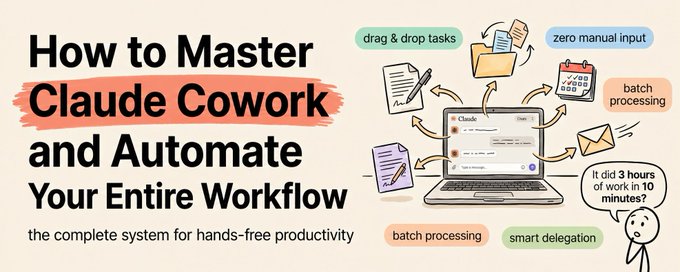
Most people are using Claude Cowork like a fancy file organizer.
Save this :)
They ask it to sort their downloads. Maybe rename some files. Maybe convert a spreadsheet. Then they close it and go back to doing everything else manually.
That is like hiring a full-time assistant and only asking them to make coffee.
Claude Cowork is designed to run entire workflows autonomously. Multi-step processes that touch your files, your email, your calendar, your documents, and your data - all executed without you babysitting.
The people who figure this out are saving 15-25 hours per week. The people who do not are still copy-pasting between tabs.
This is the full course. 30 days from now your entire workflow will be running on Cowork.
Week 1: Foundation - Learn to Delegate, Not Ask
The hardest shift for new Cowork users is mental, not technical.
You are not asking Claude questions. You are delegating outcomes. There is a massive difference.
Asking: "Can you help me organize my project files?"
Delegating: "Organize /Projects into subfolders by client name. Within each client folder, create subfolders for /contracts, /deliverables, /communications. Move all existing files into the correct locations based on their content. Create an index.md in each client folder listing every file with a one-line description."
The first version gets a clarifying question. The second version gets executed immediately with exactly the result you want.
The delegation formula:
1. What needs to happen (the action)
2. Where it happens (specific files, folders, apps)
3. How you want the output (format, naming, structure)
4. What to avoid (constraints and exceptions)
5. What to do with edge cases (missing data, ambiguous files)
Every time you find yourself typing more than one message to get a task done, your original delegation was not specific enough. Rewrite it. Save the improved version. Use it next time.
Day 1-2: Identify your 5 most time-consuming weekly tasks. Write each one as a delegation statement using the formula above.
Day 3-4: Run each one in Cowork. Note which ones execute cleanly and which ones need refinement. Update the delegation statements.
Day 5-7: Rebuild the delegation statements that failed. Test again. By the end of the week, all 5 should run in one pass without follow-up.
Week 2: Connectors - Bring Your Apps Into Cowork
Cowork becomes 10x more powerful when it can access your apps directly.
The essential connectors to set up this week:
Gmail: Claude reads, categorizes, drafts responses, and searches your email. This single connector saves most people 30-60 minutes per day.
Google Calendar: Claude reads your schedule, identifies prep requirements, and generates briefings. Combined with Gmail, you get a complete daily briefing automatically.
Google Drive: Claude accesses your documents, spreadsheets, and files without the upload-download dance. This is the connector that eliminates the most friction.
Slack: Claude reads channels, extracts action items, and searches message history. Essential for anyone managing team communication.
Microsoft 365: If you are in the Microsoft ecosystem, this covers Outlook, SharePoint, and OneDrive in one connector.
Day 8-9: Set up Gmail and Google Calendar connectors. Test with: "Summarize my unread emails and tell me what I have on my calendar tomorrow."
Day 10-11: Set up Google Drive. Test with: "Find the most recently modified spreadsheet in my Drive and summarize its contents."
Day 12-14: Set up Slack or Microsoft 365. Build your first cross-connector workflow: "Check my Gmail for anything urgent, compare it against my calendar for today, and create a prioritized to-do list saved to my Drive."
Week 3: Scheduled Automations - Your Workflows Run While You Sleep
This is where Cowork stops being a tool and becomes infrastructure.
The /schedule command lets you set up tasks that run automatically at specific times. Your daily briefing at 7am. Your file cleanup every Friday. Your competitive scan every two weeks.
The 5 automations every Cowork user should build:
Automation 1: Morning Briefing (Daily, 7am)
"Check Gmail for unread messages, categorize by urgency. Pull my calendar for today. Note any conflicts or back-to-backs. Check Slack for any messages mentioning my name. Compile everything into a 2-minute briefing and save to /Daily/briefing-[date].md."
Automation 2: End-of-Day Log (Daily, 6pm)
"Review all files I created or modified today. Write a brief log noting: what was completed, what is in progress, and what needs attention tomorrow. Save to /Daily/log-[date].md."
Automation 3: Weekly File Hygiene (Friday, 5pm)
"Process /Downloads - move documents to /Documents, images to /Images, code to /Projects, delete anything older than 60 days that is not flagged as important. Create a summary of what was moved and deleted."
Automation 4: Weekly Report Assembler (Friday, 4pm)
"Read all daily logs from this week in /Daily/. Compile into a weekly summary with: accomplishments, ongoing projects, and priorities for next week. Save to /Weekly/review-[date].md."
Automation 5: Monthly Financial Processor (1st of month, 9am)
"Process all receipt images in /Receipts. Extract vendor, amount, date, and category. Create a categorized expense spreadsheet. Calculate totals. Save to /Finance/expenses-[month].xlsx."
Day 15-17: Build and test Automations 1 and 2. Run them manually first to verify the output. Then schedule them.
Day 18-19: Build and test Automation 3. Let it run for one Friday. Review the results on Monday.
Day 20-21: Build Automations 4 and 5. These depend on the outputs from 1-3, so they should work seamlessly if the earlier automations are producing clean data.
Week 4: Advanced Workflows - Chain Everything Together
Now you chain multiple automations and connector workflows into complete systems.
The Content Production System:
Input: One voice note or rough idea.
Step 1: Cowork transcribes the voice note (or reads the rough idea). Step 2: Claude researches the topic using web search. Step 3: Claude drafts a full article in your voice using your context file. Step 4: Claude repurposes into tweets, LinkedIn posts, and email teasers. Step 5: All outputs saved to /Content/[date] with each format in its own file.
One input. Five outputs. All automated.
The Client Management System:
Before every client meeting: Step 1: Claude checks Gmail for the latest email thread with this client. Step 2: Claude pulls relevant files from Google Drive. Step 3: Claude checks Slack for any internal discussions about this client. Step 4: Claude generates a meeting prep brief with talking points, open items, and context from previous interactions. Step 5: Brief saved to /Clients/[name]/prep-[date].md.
After every client meeting: Step 1: You save the meeting notes to /Meetings. Step 2: Claude extracts action items with owners and deadlines. Step 3: Claude drafts follow-up emails for each attendee. Step 4: Claude updates the client's folder with the notes and action items.
The Weekly Business Intelligence System:
Scheduled every Monday at 8am: Step 1: Claude searches the web for competitor updates, industry news, and market trends. Step 2: Claude compares findings to the previous week's report in /Intelligence. Step 3: Claude checks internal Slack and email for any relevant company developments. Step 4: Claude generates a one-page intelligence brief highlighting only what changed. Step 5: Brief saved to /Intelligence/weekly-[date].md.
Day 22-24: Build the content production system end to end. Test with a real voice note or idea.
Day 25-27: Build the client management system. Test with your next real client meeting.
Day 28-30: Build the intelligence system. Schedule it. Let it run for one week and evaluate the output.
What Your Life Looks Like After 30 Days
Your mornings start with a briefing that is already written. Your meetings are prepped automatically. Your content production runs on a pipeline. Your files organize themselves. Your financial records process at the end of every month. Your competitive intelligence updates every week.
You did not hire anyone. You did not build any software. You did not learn to code. You spent 30 days teaching Claude Cowork how your workflow operates.
And it runs that workflow every single day, whether you are at your desk or not.
The people who master Cowork in the next 90 days will be operating at a level that makes everyone around them wonder if they secretly hired a team.
They did not. They just learned to delegate to AI before everyone else.
Most people will keep treating Cowork as a chat tool with file access.
The ones who build real automated workflows will get back 15-25 hours per week and never go back.
Follow me @eng_khairallah1 for more automation architectures, workflow designs, and business AI playbooks.
hope this was useful for you, Khairallah ❤️
## 相关链接
- [Khairallah AL-Awady](https://x.com/eng_khairallah1)
- [@eng_khairallah1](https://x.com/eng_khairallah1)
- [index.md](http://index.md/)
- [@eng_khairallah1](https://x.com/@eng_khairallah1)
- [Upgrade to Premium](https://x.com/i/premium_sign_up)
- [5:22 PM · Apr 29, 2026](https://x.com/eng_khairallah1/status/2049419039026688112)
- [3,097 Views](https://x.com/eng_khairallah1/status/2049419039026688112/analytics)
- [View quotes](https://x.com/eng_khairallah1/status/2049419039026688112/quotes)
---
*导出时间: 2026/4/29 19:22:49*
---
## 中文翻译
# 如何精通 Claude Cowork 并实现全流程自动化(完整教程)
**作者**: Khairallah AL-Awady
**日期**: 2026-04-29T09:22:29.000Z
**来源**: [https://x.com/eng_khairallah1/status/2049419039026688112](https://x.com/eng_khairallah1/status/2049419039026688112)
---

大多数人使用 Claude Cowork 就像把它当成一个花哨的文件整理器。
请收藏这篇 :)
他们只是让它整理下载文件夹。也许重命名几个文件。或者转换一个电子表格。然后他们就关掉它,回去手动处理其他所有事情。
这就像是聘请了一位全职助理,却只让他给你冲咖啡。
Claude Cowork 的设计初衷是自主运行整个工作流程。涉及你的文件、邮件、日历、文档和数据的多步骤流程——所有这些都在不需要你盯着的情况下执行。
那些搞懂这一点的人每周能省下 15-25 个小时。没搞懂的人还在标签页之间复制粘贴。
这是一套完整的课程。30 天后,你的整个工作流程将交由 Cowork 运行。
**第一周:基础——学会委派,而不仅仅是提问**
对于新的 Cowork 用户来说,最难转变的不是技术问题,而是思维模式。
你不是在问 Claude 问题。你是在委派任务,交付结果。这有着巨大的差别。
提问式:“你能帮我整理一下项目文件吗?”
委派式:“将 /Projects 按客户名称整理进子文件夹。在每个客户文件夹内,创建 /contracts(合同)、/deliverables(交付物)、/communications(沟通记录)子文件夹。根据内容将所有现有文件移动到正确位置。在每个客户文件夹中创建一个 index.md,列出每个文件并附上一行描述。”
第一种方式会得到一个澄清问题。第二种方式会立即执行,并给出你想要的确切结果。
委派公式:
1. 需要发生什么(行动)
2. 在哪里发生(具体的文件、文件夹、应用)
3. 你希望输出成什么样(格式、命名、结构)
4. 避免什么(限制条件和例外情况)
5. 如何处理边缘情况(缺失数据、模糊文件)
每当你发现自己需要输入多条信息才能完成一项任务时,说明你最初的委派不够具体。重写它。保存改进后的版本。下次使用它。
**第 1-2 天**:找出你每周最耗时的 5 项任务。使用上述公式将每一项都写成一条委派指令。
**第 3-4 天**:在 Cowork 中运行每一项。注意哪些执行得很顺利,哪些需要改进。更新委派指令。
**第 5-7 天**:重建那些失败的委派指令。再次测试。到本周末,所有 5 项任务都应该能一次性通过,无需后续跟进。
**第二周:连接器——将你的应用接入 Cowork**
当 Cowork 能直接访问你的应用时,它的威力会提升 10 倍。
本周要设置的核心连接器:
Gmail:Claude 读取、分类、起草回复并搜索你的邮件。仅这一个连接器就能为大多数人每天节省 30-60 分钟。
Google Calendar:Claude 读取你的日程,识别准备工作,并生成简报。结合 Gmail,你会自动获得完整的每日简报。
Google Drive:Claude 访问你的文档、电子表格和文件,无需繁琐的上传下载。这是消除摩擦最多的连接器。
Slack:Claude 读取频道,提取行动项,并搜索消息历史。对于管理团队沟通的人来说必不可少。
Microsoft 365:如果你在微软生态系统中,这一个连接器就能覆盖 Outlook、SharePoint 和 OneDrive。
**第 8-9 天**:设置 Gmail 和 Google Calendar 连接器。测试指令:“总结我的未读邮件,并告诉我明天日历上有什么安排。”
**第 10-11 天**:设置 Google Drive。测试指令:“在我的云端硬盘中找到最近修改的电子表格并总结其内容。”
**第 12-14 天**:设置 Slack 或 Microsoft 365。构建你的第一个跨连接器工作流:“检查我的 Gmail 中是否有任何紧急事项,对照我今天的日历,创建一个优先级待办事项列表并保存到我的云端硬盘中。”
**第三周:定时自动化——当你睡觉时工作流仍在运行**
到了这一步,Cowork 不再仅仅是一个工具,而变成了基础设施。
/schedule 命令允许你设置在特定时间自动运行的任务。早上 7 点的每日简报。每周五的文件清理。每两周一次的竞品扫描。
每个 Cowork 用户都应该构建的 5 个自动化:
**自动化 1:晨间简报(每天,上午 7 点)**
“检查 Gmail 中的未读消息,按紧急程度分类。拉取我今天的日历。标出任何冲突或连排会议。检查 Slack 中任何提及我的消息。将所有内容编译成一份 2 分钟的简报,并保存到 /Daily/briefing-[日期].md。”
**自动化 2:每日日志(每天,下午 6 点)**
“审查我今天创建或修改的所有文件。写一份简短日志,注明:完成了什么、正在进行中以及明天需要关注的事项。保存到 /Daily/log-[日期].md。”
**自动化 3:每周文件清理(周五,下午 5 点)**
“处理 /Downloads 文件夹——将文档移至 /Documents,图片移至 /Images,代码移至 /Projects,删除任何超过 60 天且未标记为重要的文件。创建一份关于移动和删除内容的摘要。”
**自动化 4:周报汇编器(周五,下午 4 点)**
“阅读 /Daily/ 中本周所有的每日日志。编译成一份包含以下内容的周总结:成就、正在进行的项目以及下周的优先事项。保存到 /Weekly/review-[日期].md。”
**自动化 5:月度财务处理(每月 1 号,上午 9 点)**
“处理 /Receipts 中的所有收据图片。提取供应商、金额、日期和类别。创建分类费用电子表格。计算总额。保存到 /Finance/expenses-[月份].xlsx。”
**第 15-17 天**:构建并测试自动化 1 和 2。先手动运行以验证输出。然后进行定时设置。
**第 18-19 天**:构建并测试自动化 3。让它在一个周五运行。周一查看结果。
**第 20-21 天**:构建自动化 4 和 5。这些依赖于 1-3 的输出,所以如果之前的自动化能产出干净的数据,它们应该能无缝运行。
**第四周:高级工作流——将一切串联起来**
现在,你要将多个自动化和连接器工作流串联成完整的系统。
**内容生产系统:**
输入:一条语音备忘录或一个粗略的想法。
步骤 1:Cowork 转录语音备忘录(或阅读粗略想法)。
步骤 2:Claude 使用网络搜索研究该主题。
步骤 3:Claude 使用你的上下文文件以你的口吻起草一篇完整的文章。
步骤 4:Claude 将其改编成推文、LinkedIn 帖子和邮件预告。
步骤 5:所有输出保存到 /Content/[日期]/,每种格式存入单独的文件。
一个输入。五个输出。全自动。
**客户管理系统:**
每次客户会议前:
步骤 1:Claude 检查 Gmail 中与该客户最近的邮件往来。
步骤 2:Claude 从 Google Drive 拉取相关文件。
步骤 3:Claude 检查 Slack 中关于该客户的任何内部讨论。
步骤 4:Claude 生成一份会议准备简报,包含谈话要点、未决事项以及以往互动的背景。
步骤 5:简报保存到 /Clients/[姓名]/prep-[日期].md。
每次客户会议后:
步骤 1:你将会议笔记保存到 /Meetings。
步骤 2:Claude 提取包含责任人和截止日期的行动项。
步骤 3:Claude 为每位参会者起草后续跟进邮件。
步骤 4:Claude 用笔记和行动项更新客户的文件夹。
**每周商业情报系统:**
每周一上午 8 点定时运行:
步骤 1:Claude 搜索网络以获取竞争对手动态、行业新闻和市场趋势。
步骤 2:Claude 将发现与 /Intelligence 中上周的报告进行对比。
步骤 3:Claude 检查内部 Slack 和邮件以获取任何相关的公司动态。
步骤 4:Claude 生成一份仅突出变化的单页情报简报。
步骤 5:简报保存到 /Intelligence/weekly-[日期].md。
**第 22-24 天**:端到端构建内容生产系统。用真实的语音备忘录或想法进行测试。
**第 25-27 天**:构建客户管理系统。利用你下一个真实的客户会议进行测试。
**第 28-30 天**:构建情报系统。设置定时。让它运行一周并评估输出。
**30 天后你的生活会是什么样子**
你的早晨开始于一份已经写好的简报。你的会议准备工作自动完成。你的内容生产在流水线上运行。你的文件自动整理。你的财务记录在每个月底自动处理。你的竞争情报每周更新。
你没有雇佣任何人。你没有构建任何软件。你没有学习写代码。你花了 30 天时间教 Claude Cowork 你的工作流程是如何运作的。
无论你坐在办公桌前与否,它都会每一天自动运行该工作流程。
在接下来 90 天内掌握 Cowork 的人,他们的工作效率将达到一个让周围人都怀疑他们是否偷偷雇佣了一个团队的水平。
他们没有。他们只是在其他人之前学会了向 AI 委派任务。
大多数人会继续把 Cowork 当作一个带有文件访问权限的聊天工具。
那些构建了真正自动化工作流的人,每周将找回 15-25 个小时,而且再也不会回到过去。
关注我 @eng_khairallah1 以获取更多自动化架构、工作流设计和商业 AI 战略。
希望这对你有用,Khairallah ❤️
## 相关链接
- [Khairallah AL-Awady](https://x.com/eng_khairallah1)
- [@eng_khairallah1](https://x.com/eng_khairallah1)
- [index.md](http://index.md/)
- [@eng_khairallah1](https://x.com/@eng_khairallah1)
- [升级到 Premium](https://x.com/i/premium_sign_up)
- [5:22 PM · Apr 29, 2026](https://x.com/eng_khairallah1/status/2049419039026688112)
- [3,097 次观看](https://x.com/eng_khairallah1/status/2049419039026688112/analytics)
- [查看引用](https://x.com/eng_khairallah1/status/2049419039026688112/quotes)
---
*导出时间: 2026/4/29 19:22:49*