# How to Become a Claude Code Power User (Full Course)
**作者**: Khairallah AL-Awady
**日期**: 2026-04-23T09:24:36.000Z
**来源**: [https://x.com/eng_khairallah1/status/2047245243503050997](https://x.com/eng_khairallah1/status/2047245243503050997)
---
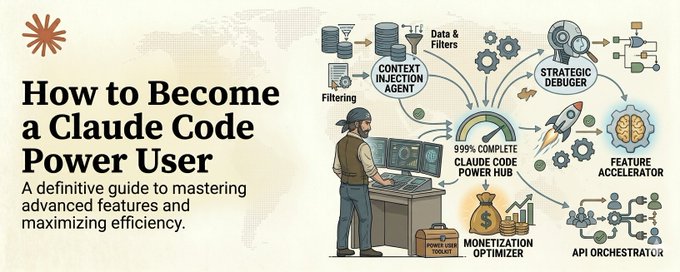
Most users are using Claude Code like a fancy autocomplete.
Save this :)
They paste in a bug. They get a fix. They paste in a feature request. They get some code. One question, one answer, over and over, never building on anything.
That is like buying a Ferrari and only driving it in first gear.
Claude Code is not a code suggestion tool. It is an autonomous engineering partner that can read your entire codebase, understand your architecture, execute multi-step plans, run tests, debug failures, and ship features end to end.
But only if you know how to use it properly.
The gap between a casual Claude Code user and a power user is not talent. It is configuration. It is workflow. It is knowing the 20% of features that deliver 80% of the results.
This is the full course. Everything I have learned from using Claude Code every single day for months. No filler. Just what works.
## Level 1: The Foundation Most People Skip
CLAUDE.md Is Your Secret Weapon
The single most important file in your entire project is one that most people have never created.
CLAUDE.md sits in the root of your project and tells Claude Code exactly how your codebase works. Your conventions. Your patterns. Your rules. Your preferences.
Without it, Claude Code is guessing. It does not know that your team uses camelCase. It does not know that you prefer functional components over class components. It does not know that your API naming convention is verb-first. It does not know that you never use any-typed variables.
With a good CLAUDE.md, Claude Code follows your team's standards automatically. Every file it touches. Every function it writes. Every test it generates.
Here is what belongs in your CLAUDE.md:
- Your tech stack and versions
- Coding conventions and naming patterns
- File structure and where things go
- Testing requirements and what constitutes a good test
- Error handling patterns you prefer
- Common pitfalls specific to your codebase
- Things Claude should never do in this project
Spend 30 minutes writing this file. That investment will save you thousands of corrections over the next year.
The CLAUDE.md Hierarchy
There are three levels and knowing the difference matters.
User-level lives at ~/.claude/CLAUDE.md. This is personal to you. Your preferences, your shortcuts, your style. It is not version controlled and your teammates will never see it.
Project-level lives at .claude/CLAUDE.md in your repo root. This is shared with your entire team through git. Team standards, architectural decisions, and universal rules live here.
Directory-level lives inside specific directories. These apply only when Claude Code is working on files in that directory. Perfect for sub-projects or modules with different conventions.
The most common mistake: Putting team-wide rules in your user-level config. Then wondering why the new developer's Claude Code is not following the same standards. The fix is always the same. Move shared rules to project-level.
## Level 2: Think in Modes, Not Messages
Plan Mode vs Direct Execution
This distinction will change how you use Claude Code overnight.
Direct execution is for tasks with clear, limited scope. Fix this bug. Add this validation. Rename this variable across the codebase. Claude Code can handle these immediately without needing to plan.
Plan mode is for everything bigger. Refactoring a module. Adding a new feature that touches multiple files. Migrating from one pattern to another. Restructuring your test suite.
In plan mode, Claude Code first creates a plan. It outlines what files it will touch, what changes it will make, and in what order. You review the plan before any code is written.
The rule is simple: if the task touches more than 2 files or requires architectural decisions, use plan mode. If you let Claude Code execute complex tasks without planning first, you will spend more time undoing damage than you saved.
## Level 3: Tools That Make Claude Code Dangerous
Built-in Tools You Are Not Using
Claude Code comes with tools that most people never discover.
Grep vs Glob: Grep searches file contents. Glob matches file paths. Most people use the wrong one and waste time. If you are looking for where a function is called, use Grep. If you are looking for all test files, use Glob. The exam for Claude Certified Architect literally tests this distinction. That is how important it is.
Read, Write, Edit: Edit is for targeted modifications using unique text matching. It is fast and precise. When Edit fails because the text match is not unique, fall back to Read plus Write. Read the full file, then write the complete modified version. Know when to use which.
The /memory command: This shows you which memory files Claude Code has loaded. If Claude Code is behaving inconsistently, this is your debugging tool. Run it and check whether the right context is actually loaded.
Custom Slash Commands
Build commands for tasks you run repeatedly.
Create them in .claude/commands/ for shared team commands or ~/.claude/commands/ for personal ones.
A /review command that runs your team's code review checklist. A /test command that generates tests following your specific patterns. A /deploy-check command that verifies everything is ready for deployment.
These take 10 minutes to create and save hours of repetitive prompting.
## Level 4: Skills and Context Engineering
Skills vs CLAUDE.md — Know the Difference
CLAUDE.md is always loaded. Every session. Every task. Universal standards live here.
Skills are on-demand. They activate when you invoke them. Task-specific workflows live here.
The mistake most people make is putting task-specific procedures in CLAUDE.md. Your CLAUDE.md gets bloated, Claude Code gets confused by irrelevant context, and you burn tokens on instructions that do not apply to the current task.
The rule: If it applies to every task, put it in CLAUDE.md. If it applies to a specific type of work, make it a skill.
Path-Specific Rules
This is the feature that teams discover and immediately wonder how they lived without.
Create rule files in .claude/rules/ with YAML frontmatter that specifies glob patterns. For example:
These rules only load when Claude Code is editing files that match the pattern. Every test file in your entire codebase, regardless of directory, gets the same testing conventions applied automatically.
This is dramatically more powerful than directory-level CLAUDE.md because it works across your entire project structure.
## Level 5: CI/CD Integration
Claude Code in Your Pipeline
The -p flag runs Claude Code in non-interactive mode. Without it, your CI job hangs forever waiting for input. This is the single most tested concept in the Claude Certified Architect exam.
Use --output-format json with --json-schema to get machine-parseable structured output. Your CI system can then post findings as inline PR comments automatically.
Critical insight: The same Claude Code session that generated code is less effective at reviewing its own changes. It retains reasoning context that makes it biased toward its own decisions. Always use an independent review instance for code review in CI.
## Level 6: The Power User Workflow
Here is what a typical day looks like for a Claude Code power user:
Morning: Open terminal. Claude Code loads your CLAUDE.md and relevant path-specific rules automatically. You describe the first feature in plain language. Claude Code creates a plan. You review it, adjust one step, approve. Claude Code executes across 8 files, writes tests, runs them, fixes two failures, and commits.
Afternoon: You review a PR. Instead of reading every line yourself, you run your custom /review command. Claude Code checks against your team's standards, flags 3 issues, and explains why each matters. You address the one real issue and approve the rest.
End of day: Your CI pipeline runs Claude Code with -p flag on every new PR. Automated security review. Automated test generation for uncovered paths. Automated documentation updates. All posted as PR comments.
That is not the future. That is what Claude Code power users are doing right now.
## The Certification Path
If you want to formalize this knowledge, Anthropic offers the Claude Certified Architect Foundations exam. It tests everything covered in this article: CLAUDE.md hierarchy, tool usage, plan mode, path-specific rules, CI/CD integration, prompt engineering, and MCP configuration.
It is scenario-based multiple choice. The wrong answers are designed to sound like good engineering. The right answers require knowing specifically which technique applies to which problem.
If you have built real projects with Claude Code and understand the concepts in this article, you are ready to sit the exam.
## The Bottom Line
Claude Code is the most powerful developer tool most developers are barely using.
The gap between using it casually and using it like a power user is not months of learning. It is a few days of intentional setup and practice.
Configure your CLAUDE.md. Learn plan mode. Build custom commands. Use path-specific rules. Integrate it into CI.
Do those five things and you will ship more code in a week than most developers ship in a month.
Most people will keep pasting one-off questions into Claude Code and getting one-off answers.
The ones who build a real system around it will be operating at a completely different level within 30 days.
Follow me @eng_khairallah1 for more agent architecture guides, orchestration patterns, and building systems.
hope this was useful for you, Khairallah ❤️
## 相关链接
- [Khairallah AL-Awady](https://x.com/eng_khairallah1)
- [@eng_khairallah1](https://x.com/eng_khairallah1)
- [228K](https://x.com/eng_khairallah1/status/2047245243503050997/analytics)
- [CLAUDE.md](http://claude.md/)
- [CLAUDE.md](http://claude.md/)
- [CLAUDE.md](http://claude.md/)
- [CLAUDE.md](http://claude.md/)
- [CLAUDE.md](http://claude.md/)
- [CLAUDE.md](http://claude.md/)
- [CLAUDE.md](http://claude.md/)
- [CLAUDE.md](http://claude.md/)
- [CLAUDE.md](http://claude.md/)
- [CLAUDE.md](http://claude.md/)
- [CLAUDE.md](http://claude.md/)
- [CLAUDE.md](http://claude.md/)
- [CLAUDE.md](http://claude.md/)
- [CLAUDE.md](http://claude.md/)
- [@eng_khairallah1](https://x.com/@eng_khairallah1)
- [Upgrade to Premium](https://x.com/i/premium_sign_up)
- [5:24 PM · Apr 23, 2026](https://x.com/eng_khairallah1/status/2047245243503050997)
- [228.2K Views](https://x.com/eng_khairallah1/status/2047245243503050997/analytics)
- [View quotes](https://x.com/eng_khairallah1/status/2047245243503050997/quotes)
---
*导出时间: 2026/4/24 11:13:38*
---
## 中文翻译
# 如何成为 Claude Code 高级用户(完整课程)
**作者**: Khairallah AL-Awady
**日期**: 2026-04-23T09:24:36.000Z
**来源**: [https://x.com/eng_khairallah1/status/2047245243503050997](https://x.com/eng_khairallah1/status/2047245243503050997)
---

大多数用户把 Claude Code 当成一个高级自动补全工具来用。
收藏这篇文章 :)
他们粘贴一个 bug,得到一个修复。粘贴一个功能需求,得到一些代码。一个问题,一个答案,周而复始,从不建立任何积累。
这就像买了一辆法拉利,却只用一档驾驶。
Claude Code 不是一个代码建议工具。它是一个自主的工程合作伙伴,能够阅读你的整个代码库、理解你的架构、执行多步骤计划、运行测试、调试故障,并端到端地交付功能。
但前提是你要知道如何正确使用它。
普通 Claude Code 用户和高级用户之间的差距不在于天赋。而在于配置。在于工作流。在于知道那 20% 能带来 80% 效果的功能。
这就是完整课程。凝结了我连续数月每天使用 Claude Code 所学到的一切。没有废话。只有真正有效的东西。
## 第 1 级:大多数人跳过的基础
CLAUDE.md 是你的秘密武器
整个项目中最重要的一个文件,却是大多数人从未创建过的。
CLAUDE.md 位于项目的根目录,告诉 Claude Code 你的代码库究竟是如何运作的。你的约定。你的模式。你的规则。你的偏好。
没有它,Claude Code 就在瞎猜。它不知道你的团队使用 camelCase 命名法。它不知道你偏好函数组件而不是类组件。它不知道你的 API 命名约定是动词优先。它也不知道你从不使用 any 类型的变量。
有了一个好的 CLAUDE.md,Claude Code 会自动遵循你团队的标准。它触碰的每一个文件。它编写的每一个函数。它生成的每一个测试。
以下是 CLAUDE.md 中应该包含的内容:
- 你的技术栈和版本
- 编码约定和命名模式
- 文件结构以及各种文件的位置
- 测试要求以及什么才算好的测试
- 你偏好的错误处理模式
- 你的代码库特有的常见陷阱
- Claude 在这个项目中绝不应该做的事情
花 30 分钟写好这个文件。这笔投入将在接下来的一年里为你省去数千次纠正。
CLAUDE.md 的层级结构
共有三个层级,了解它们的区别很重要。
用户级位于 ~/.claude/CLAUDE.md。这是你个人的。你的偏好、你的快捷方式、你的风格。它不受版本控制,你的队友永远看不到它。
项目级位于仓库根目录的 .claude/CLAUDE.md。通过 git 与整个团队共享。团队标准、架构决策和通用规则放在这里。
目录级位于特定目录内部。仅在 Claude Code 处理该目录中的文件时生效。非常适合具有不同约定的子项目或模块。
最常见的错误:把团队范围的规则放在用户级配置中。然后纳闷为什么新开发者的 Claude Code 没有遵循相同的标准。解决办法永远是一样的。把共享规则移到项目级。
## 第 2 级:用模式思考,而不是用消息
计划模式 vs 直接执行
这个区别会在一夜之间改变你使用 Claude Code 的方式。
直接执行适用于范围明确、有限的任务。修复这个 bug。添加这个验证。在整个代码库中重命名这个变量。Claude Code 无需规划就能立即处理这些任务。
计划模式适用于更大的一切任务。重构一个模块。添加一个涉及多个文件的新功能。从一种模式迁移到另一种模式。重组你的测试套件。
在计划模式中,Claude Code 会先创建一个计划。它会概述将要触碰哪些文件、进行哪些更改以及以什么顺序执行。在编写任何代码之前,你可以先审查这个计划。
规则很简单:如果任务涉及超过 2 个文件或需要架构决策,就使用计划模式。如果你让 Claude Code 在没有事先规划的情况下执行复杂任务,你花在撤销损害上的时间会比省下的时间更多。
## 第 3 级:让 Claude Code 变得强大的工具
你尚未使用的内置工具
Claude Code 自带许多大多数人从未发现的工具。
Grep vs Glob:Grep 搜索文件内容。Glob 匹配文件路径。大多数人用错了工具,浪费时间。如果你在查找某个函数在哪里被调用,用 Grep。如果你在查找所有测试文件,用 Glob。Claude 认证架构师的考试确实会考这个区别。可见它有多重要。
Read、Write、Edit:Edit 用于通过唯一文本匹配进行有针对性的修改。它快速且精确。当 Edit 因为文本匹配不唯一而失败时,回退到 Read 加 Write。读取完整文件,然后写入修改后的完整版本。要知道何时该用哪个。
/memory 命令:这个命令可以显示 Claude Code 加载了哪些记忆文件。如果 Claude Code 的行为不一致,这就是你的调试工具。运行它并检查正确的上下文是否真的被加载了。
自定义斜杠命令
为重复执行的任务构建命令。
在 .claude/commands/ 中创建团队共享命令,或在 ~/.claude/commands/ 中创建个人命令。
一个运行团队代码审查清单的 /review 命令。一个按照你的特定模式生成测试的 /test 命令。一个验证一切是否已准备好部署的 /deploy-check 命令。
这些命令只需 10 分钟创建,却能节省数小时重复提示的时间。
## 第 4 级:技能与上下文工程
Skills vs CLAUDE.md —— 了解区别
CLAUDE.md 始终被加载。每个会话。每个任务。通用标准放在这里。
Skills 是按需使用的。当你调用它们时才激活。任务特定的工作流放在这里。
大多数人犯的错误是把特定任务的流程写进 CLAUDE.md。你的 CLAUDE.md 会变得臃肿,Claude Code 会被无关的上下文搞糊涂,而你还在为不适应当前任务的指令浪费 token。
规则是:如果它适用于每一个任务,就放进 CLAUDE.md。如果它只适用于某一类工作,就做成一个 skill。
路径特定规则
这是让团队一旦发现就立刻觉得“以前没它怎么活过来”的功能。
在 .claude/rules/ 中创建规则文件,并使用 YAML frontmatter 指定 glob 模式。例如:
这些规则只在 Claude Code 编辑匹配该模式的文件时才会加载。整个代码库中的每一个测试文件,无论在哪个目录,都会自动应用相同的测试规范。
这比目录级别的 CLAUDE.md 强大得多,因为它能作用于你整个项目结构。
## Level 5:CI/CD 集成
将 Claude Code 接入你的流水线
-p 标志会让 Claude Code 以非交互模式运行。没有它,你的 CI 任务会永远挂起等待输入。这是 Claude Certified Architect 考试中被考察最多的概念。
使用 --output-format json 配合 --json-schema 可以获得机器可解析的结构化输出。这样你的 CI 系统就能自动将发现的问题以行内 PR 评论的形式发布。
关键洞察:生成代码的那个 Claude Code 会话在审查自己的改动时效果较差。它保留了推理上下文,使其倾向于自己的决策。在 CI 中做代码审查时,务必使用独立的审查实例。
## Level 6:高级用户的工作流
以下是一个 Claude Code 高级用户典型的一天:
早晨:打开终端。Claude Code 自动加载你的 CLAUDE.md 和相关的路径特定规则。你用自然语言描述第一个功能。Claude Code 制定计划。你审阅计划,调整一步,批准。Claude Code 在 8 个文件中执行修改,编写测试,运行测试,修复两个失败,然后提交。
下午:你审查一个 PR。你不用逐行阅读,而是运行自定义的 /review 命令。Claude Code 对照你团队的标准进行检查,标记出 3 个问题,并解释每个问题为什么重要。你只处理那个真正的问题,其余批准通过。
一天结束时:你的 CI 流水线会对每个新 PR 运行带 -p 标志的 Claude Code。自动安全审查。为未覆盖的路径自动生成测试。自动更新文档。全部以 PR 评论的形式发布。
这不是未来。这就是 Claude Code 高级用户现在正在做的事。
## 认证路径
如果你想把这些知识正式化,Anthropic 提供 Claude Certified Architect Foundations 考试。它考察本文涵盖的所有内容:CLAUDE.md 层级、工具使用、计划模式、路径特定规则、CI/CD 集成、提示词工程和 MCP 配置。
它是基于场景的选择题。错误选项被设计得听起来像良好的工程实践。答对需要你确切知道哪种技术适用于哪种问题。
如果你已经用 Claude Code 构建过真实项目并理解了本文中的概念,你已经可以参加考试了。
## 底线
Claude Code 是大多数开发者几乎没在用的最强大的开发工具。
随意使用它和像高级用户一样使用它之间的差距,并不是几个月的学习,而是几天的有意识的配置和练习。
配置你的 CLAUDE.md。学会计划模式。构建自定义命令。使用路径特定规则。把它集成进 CI。
做到这五件事,你一周发布的代码就会比大多数开发者一个月发布的还多。
大多数人会继续把一次性的问题粘贴进 Claude Code,得到一次性的答案。
而那些围绕它构建出真正系统的人,将在 30 天内进入一个完全不同的层次。
关注我 @eng_khairallah1,获取更多智能体架构指南、编排模式和系统构建内容。
希望这对你有帮助,Khairallah ❤️
## 相关链接
- [Khairallah AL-Awady](https://x.com/eng_khairallah1)
- [@eng_khairallah1](https://x.com/eng_khairallah1)
- [228K](https://x.com/eng_khairallah1/status/2047245243503050997/analytics)
- [CLAUDE.md](http://claude.md/)
- [CLAUDE.md](http://claude.md/)
- [CLAUDE.md](http://claude.md/)
- [CLAUDE.md](http://claude.md/)
- [CLAUDE.md](http://claude.md/)
- [CLAUDE.md](http://claude.md/)
- [CLAUDE.md](http://claude.md/)
- [CLAUDE.md](http://claude.md/)
- [CLAUDE.md](http://claude.md/)
- [CLAUDE.md](http://claude.md/)
- [CLAUDE.md](http://claude.md/)
- [CLAUDE.md](http://claude.md/)
- [CLAUDE.md](http://claude.md/)
- [CLAUDE.md](http://claude.md/)
- [@eng_khairallah1](https://x.com/@eng_khairallah1)
- [升级到 Premium](https://x.com/i/premium_sign_up)
- [2026年4月23日 下午5:24](https://x.com/eng_khairallah1/status/2047245243503050997)
- [228.2K 次浏览](https://x.com/eng_khairallah1/status/2047245243503050997/analytics)
- [查看引用](https://x.com/eng_khairallah1/status/2047245243503050997/quotes)
---
*导出时间: 2026/4/24 11:13:38*