# How to Build a Multi-Agent Coding Stack in 2026 (Full Course)
**作者**: Khairallah AL-Awady
**日期**: 2026-04-28T09:17:15.000Z
**来源**: [https://x.com/eng_khairallah1/status/2049055333054857612](https://x.com/eng_khairallah1/status/2049055333054857612)
---
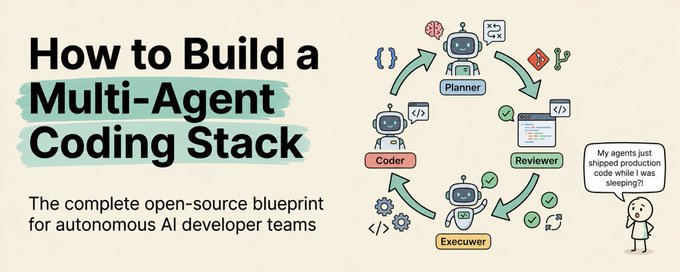
Everyone is arguing about which AI coding agent is the best.
Save this :)
Claude Code fans say Claude. Cursor fans say Cursor. GPT fans say GPT. Everyone picks a side and stays there like it is a religion.
Meanwhile, the developers actually shipping the most work are not loyal to any single tool. They are running multiple agents and routing each task to whichever one gives the best output for the lowest cost.
That sounds obvious when you say it out loud.
But almost nobody is doing it.
I was not doing it either until about two weeks ago. I was running Claude Code for everything. Writing tests, refactoring modules, generating boilerplate, building APIs, all of it through Claude. And the work was excellent. I have zero complaints about the quality.
The problem was the bill.
When you run agentic coding tasks all day, every day, token costs compound fast. And at $5 per million input tokens and $25 per million output tokens, "all day every day" gets expensive in a way that makes you start rationing how much you let the agent do. Which defeats the entire point.
So I started looking for an open-source alternative. Not to replace Claude. To handle the 80% of tasks where I did not need Claude-tier reasoning and was overpaying for what I actually needed.
That search led me to something I was not expecting.
## What I Found (And Why I Almost Ignored It)
I am going to be honest. When someone first told me to look at Kimi K2.6 I almost dismissed it. A coding model from Moonshot AI in Beijing? I had my doubts.
Then I looked at the benchmarks.
Kimi K2.6 scored 80.2% on SWE-Bench Verified. Claude Opus 4.6 scored 80.8%. GPT-5.2 scored 80.0%.
These numbers are effectively the same. We are talking about fractions of a percentage point separating models that differ in price by 7x.
Then I looked at OpenRouter's programming leaderboard. Kimi K2.6 was sitting at #1.
Then I looked at the pricing. $0.80 per million input tokens. $3.60 per million output tokens.
I stopped having doubts.
The model ships with a terminal-first coding agent called Kimi Code. Open-source. Apache 2.0 license. Full source on GitHub.
You can inspect it, modify it, self-host it. The entire thing runs from your terminal the same way Claude Code does.
I installed it, pointed it at a real project, and started testing.
## How I Actually Set It Up
The install is almost annoyingly simple.
You need Python 3.10+ and that is basically it. One command:
```
pip install kimi-code
```
Then launch:
```
kimi
```
You are in. First time it asks you to run /login to authenticate. After that, every session starts instantly.
I also installed the VS Code extension from the marketplace so I could use it inside my editor. It supports Zed natively and integrates with Cursor and JetBrains through ACP. So whatever your setup looks like, it fits in.
Total setup time: under five minutes.
## The Two-Week Test
I gave it a real test. Not a toy project. Not "write me a to-do app." I fed it real work from my actual workflow.
Here is what I ran through it and what happened.
Test 1: Build a complete REST API from scratch
Database models, authentication, CRUD endpoints, error handling, and tests. The kind of task that usually eats two to three hours of agent time on Claude.
Kimi Code planned the entire structure first. Then it executed file by file, referencing its own earlier decisions. No hallucinated imports. No broken dependencies. No files contradicting each other.
K2.6 has a thinking mode where it reasons through the problem before writing code. That planning step is the difference. It does not just start generating. It architects first. The result was a working API that needed minor tweaks, not a major cleanup.
Test 2: Refactor a module across 12 files
This is where most coding agents completely fall apart. They change something in file three that breaks file seven, or they lose track of what they already modified.
K2.6 stayed coherent the entire way through. It reduced its average step count by about 35% compared to what I was used to seeing. Fewer unnecessary steps means fewer tokens burned, which means the cost savings compound even further.
Test 3: Generate test suites for an existing codebase
Grunt work. Exactly the kind of task I was overpaying for with Claude. Kimi Code handled it cleanly. Not flashy, not revolutionary. Just solid, consistent output at a fraction of the cost.
The verdict after two weeks: For roughly 85-90% of my daily coding tasks, the output quality was functionally indistinguishable from what I was getting before. The other 10-15%, the deeply complex architectural reasoning tasks, I still route to Claude.
That 85% reduction in cost on the majority of my work is not incremental. It changed how I operate.
## The MCP Trick That Saved Me Hours
Here is the part that made the transition almost frictionless.
Kimi Code supports Model Context Protocol out of the box. Full MCP compatibility. And the config format is compatible with what you are already using.
So if you have an existing MCP config from Claude Code or any other tool, you can bring it over in one command:
```
kimi --mcp-config-file your-existing-config.json
```
All your MCP servers, all your tool connections, everything transfers immediately.
Or add servers individually:
```
kimi mcp add --transport http context7 <https://mcp.context7.com/mcp>
```
Check what is connected:
```
kimi mcp list
```
Test a connection:
```
kimi mcp test context7
```
Your entire tool ecosystem moves with you. That was the moment I realized this was not some isolated experiment. It plugged directly into everything I had already built.
## The Workflow Commands I Use Daily
Once you are inside the agent, these are the commands and features that actually matter day to day:
Ctrl-X - Toggles shell mode. Run any terminal command without leaving the agent. No window switching. No context loss. This sounds small and it is life-changing.
/sessions - View and switch between sessions. Real session management, not "start over every time."
--continue - Resume exactly where you left off in your last session.
/compact - This is the underrated one. When your context window is getting full, /compact has the agent summarize the conversation history while preserving key information. Frees up space so you can keep working without starting a new session. There is a context usage indicator in the status bar so you always know when to use it.
kimi --yolo - Auto-approves all file modifications. Only use this when you trust what the agent is doing and you want maximum speed. Dangerous on unfamiliar codebases. Incredible on your own projects.
kimi acp - Launches in ACP mode for IDE integration. If you use Zed or JetBrains, this is how you connect.
## The Feature That Blew Past My Expectations
I need to talk about Agent Swarm because this is the one feature that does not have a real equivalent in the tools most developers are currently using.
Agent Swarm lets K2.6 coordinate up to 100 sub-agents working in parallel on complex tasks. Not sequentially. In parallel.
The use case that made my jaw drop: someone fed it 40 academic PDFs and got back a 100,000-word literature review with a fully cited dataset. In a single session.
Other real examples people are running right now:
- 100 job descriptions processed into 100 individually tailored CVs
- A single astrophysics paper turned into a 40-page report with a 20,000-row dataset and 14 publication-grade charts
- One prompt generating 10 tabloid-style magazine covers with real historical headlines
This is batch processing on a level that would normally require custom scripting and hours of manual orchestration. Instead it is one prompt.
Agent Swarm runs through the web interface right now with CLI support on the way. If you have any workflow that involves processing large batches of files, documents, or data, this alone is worth your time.
## The Part Nobody Is Talking About: Design Taste
I was not planning to test the frontend capabilities. I was focused on backend and tooling. But someone in my feed posted a portfolio site built with K2.6 and I could not believe it was AI-generated.
So I tested it myself through Kimi's agent interface.
K2.6 writes GLSL shaders, WebGL, Three.js. It understands design vocabulary. You say "brutalist" or "liquid metal" or "cinematic" and the output actually matches those aesthetics. Not in a generic AI-slop way. In a way that looks like a human designer built it.
The web apps it generates come with built-in database and authentication wired up automatically. You are not getting a static page. You are getting a functional application with real backend plumbing.
I asked it to build a portfolio site with shader-based hero animations. One shot. The output would cost thousands from a design studio.
This was the moment I stopped thinking of K2.6 as "just a coding model." It is a full-stack creative tool.
## My Actual Stack Right Now
Here is how my workflow looks after two weeks of running this setup:
For high-volume coding work (refactoring, tests, boilerplate, APIs, documentation, file processing) - I route to Kimi Code. This is roughly 85% of my daily work. The output quality matches what I need. The cost is a fraction of what I was paying.
For complex architectural reasoning (deep multi-agent orchestration, extremely long agentic loops requiring maximum reliability, novel system design) - I route to Claude. This is the other 15%. Claude still has the edge on the hardest reasoning tasks and I have no problem paying for it when I need it.
For batch processing (any task involving large numbers of files, documents, or parallel execution) - Agent Swarm. Nothing else in my stack does this.
The total result: My weekly API spend dropped by roughly 85%. My output volume went up because I stopped rationing agent usage. I am shipping more, faster, for less.
This is not about finding the "best" tool. It is about building a stack where every task runs on the right tool at the right cost.
## The Honest Assessment
I am going to give you the straight version because I think you deserve it.
Where K2.6 wins clearly:
- Cost. 7x cheaper than Opus 4.7. Almost 50% cheaper than GLM-5.1. At the same performance tier. This is not debatable.
- Open-source. Full weights on Hugging Face. Apache 2.0. Self-host if you want. Modify if you need to. No vendor lock-in.
- Batch processing. Agent Swarm has no real equivalent in the Claude or GPT ecosystems right now.
- Frontend design. The aesthetic quality of the generated web applications is genuinely best-in-class.
- Efficiency. 35% fewer steps to reach the same outcome compared to K2.5. Fewer steps means fewer tokens means less cost.
Where Claude still wins:
- The most complex English-language instruction following. When the task requires perfect adherence to extremely detailed constraints over hundreds of agentic steps, Claude is still more reliable.
- Ecosystem maturity. Anthropic's developer ecosystem is more established in the West.
- Context window. Claude offers up to 1M tokens. K2.6 offers 262K. For most tasks 262K is more than enough. For massive codebase analysis, Claude has the advantage.
Where it is a genuine toss-up:
- SWE-Bench and standard coding benchmarks. The numbers are within fractions of each other. Calling a winner here would be dishonest.
## The Real Question
The AI coding agent market in 2026 is not about loyalty. It is about leverage.
Every hour you spend running routine coding tasks through a premium-priced API when an open-source model delivers the same output is money you are lighting on fire.
The developers who are going to pull ahead this year are the ones who build a multi-agent stack. The right tool for the right task at the right price. Not the ones who pick a team and refuse to look at anything else.
Two weeks ago I was spending 7x more than I needed to on 85% of my coding work.
Now I am not.
The tools are right there. The benchmarks are public. The setup takes five minutes.
The only question is whether you are going to test it yourself or wait until everyone else does first.
Most people reading this will keep paying full price for every task. The ones who build a real stack will be running circles around them within 30 days.
I break down every major AI tool and workflow so you do not have to figure it out alone.
Follow me @eng_khairallah1 for more developer tools, workflows, and techniques. No fluff. Just what works.
hope this was useful for you, Khairallah ❤️
## 相关链接
- [Khairallah AL-Awady](https://x.com/eng_khairallah1)
- [@eng_khairallah1](https://x.com/eng_khairallah1)
- [81K](https://x.com/eng_khairallah1/status/2049055333054857612/analytics)
- [@eng_khairallah1](https://x.com/@eng_khairallah1)
- [Upgrade to Premium](https://x.com/i/premium_sign_up)
- [5:17 PM · Apr 28, 2026](https://x.com/eng_khairallah1/status/2049055333054857612)
- [81.5K Views](https://x.com/eng_khairallah1/status/2049055333054857612/analytics)
- [View quotes](https://x.com/eng_khairallah1/status/2049055333054857612/quotes)
---
*导出时间: 2026/4/28 23:31:49*
---
## 中文翻译
# 2026年如何构建多智能体编程技术栈(完整教程)
**作者**: Khairallah AL-Awady
**日期**: 2026-04-28T09:17:15.000Z
**来源**: [https://x.com/eng_khairallah1/status/2049055333054857612](https://x.com/eng_khairallah1/status/2049055333054857612)
---

大家都在争论哪个 AI 编程智能体才是最好的。
先收藏这篇 :)
Claude Code 的粉丝说 Claude 好。Cursor 的粉丝说 Cursor 好。GPT 的粉丝说 GPT 好。每个人都选边站,并死守在那里,就像信奉某种宗教一样。
与此同时,那些实际交付工作最多的开发者,并不忠于任何单一工具。他们运行着多个智能体,并将每个任务路由给那个能以最低成本提供最佳输出的工具。
当你大声说出来时,这听起来显而易见。
但几乎没有人这么做。
直到大约两周前,我也没这么做。我所有事情都用 Claude Code。编写测试、重构模块、生成样板代码、构建 API,一切都通过 Claude 完成。而且工作质量非常出色。我对质量没有任何抱怨。
问题在于账单。
当你全天候运行智能体编程任务时,Token 成本会迅速累积。输入每百万 Token 5 美元,输出每百万 Token 25 美元,这种“全天候”的开销会变得昂贵,让你开始不得不配额限制智能体的任务量。这完全违背了初衷。
所以我开始寻找开源替代品。不是为了替代 Claude。而是为了处理那 80% 我不需要 Claude 级推理能力、且为实际需求支付过高的任务。
这次搜索让我找到了意想不到的东西。
## 我发现了什么(以及为什么我差点忽略了它)
我要坦白一件事。当有人第一次让我看看 Kimi K2.6 时,我差点忽略了它。一个来自北京月之暗面 Moonshot AI 的编程模型?我当时很怀疑。
然后我看了基准测试。
Kimi K2.6 在 SWE-Bench Verified 上得分 80.2%。Claude Opus 4.6 得分 80.8%。GPT-5.2 得分 80.0%。
这些数字实际上是一样的。我们谈论的是微小的百分点差异,而价格却相差了 7 倍。
然后我看了 OpenRouter 的编程排行榜。Kimi K2.6 排在第一位。
然后我看了价格。每百万输入 Token 0.80 美元。每百万输出 Token 3.60 美元。
我不再怀疑了。
该模型配备了一个名为 Kimi Code 的“终端优先”编程智能体。开源。Apache 2.0 许可证。源代码完全在 GitHub 上。
你可以检查它、修改它、自托管它。整个程序像 Claude Code 一样从你的终端运行。
我安装了它,把它指向一个真实项目,并开始测试。
## 我实际上是如何设置的
安装过程简单得甚至有点烦人。
你需要 Python 3.10+,仅此而已。一个命令:
```
pip install kimi-code
```
然后启动:
```
kimi
```
你就进去了。第一次它会要求你运行 /login 进行身份验证。之后,每次会话都会瞬间启动。
我还从应用市场安装了 VS Code 扩展,以便在编辑器中使用它。它原生支持 Zed,并通过 ACP 集成到 Cursor 和 JetBrains。所以无论你的设置是什么样的,它都能适应。
总设置时间:不到五分钟。
## 两周测试
我给了它一个真正的测试。不是玩具项目。不是“给我写个待办事项应用”。我把实际工作流中的真实工作投喂给它。
以下是我让它运行的测试及结果。
测试 1:从零开始构建完整的 REST API
数据库模型、身份验证、CRUD 端点、错误处理和测试。这类任务通常要在 Claude 上花两到三个小时。
Kimi Code 首先规划了整个结构。然后它逐个文件执行,引用自己之前的决策。没有幻觉导入。没有损坏的依赖项。没有文件之间相互矛盾。
K2.6 有一个思考模式,在写代码之前它会先推理问题。那个规划步骤就是差异所在。它不只是开始生成。它先进行架构设计。结果是一个可用的 API,只需要微调,而不是大规模清理。
测试 2:跨 12 个文件重构模块
这是大多数编程智能体彻底崩盘的地方。它们在第三个文件中改了一些东西,结果破坏了第七个文件,或者它们忘记了已经修改过的内容。
K2.6 在整个过程中保持连贯。与我习惯看到的相比,它将平均步数减少了约 35%。更少的不必要步骤意味着消耗的 Token 更少,这意味着成本节约进一步累积。
测试 3:为现有代码库生成测试套件
苦力活。这正是我在 Claude 上过度付费的那种任务。Kimi Code 处理得很干净。不花哨,不具革命性。只是以一小部分的成本提供了扎实、一致的输出。
两周后的结论:对于大约 85-90% 的日常编程任务,输出质量与我之前的体验在功能上无法区分。其余 10-15% 涉及深度复杂架构推理的任务,我仍然路由给 Claude。
我大部分工作上那 85% 的成本降低不是渐进式的。它改变了我的运作方式。
## 节省我数小时的 MCP 技巧
这是让过渡几乎毫无摩擦力的部分。
Kimi Code 原生支持模型上下文协议。完全兼容 MCP。而且配置格式与你已经使用的兼容。
所以,如果你有来自 Claude Code 或任何其他工具的现有 MCP 配置,你可以用一个命令迁移过来:
```
kimi --mcp-config-file your-existing-config.json
```
你所有的 MCP 服务器、所有的工具连接,一切都会立即转移。
或者单独添加服务器:
```
kimi mcp add --transport http context7 <https://mcp.context7.com/mcp>
```
检查连接了什么:
```
kimi mcp list
```
测试连接:
```
kimi mcp test context7
```
你的整个工具生态系统都会随之迁移。那一刻我意识到这不是什么孤立的实验。它直接插入到我已经构建的一切中。
## 我每天使用的工作流命令
一旦你进入智能体,这些才是日常真正重要的命令和功能:
Ctrl-X - 切换 Shell 模式。无需离开智能体即可运行任何终端命令。无需切换窗口。没有上下文丢失。这听起来微不足道,但它改变了生活。
/sessions - 查看和切换会话。真正的会话管理,而不是“每次都重新开始”。
--continue - 完全从中断的地方恢复上次的会话。
/compact - 这是被低估的一项。当你的上下文窗口快满时,/compact 会让智能体总结对话历史,同时保留关键信息。释放空间,这样你就可以继续工作而无需开始新会话。状态栏有一个上下文使用指示器,所以你总是知道何时使用它。
kimi --yolo - 自动批准所有文件修改。仅当你信任智能体正在做的事情并且想要最大速度时才使用。在陌生的代码库上很危险。在你自己的项目中则 incredible(令人惊叹)。
kimi acp - 以 ACP 模式启动以进行 IDE 集成。如果你使用 Zed 或 JetBrains,这就是连接方式。
## 远超预期的功能
我需要谈谈 Agent Swarm(智能体群),因为这是目前在大多数开发者使用的工具中没有真正对等项的功能。
Agent Swarm 允许 K2.6 协调多达 100 个子智能体并行处理复杂任务。不是顺序的。并行的。
那个让我惊掉下巴的用例:有人投喂了 40 篇学术论文,并得到了一篇 10 万字的文献综述,其中包含一个完全引用的数据集。在一个会话中。
其他人目前正在运行的真实例子:
- 100 份职位描述被处理成 100 份量身定制的简历
- 一篇天体物理学论文转化成一份 40 页的报告,包含一个 2 万行的数据集和 14 张出版级图表
- 一个提示词生成 10 张小报风格的杂志封面,上面配有真实的历史标题
这是通常需要自定义脚本和数小时手动编排才能实现的批处理级别。相反,这里只是一个提示词。
Agent Swarm 目前通过 Web 界面运行,CLI 支持即将推出。如果你有任何涉及处理大量文件、文档或数据的工作流,光这一项就值得你花时间。
## 没人谈论的部分:设计品味
我不打算测试前端能力。我专注于后端和工具。但是我的动态里有人发布了一个用 K2.6 构建的作品集网站,我无法相信那是 AI 生成的。
所以我通过 Kimi 的智能体界面亲自测试了一下。
K2.6 编写 GLSL 着色器、WebGL、Three.js。它理解设计词汇。你说“粗野主义”或“液态金属”或“电影感”,输出实际上与这些美学相匹配。不是那种通用的 AI 垃圾堆的方式。而是看起来像人类设计师构建的方式。
它生成的 Web 应用程序带有内置的数据库和身份验证,自动连接。你得到的不是静态页面。你的是一个具有真实后端管道的功能性应用程序。
我让它构建一个带有基于着色器的英雄动画的作品集网站。一次搞定。这个输出如果找设计工作室要花费数千美元。
那一刻我不再把 K2.6 视为“仅仅是一个编程模型”。它是一个全栈创意工具。
## 我目前的真实技术栈
运行此设置两周后,我的工作流如下所示:
对于高强度的编程工作(重构、测试、样板代码、API、文档、文件处理)—— 我路由给 Kimi Code。这大约占我日常工作的 85%。输出质量符合我的需求。成本是我以前支付的一小部分。
对于复杂的架构推理(深度多智能体编排、需要最大可靠性的极长智能体循环、新颖的系统设计)—— 我路由给 Claude。这是另外的 15%。在最难推理的任务上,Claude 仍然占优,当我需要时,我愿意为此付费。
对于批处理(任何涉及大量文件、文档或并行执行的任务)—— Agent Swarm。我的技术栈中没有其他工具能做到这一点。
最终结果:我的每周 API 支出下降了大约 85%。我的产出量增加了,因为我不再配额限制智能体的使用。我交付得更多、更快、成本更低。
这不是关于寻找“最好”的工具。这是关于构建一个技术栈,让每个任务都以合适的成本运行在合适的工具上。
## 诚实的评估
我要给你实话实说,因为我觉得你应该听到它。
K2.6 明显获胜的地方:
- 成本。比 Opus 4.7 便宜 7 倍。比 GLM-5.1 便宜近 50%。在相同的性能层级。这无可争议。
- 开源。在 Hugging Face 上有完整的权重。Apache 2.0。如果你想可以自托管。如果你需要可以修改。没有供应商锁定。
- 批处理。Agent Swarm 目前在 Claude 或 GPT 生态系统中没有真正的对等项。
- 前端设计。生成的 Web 应用程序的美学质量确实是同类最佳的。
- 效率。与 K2.5 相比,达到相同结果所需的步骤减少了 35%。更少的步骤意味着更少的 Token,意味着更低的成本。
Claude 仍然获胜的地方:
- 遵循最复杂的英语指令。当任务需要在数百个智能体步骤中完美遵守极其详细的约束时,Claude 仍然更可靠。
- 生态系统成熟度。Anthropic 的开发者生态系统在西方更成熟。
- 上下文窗口。Claude 提供高达 100 万 Token。K2.6 提供 262K。对于大多数任务,262K 已经绰绰有余。对于大规模代码库分析,Claude 占优。
真正势均力敌的地方:
- SWE-Bench 和标准编程基准。数字相差无几。在这里判定胜负是不诚实的。
## 真正的问题
2026 年的 AI 编程智能体市场与忠诚度无关。它关乎杠杆。
你每花一小时通过高价 API 运行例行编程任务,而开源模型却能提供相同的输出,这就是在烧钱。
今年将会脱颖而出的开发者,是那些构建多智能体技术栈的人。以合适的价格为合适的任务使用合适的工具。而不是那些选了一边就拒绝看其他东西的人。
两周前,我在 85% 的编程工作上多花费了 7 倍的资金。
现在不再是这样了。
工具就在那里。基准测试是公开的。设置只需五分钟。
唯一的问题是,你是要自己测试它,还是等到其他人都先试过。
大多数读到这里的人将继续为每个任务支付全价。那些构建真正技术栈的人将在 30 天内让他们望尘莫及。
我拆解了每一个主要的 AI 工具和工作流,这样你就不用独自摸索了。
关注我 @eng_khairallah1 以获取更多开发者工具、工作流和技巧。没有废话。只有有效的方法。
希望这对你有用,Khairallah ❤️
## 相关链接
- [Khairallah AL-Awady](https://x.com/eng_khairallah1)
- [@eng_khairallah1](https://x.com/eng_khairallah1)
- [81K](https://x.com/eng_khairallah1/status/2049055333054857612/analytics)
- [@eng_khairallah1](https://x.com/@eng_khairallah1)
- [Upgrade to Premium](https://x.com/i/premium_sign_up)
- [5:17 PM · Apr 28, 2026](https://x.com/eng_khairallah1/status/2049055333054857612)
- [81.5K Views](https://x.com/eng_khairallah1/status/2049055333054857612/analytics)
- [View quotes](https://x.com/eng_khairallah1/status/2049055333054857612/quotes)
---
*导出时间: 2026/4/28 23:31:49*