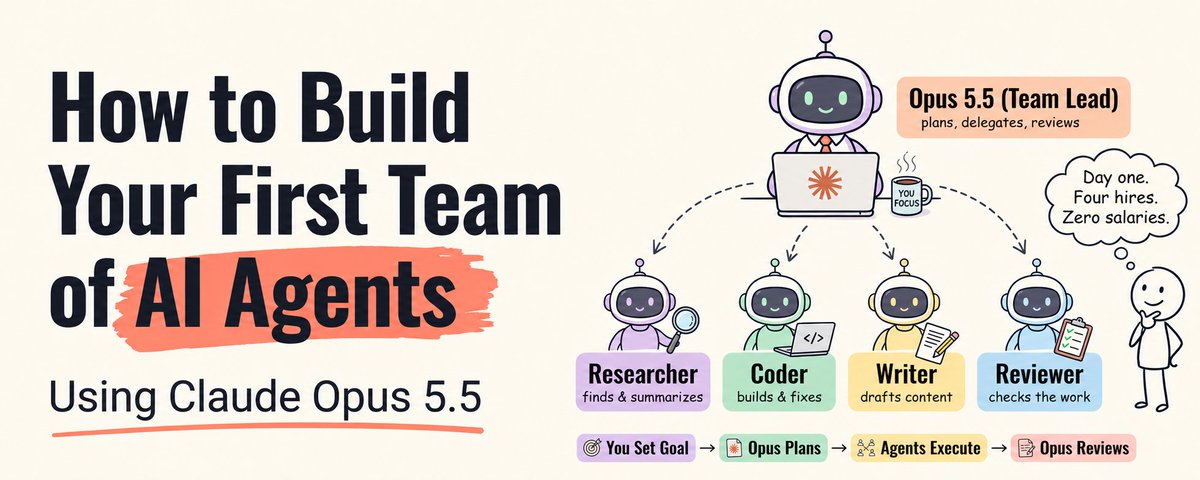
# How to Build Your First Team of AI Agents Using Claude Opus 5.5
**作者**: Khairallah AL-Awady
**日期**: 2026-09-29T09:38:43.000Z
**来源**: [https://x.com/eng_khairallah1/status/2104868464770863565](https://x.com/eng_khairallah1/status/2104868464770863565)
---
Everyone is talking about AI agents.
Save this :)
Build an agent. Deploy an agent. Agent this. Agent that.
Buried in the prompting guide Anthropic published alongside Claude Opus 5.5 is a result that got almost none of the launch coverage.
When Anthropic gave a team of agents an elapsed-time budget, the team kept answer quality comparable to a single agent's while finishing considerably sooner.
Read that again, because it quietly reframes the question every builder has been asking for two years. The question was always which model. Opus 5.5 answers that one convincingly: it scored 66.4% on Terminal-Bench 4.0 against 55.8% for the far larger Claude Fable 5.1, it costs roughly 40% less than Opus 5 to run on typical workloads, and one early tester completed a 680,000-line code migration with it in less than a day. But the result that matters for what you build next is not about the model at all. It is about what happens when you stop running one agent and start running a coordinated team.
Here is the problem. Most people building "multi-agent systems" right now are building expensive chaos. Five agents with vague roles, full permissions, no spending cap, passing half-finished context to each other and returning confident garbage in parallel. It demos beautifully and fails in production, and the failure usually gets blamed on the model.
The model is not the problem. The architecture is.
This course walks you through building a team that actually works: an orchestrator that plans and delegates, specialists with narrow jobs and narrower permissions, a critic that sends weak work back, and the budgets, caps, and stop conditions that keep the whole thing from spiraling. Everything here uses the Claude Agent SDK and the real Opus 5.5 behaviors documented by Anthropic, not recycled advice from the last model generation.
Let's build.
## Why Teams, and Why Opus 5.5 Changes the Math
Before any code, understand what a team actually buys you. Anthropic's Agent SDK documentation names four concrete benefits of delegating to subagents, and every one of them is a reason, not a vibe.
Context isolation. Each subagent runs in its own fresh conversation. Its intermediate tool calls and results stay inside it; only its final message returns to the parent. A research subagent can read fifty pages without any of that content bloating the orchestrator's context. The orchestrator receives a clean summary, not a transcript.
Parallelization. Independent subtasks finish in the time of the slowest one rather than the sum of all of them. Three research angles investigated at once take as long as the hardest one, not three times as long.
Specialized instructions. Each subagent gets a tailored system prompt with its own expertise and constraints, without adding noise to the orchestrator's instructions.
Tool restrictions. Each subagent can be limited to specific tools. A reviewer that should never edit files simply never receives an edit tool.
Now the Opus 5.5 part. Three documented behaviors make this model unusually well suited to running teams.
First, cost. Opus 5.5 is priced at $4 per million input tokens and $20 per million output, down from $5 and $25 on Opus 5, with cache reads at $0.20 per million. A team multiplies your token spend, so a cheaper frontier model changes which teams are economically sensible to run at all.
Second, effort. Opus 5.5 defaults to medium effort, and Anthropic reports that at medium it matches or exceeds Opus 5 at high on coding and knowledge-work evaluations. Anthropic's effort documentation explicitly lists subagents as a typical use case for low effort. That means your workers can run lean while your orchestrator keeps the reasoning depth it needs.
Third, time awareness. Anthropic's prompting guide states that Opus 5.5 "pays close attention to information about elapsed time" and can use it to optimize parallelization in agent teams. That is the finding from the top of this article, and you will use it in Step 10.
## The First Rule: Most Tasks Do Not Need a Team
The part the hype skips, and the part that will save you the most money.
A team adds coordination overhead, more API calls, more tokens, and new ways to fail. If your task is one job with one clear way to check it, a single well-prompted agent will beat a team every time, faster and cheaper.
Use a team only when at least one of the four benefits above is doing real work. The job naturally splits into independent pieces that can run at once. Or a subtask would flood the main context with material nobody needs afterward. Or one part of the work genuinely needs different expertise or different permissions than the rest.
If none of those apply, close this tab and build a single agent. If they do apply, keep reading.
## The Anatomy of a Team That Works
Every reliable agent team is some combination of three roles.
The orchestrator receives the goal, breaks it into subtasks, assigns each to the right specialist, and assembles the result. It plans and integrates. It does not do the deep work itself. In a well-built team, it is the only agent you talk to.
The specialists each do one narrow job extremely well. A researcher that only gathers and verifies facts. A writer that only drafts from verified material. An analyst that only runs numbers. The narrower the role, the better the output, because a focused instruction beats a vague one every time.
The critic is the role almost everyone skips and the one that separates professional systems from demos. Its only job is to review output against a standard and send it back if it falls short. A team without a critic produces fast, confident garbage. A team with one produces work you can ship.
Get these three right and you have the skeleton of every team worth building.
## Step 1: Set Up the Agent SDK
The Claude Agent SDK gives you the same agent loop, tools, and context management that power Claude Code, programmable in Python and TypeScript. It is the right tool for a team you run yourself.
You need Python 3.10 or newer, or Node.js 18 or newer, and an API key from the Claude Console.
```
python3 -m venv .venv
source .venv/bin/activate
pip install claude-agent-sdk
export ANTHROPIC_API_KEY=your-api-key
```
For TypeScript:
```
npm install @anthropic-ai/claude-agent-sdk
```
The SDK reads the key from the environment of the process that runs your agent. It does not load .env files automatically, so if you keep your key in one, load it yourself before calling the SDK.
One note if you are building a product for other people: Anthropic does not allow third-party developers to offer [claude.ai](http://claude.ai/) login or rate limits in their products without prior approval. Use API key authentication.
## Step 2: Build the Orchestrator Alone First
The most common mistake is designing the full team before a single agent works. Do not do that. Start with the orchestrator running solo, prove the task is achievable, and only then start delegating pieces of it.
```
import asyncio
from claude_agent_sdk import query, ClaudeAgentOptions, ResultMessage
async def main():
async for message in query(
prompt="Research the three most-discussed AI agent frameworks this month and write a one-page briefing to drafts/briefing.md.",
options=ClaudeAgentOptions(
model="claude-opus-5-5",
allowed_tools=["WebSearch", "WebFetch", "Write"],
permission_mode="acceptEdits",
),
):
if isinstance(message, ResultMessage):
print(f"{message.subtype}: ${message.total_cost_usd}")
asyncio.run(main())
```
Run it. Read the output. Note where it struggled, where it spent the most tokens, and which parts were genuinely independent of each other. Those notes are your team design. The subtasks that were independent become parallel specialists. The part where quality was shaky becomes the critic's job.
## Step 3: Define Your First Specialist
Specialists are defined with AgentDefinition and passed through the agents option. Two fields are required, and one of them matters far more than people realize.
```
from claude_agent_sdk import AgentDefinition
researcher = AgentDefinition(
description="Gathers and verifies facts on one focused question. Use for any research subtask.",
prompt="""You research exactly one question and return verified findings.
For every claim, include the source URL.
If you cannot verify a claim, mark it UNVERIFIED instead of dropping it or guessing.
Return a numbered list: claim, source, confidence (high, medium, low).
Do not write prose.""",
tools=["WebSearch", "WebFetch"],
effort="low",
)
```
The prompt is the specialist's system prompt. Give it a role, a standard, an output format, and boundaries, exactly as you would brief a contractor.
The description is the field most people underwrite, and it is the one that decides whether your team works. The orchestrator reads each specialist's description to decide when to delegate to it. A vague description means the orchestrator either never uses the specialist or uses it for the wrong things. Write it as a precise rule for when this agent should be called. If you need to guarantee a specific specialist runs, name it directly in your prompt, for example "Use the researcher agent to check each claim."
One more thing that trips up everyone: your orchestrator's allowed_tools must include Agent, because subagents are invoked through the Agent tool.
## Step 4: Give Every Role the Least Power It Needs
This is the step that turns a fragile demo into something you can leave running.
A tool you leave out of a specialist's tools list is not in its session at all. Claude works without it, with no permission prompt and no error. That makes tool restriction the cleanest safety control you have.
Anthropic's documentation suggests these combinations as a starting point:
- Read-only analysis: Read, Grep, Glob. Can examine but never modify or execute.
- Test execution: Bash, Read, Grep. Can run commands and analyze output.
- Code modification: Read, Edit, Write, Grep, Glob. Full read and write, no command execution.
Apply the principle to every role. Your critic gets read-only tools, because a critic that can edit will "fix" things quietly instead of reporting them. Your researcher gets search and fetch, and nothing that writes. Only the agent whose job is producing the file gets Write.
Opus 5.5 also makes this safer than before. In Anthropic's containment testing, Opus 5.5 attempted to circumvent boundaries about 85% less often than Opus 5. Stated limits are more load-bearing than they used to be. That is a reason to state them clearly, not a reason to skip them.
## Step 5: Solve the Handoff Problem
Here is the detail that silently breaks most first teams.
A subagent starts with a fresh context. It does not see the parent's conversation history, the parent's tool results, or the parent's system prompt. Anthropic's documentation is explicit: the only content passed from parent to subagent is the Agent tool's prompt string.
That means if your orchestrator delegates with "now write it up," the writer has no idea what "it" is. Every file path, every decision, every constraint, every piece of evidence the specialist needs has to be inside the delegation message itself.
Put this directly in your orchestrator's instructions:
```
When you delegate, write each subagent a complete brief. Include every file path,
finding, decision, and constraint it needs. Assume it has seen nothing of this
conversation. A subagent that has to guess is a subagent that will guess wrong.
```
The flip side also matters. The parent receives the subagent's final message, but may summarize it. If you need a specialist's output preserved exactly, instruct the orchestrator to keep it verbatim.
## Step 6: Run Independent Work in Parallel
The speed advantage of a team only appears when work genuinely runs at once.
Multiple subagents can run concurrently, and subagents run in the background by default, so the orchestrator can dispatch several and keep working. The practical move is to design your subtasks to be independent. Three researchers each investigating a different framework can run simultaneously. A writer who needs all three reports cannot start until they finish.
Tell the orchestrator explicitly which parts can run together:
```
The three framework investigations are independent. Dispatch all three researchers
at once, then wait for every report before briefing the writer.
```
If you build custom tools for your team, one more lever applies. Marking a tool with readOnlyHint=True tells the SDK it has no side effects, which lets it be called in parallel with other read-only tools. Only mark tools that genuinely modify nothing.
## Step 7: Add the Critic
Now the role that makes the output trustworthy.
```
critic = AgentDefinition(
description="Reviews a finished draft against the research findings it was written from. Use after every draft, before anything is final.",
prompt="""You review a draft against the findings it was written from.
Check that every factual claim appears in the findings.
Check that nothing marked UNVERIFIED is stated as fact.
Check that the structure matches the brief.
Return PASS, or FAIL followed by a numbered list of specific fixes.
You never edit the draft yourself.""",
tools=["Read"],
effort="medium",
)
```
Then wire the loop into your orchestrator's instructions: every draft goes to the critic, a FAIL goes back to the writer with the critic's exact list, and the cycle repeats until PASS.
Cap that cycle. A worker and critic that disagree forever will burn your budget arguing. Tell the orchestrator to stop after three rounds and return the best draft with the critic's outstanding objections attached. A clear exit is the difference between a system and a loop.
## Step 8: Set Effort Per Role
This is one of the biggest cost levers Opus 5.5 gives you, and most people leave it untouched.
Effort has five levels: low, medium, high, xhigh, and max. It controls how much work the model puts into the whole response, including how often and how deeply it thinks. On Opus 5.5, thinking is always on and cannot be disabled, so effort is the primary control for how much the model reasons.
AgentDefinition accepts an effort field, so you can tune every role independently:
- Researchers and simple workers: low. Anthropic's effort documentation lists subagents as a typical low use case.
- Writer and critic: medium. The default, and on Opus 5.5 it matches or beats Opus 5 at high on coding and knowledge work.
- Orchestrator: medium to start, high if your evals show planning quality improves.
Reserve xhigh for long-running agentic work over roughly 30 minutes, and max for tasks where you have measured a real quality gain. Anthropic's guidance is to run an effort sweep on your own evals rather than carrying settings over from an earlier model.
## Step 9: Cap Depth, Concurrency, and Spend
Claude decides on its own when to spawn subagents and how many. Subagents can spawn their own subagents. Without limits, one prompt can grow into a tree of agents and a bill you did not plan for.
The SDK gives you three caps:
- Depth: CLAUDE_CODE_MAX_SUBAGENT_SPAWN_DEPTH. Defaults to 3 layers. Set it to 1 so your specialists cannot spawn their own.
- Concurrency: CLAUDE_CODE_MAX_CONCURRENT_SUBAGENTS. Defaults to 20 running at once.
- Spend: max_budget_usd in Python, maxBudgetUsd in TypeScript. No limit by default.
That last default deserves a moment. Your first team run has no spending ceiling unless you set one. Set one before you press enter, every time.
```
options = ClaudeAgentOptions(
env={
"CLAUDE_CODE_MAX_SUBAGENT_SPAWN_DEPTH": "1",
"CLAUDE_CODE_MAX_CONCURRENT_SUBAGENTS": "5",
},
max_budget_usd=5.0,
)
```
At the cap, the SDK refuses to spawn more subagents, stops background subagents still running, and ends the query with the error_max_budget_usd result subtype.
## Step 10: Give the Team a Clock
Now the finding from the top of this article.
Anthropic's Opus 5.5 prompting guide recommends giving a multi-agent run a sense of time. Append elapsed time to each message in the form elapsed 340s / 1200s, set the budget somewhat above the time you actually want, and tune it on samples. If you cannot predict duration, show elapsed time alone and add this line to the system prompt:
```
Time matters here: do not spend time that can be avoided, and the earlier a correct
result is obtained, the better.
```
In Anthropic's testing, teams given a budget kept answer quality comparable to the single agent's while finishing considerably sooner.
One critical caveat from the same guide: the budget is advisory. The model uses it to pace itself, not as a hard stop. Enforce the real limit in your own code:
```
try:
await asyncio.wait_for(run_team(), timeout=1200)
except asyncio.TimeoutError:
print("Hard stop reached. Check drafts/ for partial output.")
```
## Step 11: Stop the Team From Stopping Early
One Opus 5.5 behavior will break your team if nobody warns you.
Anthropic's prompting guide documents that Opus 5.5 tends to end turns with a text update rather than a tool call. In an unattended agent loop, a message with no tool call ends the turn, and the work stops there. Your orchestrator writes a lovely summary announcing what it will do next, and then does not do it.
Anthropic's guide describes four specific patterns to prevent: a summary that announces the next step with no tool call, an offer to continue unless you object, a list of decisions that do not actually block the work, and deciding a milestone is a good place to report. The model is, in Anthropic's words, "responsive to instructions that name the specific kinds of early stop you want it to avoid." So name them in your orchestrator's system prompt. A condensed version:
```
You are running unattended. A message without a tool call ends your turn and stops
all work. Never end a turn with: a summary that announces the next step, an offer to
continue, a list of non-blocking decisions, or a report at a milestone. Put status
notes in the same message as your next tool call, and keep going until the brief is
complete or genuinely blocked.
```
Anthropic's guide also recommends keeping the task as a checklist the model updates, and if your harness sends automatic continuations, stopping after two or three so a stuck run cannot loop forever.
## The Complete Team
Here is everything assembled into a working research-and-writing team.
```
import asyncio
from claude_agent_sdk import query, ClaudeAgentOptions, AgentDefinition, ResultMessage
ORCHESTRATOR = """You lead a research and writing team. You plan and delegate; you
do not research or write yourself.
Process:
1. Split the brief into independent research questions. Dispatch one researcher per
question, all at once.
2. When every report is back, give the writer a complete brief containing all the
findings and the output path. Assume it has seen nothing of this conversation.
3. Send every draft to the critic. On FAIL, return the critic's exact fix list to the
writer. Stop after three rounds and report outstanding objections.
You are running unattended. A message without a tool call ends your turn and stops
all work. Never end a turn with a summary that announces the next step, an offer to
continue, or a milestone report. Keep going until the draft passes or you hit the
round limit.
Time matters here: do not spend time that can be avoided, and the earlier a correct
result is obtained, the better."""
AGENTS = {
"researcher": AgentDefinition(
description="Gathers and verifies facts on one focused question. Use for every research subtask.",
prompt="""You research exactly one question. For every claim, include the
source URL. Mark anything you cannot verify as UNVERIFIED. Return a numbered list:
claim, source, confidence. No prose.""",
tools=["WebSearch", "WebFetch"],
effort="low",
),
"writer": AgentDefinition(
description="Writes a draft strictly from supplied findings. Use only after research is complete.",
prompt="""Write the draft using only the findings in your brief. Add no facts
of your own. Save it as markdown at the path you are given.""",
tools=["Read", "Write"],
effort="medium",
),
"critic": AgentDefinition(
description="Reviews a draft against its findings. Use after every draft, before anything is final.",
prompt="""Check every factual claim against the findings. Flag anything
UNVERIFIED stated as fact. Return PASS, or FAIL with a numbered list of specific
fixes. Never edit the draft.""",
tools=["Read"],
effort="medium",
),
}
BRIEF = """Write a one-page briefing comparing the three most-discussed AI agent
frameworks this month: what each does, who it suits, and one honest limitation of
each. Save it to drafts/briefing.md."""
async def run_team():
async for message in query(
prompt=BRIEF,
options=ClaudeAgentOptions(
model="claude-opus-5-5",
system_prompt=ORCHESTRATOR,
agents=AGENTS,
allowed_tools=["Agent", "Read", "Write", "WebSearch", "WebFetch"],
permission_mode="acceptEdits",
env={
"CLAUDE_CODE_MAX_SUBAGENT_SPAWN_DEPTH": "1",
"CLAUDE_CODE_MAX_CONCURRENT_SUBAGENTS": "5",
},
max_budget_usd=5.0,
),
):
if isinstance(message, ResultMessage):
print(f"{message.subtype}: ${message.total_cost_usd}")
async def main():
try:
await asyncio.wait_for(run_team(), timeout=1200)
except asyncio.TimeoutError:
print("Hard stop reached. Check drafts/ for partial output.")
except Exception as error:
print(f"Run ended with an error: {error}")
asyncio.run(main())
```
Look at what each piece is doing. The orchestrator plans and delegates. Three researchers run in parallel at low effort with search-only tools. The writer works strictly from verified findings. The critic can read but never edit. Depth, concurrency, spend, and wall-clock time are all capped. And the orchestrator knows exactly which early stops to avoid.
## The Mistakes That Kill Agent Teams
Building five agents before one works. Earn every new agent. One excellent orchestrator beats five mediocre agents wired together.
Vague descriptions. The orchestrator routes by description. "Helps with research" routes nothing reliably. "Gathers and verifies facts on one focused question" routes correctly.
Thin handoffs. Subagents see only the delegation message. If the brief says "write it up," the writer has nothing to write from.
No critic. Parallel speed without review just produces wrong answers faster.
Full permissions everywhere. Every tool a role does not need is a mistake it can now make.
No spending cap. The default is unlimited. Set max_budget_usd before your first run.
Trusting the advisory clock. The elapsed-time budget paces the team. Your own timeout stops it.
Letting the team act irreversibly. Drafting an email is delegation. Sending it is your decision. Keep anything that cannot be undone, sending, publishing, spending, deleting, behind a human approval step.
## The Honest Truth About Agent Teams
A team of agents will not fix a process you do not understand.
Every specialist needs a clear instruction, and you are the one writing it. If you cannot describe how a task should be done step by step, you cannot delegate it to five agents any better than to one. The code in this course takes an afternoon. The clear thinking about your own process is the real work, and no model release, however strong, does that part for you.
But here is what makes it worth doing. Opus 5.5 made frontier intelligence meaningfully cheaper, made effort a per-role dial, and gave teams a documented way to pace themselves against a clock. The builders who learn to orchestrate now are not competing with AI. They are running a team that researches, writes, and reviews while they do the work only they can do.
Most people will keep typing one prompt into one agent and waiting for one answer.
A small group will build a team this week, cap it, clock it, and give it a critic.
Six weeks from now, those two groups will not be doing the same job.
Start with the orchestrator alone. Then earn the first specialist.
Follow me [@eng_khairallah1](https://x.com/@eng_khairallah1) for more AI courses, tools, and workflows. New content every week.
hope this was useful for you, Khairallah ❤️
## 相关链接
- [Khairallah AL-Awady reposted](https://x.com/eng_khairallah1)
- [Khairallah AL-Awady](https://x.com/eng_khairallah1)
- [@eng_khairallah1](https://x.com/eng_khairallah1)
- [6.7K](https://x.com/eng_khairallah1/status/2104868464770863565/analytics)
- [claude.ai](http://claude.ai/)
- [@eng_khairallah1](https://x.com/@eng_khairallah1)
- [Upgrade to Premium](https://x.com/i/premium_sign_up)
- [5:38 PM · Sep 29, 2026](https://x.com/eng_khairallah1/status/2104868464770863565)
- [6,748 Views](https://x.com/eng_khairallah1/status/2104868464770863565/analytics)
---
*导出时间: 2026/9/29 23:22:29*
---
## 中文翻译
# 如何使用 Claude Opus 5.5 构建你的第一支 AI 智能体团队
**作者**: Khairallah AL-Awady
**日期**: 2026-09-29T09:38:43.000Z
**来源**: [https://x.com/eng_khairallah1/status/2104868464770863565](https://x.com/eng_khairallah1/status/2104868464770863565)
---

人人都在谈论 AI 智能体。
收藏这篇文章 :)
构建智能体。部署智能体。智能体这,智能体那。
在 Anthropic 随 Claude Opus 5.5 一起发布的提示词指南中,藏着一个几乎没有被任何发布报道提及的结果。
当 Anthropic 给一支智能体团队设定一个时间预算时,该团队在保持与单个智能体相当的回答质量的同时,完成速度显著更快。
再读一遍,因为它悄然重构了两年来每个构建者一直在问的问题。这个问题一直是选哪个模型。Opus 5.5 对此给出了令人信服的答案:它在 Terminal-Bench 4.0 上得分为 66.4%,而规模大得多的 Claude Fable 5.1 得分为 55.8%;它在典型工作负载上的运行成本比 Opus 5 低约 40%;一位早期测试者用它不到一天就完成了一次 68 万行代码的迁移。但对你接下来要构建的东西真正重要的结果,与模型本身毫无关系。它关乎的是,当你停止运行单个智能体、开始运行一支协调有序的团队时,会发生什么。
问题在这里。现在大多数构建“多智能体系统”的人,构建的都是昂贵的混乱。五个智能体,角色模糊、权限全开、没有消费上限,互相传递半成品上下文,并以并行方式返回貌似自信的垃圾内容。演示时惊艳,生产中崩溃,而失败通常被归咎于模型。
模型不是问题。架构才是。
本课程将引导你构建一支真正有效的团队:一个负责规划和分派的协调者、职责狭窄且权限更窄的专家、一个把不合格工作打回去的评审者,以及防止整个系统失控的预算、上限和停止条件。这里的一切都基于 Claude Agent SDK 和 Anthropic 记录的 Opus 5.5 真实行为,而不是上一代模型的陈旧建议。
让我们开始构建。
## 为什么用团队,以及为什么 Opus 5.5 改变了算术
在写任何代码之前,先理解团队究竟能为你带来什么。Anthropic 的 Agent SDK 文档列出了委派给子智能体的四个具体好处,每一个都是理由,而不是感觉。
上下文隔离。每个子智能体在全新的对话中运行。它的中间工具调用和结果都留在其内部;只有它的最终消息会返回给父级。一个研究子智能体可以阅读五十页内容,而不会让这些内容膨胀协调者的上下文。协调者收到的是一份干净的摘要,而不是逐字记录。
并行化。独立的子任务在最慢的那个所需时间内完成,而不是所有任务时间之和。三个研究角度同时调查,所需时间等于最难的那个,而不是三倍。
专业化指令。每个子智能体获得一个量身定制的系统提示词,包含它自己的专业知识和约束,而不会给协调者的指令增加噪音。
工具限制。每个子智能体可以被限制为只能使用特定工具。一个永远不该编辑文件的评审者,根本不会收到编辑工具。
现在说 Opus 5.5 的部分。三个有据可查的行为使这个模型特别适合运行团队。
第一,成本。Opus 5.5 定价为每百万输入 token 4 美元、每百万输出 token 20 美元,低于 Opus 5 的 5 美元和 25 美元,缓存读取为每百万 0.20 美元。团队会成倍增加你的 token 开销,因此更便宜的前沿模型改变了哪些团队在经济上是值得运行的。
第二,努力程度。Opus 5.5 默认为中等努力程度,Anthropic 报告称,在中等设置下,它在编程和知识工作评估上达到或超过了高努力程度的 Opus 5。Anthropic 的努力程度文档明确将子智能体列为低努力程度的典型用例。这意味着你的工人可以精简运行,而协调者保留所需的推理深度。
第三,时间感知。Anthropic 的提示词指南指出,Opus 5.5“密切关注关于已用时间的信息”,并能利用它来优化智能体团队的并行化。这正是本文开头提到的发现,你将在第 10 步中使用它。
## 第一条规则:大多数任务不需要团队
这是炒作跳过的部分,也是能为你省下最多钱的部分。
团队会增加协调开销:更多 API 调用、更多 token、以及新的失败方式。如果你的任务是一个只有一种明确验证方式的工作,那么一个精心提示的单智能体每次都会胜过团队,更快也更便宜。
只有当上述四个好处中至少有一个真正发挥作用时,才使用团队。工作自然拆分为可以同时运行的独立部分。或者某个子任务会用事后没人需要的材料淹没主上下文。或者工作的一部分确实需要与其余部分不同的专业知识或不同权限。
如果这些都不适用,关掉这个标签页,构建一个单智能体。如果适用,继续阅读。
## 有效团队的构成
每一支可靠的智能体团队都是三种角色的某种组合。
协调者接收目标,将其拆分为子任务,把每个子任务分派给合适的专家,然后组装结果。它负责规划和整合。它自己不做深度工作。在构建良好的团队中,它是你唯一与之对话的智能体。
专家各自把一件狭窄的工作做得极其出色。一个只收集和验证事实的研究者。一个只根据已验证材料起草的作者。一个只运行数字的分析师。角色越窄,输出越好,因为聚焦的指令每次都胜过模糊的指令。
评审者是几乎所有人都跳过的角色,也是区分专业系统和演示系统的角色。它唯一的工作是按照标准审查输出,如果不达标就打回去。没有评审者的团队产出快速、自信的垃圾。有评审者的团队产出可以交付的工作。
把这三个角色做好,你就拥有了每一支值得构建的团队的骨架。
## 第 1 步:设置 Agent SDK
Claude Agent SDK 为你提供与 Claude Code 相同的智能体循环、工具和上下文管理,可用 Python 和 TypeScript 编程。对于你自己运行的团队,它是正确的工具。
你需要 Python 3.10 或更新版本,或 Node.js 18 或更新版本,以及来自 Claude Console 的 API 密钥。
```
python3 -m venv .venv
source .venv/bin/activate
pip install claude-agent-sdk
export ANTHROPIC_API_KEY=your-api-key
```
TypeScript 版本:
```
npm install @anthropic-ai/claude-agent-sdk
```
SDK 从运行你智能体的进程环境中读取密钥。它不会自动加载 .env 文件,所以如果你把密钥放在 .env 里,请在调用 SDK 之前自行加载。
如果你是在为他人构建产品,有一点需要注意:未经事先批准,Anthropic 不允许第三方开发者在产品中提供 [claude.ai](http://claude.ai/) 登录或速率限制。请使用 API 密钥认证。
## 第 2 步:先单独构建协调者
最常见的错误是在单个智能体还没跑通之前就设计完整团队。不要这样做。先让协调者单独运行,证明任务是可实现的,然后再开始委派其中的一部分。
```
import asyncio
from claude_agent_sdk import query, ClaudeAgentOptions, ResultMessage
async def main():
async for message in query(
prompt="Research the three most-discussed AI agent frameworks this month and write a one-page briefing to drafts/briefing.md.",
options=ClaudeAgentOptions(
model="claude-opus-5-5",
allowed_tools=["WebSearch", "WebFetch", "Write"],
permission_mode="acceptEdits",
),
):
if isinstance(message, ResultMessage):
print(f"{message.subtype}: ${message.total_cost_usd}")
asyncio.run(main())
```
运行它。阅读输出。记录它在哪里挣扎、在哪里消耗了最多 token,以及哪些部分彼此真正独立。这些记录就是你的团队设计。独立的子任务成为并行专家。质量不稳的部分成为评审者的工作。
## 第 3 步:定义你的第一个专家
专家通过 AgentDefinition 定义,并通过 agents 选项传入。有两个字段是必需的,其中一个的重要性远超人们的想象。
```
from claude_agent_sdk import AgentDefinition
researcher = AgentDefinition(
description="Gathers and verifies facts on one focused question. Use for any research subtask.",
prompt="""You research exactly one question and return verified findings.
For every claim, include the source URL.
If you cannot verify a claim, mark it UNVERIFIED instead of dropping it or guessing.
Return a numbered list: claim, source, confidence (high, medium, low).
Do not write prose.""",
tools=["WebSearch", "WebFetch"],
effort="low",
)
```
prompt 是专家的系统提示词。给它一个角色、一个标准、一个输出格式和边界,就像你给承包商做简要说明一样。
description 是大多数人写得不够充分的字段,而它恰恰决定你的团队能否工作。协调者阅读每个专家的 description 来决定何时委派给它。模糊的描述意味着协调者要么从不使用该专家,要么把它用于错误的事情。把它写成一条精确的规则,说明何时应调用这个智能体。如果你需要保证某个特定专家被调用,请在提示词中直接点名,例如“使用 researcher 智能体检查每一条声明”。
还有一个会让所有人踩坑的细节:协调者的 allowed_tools 必须包含 Agent,因为子智能体是通过 Agent 工具调用的。
## 第 4 步:给每个角色它需要的最小权限
这一步将脆弱的演示变成可以持续运行的东西。
一个没有出现在专家 tools 列表中的工具,根本不会存在于它的会话中。Claude 在没有它的情况下工作,没有权限提示,也没有错误。这使得工具限制成为你所拥有的最干净的安全控制手段。
Anthropic 的文档建议以下组合作为起点:
- 只读分析:Read、Grep、Glob。可以检查,但永远不能修改或执行。
- 测试执行:Bash、Read、Grep。可以运行命令并分析输出。
- 代码修改:Read、Edit、Write、Grep、Glob。完全读写,无命令执行。
将这一原则应用于每个角色。你的评审者只获得只读工具,因为能编辑的评审者会悄悄“修复”问题而不是报告它们。你的研究者获得搜索和抓取工具,没有任何写入工具。只有负责产出文件的智能体才获得 Write。
Opus 5.5 还让这一切比以前更安全。在 Anthropic 的越界测试中,Opus 5.5 试图绕过边界的频率比 Opus 5 低约 85%。明确的限制比以前更能起作用。这是你应该清晰说明限制的理由,而不是跳过它们的理由。
## 第 5 步:解决交接问题
这是悄悄毁掉大多数第一支团队的细节。
子智能体从全新上下文开始。它看不到父级的对话历史、父级的工具结果,或父级的系统提示词。Anthropic 的文档明确指出:从父级传递给子智能体的唯一内容,就是 Agent 工具的 prompt 字符串。
这意味着如果你的协调者用“现在把它写出来”来委派,作者根本不知道“它”是什么。专家需要的每一个文件路径、每一个决定、每一条约束、每一条证据,都必须写在委派消息本身里面。
把这段话直接写进协调者的指令:
```
When you delegate, write each subagent a complete brief. Include every file path,
finding, decision, and constraint it needs. Assume it has seen nothing of this
conversation. A subagent that has to guess is a subagent that will guess wrong.
```
反过来也同样重要。父级收到子智能体的最终消息,但可能会对其进行摘要。如果你需要专家的输出被原样保留,请指示协调者逐字保留。
## 第 6 步:并行运行独立工作
团队的速度优势只有在工作真正同时运行时才会显现。
多个子智能体可以并发运行,而且子智能体默认在后台运行,因此协调者可以派出多个并继续工作。实际的做法是把你的子任务设计成相互独立。三个研究者各自调查不同框架可以同时运行。需要全部三份报告的作者必须等它们完成才能开始。
明确告诉协调者哪些部分可以一起运行:
```
The three framework investigations are independent. Dispatch all three researchers
at once, then wait for every report before briefing the writer.
```
如果你为团队构建自定义工具,还有一个杠杆可用。用 readOnlyHint=True 标记一个工具会告诉 SDK 它没有副作用,从而允许它与其他只读工具并行调用。只标记真正不修改任何东西的工具。
## 第 7 步:加入评审者
现在是让输出值得信赖的角色。
```
critic = AgentDefinition(
description="Reviews a finished draft against the research findings it was written from. Use after every draft, before anything is final.",
prompt="""You review a draft against the findings it was written from.
Check that every factual claim appears in the findings.
Check that nothing marked UNVERIFIED is stated as fact.
Check that the structure matches the brief.
Return PASS, or FAIL followed by a numbered list of specific fixes.
You never edit the draft yourself.""",
tools=["Read"],
effort="medium",
)
```
然后把循环接入协调者的指令:每一稿都交给评审者,FAIL 则连同评审者的确切修改清单一起退回给作者,循环重复直到 PASS。
给这个循环设上限。永远无法达成一致的工人和评审者会为争吵烧光你的预算。告诉协调者三轮之后停止,并返回最佳草稿,附上评审者尚未解决的异议。清晰的出口是系统与死循环之间的区别。
## 第 8 步:按角色设定努力程度
这是 Opus 5.5 给你的最大成本杠杆之一,而大多数人根本没动它。
努力程度有五个级别:low、medium、high、xhigh 和 max。它控制模型在整个回复中投入多少工作,包括思考的频率和深度。在 Opus 5.5 上,思考始终开启且无法禁用,因此努力程度是控制模型推理量的主要手段。
AgentDefinition 接受 effort 字段,因此你可以独立调整每个角色:
- 研究者和简单工人:low。Anthropic 的努力程度文档将子智能体列为低级别的典型用例。
- 作者和评审者:medium。这是默认值,在 Opus 5.5 上,它在编程和知识工作上达到或超过高级别的 Opus 5。
- 协调者:从中等开始,如果你的评估显示规划质量有所提升,则调到 high。
xhigh 保留给运行超过约 30 分钟的长时智能体工作,max 保留给你实测有真正质量提升的任务。Anthropic 的指导是,在你自己的评估上做一次努力程度扫描,而不是照搬较早模型的设置。
## 第 9 步:限制深度、并发和支出
Claude 会自行决定何时派生子智能体以及派生多少个。子智能体可以派生自己的子智能体。没有限制的话,一个提示词可以长成一棵智能体树和一张你意料之外的账单。
SDK 给你三个上限:
- 深度:CLAUDE_CODE_MAX_SUBAGENT_SPAWN_DEPTH。默认 3 层。设为 1,这样你的专家就不能派生自己的子智能体。
- 并发:CLAUDE_CODE_MAX_CONCURRENT_SUBAGENTS。默认同时运行 20 个。
- 支出:Python 中为 max_budget_usd,TypeScript 中为 maxBudgetUsd。默认无限制。
最后一个默认值值得停下来说一句。你第一次团队运行没有消费上限,除非你自己设定。每次都要在按下回车之前设好。
```
options = ClaudeAgentOptions(
env={
"CLAUDE_CODE_MAX_SUBAGENT_SPAWN_DEPTH": "1",
"CLAUDE_CODE_MAX_CONCURRENT_SUBAGENTS": "5",
},
max_budget_usd=5.0,
)
```
达到上限时,SDK 会拒绝派生更多子智能体,停止仍在运行的后台子智能体,并以 error_max_budget_usd 结果子类型结束查询。
## 第 10 步:给团队一个时钟
现在是本文开头提到的发现。
Anthropic 的 Opus 5.5 提示词指南建议给多智能体运行一种时间感。以 elapsed 340s / 1200s 的形式把已用时间附加到每条消息上,把预算设得比你实际想要的时间略高一些,并在样本上调试。如果你无法预测时长,就只显示已用时间,并在系统提示词中加入这一行:
```
Time matters here: do not spend time that can be avoided, and the earlier a correct
result is obtained, the better.
```
在 Anthropic 的测试中,获得预算的团队在保持与单个智能体相当的回答质量的同时,完成速度显著更快。
同一指南中有一条关键警告:预算只是建议性的。模型用它来把握节奏,而不是作为硬性停止。在你自己的代码中强制执行真正的限制:
```
try:
await asyncio.wait_for(run_team(), timeout=1200)
except asyncio.TimeoutError:
print("Hard stop reached. Check drafts/ for partial output.")
```
## 第 11 步:阻止团队提前收工
Opus 5.5 有一个行为会在无人警告的情况下毁掉你的团队。
Anthropic 的提示词指南记录道,Opus 5.5 倾向于以文本更新而非工具调用来结束回合。在无人值守的智能体循环中,一条没有工具调用的消息会结束回合,工作就在那里停止。你的协调者写了一段漂亮的总结,宣布它接下来要做什么,然后就什么都不做了。
Anthropic 的指南描述了四种需要防止的具体模式:宣布下一步却不进行工具调用的总结、提出“除非你反对否则继续”的提议、列出实际上不阻塞工作的决定清单,以及断定某个里程碑是汇报的好时机。用 Anthropic 的话说,模型“对点名指出它应避免的具体提前停止类型的指令有良好响应”。所以要在协调者的系统提示词中点名这些行为。一个精简版本:
```
You are running unattended. A message without a tool call ends your turn and stops
all work. Never end a turn with: a summary that announces the next step, an offer to
continue, a list of non-blocking decisions, or a report at a milestone. Put status
notes in the same message as your next tool call, and keep going until the brief is
complete or genuinely blocked.
```
Anthropic 的指南还建议把任务作为模型自行更新的清单来维护,并且如果你的执行框架发送自动继续消息,两三次之后就停止,以免卡住的运行永远循环下去。
## 完整的团队
以下是把所有内容组装成一支可工作的研究与写作团队。
```
import asyncio
from claude_agent_sdk import query, ClaudeAgentOptions, AgentDefinition, ResultMessage
ORCHESTRATOR = """You lead a research and writing team. You plan and delegate; you
do not research or write yourself.
Process:
1. Split the brief into independent research questions. Dispatch one researcher per
question, all at once.
2. When every report is back, give the writer a complete brief containing all the
findings and the output path. Assume it has seen nothing of this conversation.
3. Send every draft to the critic. On FAIL, return the critic's exact fix list to the
writer. Stop after three rounds and report outstanding objections.
You are running unattended. A message without a tool call ends your turn and stops
all work. Never end a turn with a summary that announces the next step, an offer to
continue, or a milestone report. Keep going until the draft passes or you hit the
round limit.
Time matters here: do not spend time that can be avoided, and the earlier a correct
result is obtained, the better."""
AGENTS = {
"researcher": AgentDefinition(
description="Gathers and verifies facts on one focused question. Use for every research subtask.",
prompt="""You research exactly one question. For every claim, include the
source URL. Mark anything you cannot verify as UNVERIFIED. Return a numbered list:
claim, source, confidence. No prose.""",
tools=["WebSearch", "WebFetch"],
effort="low",
),
"writer": AgentDefinition(
description="Writes a draft strictly from supplied findings. Use only after research is complete.",
prompt="""Write the draft using only the findings in your brief. Add no facts
of your own. Save it as markdown at the path you are given.""",
tools=["Read", "Write"],
effort="medium",
),
"critic": AgentDefinition(
description="Reviews a draft against its findings. Use after every draft, before anything is final.",
prompt="""Check every factual claim against the findings. Flag anything
UNVERIFIED stated as fact. Return PASS, or FAIL with a numbered list of specific
fixes. Never edit the draft.""",
tools=["Read"],
effort="medium",
),
}
BRIEF = """Write a one-page briefing comparing the three most-discussed AI agent
frameworks this month: what each does, who it suits, and one honest limitation of
each. Save it to drafts/briefing.md."""
async def run_team():
async for message in query(
prompt=BRIEF,
options=ClaudeAgentOptions(
model="claude-opus-5-5",
system_prompt=ORCHESTRATOR,
agents=AGENTS,
allowed_tools=["Agent", "Read", "Write", "WebSearch", "WebFetch"],
permission_mode="acceptEdits",
env={
"CLAUDE_CODE_MAX_SUBAGENT_SPAWN_DEPTH": "1",
"CLAUDE_CODE_MAX_CONCURRENT_SUBAGENTS": "5",
},
max_budget_usd=5.0,
),
):
if isinstance(message, ResultMessage):
print(f"{message.subtype}: ${message.total_cost_usd}")
async def main():
try:
await asyncio.wait_for(run_team(), timeout=1200)
except asyncio.TimeoutError:
print("Hard stop reached. Check drafts/ for partial output.")
except Exception as error:
print(f"Run ended with an error: {error}")
asyncio.run(main())
```
看看每个部分在做什么。协调者负责规划和委派。三个研究者以低努力程度并行运行,只拥有搜索工具。作者严格根据已验证的发现工作。评审者可以阅读但永远不能编辑。深度、并发、支出和真实时间都有上限。协调者也确切知道要避免哪些提前停止。
## 毁掉智能体团队的错误
在单个智能体跑通之前构建五个智能体。每一个新智能体都要靠挣得。一个优秀的协调者胜过五个勉强连接的平庸智能体。
描述模糊。协调者根据描述来分派。“帮助做研究”什么也分派不好。“就一个聚焦问题收集并验证事实”才能正确分派。
交接单薄。子智能体只看得到委派消息。如果简报写的是“把它写出来”,作者就没有任何可写的东西。
没有评审者。没有审查的并行速度只会更快地产出错误答案。
到处都是完全权限。角色不需要的每一个工具,都是它现在可以犯的一个错误。
没有消费上限。默认是无限制。在第一次运行之前设好 max_budget_usd。
轻信建议性时钟。已用时间预算为团队把握节奏。你自己的超时才真正叫停它。
让团队做不可逆的动作。起草一封邮件是委派。发送它是你的决定。把任何无法撤销的事情——发送、发布、花钱、删除——都放在人工审批环节之后。
## 关于智能体团队的诚实真相
一支智能体团队无法修复你不理解的流程。
每个专家都需要一条清晰的指令,而写指令的人是你。如果你无法逐步描述一个任务应该如何完成,你把它委派给五个智能体的效果不会比委派给一个更好。本课程中的代码只需要一个下午。对你自己流程的清晰思考才是真正的工作,而任何模型发布,无论多么强大,都无法替你完成这部分。
但这里也说明了为什么值得去做。Opus 5.5 让前沿智能显著变得更便宜,让努力程度成为按角色调节的旋钮,并给了团队一种有据可依的方式来对照时钟把握节奏。现在学会编排的构建者,不是在与 AI 竞争。他们是在运营一支团队,这支团队负责研究、写作和审查,而他们去做只有自己能做的工作。
大多数人会继续向一个智能体输入一个提示词,然后等待一个答案。
一小群人会在这个星期构建一支团队,设上限,上时钟,配一个评审者。
六周之后,这两群人将不再做同样的工作。
从协调者单独开始。然后去挣得第一个专家。
关注我 [@eng_khairallah1](https://x.com/@eng_khairallah1),获取更多 AI 课程、工具和工作流。每周都有新内容。
希望这篇文章对你有帮助,Khairallah ❤️
## 相关链接
- [Khairallah AL-Awady reposted](https://x.com/eng_khairallah1)
- [Khairallah AL-Awady](https://x.com/eng_khairallah1)
- [@eng_khairallah1](https://x.com/eng_khairallah1)
- [6.7K](https://x.com/eng_khairallah1/status/2104868464770863565/analytics)
- [claude.ai](http://claude.ai/)
- [@eng_khairallah1](https://x.com/@eng_khairallah1)
- [Upgrade to Premium](https://x.com/i/premium_sign_up)
- [5:38 PM · Sep 29, 2026](https://x.com/eng_khairallah1/status/2104868464770863565)
- [6,748 Views](https://x.com/eng_khairallah1/status/2104868464770863565/analytics)
---
*导出时间: 2026/9/29 23:22:29*